Navigate your codebase's architecture — right inside VS Code.
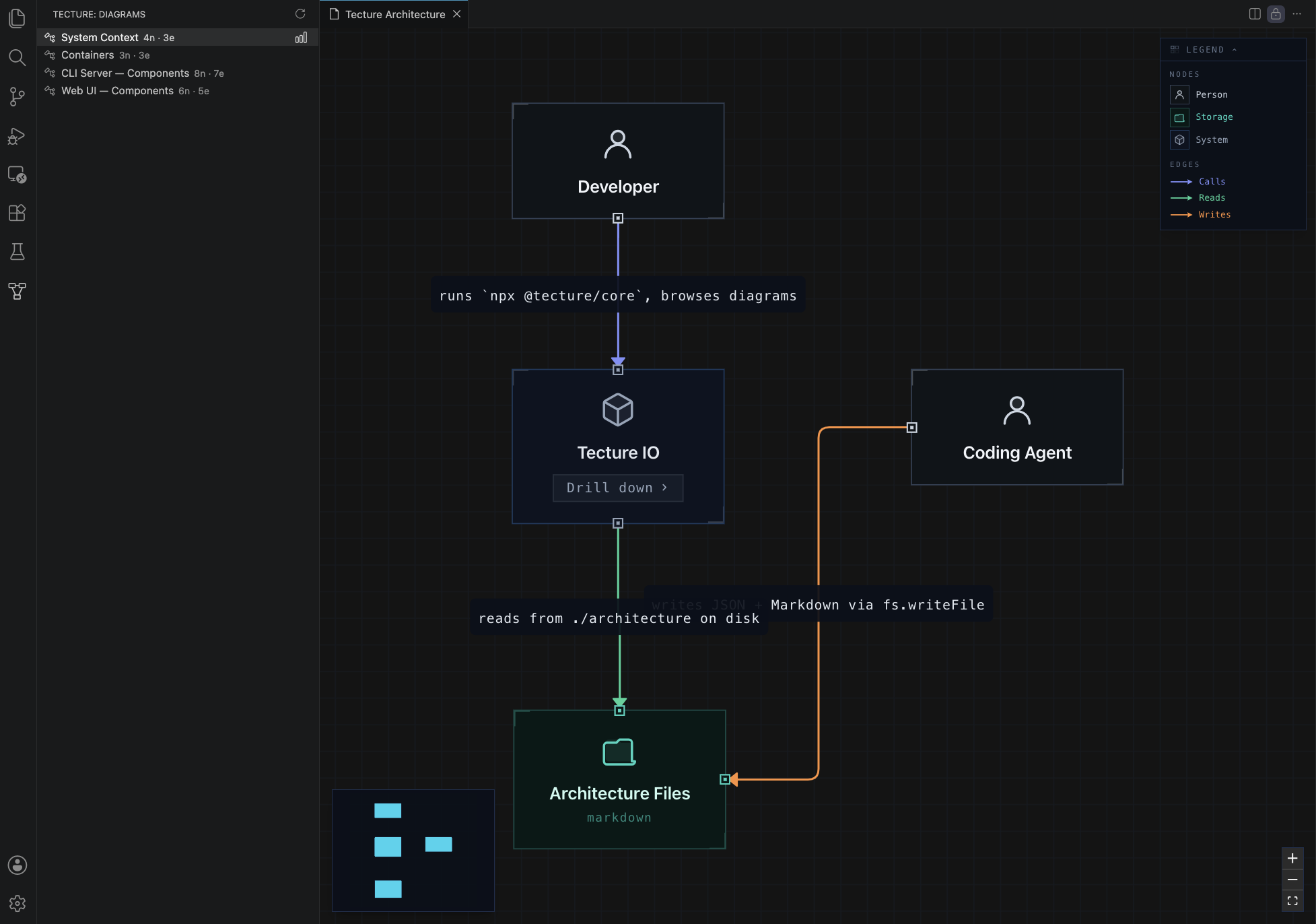
Tecture is an architecture documentation format (structured JSON and Markdown) that AI coding agents know how to write and maintain using a skill. This extension renders those files as interactive, navigable diagrams in your editor.
If your repo already has an architecture/ folder, the extension activates automatically. If not, the setup below takes a couple of minutes.
Getting started
1. Install the architecture-docs skill into your coding agent
The skill teaches your agent how to read a codebase and write architecture files in the Tecture format. Works with Claude Code, Cursor, GitHub Copilot, Codex, Windsurf, and other major coding agents.
npx @tecture/skill@latest
This installs the skill into each agent's native skills directory (interactive — pick your agents). Re-run the same command anytime to update. Always use @latest so npx doesn't re-run a cached copy.
2. Generate the architecture map
From your project root, either:
- 2.1 — run
/architecture-docsin your agent's chat, or - 2.2 — ask it in plain language to document your architecture.
The agent writes the map into an architecture/ folder — a few minutes on a medium repo. Once the initial architecture exists, run a deep-dive on any component you want to explore further: /architecture-docs deep-dive <component>.
3. Open the diagrams
Once the architecture/ folder exists, the extension activates. Open the command palette (Cmd+Shift+P / Ctrl+Shift+P) and run Tecture: Open Architecture, or click any diagram in the Tecture sidebar.
Features
Multi-level diagram navigation
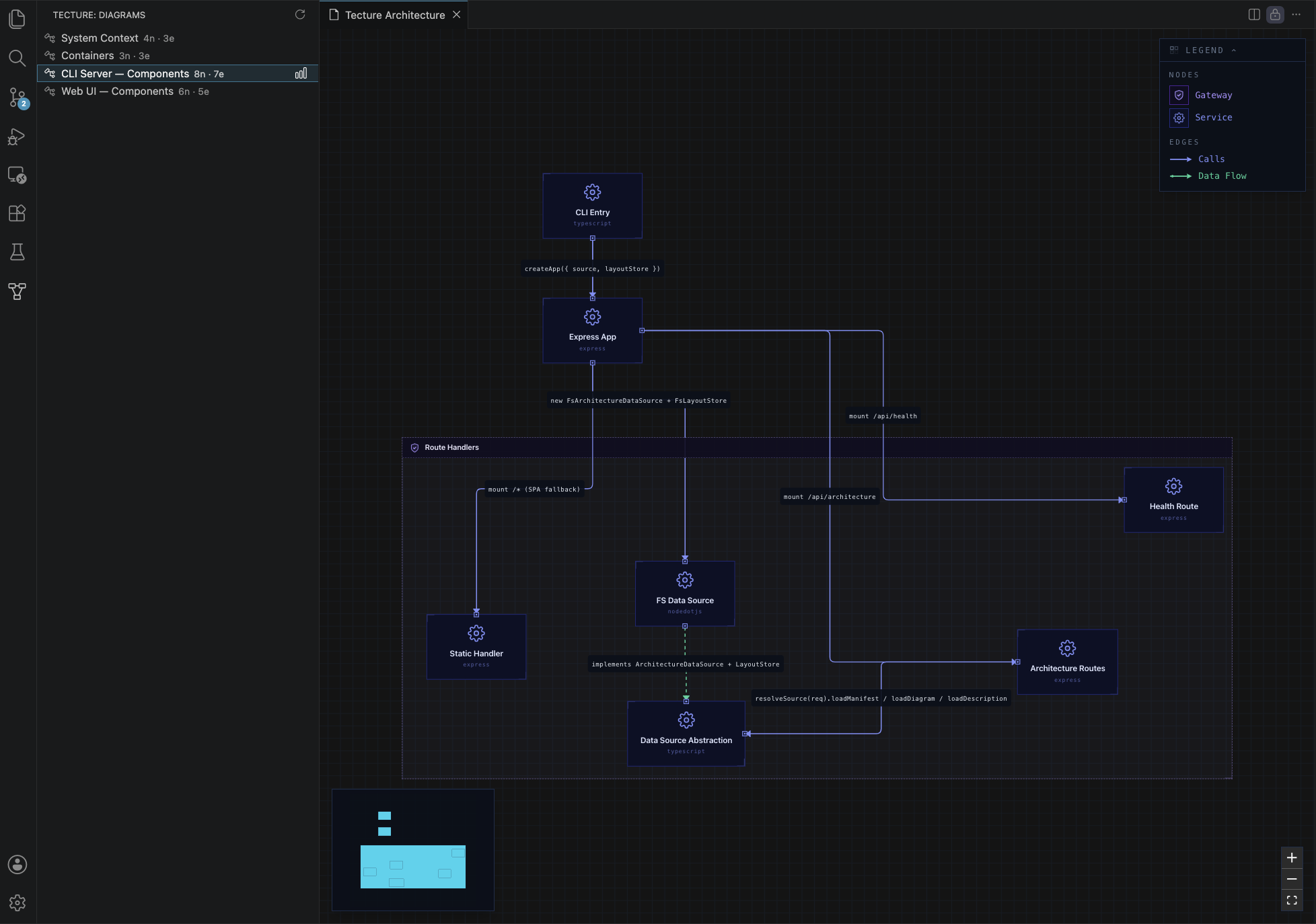
Browse system context, container, and component diagrams from the Tecture Activity Bar. Double-click a node to drill into its sub-diagram.
Component descriptions
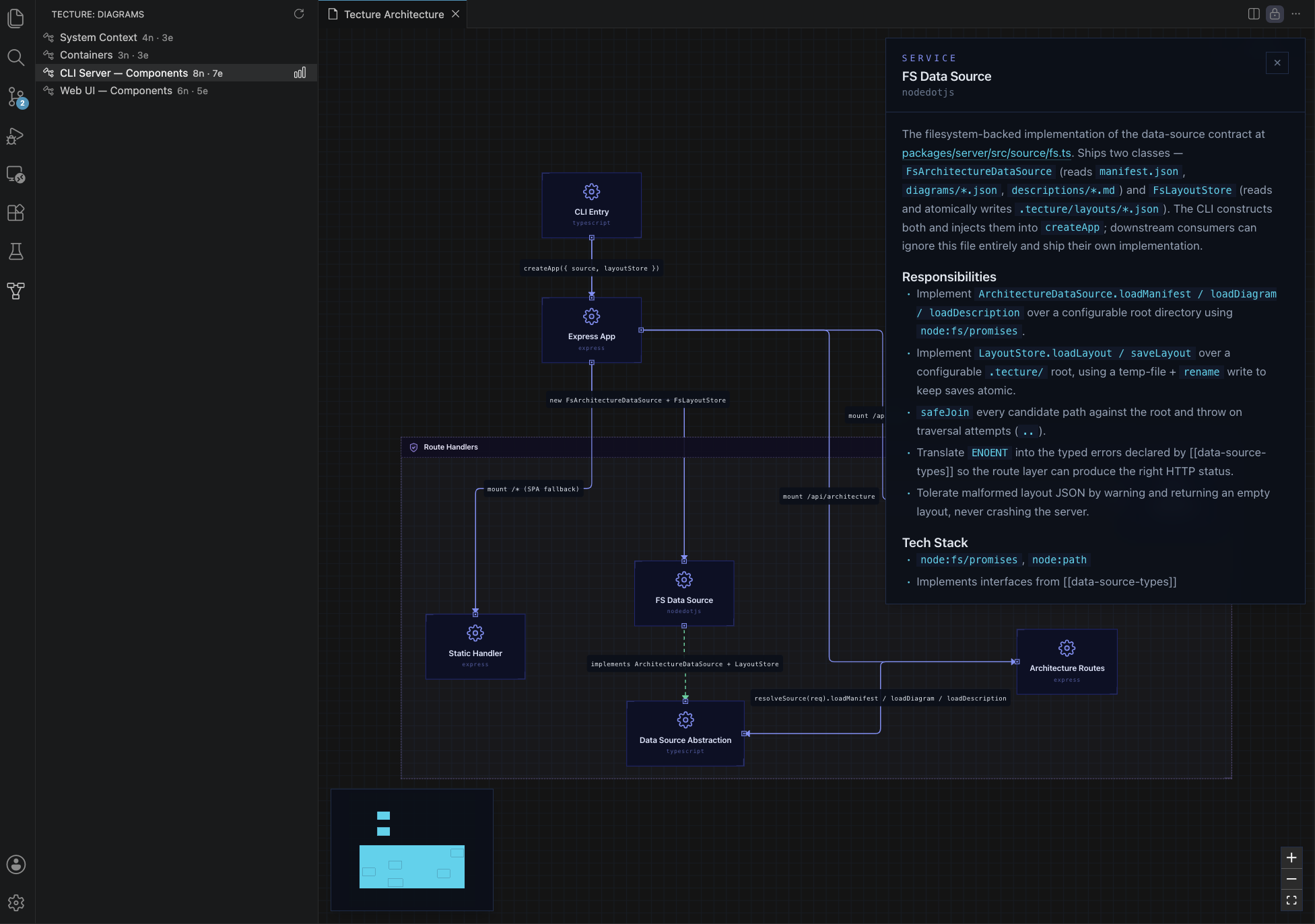
Select any node to open a detail panel showing its Markdown description, responsibilities, and tech stack — including rendered Mermaid diagrams.
Persistent layout
Drag nodes to rearrange the diagram. Positions are saved to architecture/.tecture/layouts/ in your workspace — version-controllable and shared across the team.
Live refresh
Edit any file under architecture/ (including architecture/.tecture/) and the panel reloads automatically. When the agent updates the map, you see the changes instantly.
Requirements
- VS Code 1.90+ (or Cursor / Windsurf / VSCodium via Open VSX)
- A workspace containing
architecture/manifest.json
The extension stays completely inert in repos without architecture files.
Known limitations
- Multi-root workspaces: only the first workspace folder is used.
- Theme: the panel uses a dark color scheme. Light theme support is planned.
Telemetry
The extension sends anonymous usage events (e.g. opening the architecture view, viewing a diagram level) to help prioritize improvements. It records only the C4 level (1/2/3) and counts — never your diagram names, node names, file paths, or any repo content. Events are keyed to an anonymous machine id.
It fully respects VS Code's telemetry setting: if you set telemetry.telemetryLevel to off, nothing is sent. The standalone browser viewer and the CLI send nothing at all.
Resources
- Tecture project — full documentation and browser-based viewer
- Report an issue
- Changelog
- Discord community