Show your MiniMax Token Plan quota (5-hour and weekly) right inside VS Code — status bar and a detail dashboard with an interactive usage history chart.



Screenshots
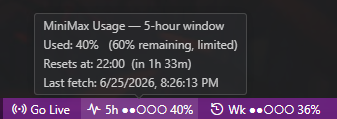
Status bar (bottom-right)
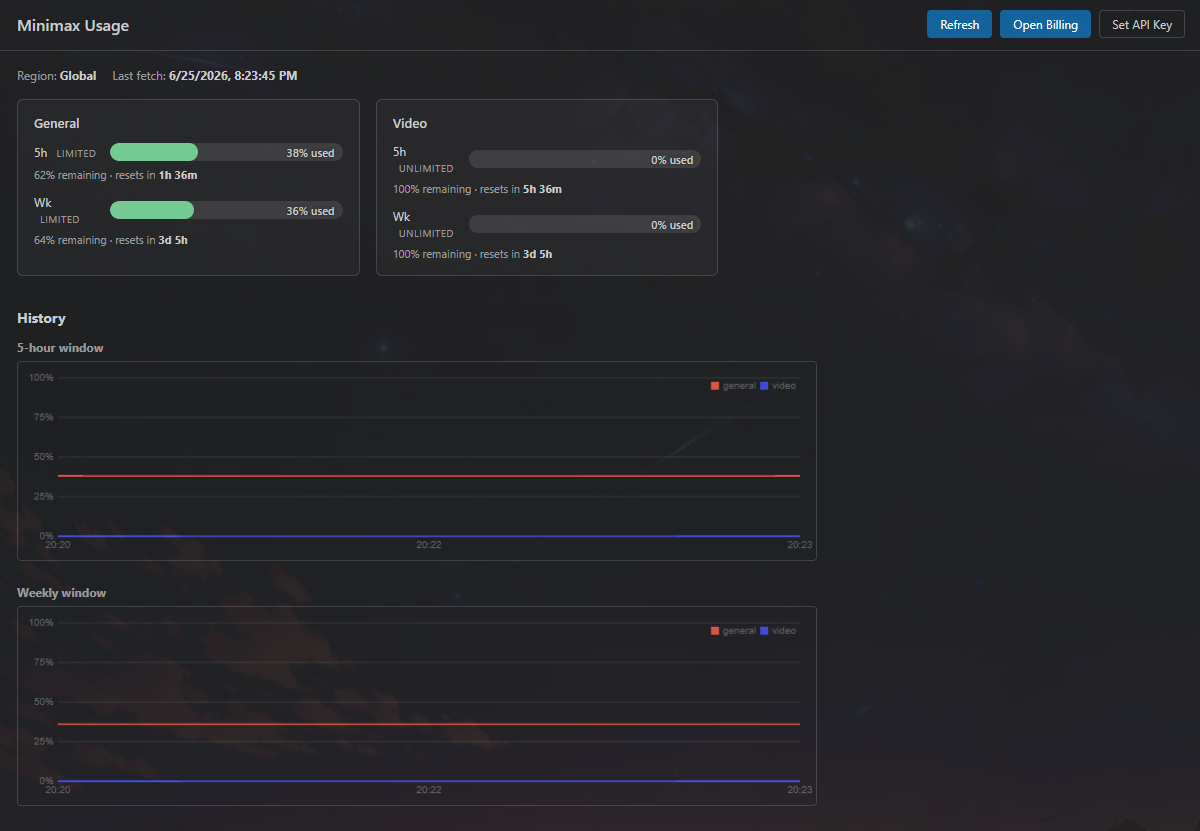
Detail dashboard
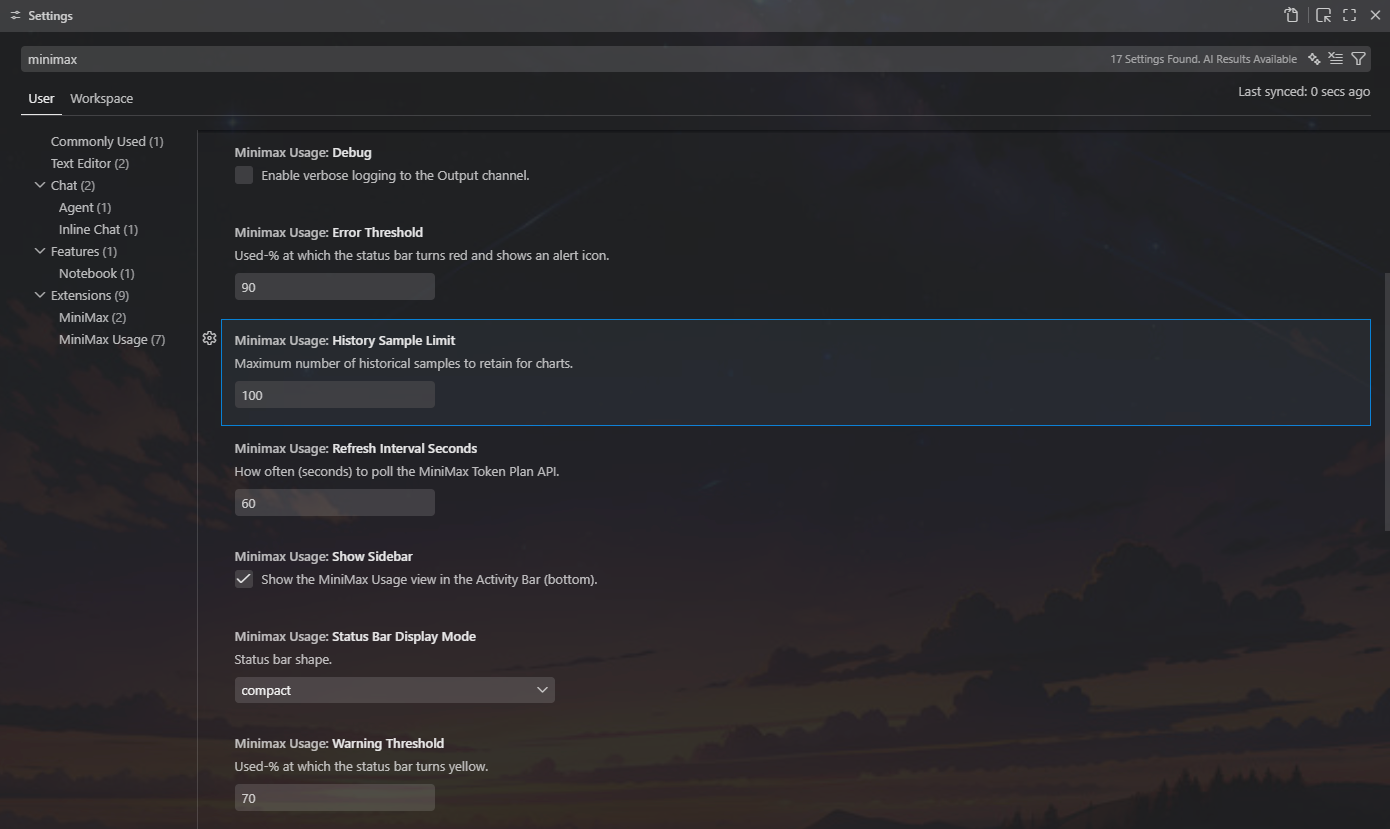
Settings
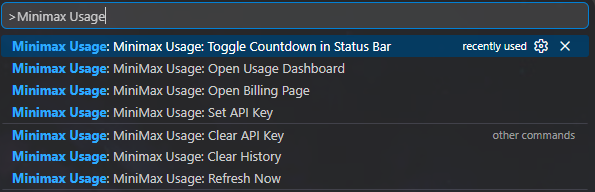
Commands (Ctrl+Shift+P / Cmd+Shift+P)
Features
- Status bar (bottom-right): live 5-hour and weekly used %, color-coded (green / yellow / red), with reset countdowns on hover. The
$(clock) 2h 14mcountdown is opt-in — toggle it on once and it stays on across restarts. - Detail dashboard: big usage bars per model, reset countdowns, interactive history chart of usage over time. Hover for a crosshair + tooltip showing per-model
used %at that timestamp. - Interactive charts:
- Time-range chips:
1h / 6h / 24h / 3d / 7d / All. Chips with no data are auto-disabled; picking an empty range shows a "Show <suggested range>" shortcut. - Hover tooltip: crosshair line + floating panel with timestamp + per-model percentage.
- Time-range chips:
- Persistent history: chart samples survive VS Code restarts (mirrored to
globalState, debounced 5 s, flushed on shutdown). At the default 100-sample limit, worst-case on-disk size is ~5 KB. Safe to run with multiple VS Code windows against the same workspace. - Command palette:
MiniMax Usage: Set API Key,Refresh Now,Open Usage Dashboard,Open Billing Page,Toggle Countdown in Status Bar,Clear History,Clear API Key. - Private by design: API key in OS keychain (
SecretStorage); no telemetry, no analytics, zero runtime npm dependencies.
Installation
- Install the MiniMax Usage extension from the VS Code Marketplace (search "MiniMax Usage" or run
ext install Hukilow.minimax-usage). - Open the Command Palette (
Ctrl+Shift+P/Cmd+Shift+P). - Run
MiniMax Usage: Set API Keyand paste your Subscription Key from Billing → Token Plan. - The status bar should populate within a few seconds.
A Subscription Key is the Team-level key issued when you subscribe to MiniMax Token Plan. It is not the same as a pay-as-you-go Open Platform API key.
Commands
| Command | What it does |
|---|---|
MiniMax Usage: Set API Key |
Prompt for a Token Plan Subscription Key and save it to SecretStorage. |
MiniMax Usage: Clear API Key |
Wipe the stored key (with confirmation). |
MiniMax Usage: Refresh Now |
Force an immediate poll (does not wait for the configured interval). |
MiniMax Usage: Open Usage Dashboard |
Open the detail dashboard webview. |
MiniMax Usage: Open Billing Page |
Open the MiniMax billing page in your OS browser. |
MiniMax Usage: Toggle Countdown in Status Bar |
Flip the inline $(clock) 2h 14m countdown on each status bar item. |
MiniMax Usage: Clear History |
Wipe both the in-memory ring buffer and the on-disk history blob. |
Settings
| Setting | Default | Description |
|---|---|---|
minimaxUsage.refreshIntervalSeconds |
60 |
Polling interval (30–600 s). |
minimaxUsage.statusBar.showCountdown |
false |
Append the live reset countdown ($(clock) 2h 14m) to each status bar item. Toggled via the MiniMax Usage: Toggle Countdown in Status Bar command. |
minimaxUsage.warningThreshold |
70 |
Used-% at which the status bar turns yellow. |
minimaxUsage.errorThreshold |
90 |
Used-% at which the status bar turns red. |
minimaxUsage.historySampleLimit |
100 |
Hard cap on chart history samples (20–2000). Older samples are downsampled so on-disk size stays bounded (~5–100 KB). |
minimaxUsage.charts.timeRange |
24h |
Default time range for the dashboard charts (1h / 6h / 24h / 3d / 7d / all). |
minimaxUsage.charts.persistHistory |
true |
Keep chart history across VS Code restarts. Disable to wipe stored data and stop writing new samples. |
minimaxUsage.debug |
false |
Verbose logs in the Output channel (Minimax Usage). |
Privacy
- Reads your Token Plan usage (one outbound HTTPS call to
api.minimax.io). - Never writes to your MiniMax account, never calls LLM APIs, never sends data anywhere else.
- API key is stored locally in your OS keychain via VS Code's
SecretStorageAPI. - No telemetry, no analytics, no error reporting service.
- Zero runtime npm dependencies (CVE surface = 0).
- See SECURITY.md for how to report vulnerabilities.
See CONTRIBUTING.md for the full guide, and PLAN.md for the architecture rationale.
📄 License
MIT © 2026 Hukilow