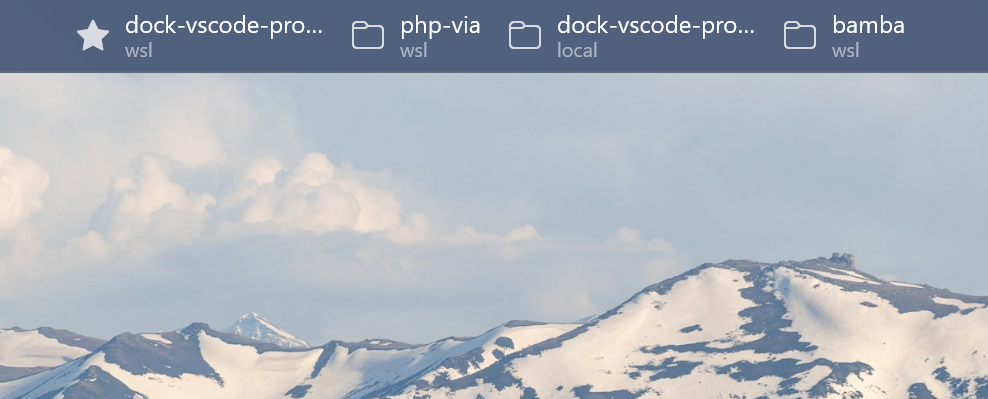
Makes your open VS Code windows show up as live buttons in the PowerToys Command Palette Dock, so you can jump between projects without alt-tabbing.
This is a silent reporter — it has no UI of its own. Each window writes a small state file that the dock reads to render the band and focus or launch projects.
⚠️ Requires the dock. This extension does nothing on its own. You also need the VS Code Projects Dock extension for the PowerToys Command Palette. See the project README for the dock and how the two fit together.
What it does
- Reports each window's folder, remote kind (local / WSL / container / SSH), and liveness to a shared state directory.
- Runs on the UI host, so a single runtime on Windows sees every window — local and
WSL remote alike — and writes natively to
%LOCALAPPDATA%. - Cheap heartbeat: it just touches a file's mtime each interval; it only rewrites the full state when you switch folders. The dock treats files that stop updating as closed windows.
Settings
Search "VS Code Projects Dock" in Settings. Both apply live (no reload):
| Setting | Default | Meaning |
|---|---|---|
vscodeProjectsDock.heartbeatIntervalMs |
2000 |
How often the state file's mtime is touched (min 500). Lower = snappier dock, more writes. |
vscodeProjectsDock.sharedDirectory |
%LOCALAPPDATA%\VsCodeProjectsDock\windows |
The shared state directory. The dock must be configured to read the same path. |
There's also a VS Code Projects Dock: Show companion status command that dumps the current state and file path for troubleshooting.
Privacy
It writes only your open folder's URI, its display name, the window/process id, and a timestamp — to a local directory on your machine. Nothing leaves your computer.
Development
git clone https://github.com/mbolli/dock-vscode-projects
cd dock-vscode-projects/companion
npm install
npm run compile   # F5 to debug, npm run package for a VSIX
License
MIT © zwei und eins gmbh