A warm amber/honey theme family for VS Code, tuned for Ruby/Rails, Vue, JavaScript and Svelte.

Install
Search Oriole in the Extensions view, or:
code --install-extension ZushiH.oriole-themes
Then pick a theme with Cmd+K Cmd+T → Oriole Light / Light Contrast / Night / Honey.
Themes
Four variants — two light, two dark — from one amber palette. All syntax colors clear a WCAG contrast floor on their background (strict AA on Light Contrast and Night).
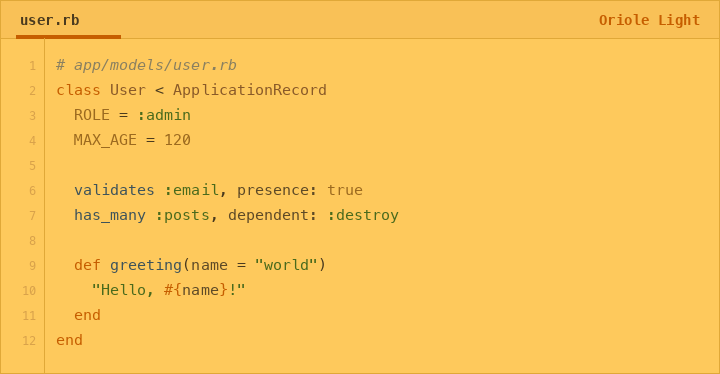
Oriole Light
Soft amber, easy on the eyes.
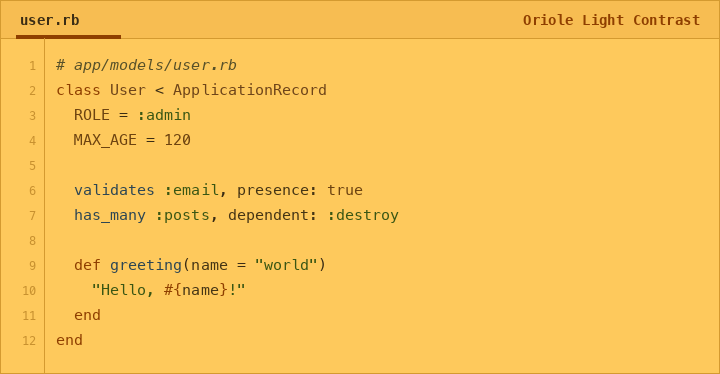
Oriole Light Contrast
Same amber, AA-tuned syntax with sharper role separation.
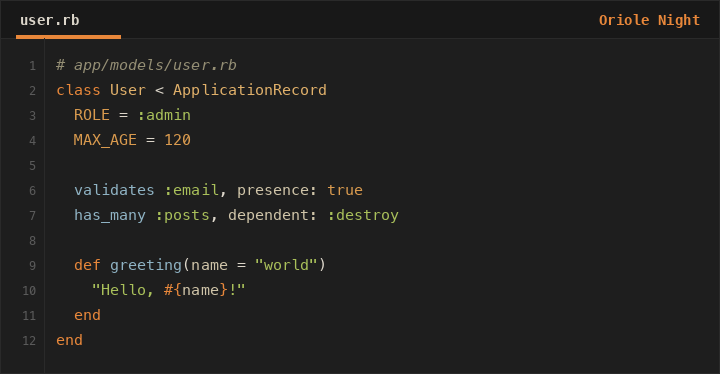
Oriole Night
Warm accents on a cool anthracite base.
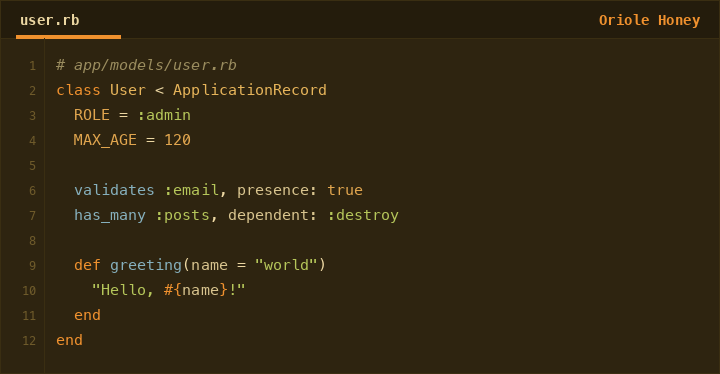
Oriole Honey
A soft, dark honey.
Language coverage
Ruby/Rails (incl. ERB), Vue SFC, JavaScript/TypeScript and Svelte — via TextMate scopes and semantic tokens.
Develop
Colors live in palette/palette.mjs; scope mapping in palette/roles.mjs. The four themes/*.json are generated — never hand-edit them.
npm install
npm test          # unit tests + WCAG contrast gate
npm run build     # regenerate themes/ from the palette source
npm run package   # produce oriole-theme-<version>.vsix