Read and write Zoho SalesIQ in SSIS with API Source and API Destination — conversations, visits, operators, departments, and feedback with minimal coding.
The SSIS Zoho SalesIQ Connector is built on the ZappySys API Connector framework: install or download the Zoho SalesIQ connector from the Popular Connector list or Search Online, target https://salesiq.zoho.com/api/v2/[$Compnay$] (company screen name segment per the connector UI — placeholder spelling matches the product), authenticate with OAuth [OAuth] using a Zoho API Console server-based application (redirect URI such as https://zappysys.com/oauth matching the UI), preview endpoints in the API Source, and map writes in the API Destination.
Part of ZappySys SSIS PowerPack (100+ connectors & tasks).
⚡ Key Benefits
- Bidirectional SalesIQ ETL — Pair API Source extracts with API Destination writes for chat, visitor, and operations data in one workflow
- Zoho API Console OAuth — Server-based client registration, redirect URI alignment, and Generate Token flow documented on the hub page
- Connector acquisition — Start from the Popular Connector list or Search Online when Zoho SalesIQ is not embedded locally
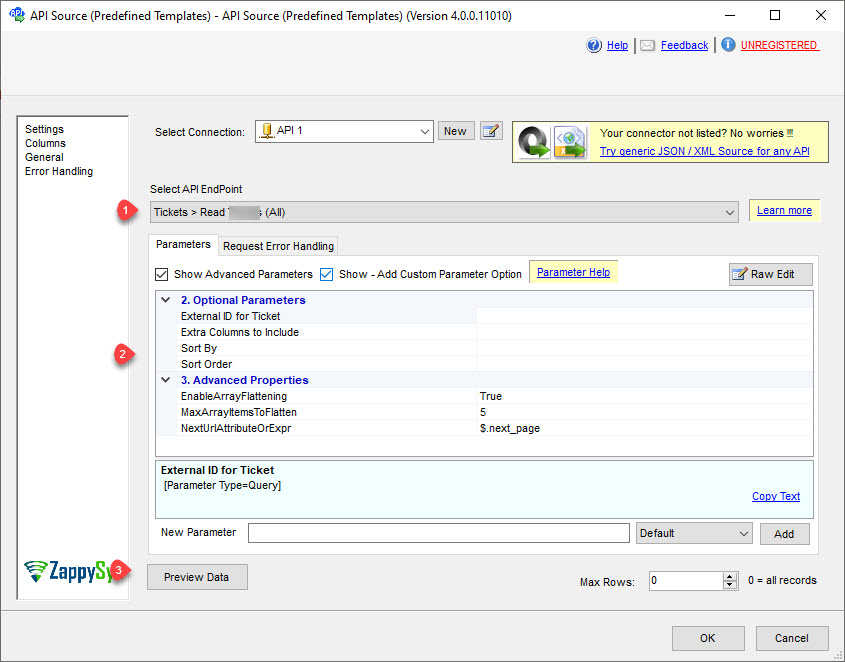
- Endpoint previews — Select SalesIQ endpoints, set parameters, and preview rows before executing the data flow
- Throttle-aware retries — Tune RetryMode, HTTP status lists (examples include
429), counts, and multiply-wait options shown in the UI
📸 Visual Overview & Setup
|
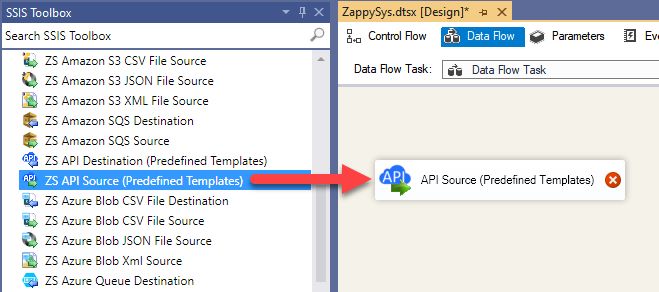
1. Drag API Source onto Data Flow
|
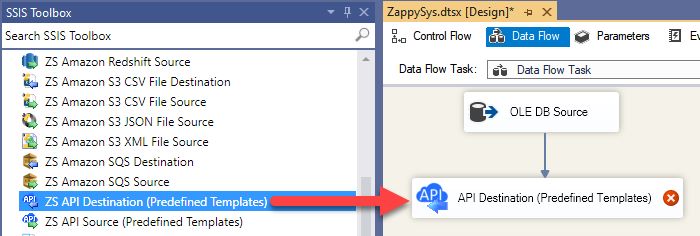
2. Drag API Destination onto Data Flow
|
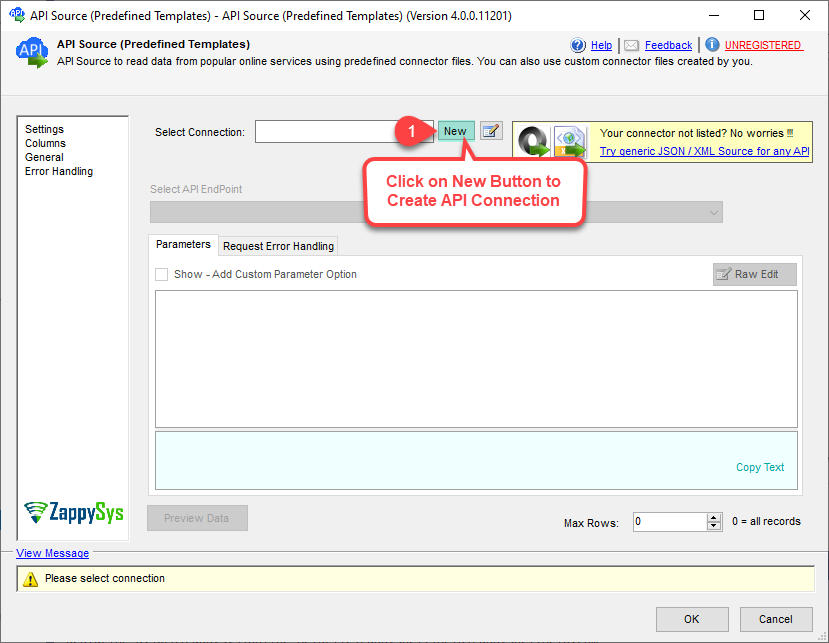
3. Pick & Download Zoho SalesIQ Connector
|
|
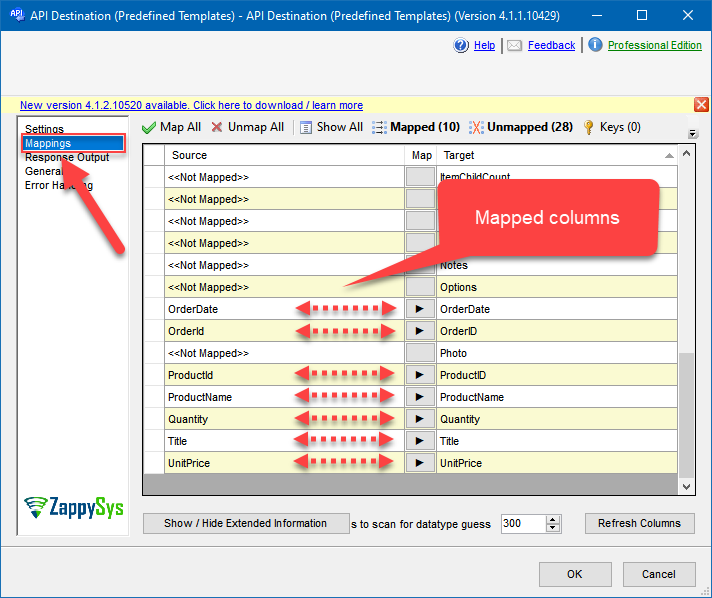
4. Map the Columns
|
Select Endpoint and Preview data
|
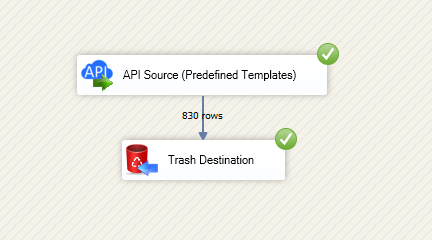
Destination Mapping & Execute
|
🔧 Key Features
Source — Read Zoho SalesIQ
- Extract conversations, visits, operators, departments, and feedback-related data using API Source templates from the connector hub
- Use the SalesIQ API base pattern
https://salesiq.zoho.com/api/v2/[$Compnay$]with your company screen name as described in the setup article - Land extracts in SQL Server, PostgreSQL, or Amazon Redshift with Upsert Destination or other SSIS destinations
Destination — Write Zoho SalesIQ
- POST, update, and dynamic endpoints supported by the connector — see Explore supported Zoho SalesIQ Connector actions on the hub
- Map pipeline columns on the Mappings tab after choosing the endpoint and parameters
- Reuse the same OAuth connection manager across read and write data flows
Authentication
- OAuth [OAuth] — Register a server-based application in Zoho API Console; set Authorized Redirect URI to match the connector (for example
https://zappysys.com/oauth); copy Client ID and Secret; use Generate Token in the UI - Example scope families from the hub include
SalesIQ.operators.READ,SalesIQ.conversations.READ,SalesIQ.feedbacks.READ, andSalesIQ.departments.READ— align permissions with your scenario - Set
AccountUrlto your Zoho accounts endpoint (for examplehttps://accounts.zoho.com) for the correct data center
Reliability
- Configure retry mode, HTTP status lists (including
429), retry counts, and multiply-wait behavior using the UI examples from the setup article
💡 Common Use Cases
Typical engagement and analytics scenarios for the Zoho SalesIQ connector components:
-
Conversation warehouse: Stage chat transcripts and metadata for BI or QA sampling.
Example: Hourly incremental load by conversation modified time. -
Visitor journey analytics: Join visit events with web or product telemetry in SQL Server.
Example: API Source to Upsert Destination for a visits fact table. -
Operator and department dimensions: Keep reference data in sync for routing dashboards.
Example: Daily refresh of departments and operators. -
Feedback loop automation: Read feedback endpoints and route scores to ticketing or CRM.
Example: Transform in SSIS, write to Zoho CRM with a separate connector package. -
Multi-portal templates: Parameterize company screen name or credentials per SalesIQ portal.
Example: One package template, many chat portals. -
Azure-SSIS IR: Run the same packages on Azure Data Factory integration runtimes after custom setup per the hub ADF section.
Example: Cloud-hosted SalesIQ ETL without redesigning API flows.
🎯 Summary
Automate Zoho SalesIQ API workloads inside SSIS using shared API Source and API Destination patterns.
Register OAuth once, preview calls, and keep read/write paths inside one PowerPack installation.

Start Moving Zoho SalesIQ Data with SSIS PowerPack
Includes the SSIS Zoho SalesIQ Connector plus 100+ connectors & tasks for APIs, databases & cloud apps. Build production ETL workflows without custom scripting.
Full functionality is FREE for development within Visual Studio