Connect Google Drive to ODBC tools with ZappySys API Driver .
Configure OAuth or Service Account authentication, query Drive resources with SQL, and centralize access through Data Gateway when multiple users or services need managed connectivity.
Part of
ZappySys ODBC PowerPack
.
⚡ Key Benefits
- Flexible Auth Modes — Supports User Account OAuth and Service Account key authentication
- SQL-Based Drive Access — Query files/folders and run write actions from ODBC applications
- Retry-Aware Connectivity — Configure retry status list and retry count for transient API failures
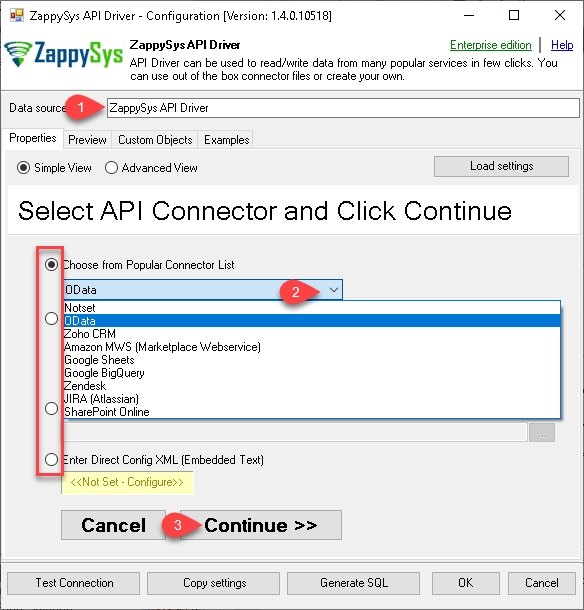
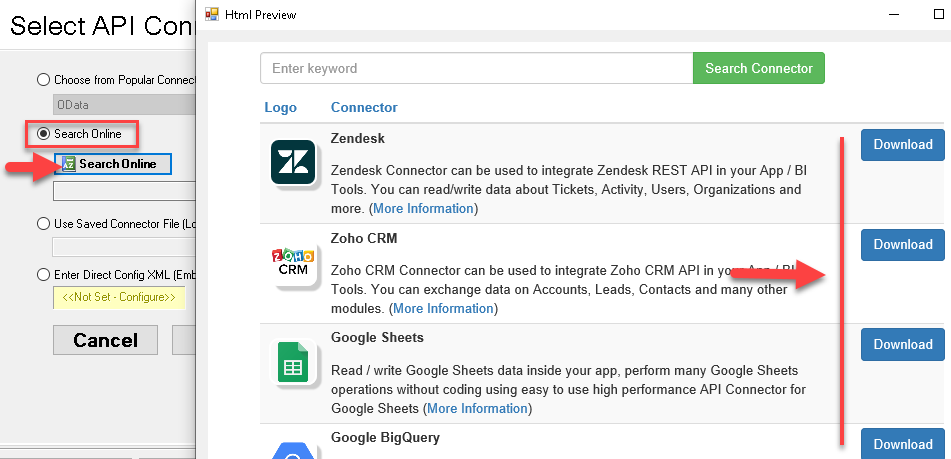
- Guided DSN Setup — Pick connector from embedded list or search/download online
- Centralized Gateway Option — Configure once and share controlled access through Data Gateway
📸 Visual Overview & Setup
|
1. Configure Wizard with Embedded Connectors
|
2. Search Online Connector Files
|
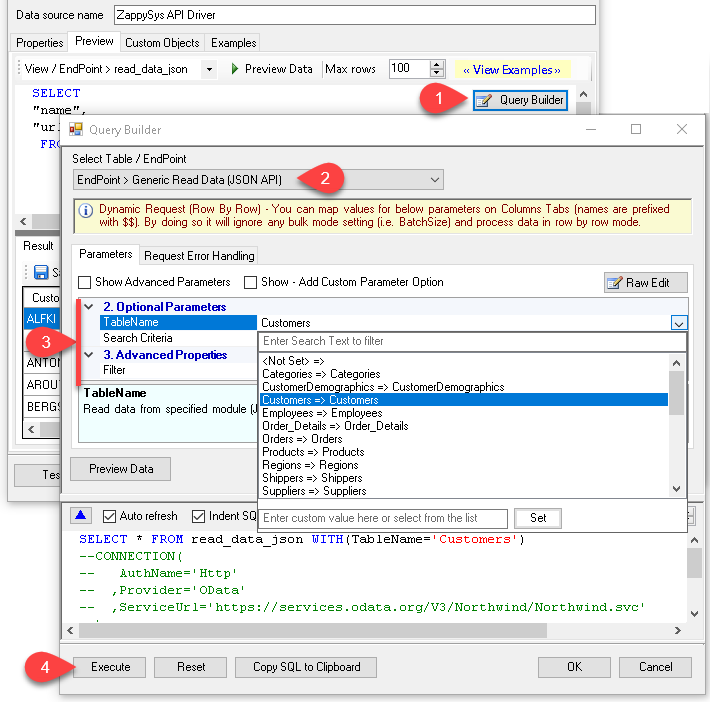
3. Build Query in Query Builder
|
|
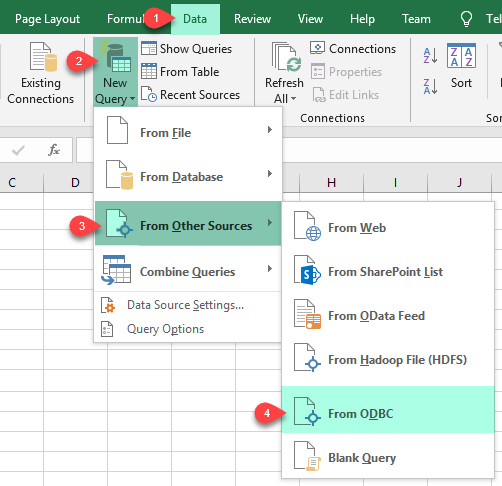
4. Load Data into Excel
|
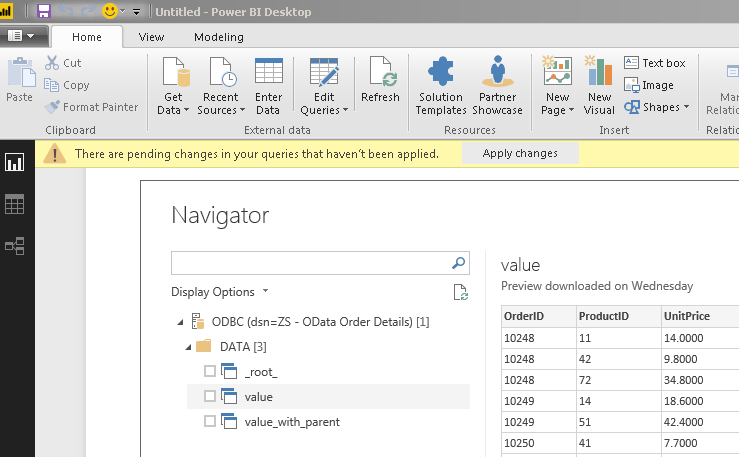
5. Analyze in Power BI
|
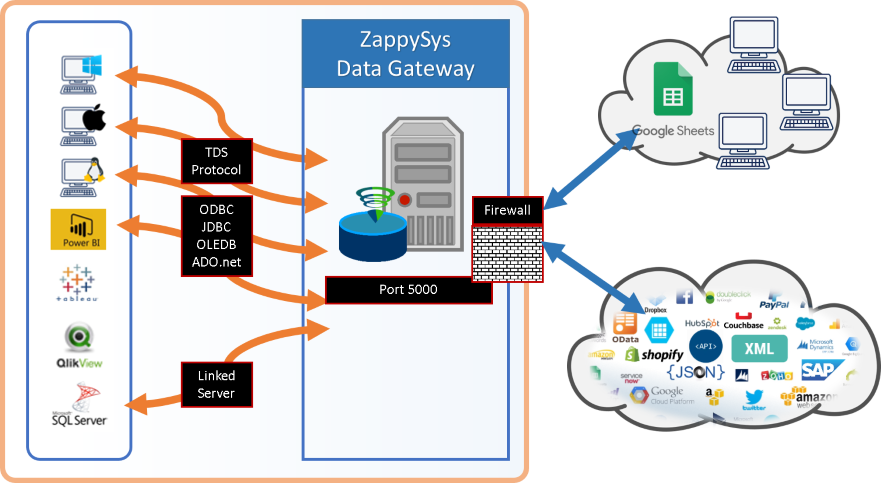
6. Centralize via Data Gateway
|
🔗 Seamless SQL Query Integration
-- Create a folder via SQL (Google Drive)
INSERT INTO Folders
WITH(
     Name='My folder name',
    ParentFolderId='root'
)
✔ No ETL or custom scripts needed
✔ Works inside SQL Server, Power BI, Excel
🔧 Key Features
- Configure Google Drive connector in User DSN/System DSN workflows with built-in or downloadable connector files
- Use User Account OAuth or Service Account authentication and set scope/retry parameters in one place
- Generate SQL from Query Builder for drive endpoints and preview before running in client applications
- Use Data Gateway for centralized setup, remote connectivity, and access control management
💡 Common Use Cases
- Query Drive files/folders in analytics tools using standard ODBC SQL interfaces
- Automate folder creation and file operations from SQL-driven workflows
- Standardize shared connectivity for multiple teams with a single gateway-hosted DSN
- Apply retry-aware settings for resilient access to cloud APIs in scheduled jobs
🎯 Summary
Google Drive ODBC Driver enables SQL-first access to Drive resources with guided auth, query builder, and optional centralized gateway deployment.
Teams can read and write Drive data through reliable ODBC workflows without custom API coding.

Start Querying Google Drive with ODBC PowerPack
Includes API, database, file, and cloud connectors for SQL-first data access.
Use one driver stack for APIs, files, and cloud apps