Query Google Calendar from ODBC tools using ZappySys API Driver .
Configure User Account OAuth or Service Account authentication, preview endpoint data via query builder, and run calendar/event SQL access through DSN or centralized Data Gateway setup.
Part of
ZappySys ODBC PowerPack
.
⚡ Key Benefits
- OAuth + Service Account Modes — Supports both user-based and service-based authentication flows
- SQL Access to Calendar Data — Query Calendars endpoint directly from ODBC applications
- Retry-Aware API Calls — Configure RetryMode, RetryStatusCodeList, and RetryCountMax
- Guided Query Builder — Generate endpoint SQL and preview output before use
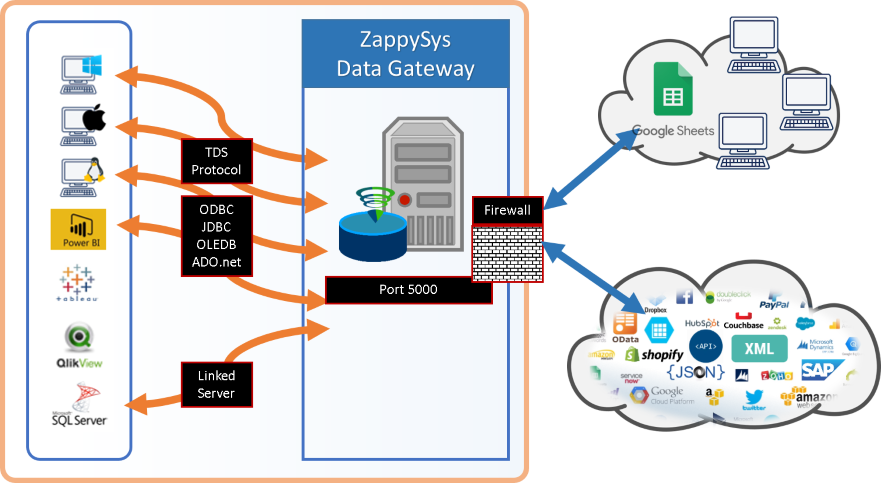
- Centralized Data Gateway Option — Manage shared access and controls from one server-side DSN
📸 Visual Overview & Setup
|
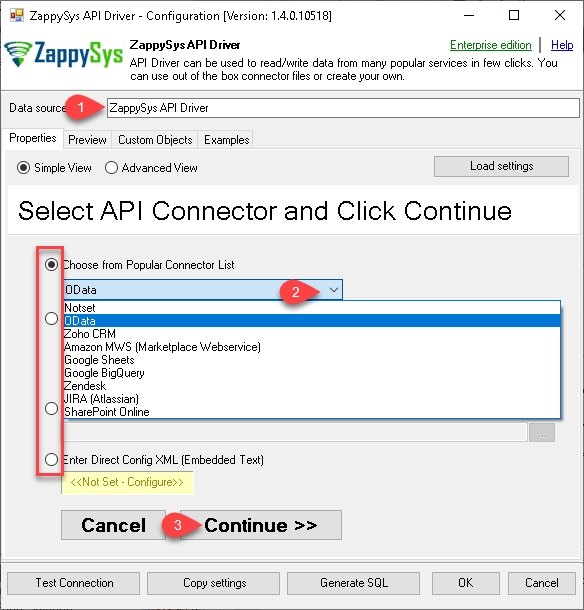
1. Configure Wizard with Embedded Connectors
|
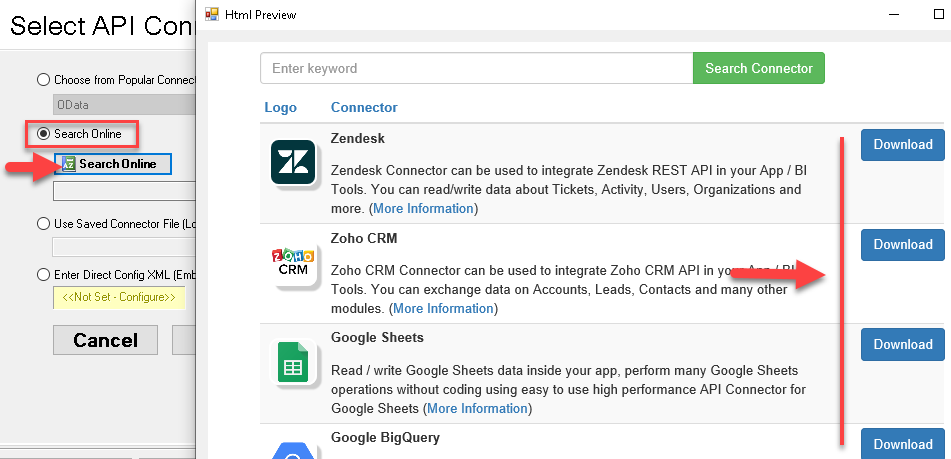
2. Search Online Connector Files
|
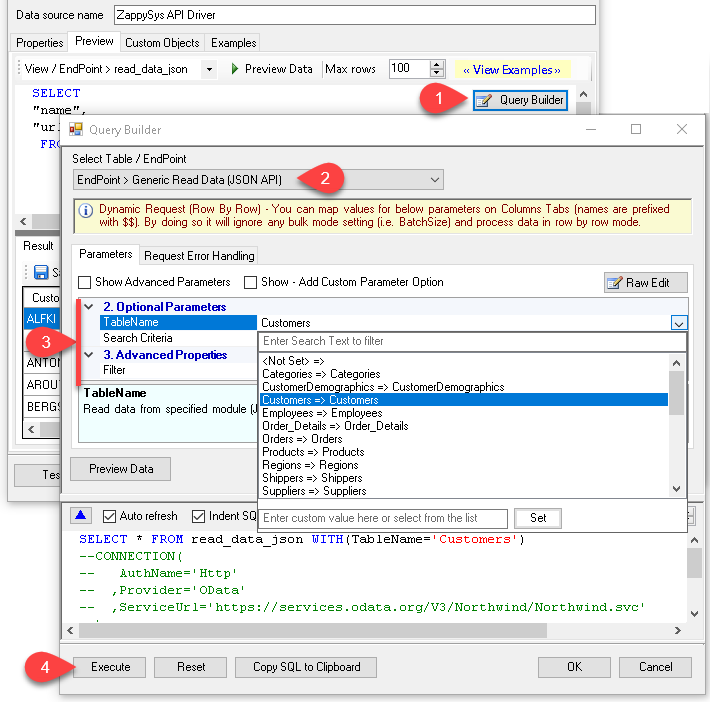
3. Build Query in Query Builder
|
|
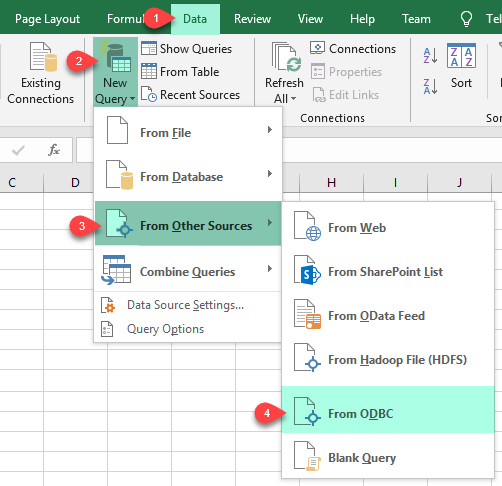
4. Load Data into Excel
|
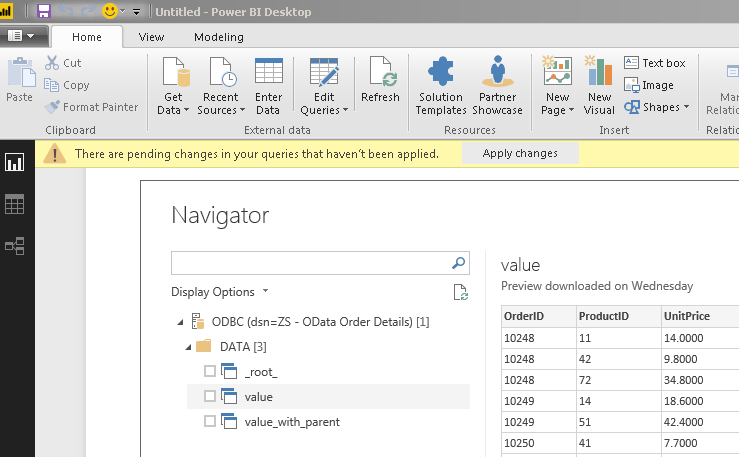
5. Analyze in Power BI
|
6. Centralize via Data Gateway
|
🔗 Seamless SQL Query Integration
-- Google Calendar calendars query via SQL view
SELECT * FROM Calendars
-- Default: Lists calendars for the authenticated user
-- OR use explicit user scope:
--SELECT * FROM Calendars WITH (UserId='me')
--SELECT * FROM Calendars WITH(UserId='[email protected]')
✔ No ETL or custom scripts needed
✔ Works inside SQL Server, Power BI, Excel
🔧 Key Features
- User DSN and System DSN setup paths with guided connector selection from embedded or online catalogs
- Authentication modes for User Account OAuth and Service Account key-based access
- Query Builder workflow to select endpoints, generate SQL, and preview result sets before use
- Retry controls including RetryMode, RetryStatusCodeList, RetryCountMax, and RetryMultiplyWaitTime
- Optional Data Gateway deployment for centralized DSN management and access governance
💡 Common Use Cases
- Connect BI and analytics tools to live Google Calendar data through standard ODBC interfaces
- Run SQL-based calendar inventory queries for user-level and delegated-account scenarios
- Standardize Google Calendar access across teams by publishing a shared Data Gateway endpoint
- Automate periodic calendar data extraction with retry-aware DSN configurations
🎯 Summary
Google Calendar ODBC Driver gives analytics and integration teams SQL access to calendars and events with configurable auth and resilient API options.
Use DSN-based access locally or centralize shared connectivity through Data Gateway.

Start Querying APIs with ODBC PowerPack
Includes API, database, file, and cloud connectors for SQL-first data access.
Use one driver stack for APIs, files, and cloud apps