A VS Code extension that provides rich language support for TeraTerm TTL (Tera Term Language) macro files (.ttl), implemented as a Language Server (LSP) using the vscode-languageserver package.
Features
| Feature | Description |
|---|---|
| Syntax Highlighting | TextMate grammar for comments, strings, numbers, commands, keywords, operators, labels and system variables. |
| Completion | Commands, control keywords, operators, system variables, user variables and labels. Context-aware: after goto/call only labels are offered. |
| Diagnostics | Unbalanced control blocks (if/endif, while/endwhile, for/next, do/loop, until/enduntil), undefined goto/call labels, duplicate label definitions and (optionally) unknown commands. |
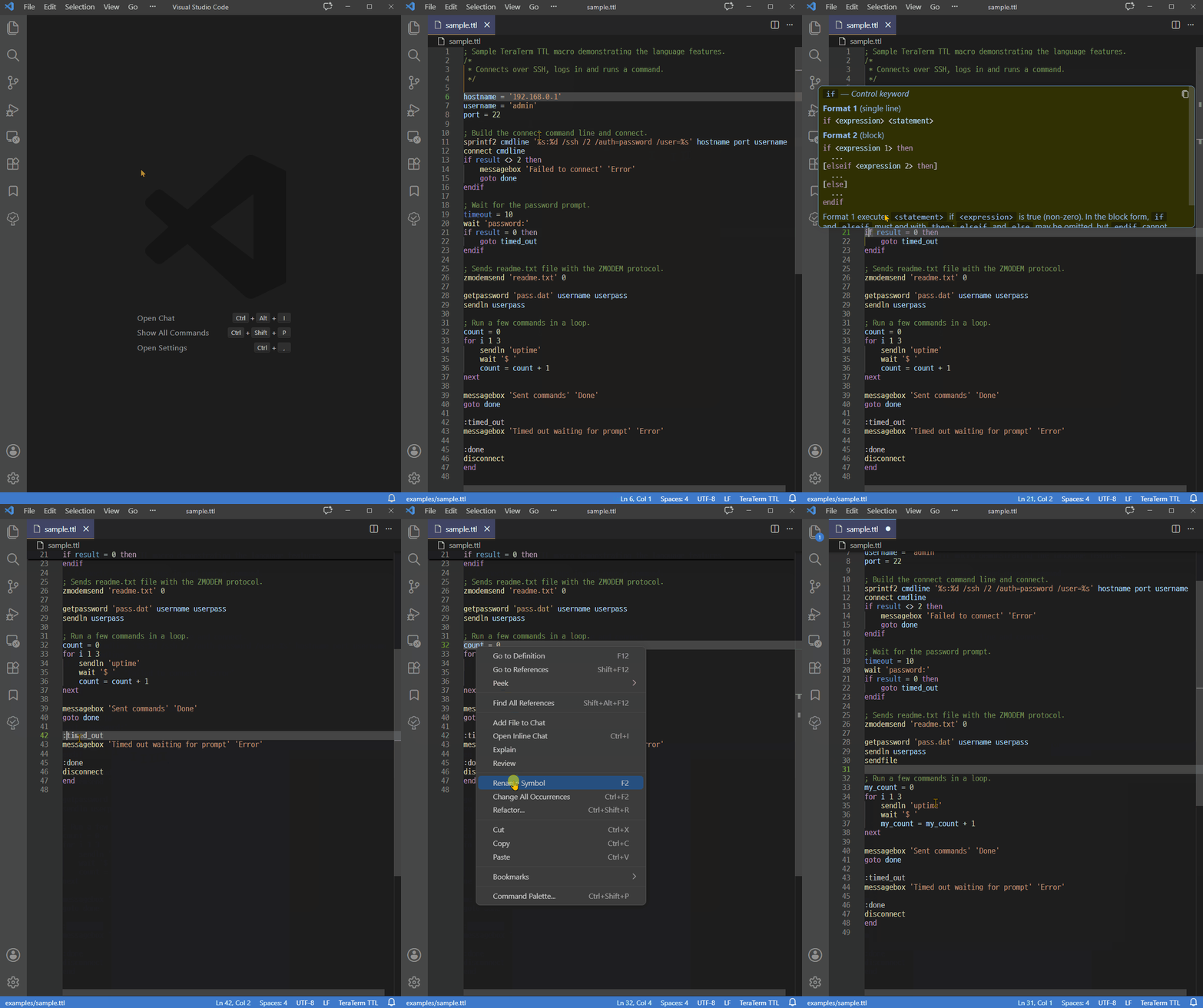
| Hover | Documentation for commands (with a link to the official manual), keywords, operators, system variables, user variables and labels. |
| Go to Definition | Jumps to a variable's first assignment, or to a label's :definition. |
| Find References | Lists every occurrence of a variable or label. |
| Rename | Safely renames user variables and labels (system variables, commands and keywords are protected). |
The client activates automatically when a .ttl file is opened.
Demo
Command metadata
The command hover/completion text (Format + Remarks) lives in scripts/command-data/*.json. After editing a JSON source, regenerate the TypeScript table:
npm run gen:commands
commandData.ts is generated and should not be edited by hand.
Building
npm install
npm run compile
History
0.1.0
- Initial release.
- Language Server (LSP) features: syntax highlighting, completion, diagnostics, hover, go to definition, find references and rename symbols for
.ttlfiles. - Implemented by Claude Opus