Run efvibe inside VS Code — evaluate EF Core LINQ against your real DbContext, see translated and executed SQL, scan the repo, and open an interactive REPL. Works with most EF Core relational providers (SQL Server, PostgreSQL, SQLite, Oracle, MySQL/MariaDB, Firebird, and others discovered from your EF project). Maps workspace settings to CLI -p, -s, and -c.
Docs: myefvibe.com/docs/vscode.html · CLI: NuGet efvibe · Source: github.com/yeahbah/my-ef-vibe
Screenshots
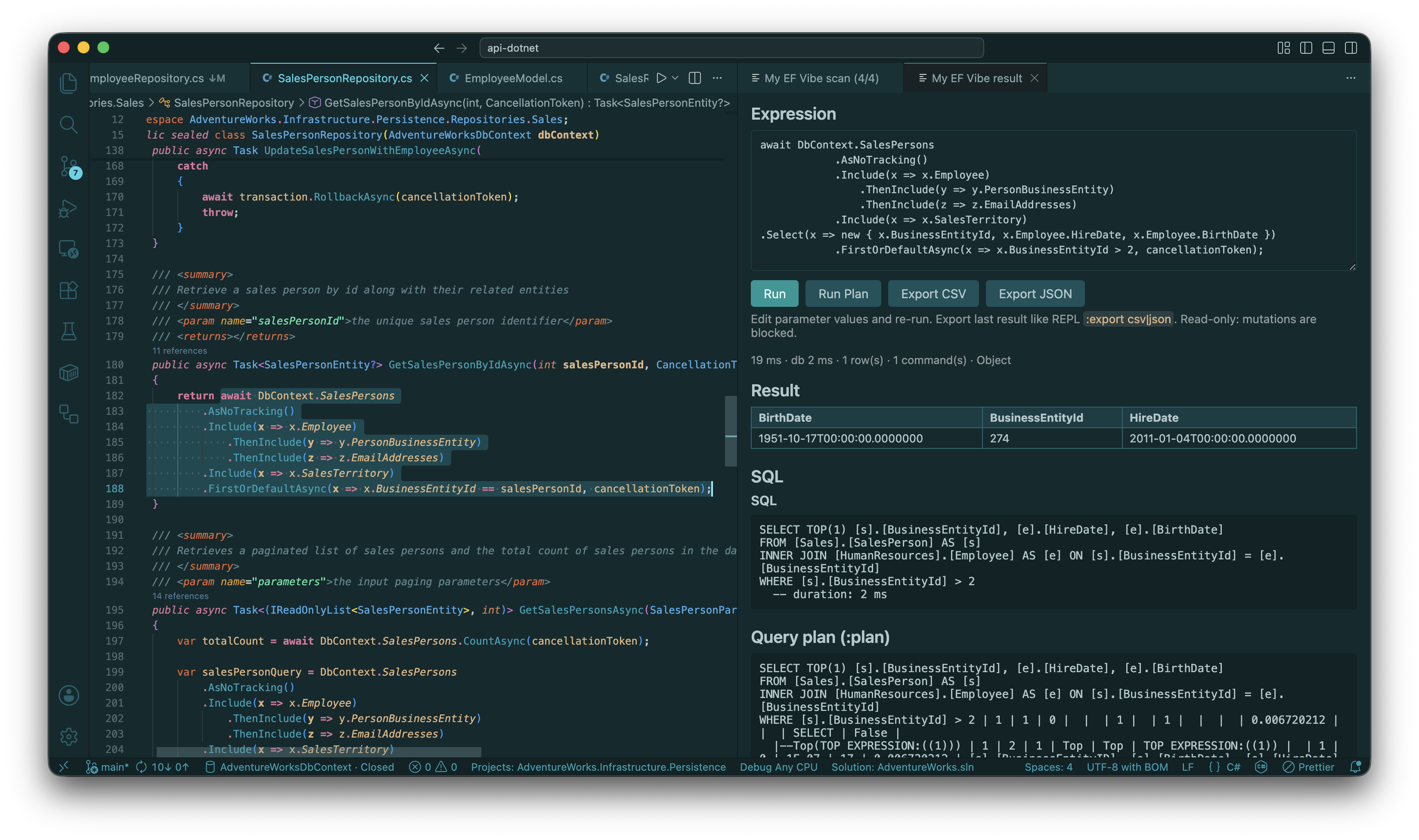
Run Selection — evaluate LINQ in place; result panel with rows and captured SQL (Shift+Alt+E):
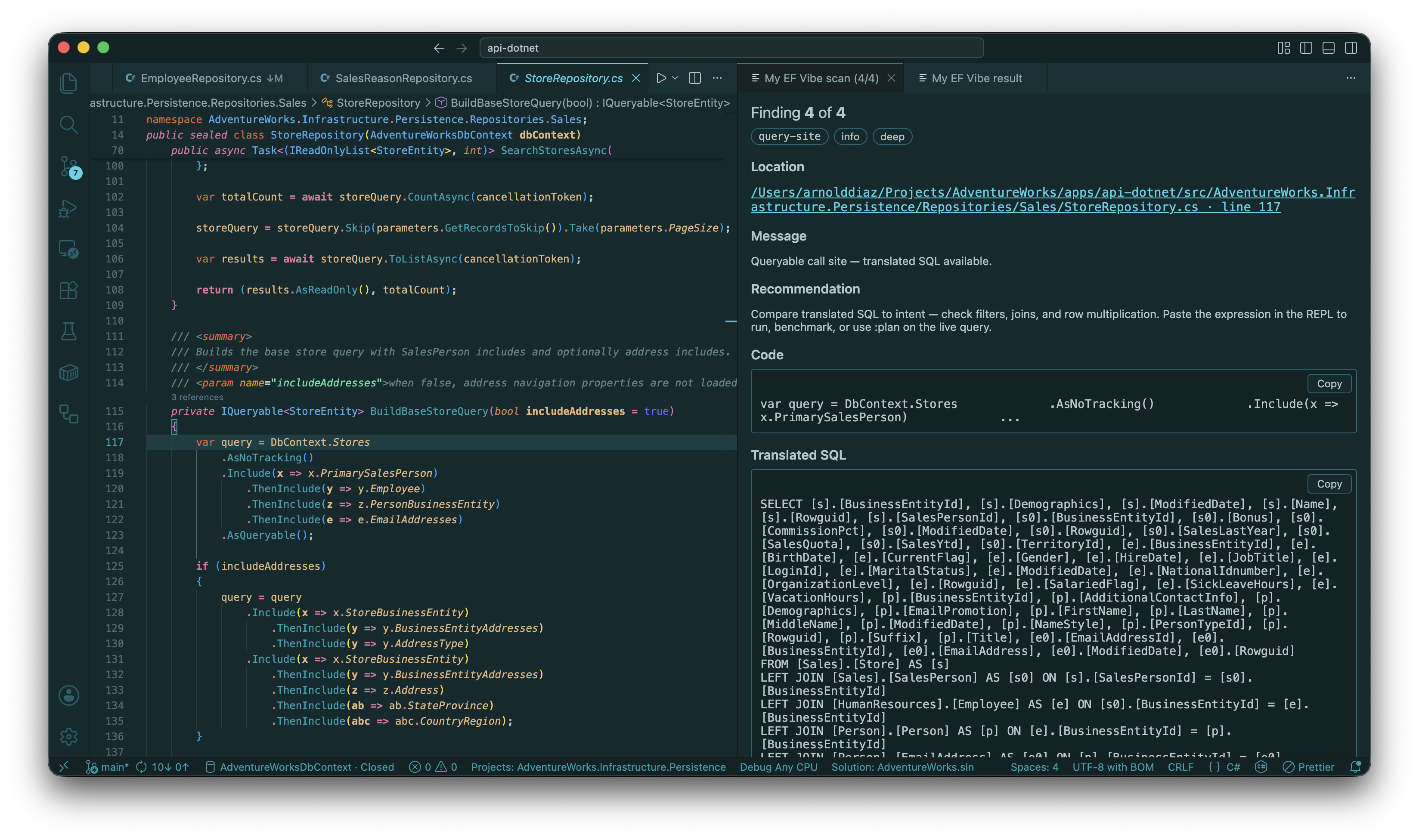
Scan Review — deep-scan findings carousel with SQL, query plan, note, and dismiss:
Prerequisites
- .NET SDK (same major version as your EF project)
efvibeCLI on PATH:dotnet tool install -g efvibe- Workspace settings:
efvibe.project,efvibe.context(and usuallyefvibe.startupProject)
Run Selection, model tree (tables / describe / DbInfo), scan, and db.* completions use efvibe serve by default (efvibe.useDaemon: true) so build + DbContext stay warm.
Database providers
The extension uses the same provider model as the CLI:
- The provider is auto-discovered from
efvibe.projectPackageReferenceentries. efvibe.startupProjectsupplies connection strings from user secrets /appsettings— same split asdotnet ef.- Optional
efvibe.connectionStringoverrides the connection string; the provider is still discovered from-p.
See docs/database-providers.md for feature tiers, :plan support, and platform notes.
Quick start
{
  "efvibe.project": "${workspaceFolder}/src/MyApp.Data/MyApp.Data.csproj",
  "efvibe.startupProject": "${workspaceFolder}/src/MyApp.Api/MyApp.Api.csproj",
  "efvibe.context": "AppDbContext",
  "efvibe.dotnetFramework": "net8.0"
}
Command Palette → efvibe: Check Prerequisites → efvibe: Run Selection on a db.* query.
Commands
| Command | Description |
|---|---|
| efvibe: Start REPL | Integrated terminal running efvibe with your settings |
| efvibe: Run Selection | Evaluate selected LINQ (Shift+Alt+E in C#) |
| efvibe: Run Line at Cursor | Evaluate the current line |
| efvibe: Run Statement at Cursor | Expand and evaluate the statement around the cursor |
| efvibe: Run Expression | Selection, or prompt if nothing selected |
| efvibe: Show Last SQL | SQL from the last JSON evaluation |
| efvibe: Export Last Result | Save last panel result as CSV or JSON |
| efvibe: Scan Workspace / Scan Workspace (Deep) | Project scan + Scan Review carousel |
| efvibe: Open Scan Review | Browse findings (Previous / Next, note, dismiss) |
| efvibe: Send to REPL | Send selection to the REPL terminal (Ctrl/Cmd+Shift+Enter) |
| efvibe: New Notebook | Create a multi-cell .efvibe-notebook for saved LINQ explorations |
efvibe Session sidebar: DbSets, Scan Deep, Run Query, Start REPL, session artifacts. CodeLens: Run with efvibe on query statements.
Notebooks
Use efvibe: New Notebook or create a *.efvibe-notebook file. Code cells run through the configured DbContext using efvibe serve / JSON evaluation and keep rows, SQL, metrics, warnings, and query plans attached to the cell. The notebook has two controllers: efvibe and efvibe :plan.
Supported command cells:
:dbinfo:tables
Settings
| Setting | Description |
|---|---|
efvibe.project / efvibe.startupProject / efvibe.context |
EF project, config host, DbContext type name |
efvibe.connectionString |
Optional connection string override (provider discovered from -p) |
efvibe.resultDestination |
panel (default), output, or terminal |
efvibe.useDaemon |
true (default): workspace commands use efvibe serve (eval, tables, describe, DbInfo, scan, completions) |
efvibe.dbLog |
Show executed SQL (default true) |
efvibe.scan.mode |
lite or deep for workspace scan |
efvibe.toolPath |
Optional path to a local efvibe / myefvibe build |
Full list in the extension settings UI. Repository snippets (await, DbContext, *Async) are adapted automatically — see features.md.
More
- Offline / pre-release: GitHub Releases (
.vsix) or INSTALL.md - Build from source: open the my-ef-vibe repo and F5 Run Extension