The darkest theme on the marketplace. Pure
#000000black — not dark gray, not near-black. Absolute zero.
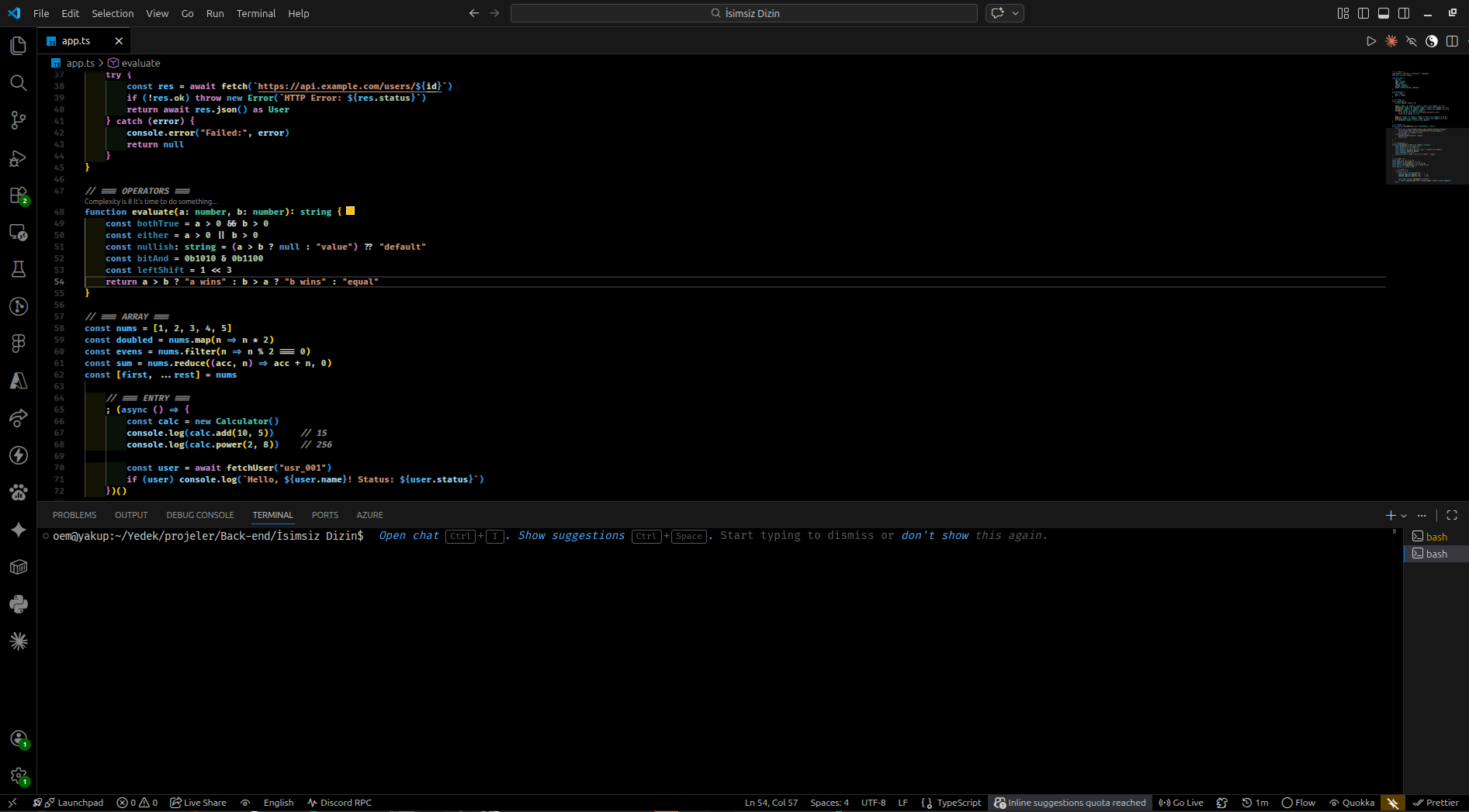
Why Raw Black?
Most "dark" themes use #1e1e1e or #252526. That's gray, not black.
Raw Black uses true #000000 as its base — designed for developers who want maximum contrast, OLED displays, and zero eye strain in low-light environments.
Preview
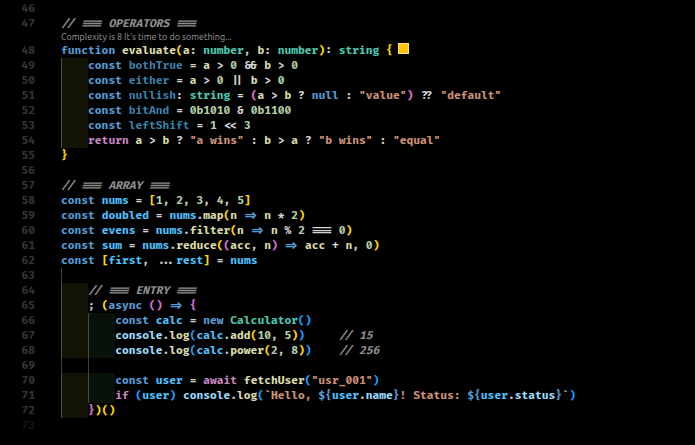
Color Palette
| Element | Color | Preview |
|---|---|---|
| Background | #000000 |
⬛ |
| Foreground | #CCCCCC |
|
| Keywords | #FF9D00 |
🟠 |
| Strings | #CE9178 |
🟫 |
| Types | #4EC9B0 |
🩵 |
| Variables | #9CDCFE |
🔵 |
| Functions | #D4D4D4 |
|
| Comments | #8C8C8C |
|
| Parameters | #DCDCAA |
🟡 |
| Operators | #FF9D00 |
🟠 |
| Support | #B5CEA8 |
🟢 |
Features
- ✅ True
#000000black background — not dark gray - ✅ OLED & high-contrast display optimized
- ✅ Italic comments
- ✅ Bold keywords & functions
- ✅ Font ligature support — requires Fira Code or JetBrains Mono installed on your system
- ✅ Carefully tuned sidebar, terminal, tabs, and status bar
- ✅ Minimal gutter with subtle git diff indicators
Recommended Settings
Pair with these settings for the best experience:
{
  "editor.fontFamily": "'Fira Code', 'JetBrains Mono', monospace",
  "editor.fontLigatures": true,
  "editor.fontWeight": "bold",
  "editor.fontSize": 13,
  "editor.cursorBlinking": "expand",
  "editor.cursorSmoothCaretAnimation": "on",
  "editor.smoothScrolling": true,
  "workbench.iconTheme": "material-icon-theme"
}
Note: Font ligatures require Fira Code or JetBrains Mono to be installed on your system. The theme works perfectly without them — ligatures are optional.
Installation
- Open VS Code
- Go to Extensions (
Ctrl+Shift+X) - Search for Raw Black
- Click Install
Or install via command line:
code --install-extension raw-black
Feedback
Found a color that doesn't look right? Open an issue on GitHub.
Enjoy the void. 🖤