See what every part of your AI project costs — a flow map, version diffs, per-box tokens / $ / GPU — right inside your editor.
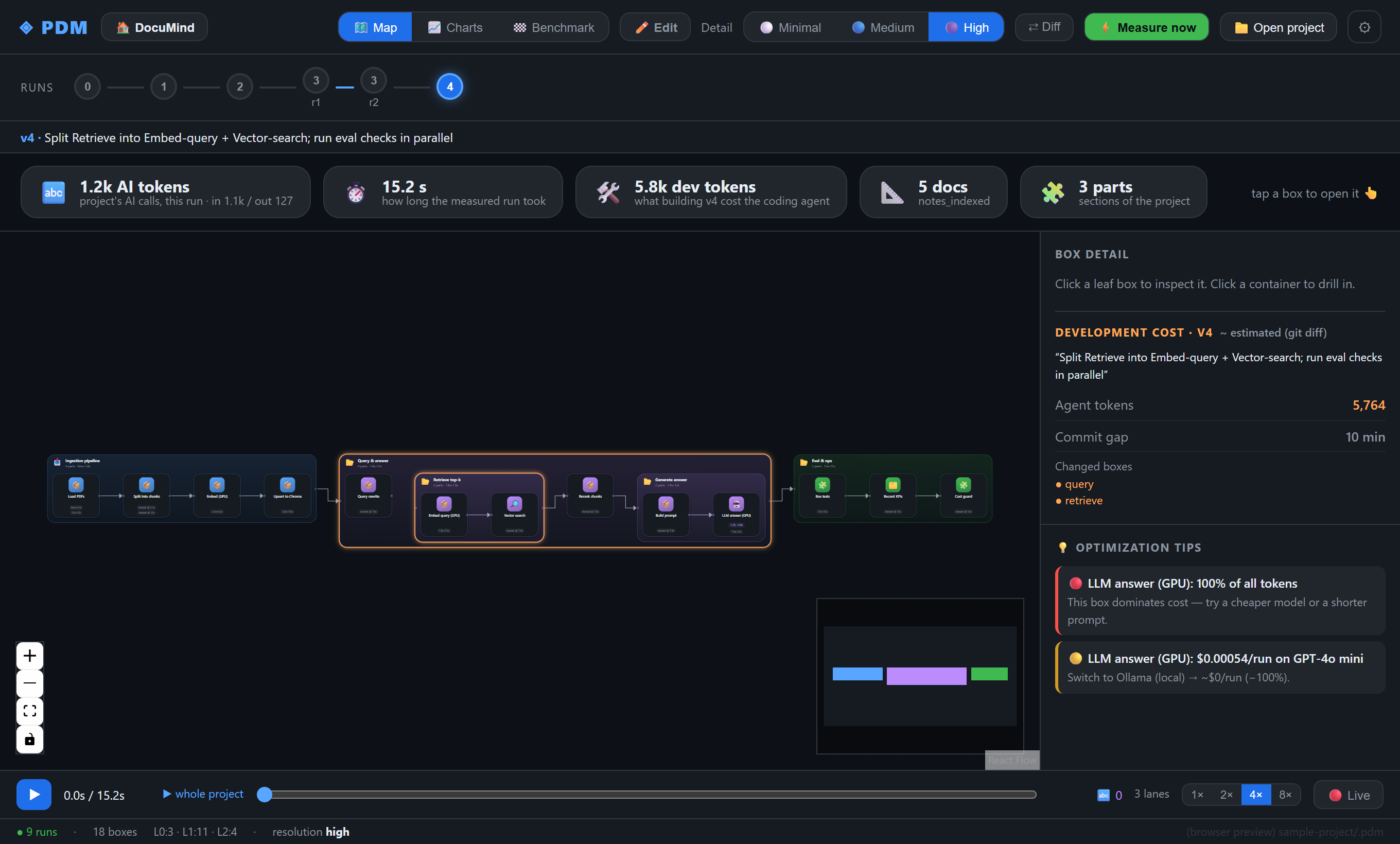
You shipped an AI feature and the token bill arrives — but which step spent it: the retrieval, the rewrite, the answer? PDM turns your project into a box / layer / connector map and measures tokens, cost, time and GPU per box, every version. Your own coding agent (Claude Code, Codex, …) writes the map by following the PDM spec, so it's language- and framework-agnostic — and nothing about your code or prompts ever leaves your machine.
This extension hosts the PDM viewer in a VS Code webview and reads your project's
.pdm/ folder. It's the same viewer as the desktop app — just inside your editor
(works in VS Code and forks like Cursor & Windsurf).
Getting started
- Install this extension.
- Open a project that has a
.pdm/folder. Don't have one yet? Either let your agent set up PDM (see the PDM repo), or clone the ready-made demo and open it: woulgar/documind. - Open the viewer — three ways:
- click the
◈ PDMitem in the status bar, or - run “PDM: Open Viewer” from the Command Palette, or
- right-click a folder in the Explorer → “PDM: Open viewer here”.
- click the
What you can do
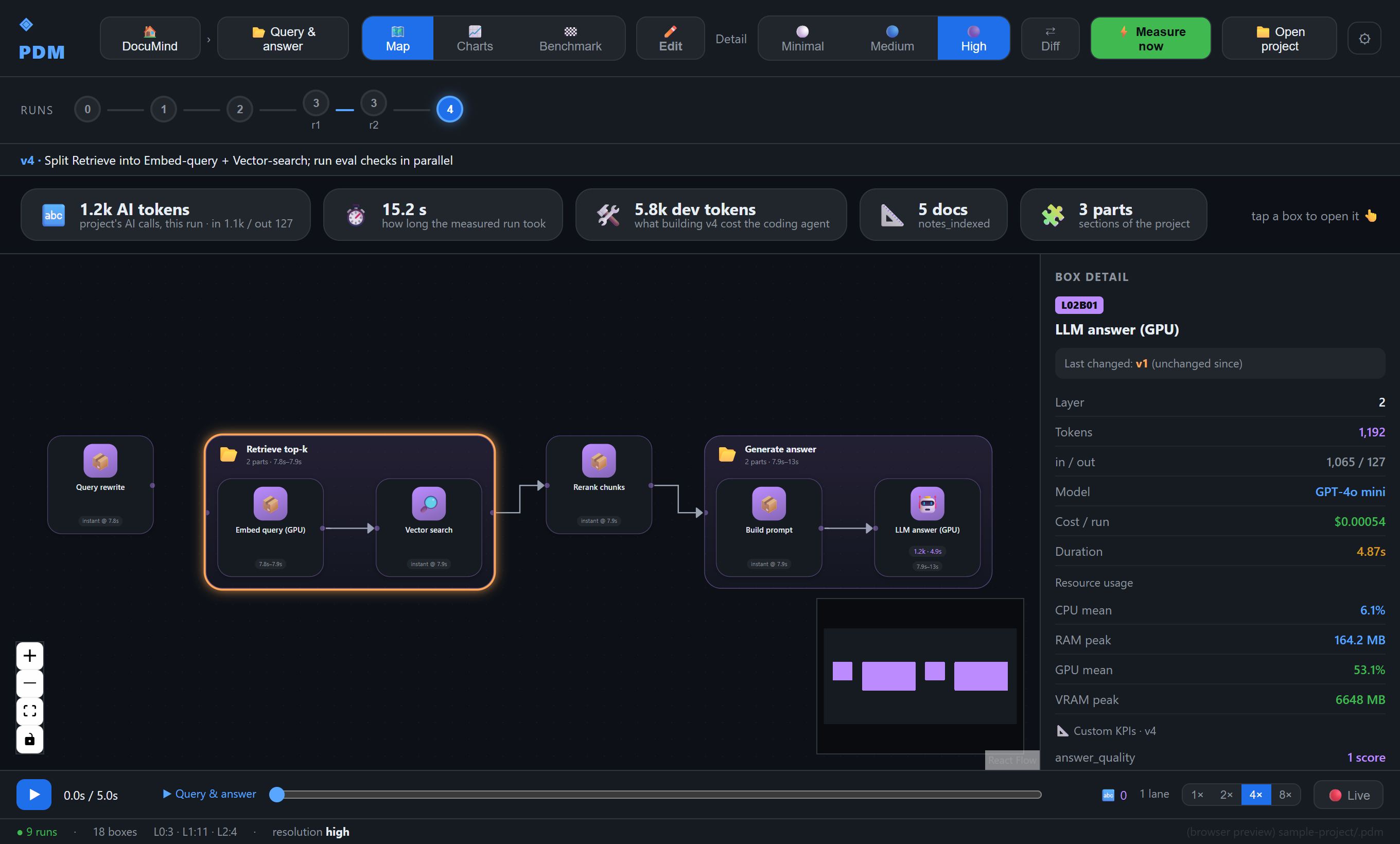
Drill into the map — every box shows when it ran and what it cost; click a leaf for tokens (in/out), $, duration and real CPU / RAM / GPU / VRAM.
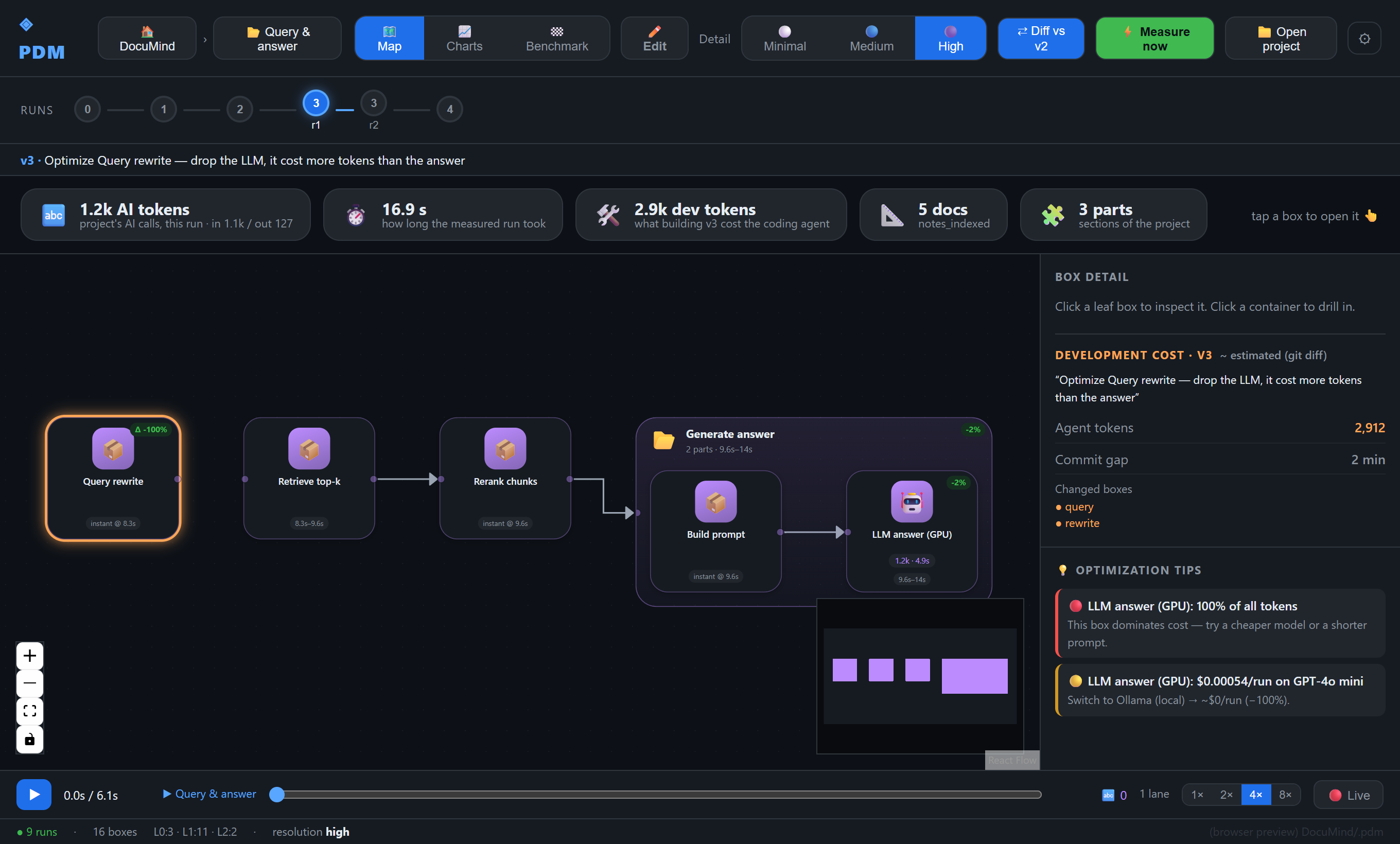
Diff versions — ⇄ Diff compares a version against the previous one, with per-box
token deltas and NEW / SPLIT badges. (Here a query-rewrite step that quietly called an
LLM was dropped: −100% on that box, −28% on the run.)
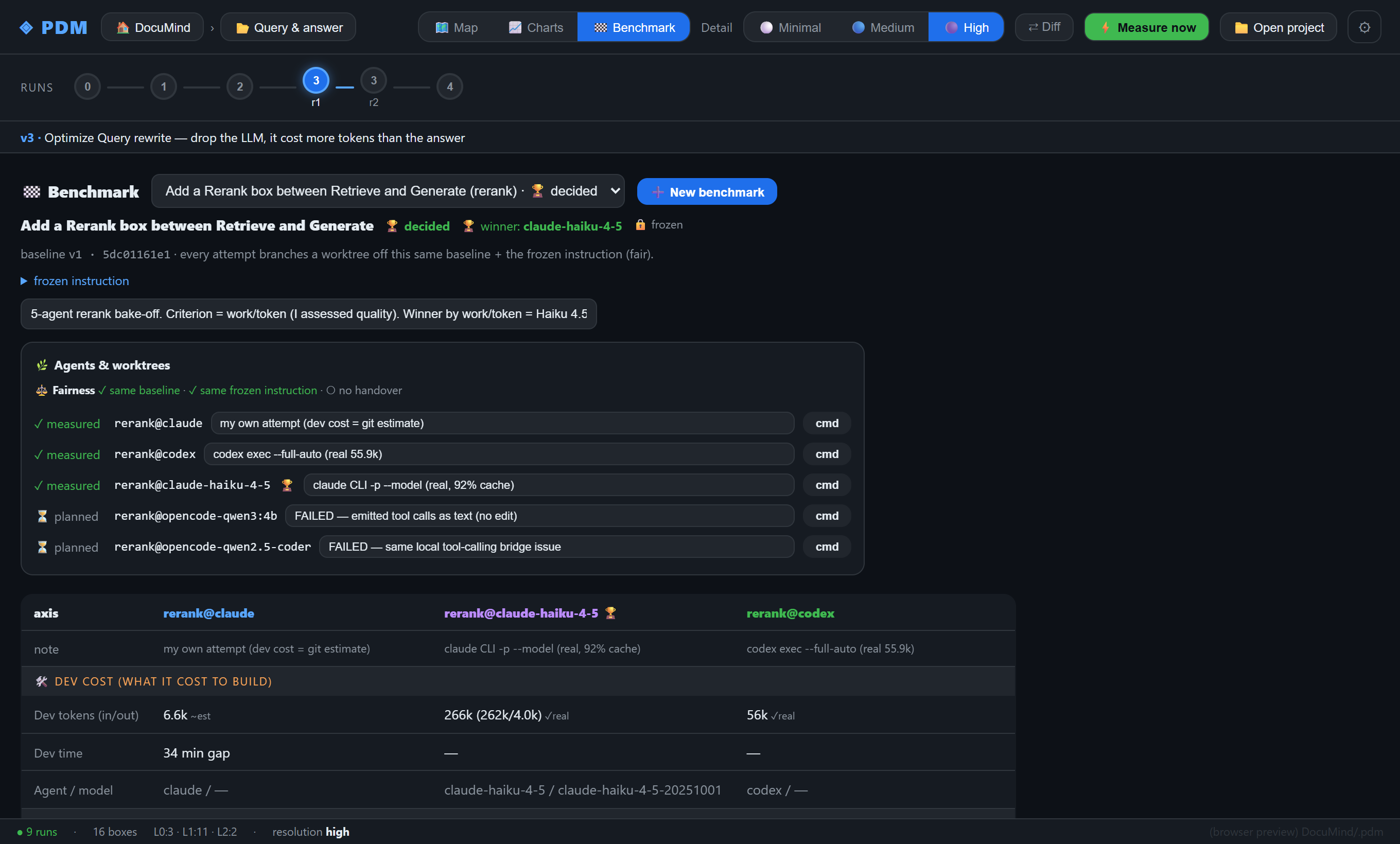
Benchmark agents — hand the same frozen task to several coding agents off the same baseline and compare dev tokens, time, model and outcome side by side.
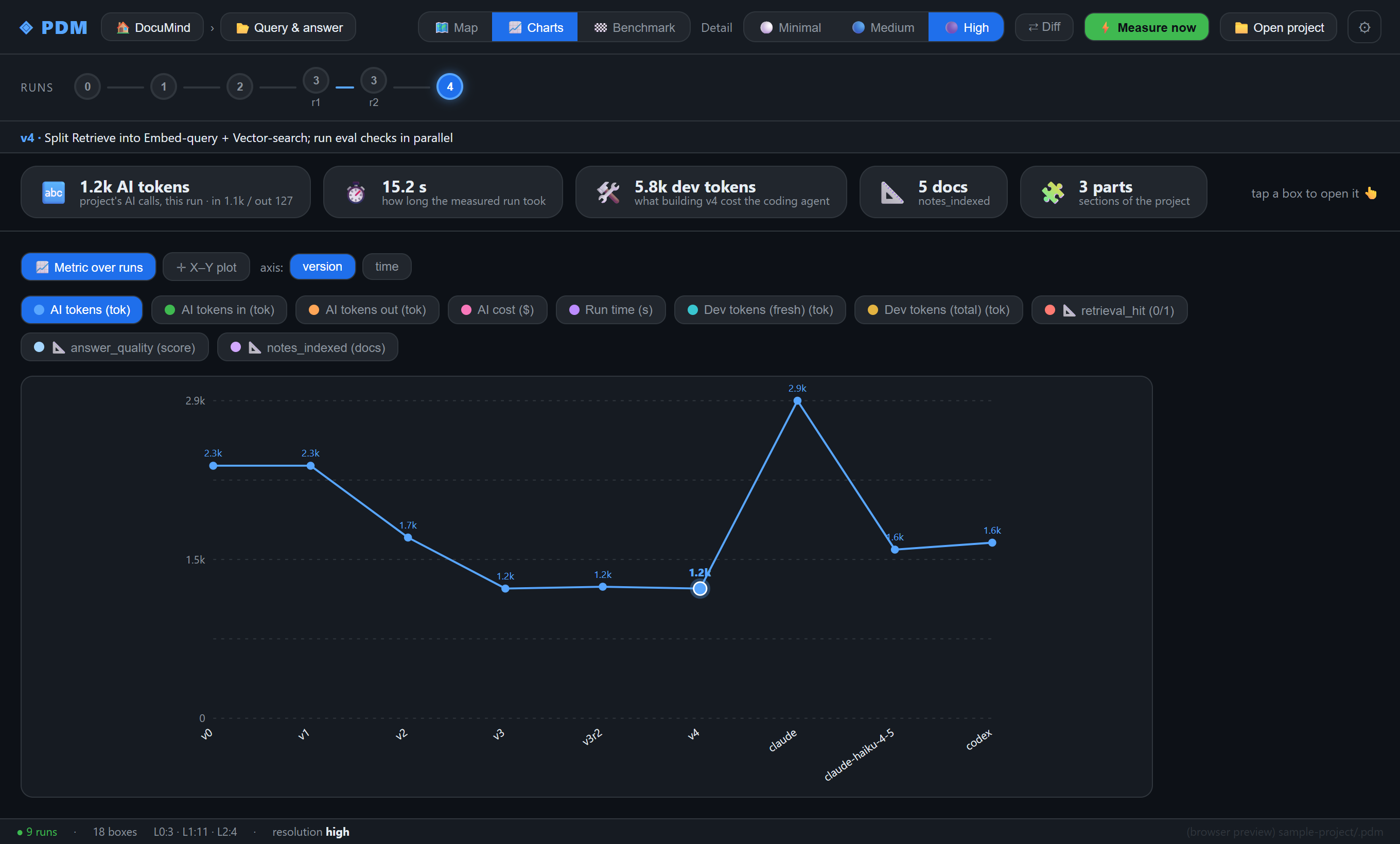
Plot trends — any metric (tokens, cost, run time, dev cost, your own KPIs) over versions or time.
Measure from the editor — ⚡ Measure now runs a new version using your project's own Python venv; the timeline refreshes when the run lands. ▶ Playback replays a run box-by-box.
Learn more
- Project, docs and the install kit: https://github.com/woulgar/pdm
- Ready-to-open demo project: https://github.com/woulgar/documind