This extension transforms your Visual Studio Code into the exact UI/UX of Visual Studio 2022.
Highlights
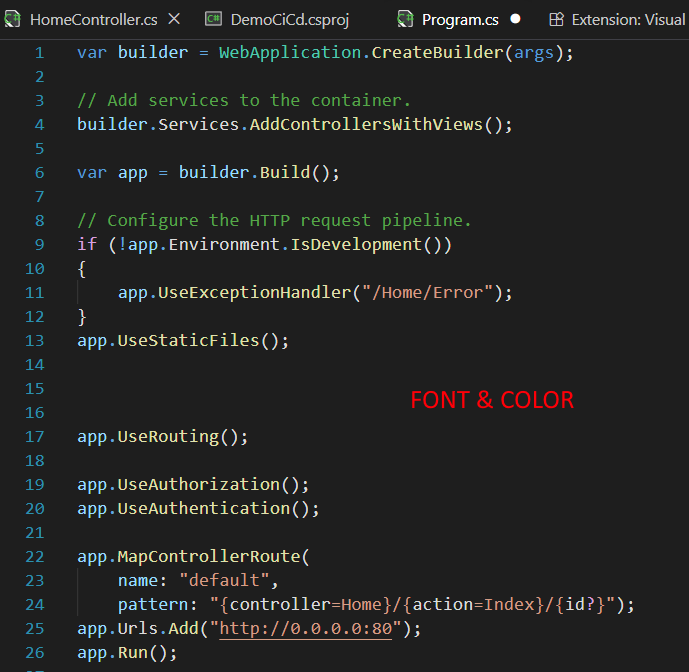
- Authentic UI: Accurate VS 2022 colors and fonts.
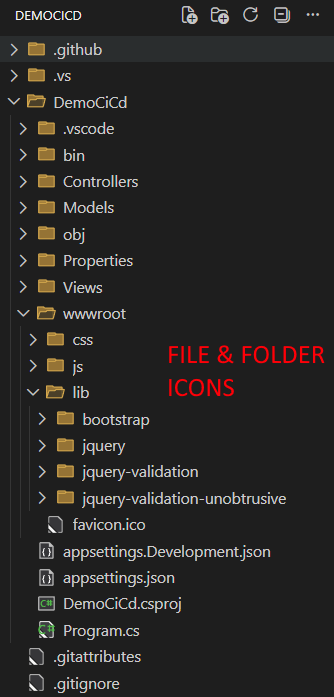
- Classic Icons: Authentic file, folder, and product icons.
- References Table: Press
Shift + F12to open the classic VS 2022 references view. - Easy Zoom: Press
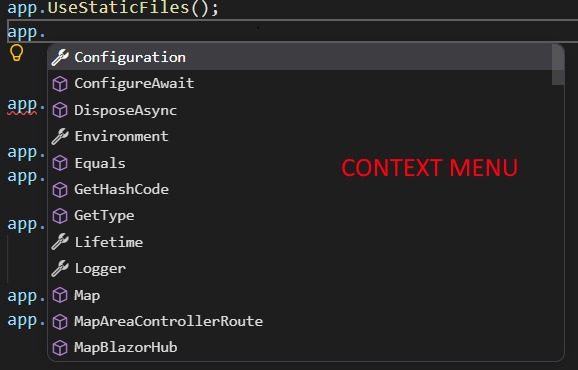
Ctrl + Mouse Wheelto quickly zoom in and out. - IntelliSense Menu: Native-like code suggestion and completion menu.
Screenshots
🎨 Authentic VS 2022 Dark Theme & Icons
🔍 Native-like IntelliSense
📋 Custom Find All References (Shift + F12)
⚙️ Easy Settings & Customization

Customization
Everything can be easily customized to your liking.
To open the settings menu, press F1 (or Ctrl+Shift+P), type Visual Studio 2022: Open Settings, and hit Enter.
Enjoy the power and nostalgia of Visual Studio 2022 right within VS Code!