Fuzzy file search and live grep for VS Code, powered by fzf and ripgrep. Inspired by Telescope.nvim.
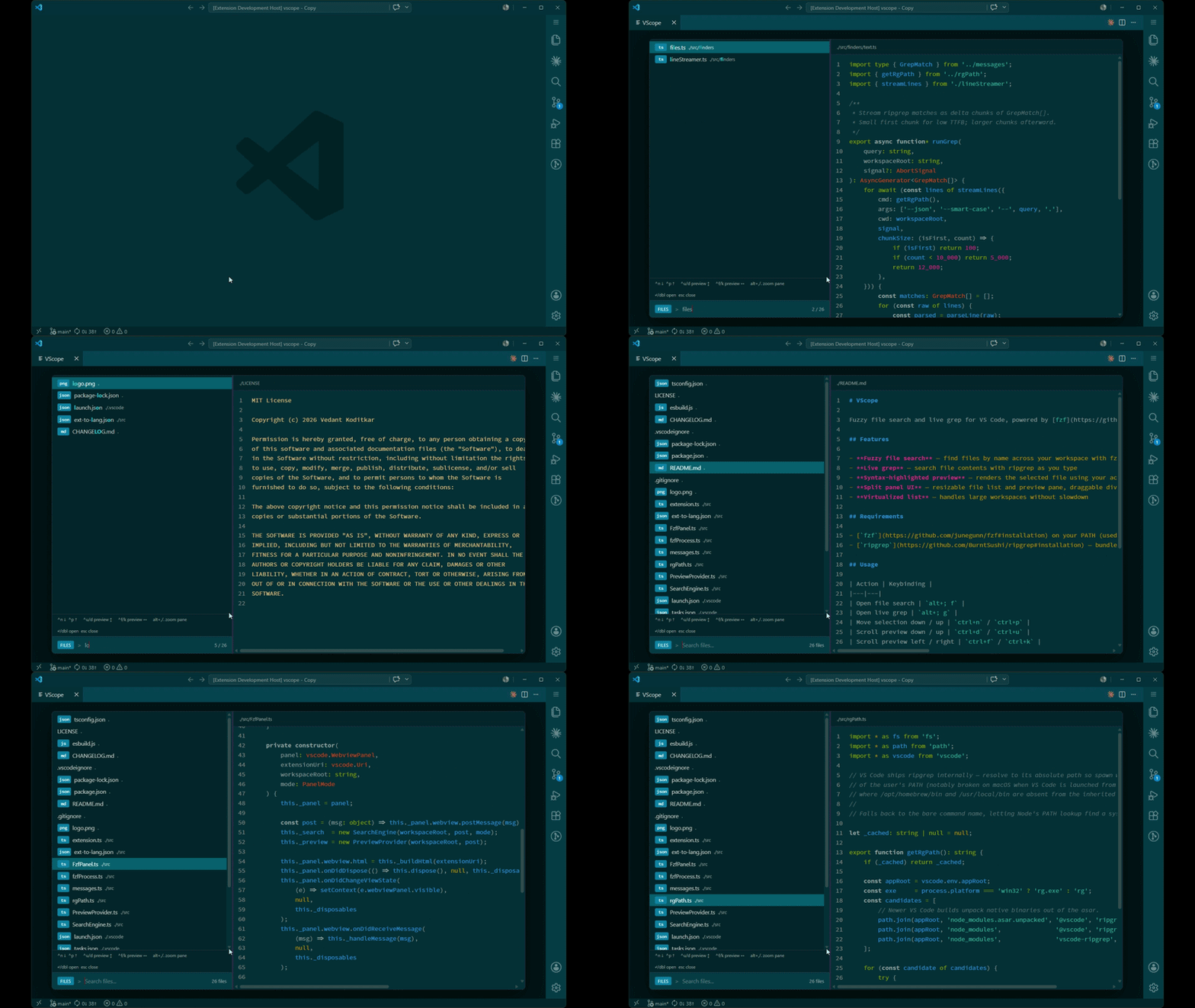
Features
- Fuzzy file search — find files by name across your workspace with fzf ranking
- Live grep — search file contents with ripgrep as you type
- LSP pickers — references, definitions, implementations, and type definitions for the symbol under the cursor, ranked by an in-process fzy scorer
- Diagnostics — workspace-wide list of errors, warnings, info, and hints with a severity badge
- Open Editors — fuzzy-jump across the editors you currently have open across all tab groups
- Document Symbols — flat hierarchical view of the active file's classes / functions / variables, indented by depth, with kind badges
- Workspace Symbols — live LSP query for symbols across the entire workspace, ranked by the active language server
- Syntax-highlighted preview — renders the selected file using your active VS Code theme
- Split panel UI — resizable file list and preview pane, draggable divider
- Virtualized list — handles large workspaces without slowdown
Requirements
fzfon your PATH (used for file name fuzzy matching)ripgrep— bundled with VS Code; a system install is used as fallback
Usage
| Action | Keybinding |
|---|---|
| Find files | alt+; f |
| Live grep | alt+; g |
| Find LSP references (symbol under cursor) | alt+; r |
| Find LSP definitions (symbol under cursor) | alt+; d |
| Find LSP implementations (symbol under cursor) | alt+; i |
| Find LSP type definitions (symbol under cursor) | alt+; y |
| Diagnostics | alt+; x |
| Open editors | alt+; b |
| Document symbols (active file) | alt+; s |
| Workspace symbols | alt+; w |
| Move selection down / up | ctrl+n / ctrl+p |
| Scroll preview down / up | ctrl+d / ctrl+u |
| Scroll preview left / right | ctrl+f / ctrl+k |
| Zoom file list / preview pane | alt+, / alt+. |
| Open selected file | Enter or double-click |
| Close | Escape |
Switch between file search and grep with the files / grep button or by pressing Escape when a pane is zoomed.
Customizing Keybindings
All keybindings can be rebound via VS Code's keybindings editor:
- Open the editor with
Ctrl+K Ctrl+S(macOS:Cmd+K Cmd+S) - Search for
vscope - Click the pencil icon next to any binding and press your preferred key combination
The in-panel navigation keys (ctrl+n, ctrl+p, etc.) only fire while VScope is open — they won't interfere with your normal editor bindings.