

Visual Studio Code extension providing language support for the Ixion programming language (.ix files).

Demo
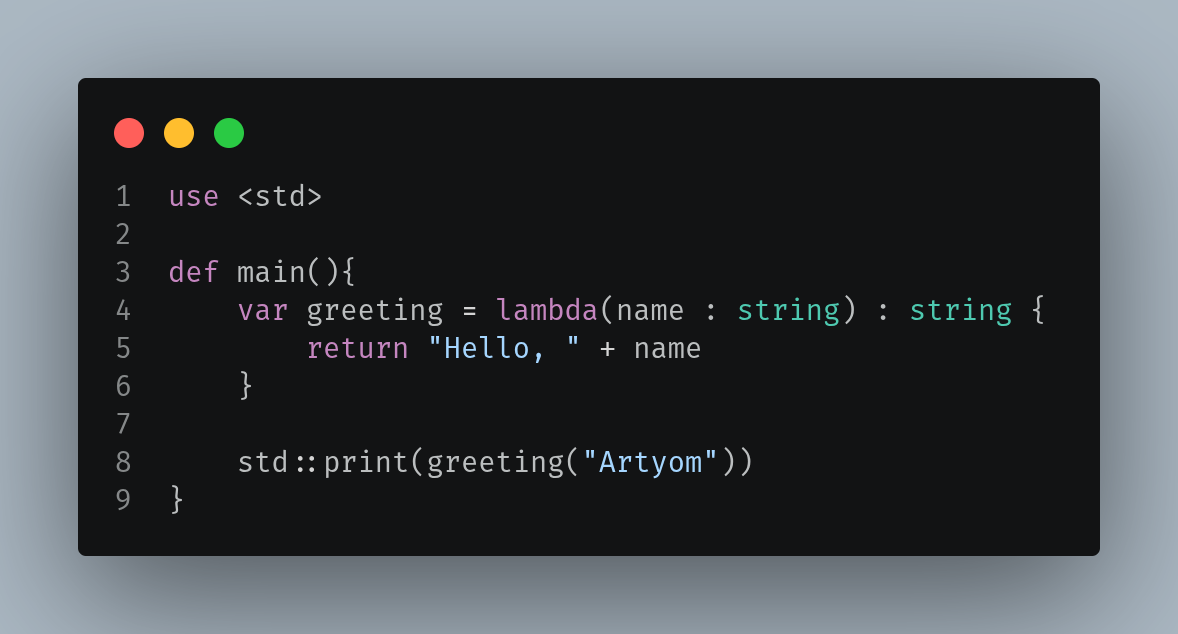
Table of Contents
Features
- Support for line comments (
//) and block comments (/* */) - Code autocompletion with all keywords and types
- Highlighting of all core keywords (
pub,def,var,const,type,use,struct,enum,case,lambda, etc.) - Built-in type highlighting (
int,float,double,string,bool,any,void) - String literals with escape sequences
- Number literals (decimal + hexadecimal)
- Operator highlighting
- Automatic bracket matching and auto-closing pairs
- Proper
.ixfile association
Installation
From VSCode Marketplace (Recommended)
Now you can find extension in extensions menu https://marketplace.visualstudio.com/items?itemName=TraumDE.ixion
From Releases
- Go to the Releases page
- Download the latest
ixion-*.vsixfile - Open VS Code
- Go to the Extensions view (
Ctrl+Shift+X) - Click the ⋯ (three dots) menu
- Select "Install from VSIX..."
- Choose the downloaded
.vsixfile
Build from Source
Prerequisites:
- Node.js
- Git
- pnpm (or npm)
# Clone the repository
git clone https://github.com/TraumDE/ixion-language-support-vscode.git

# Go to the project directory
cd ixion-language-support-vscode

# Install dependencies
pnpm install

# Build the extension
pnpm build

# Install the extension
code --install-extension ./ixion-<version>.vsix
Requirements
- Visual Studio Code ^1.125.0
Roadmap
- Code completion
Contributing
Contributions are welcome! Feel free to:
- Open an issue with bug reports or feature requests
- Submit pull requests
- Improve documentation or grammar rules
License
Project under MIT license - see the LICENSE for details