TraceFlow is an AI-powered Python debugger for VS Code that captures the full crash context — call stack, variables, exception type, and source code — and delivers the exact fix with one click.
You hit run, your Python code crashes, and within seconds TraceFlow tells you exactly why it crashed, which function caused it, and gives you a complete fix you can apply directly to your file — without leaving the editor.
▶ Watch the full demo · Get Started Free
Why TraceFlow
Python's error messages tell you what crashed. They don't tell you why.
You get a one-line exception. You have no idea what the variable values were at the moment of crash, which function in the call stack was actually responsible, or what the fix looks like. So you spend 20 minutes on Stack Overflow debugging something that should take 2 minutes.
TraceFlow fixes this by capturing the complete picture at the moment of crash and sending it to AI for deep analysis — not just the error message, but everything.
How It Works
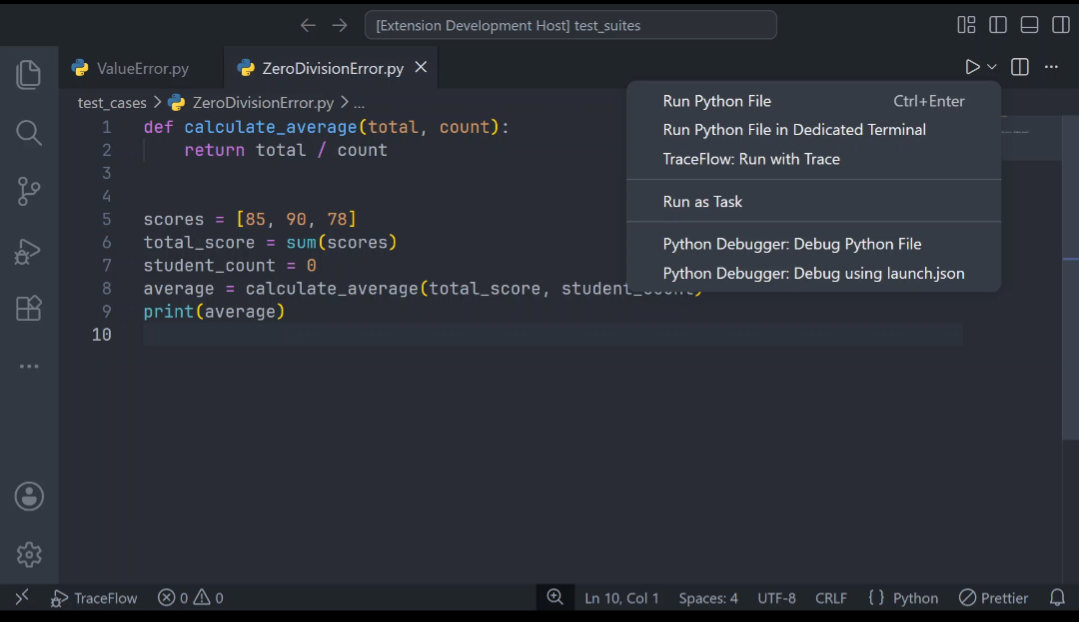
1. Run your Python file Click the TraceFlow button in the editor toolbar or the status bar item.
2. Crash detected automatically If your script crashes, TraceFlow captures the full context instantly:
- Exception type and message
- Complete call stack
- All variable values at the moment of crash
- Start and end line of the crashed function
- Full source code of the crashed function
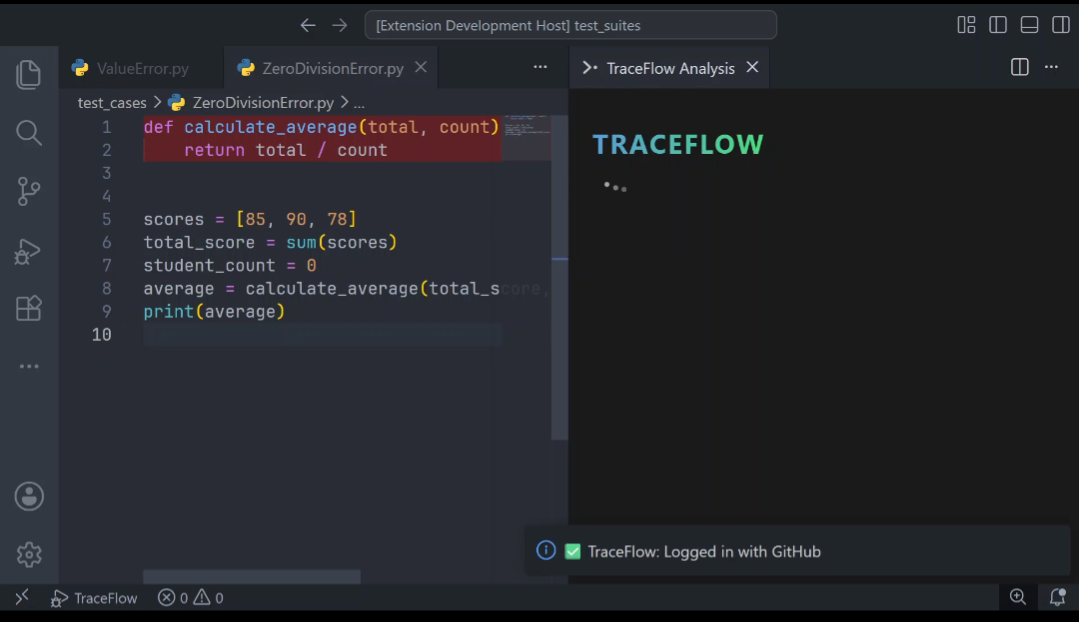
3. Crashed function highlighted in red The exact lines that caused the crash are highlighted red in your editor and scrolled into view automatically.
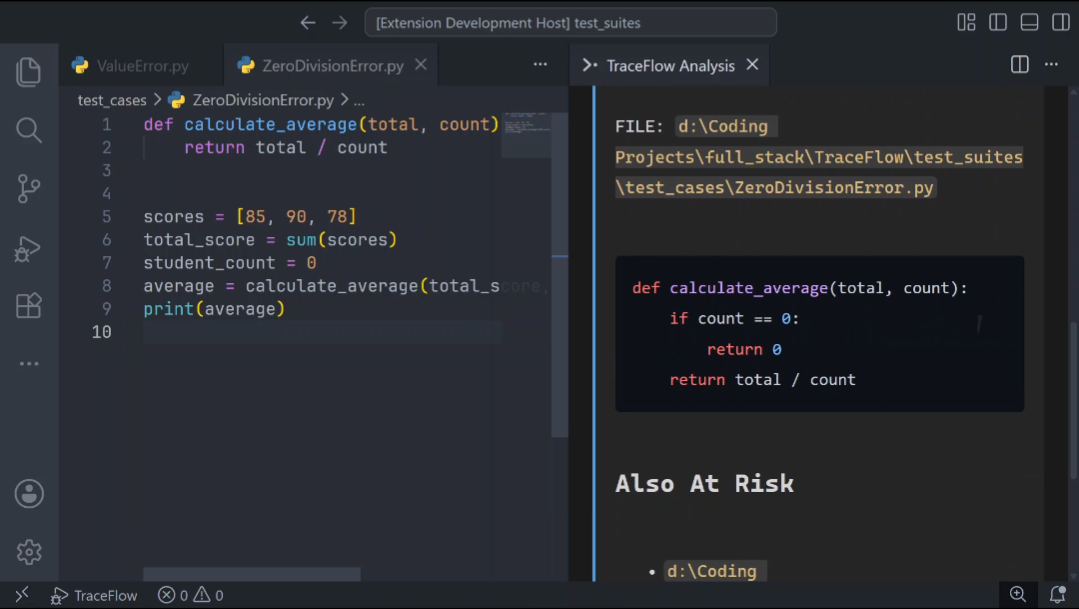
4. AI analysis streamed in real time The TraceFlow panel opens beside your editor and streams:
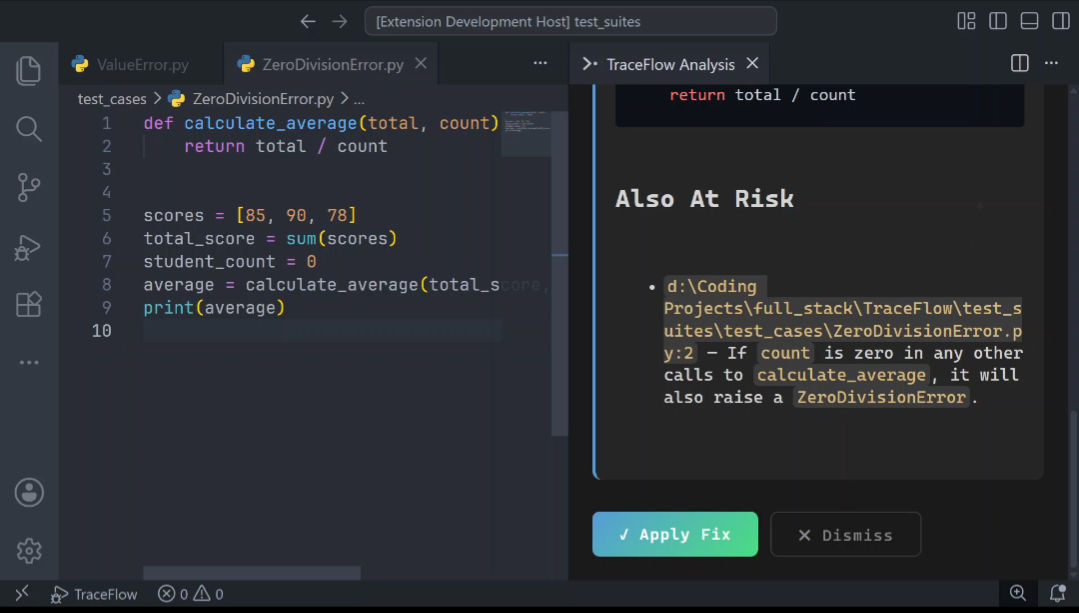
- The exact reason your code crashed
- Which file and function was responsible
- A complete fix with ready-to-use code
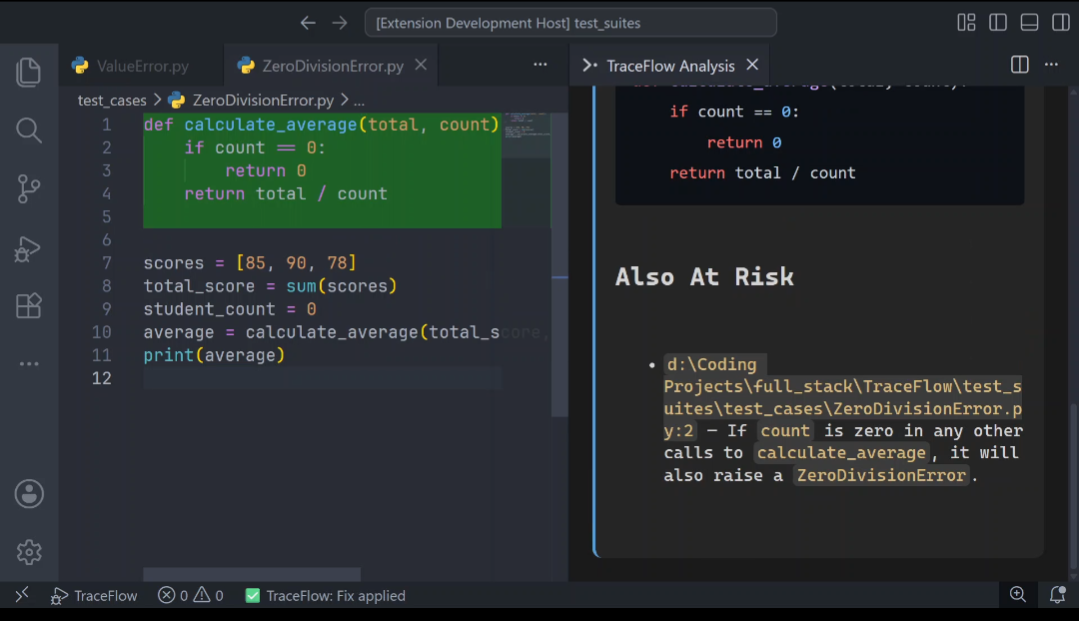
5. Apply Fix in one click Click Apply Fix and TraceFlow patches the exact lines in your file. The fixed lines briefly highlight in green so you can see exactly what changed. The file is saved automatically.
Demo
What Makes TraceFlow Different
Most AI coding tools send only the error message to AI. TraceFlow captures the full crash context — variable values, call stack, source code — before sending anything. The difference in diagnostic quality is significant.
| Standard AI tools | TraceFlow | |
|---|---|---|
| Error message | ✅ | ✅ |
| Variable values at crash | ❌ | ✅ |
| Full call stack | ❌ | ✅ |
| Crashed function source | ❌ | ✅ |
| One-click fix applied to file | ❌ | ✅ |
| Handles SyntaxErrors | ❌ | ✅ |
Features
- Automatic crash capture — no setup, no configuration, no breakpoints. Just run your file.
- Full context analysis — captures call stack, variable values, exception type, and source code at the moment of crash
- Real-time AI streaming — diagnosis streams into the panel as it's generated, not all at once
- One-click Apply Fix — patches the exact lines in your file and saves automatically
- Red and green highlighting — crashed lines highlight red, fixed lines highlight green
- SyntaxError support — catches errors that happen before the program even runs
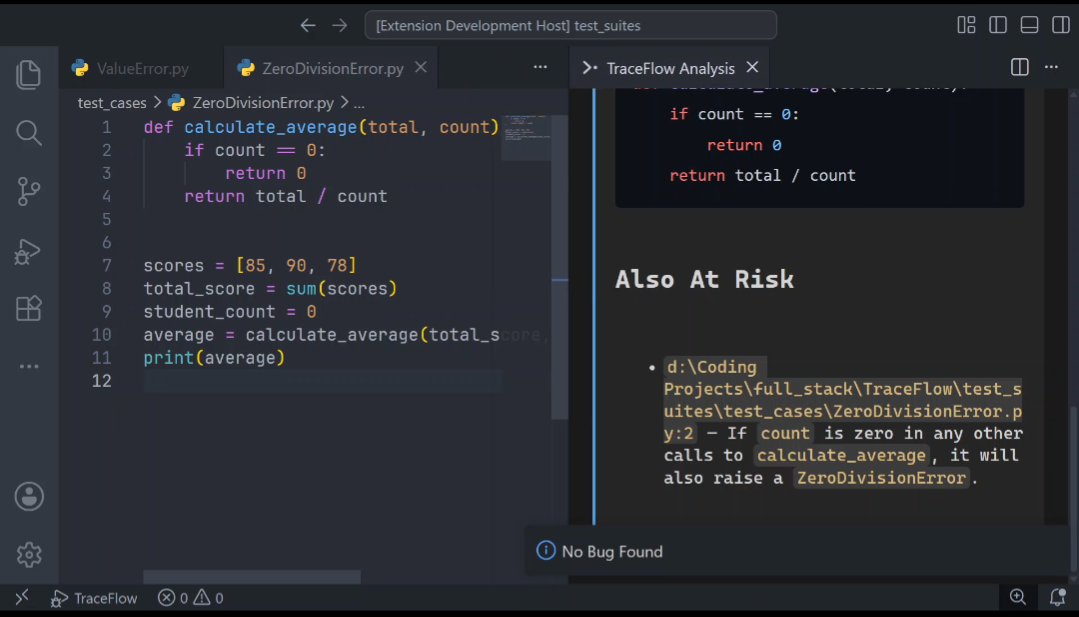
- No bug detection — tells you clearly when your script runs without errors
- GitHub and email auth — sign in with GitHub or email/password directly inside VS Code
- Secure credential storage — API key stored in VS Code's encrypted SecretStorage
Getting Started
- Install TraceFlow from the VS Code Marketplace
- Open any saved
.pyfile - Click TraceFlow in the status bar or the run button in the editor toolbar
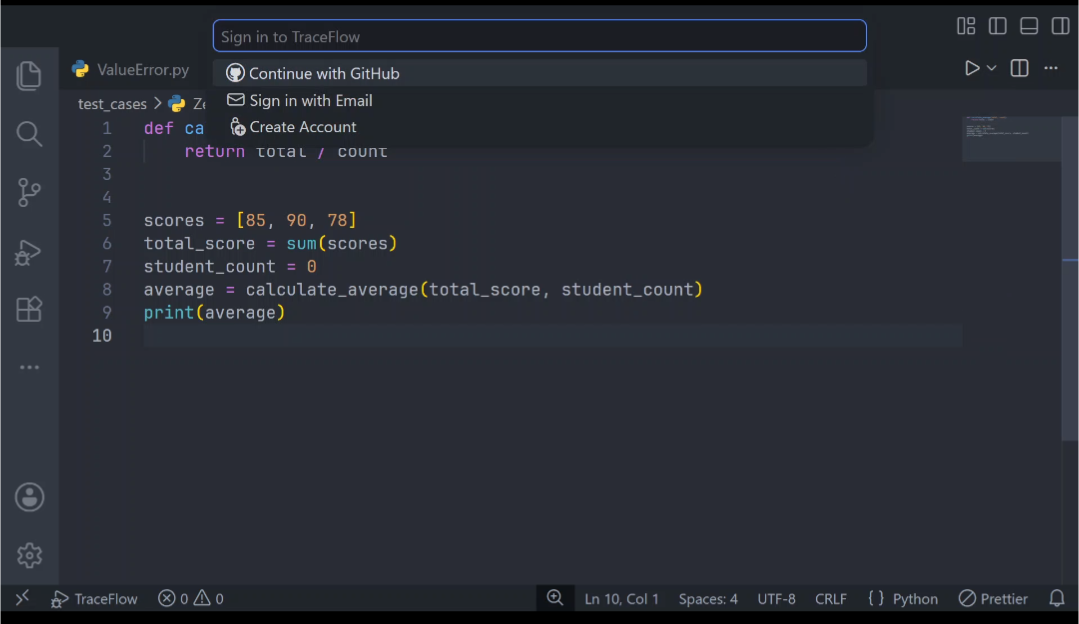
- On first use you'll be prompted to sign in or create a free account — takes a few seconds
- That's it. TraceFlow handles the rest.
Requirement: Python must be installed and available on your system PATH.
Commands
| Command | Description |
|---|---|
TraceFlow: Run with Trace |
Run the active Python file and analyze any crash |
TraceFlow: Sign In |
Sign in with email/password or GitHub |
TraceFlow: Sign Out |
Sign out and clear stored credentials |
TraceFlow: Reset Password |
Start the password reset flow |
All commands available from the Command Palette (Ctrl+Shift+P / Cmd+Shift+P).
Plans
Free — 5 AI analyses per day. No credit card required.
Pro — $9/month for unlimited analyses.
Privacy
When a crash occurs TraceFlow sends only the relevant crash context — call stack, surrounding source code, and variable state at the moment of the error — to TraceFlow's backend for AI analysis. Your full codebase is never uploaded. Only the minimum context needed to diagnose the specific crash.
Requirements
- Python installed and available on your system PATH
- Active internet connection — AI analysis runs on TraceFlow's servers
- A free TraceFlow account — sign up from within the extension in seconds
Known Limitations
- Python only (more languages may be supported in future releases)
- File must be saved before running
- Requires internet connection — offline analysis not currently supported
Feedback and Support
Found a bug or have a feature request? Reach out at traceflow.pasly.co or open an issue on GitHub. Feedback directly shapes what gets built next.
Release Notes
See CHANGELOG.md for full release history.