
Zairyo Themes
Author: thejenja
Inspired by: Material You color system
Transform your coding environment with Zairyo, a collection of 36 carefully crafted VS Code themes generated from a single accent color. Each theme adapts the Material You color token system into a cohesive, accessible palette.
🎬 Theme Previews
| Dark | Light | Dark Contrast | Light Contrast |
|---|---|---|---|
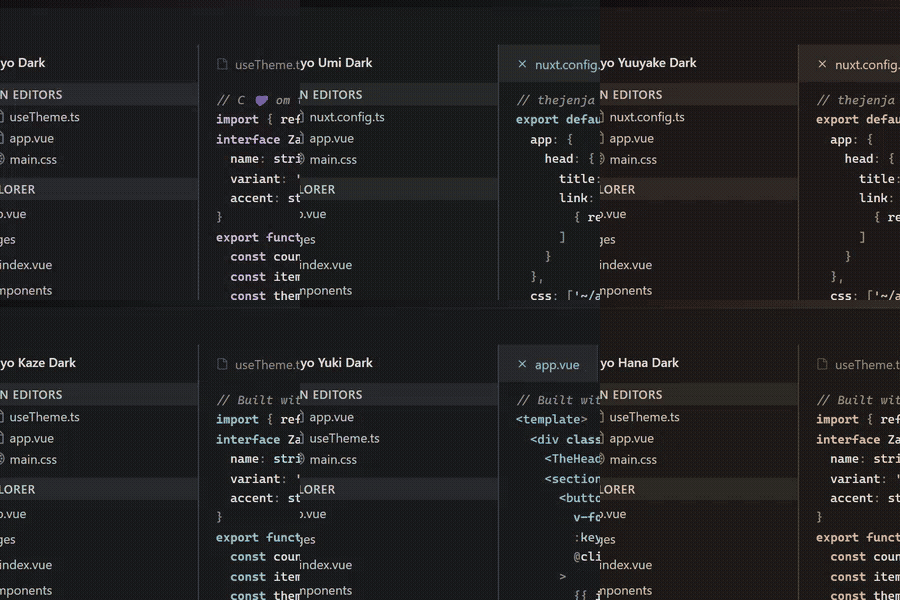 |
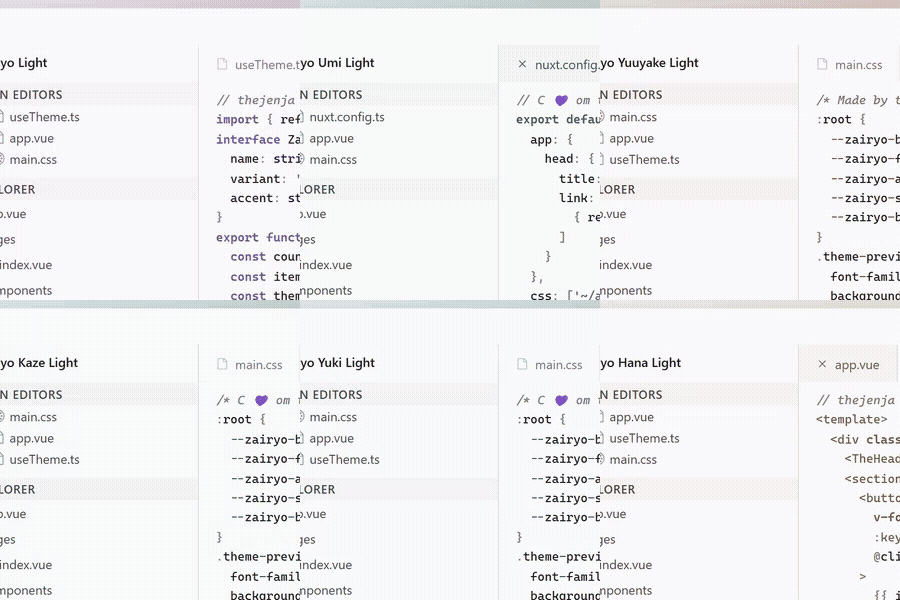 |
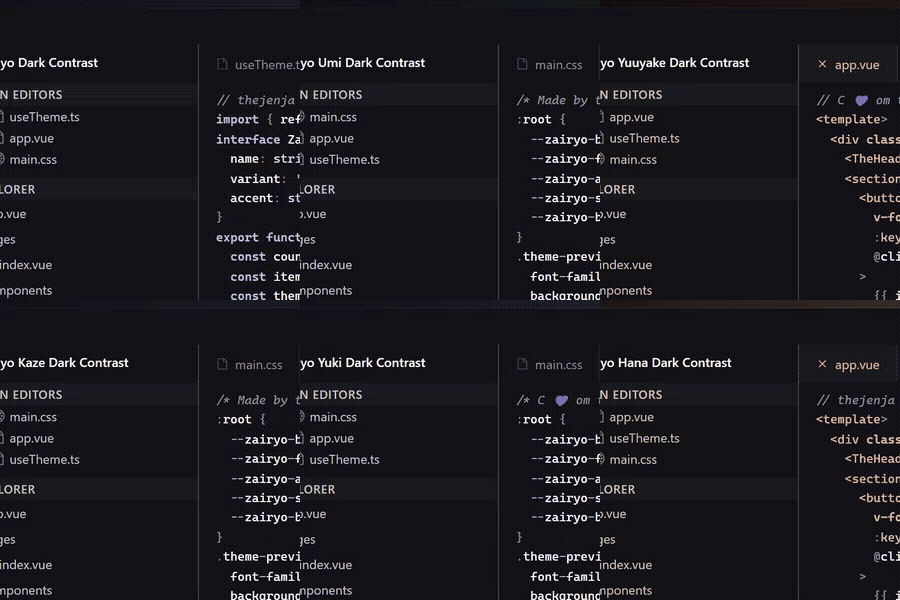 |
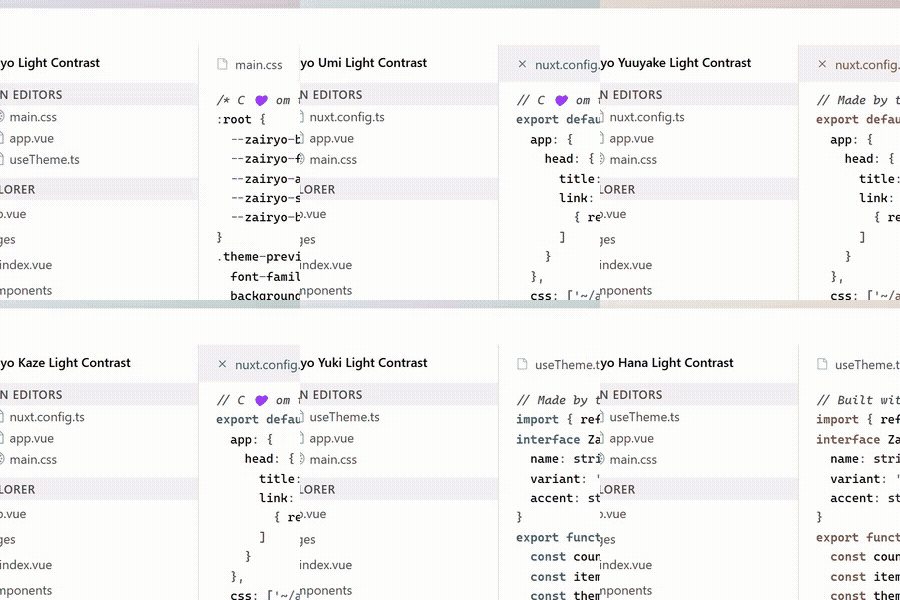 |
🚀 Installation
From VSCode
- Open Extensions (
Ctrl+Shift+X) - Search for
zairyo-themes - Click Install
Manual
git clone https://github.com/thejenja/zairyo-theme-vscode.git
cd zairyo-theme-vscode
npm install
npm run generate
vsce package
code --install-extension zairyo-color-themes-*.vsix
🎯 Usage
- Open Command Palette (
Ctrl+Shift+P) - Run
Preferences: Color Theme - Select your preferred Zairyo variant
VS Code will remember your last used theme per color mode (dark/light).
🛠 Development
All themes are generated from seed colors using Google's Material Color Utilities.
# Install dependencies
npm install

# Regenerate all 36 themes from seed colors
npm run generate
📦 Publishing & VSIX
npm run generate
vsce package
vsce publish
🌠 Credits
Made with Japanese precision by thejenja
Material You color system by Google
Material Color Utilities by Google
Light & dark variants adapt automatically to system preference. Contrast variants require manual selection.
Happy coding with Zairyo! ✨