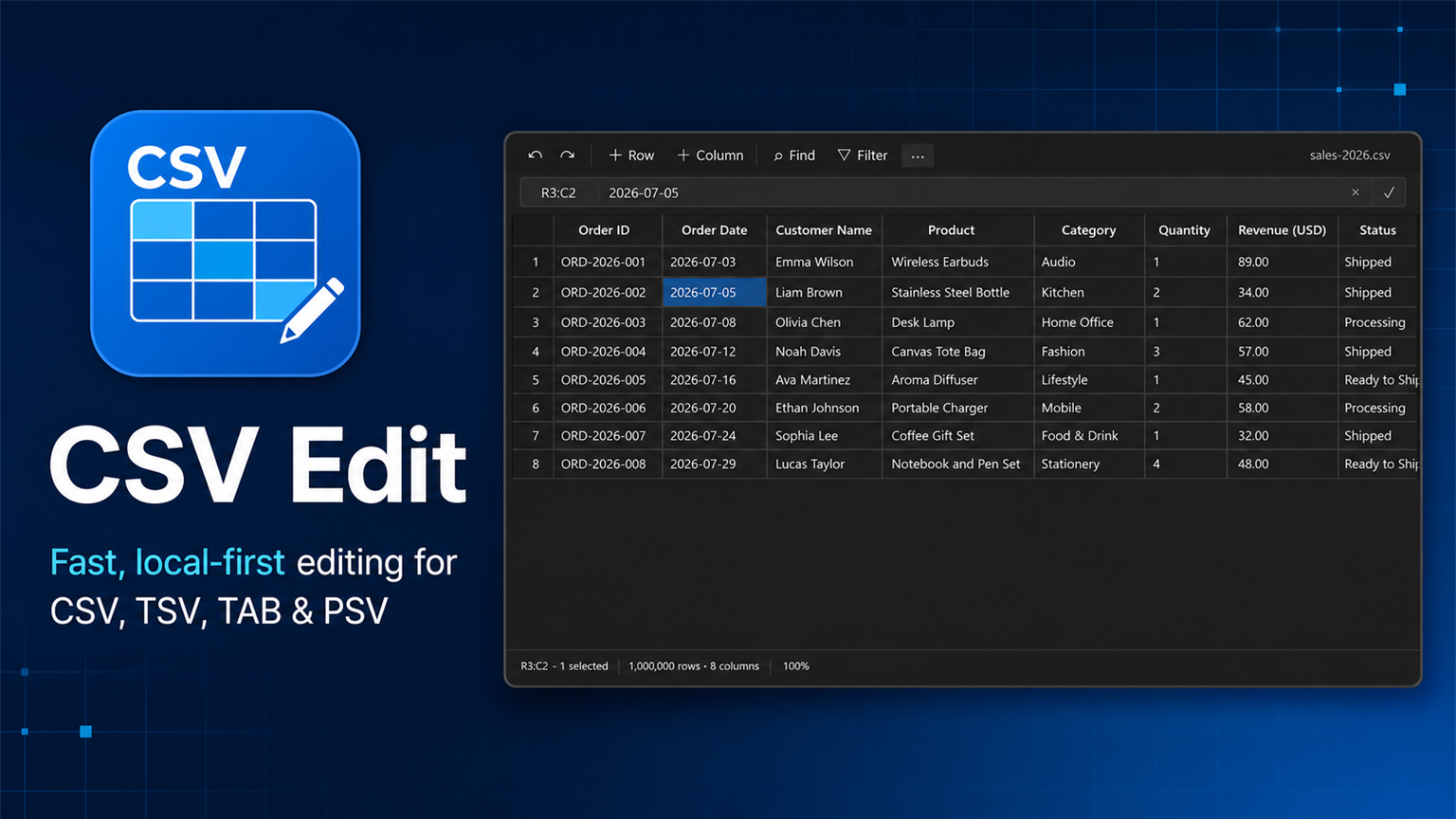
Edit delimited text like a table—without turning it into a spreadsheet file.
CSV Edit opens .csv, .tsv, .tab, and .psv files in a fast, compact grid
that feels native to Visual Studio Code. The source stays plain text, so Save,
Auto Save, Git diffs, and VS Code undo history keep working as expected. Parsing,
editing, search, and data tools all run locally on your machine.
Why CSV Edit
- Stay in VS Code — inspect and edit delimited files without switching apps
- Keep clean diffs — the document remains ordinary delimited text
- Work locally — file contents, searches, and transformations are not uploaded
- Handle real data — quoted fields, multiline values, BOM, and line endings are preserved
- Move quickly — keyboard editing, rectangular selection, filters, and bulk tools are built in
Designed for CSV work
The interface follows VS Code rather than imitating a spreadsheet application. Common CSV actions stay in one 32-pixel command bar, complete cell values can be edited in a compact value bar, and less frequent commands live in an overflow menu. Dense rows and restrained borders keep the available space focused on data.
- Open CSV, TSV, TAB, and PSV files directly in a grid
- Edit cells, rectangular ranges, rows, and columns with mouse or keyboard
- Copy and paste tabular data using the familiar TSV clipboard format
- Insert, delete, resize, and reorder rows and columns
- Sort, filter, find, and replace values
- Trim whitespace, change case, fill blanks, and remove empty or duplicate rows
- Preview bulk transformations before applying one undoable change
- Detect uneven rows, empty headers, and duplicate headers
- Preserve delimiters, quoted fields, multiline values, BOM, and line endings
- Load large documents in chunks and avoid repeated whole-grid DOM scans
Grid and text views
Choose Open as text from the … menu, use the editor-title action, or run CSV Edit: Toggle Grid/Text View. CSV Edit remembers the last view globally and uses it for the next supported file.
Use CSV Edit: Set Theme to choose Auto, Light, or Dark. Auto follows the active VS Code theme, and CSV Edit uses VS Code workbench colors throughout.
Keyboard workflow
| Action | Windows / Linux | macOS |
|---|---|---|
| Save | Ctrl+S |
Cmd+S |
| Undo | Ctrl+Z |
Cmd+Z |
| Redo | Ctrl+Y |
Cmd+Shift+Z |
| Find | Ctrl+F |
Cmd+F |
| Replace | Ctrl+H |
Cmd+H |
| Copy / paste | Ctrl+C / Ctrl+V |
Cmd+C / Cmd+V |
| Edit the active cell | Enter |
Enter |
| Add a line inside a cell | Shift+Enter |
Shift+Enter |
Commands
CSV Edit: Open as GridCSV Edit: Open as TextCSV Edit: Toggle Grid/Text ViewCSV Edit: Set ThemeCSV Edit: FindCSV Edit: ReplaceCSV Edit: Toggle FiltersCSV Edit: Open Data ToolsCSV Edit: Validate Data
Privacy and file handling
CSV Edit does not upload document contents, usage data, or diagnostics. Parsing, editing, filtering, transformation, and validation run locally inside VS Code. Display state such as scroll position, column widths, filters, and theme choice is stored in VS Code state rather than written into the CSV file.
Read PRIVACY.md for the complete policy. When reporting a problem, follow SUPPORT.md and remove confidential values from sample files.
Independent rewrite and origin
This repository is an official GitHub fork of jonaraphael/csv, retained so the project origin and MIT attribution remain visible. CSV Edit is a complete product and codebase rewrite: its implementation, architecture, interface copy, documentation, icon, screenshots, and Marketplace presentation were created for CSV Edit. Upstream README prose and Marketplace artwork are not reused.
Requirements
- Visual Studio Code 1.130 or newer
- Windows, macOS, or Linux
Build and verify
npm ci
npm run verify
npm run package
npm run package produces an installable .vsix file.
Support development
If CSV Edit is useful to you, you can support continued development. Sponsorship helps fund maintenance, accessibility, performance work, and new releases.
License
CSV Edit is distributed under the MIT License. The required original-project copyright and derivation record are preserved in LICENSE and NOTICE.