




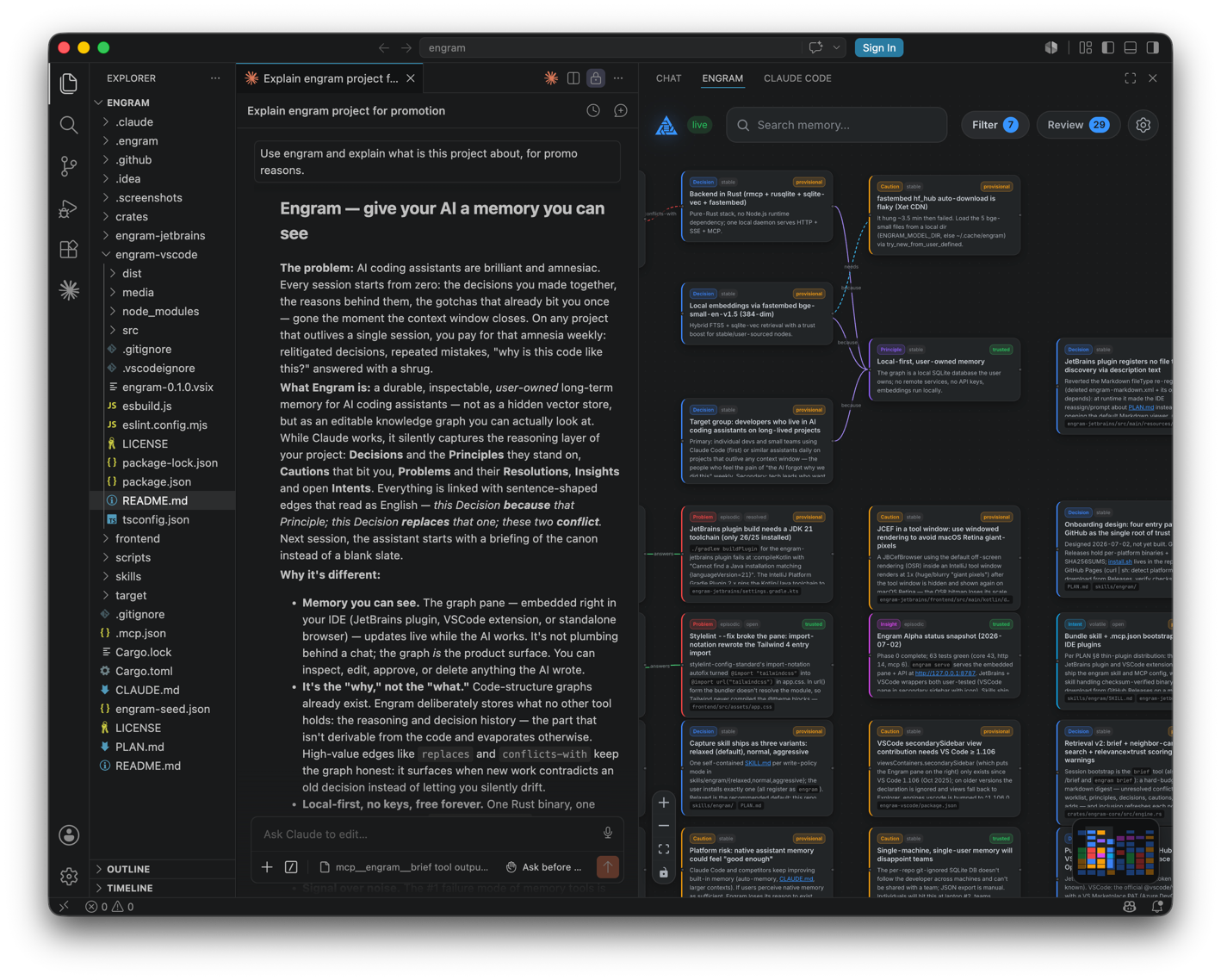
Embeds the Engram graph pane in VS Code. Engram is a durable, graph-based long-term memory for AI coding assistants — the reasoning/decision layer (why we chose this, what bit us, what's still open), shown as a graph you can see, edit, and own.
The extension hosts the Engram pane (the Vue app, bundled into the extension)
in a Webview and talks to the local engram-alpha serve daemon — the same daemon
your AI assistant reads from and writes to over MCP. Decisions, cautions,
problems, and insights surface and update live as you work.
One memory, every agent: the backend speaks MCP, so Claude Code, Codex (CLI and desktop app),
Gemini CLI, OpenCode, Kilo, and Google Antigravity all share the same per-repo graph (wire them
with install.sh --cli …) — a decision captured by one assistant is recalled
by the next.
Requirements
-
The Engram backend. From your project's root:
curl -fsSL https://raw.githubusercontent.com/techtheist/engram/main/install.sh | shThis installs the
engram-alphabinary (checksum-verified, into~/.local/bin), writes the workspace.mcp.jsonfor Claude Code, and installs the capture skill. On Windows, run the same command inside WSL2 — it installs the nativeengram-alpha.exe. The pane and status bar connect to the daemon athttp://127.0.0.1:8787(configurable viaengram.daemonUrl).
Use
- Run
engram-alpha servein your project. - Open the Engram view from the activity bar (graph icon), or run Engram: Open Graph in Editor for a center-tab view.
- The status bar shows daemon connectivity; if the daemon is down the pane shows a Retry overlay and reconnects on its own once it's up.
MCP for Claude Code
The install script above already writes .mcp.json. If you skipped it (or
installed the binary another way), run Engram: Configure MCP for Claude Code
to add an engram server to the workspace .mcp.json (it merges, never
clobbers other servers):
{ "mcpServers": { "engram": { "command": "engram-alpha", "args": ["mcp", "--db", ".engram/graph.db"] } } }
Restart Claude Code to pick it up. Requires the engram-alpha binary on your PATH.
Build
The pane is the repo's frontend/ build, copied in at package time.
npm install
npm run build:pane   # builds ../frontend (needs Bun)
npm run build        # copies the pane in + bundles the extension (esbuild)
npm run package      # -> engram-<version>.vsix
Install the .vsix via Extensions view → ⋯ → Install from VSIX….
Scope (first pass)
Pane + MCP config + daemon detect-and-guide (no spawning — matches the JetBrains plugin). Auto-starting the daemon and bundling the capture skill are follow-ups.