A simple VS Code extension that compares your GitHub Copilot monthly credit usage with how much of the month has passed. I built it for a quick status bar check to see whether I am on track or running ahead of budget, without needing a full dashboard or detailed cost analysis.
It shows this simple status bar message:

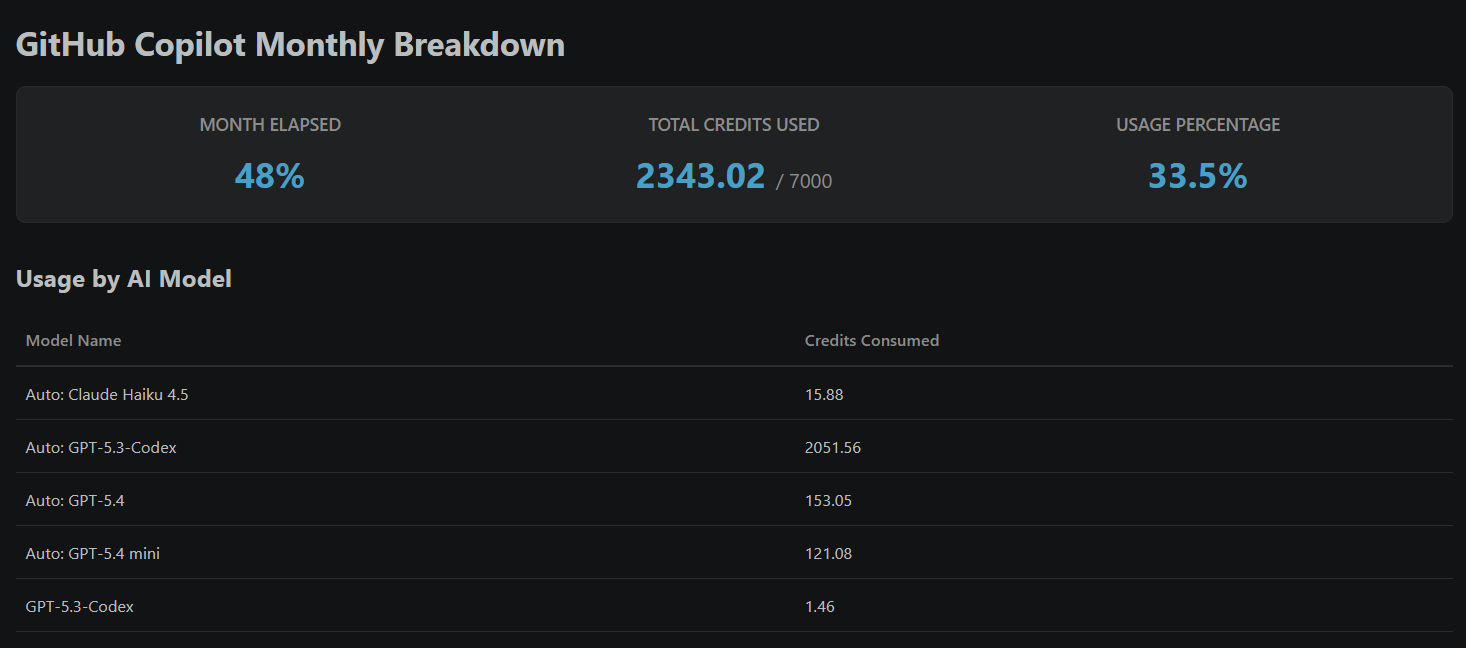
Because I can (and really not because I need), there's a bit more detail in a webview panel that breaks down usage by model and shows the total usage percentage. That looks like this:
Contacts
- GitHub: supertechman
- website: supertechman.com
Copilot Credit Tracker
Track your GitHub Copilot monthly AI credit usage directly in VS Code.
This extension adds a status bar indicator that compares:
- how much of the current month has passed
- how much of your monthly Copilot credit budget has been used
Click the status bar item to open a detailed panel with a model-by-model usage breakdown.
The panel also includes a cached 12-month history view so you can compare current usage against previous months.
Features
- Status bar usage snapshot (month progress vs credit usage)
- Overuse warning when usage is ahead of month progress
- Detailed webview panel with:
- month elapsed
- total credits used
- usage percentage
- usage by model
- Previous 12 months history table (month, credits used, limit, usage percentage, and last synced date)
- Manual "Refresh History" action to re-sync historical usage from GitHub
- Configurable monthly credit limit
How It Works
- On startup, the extension checks your GitHub authentication session in VS Code.
- It requests your GitHub user profile.
- It fetches your monthly AI credit usage from GitHub billing APIs.
- It calculates your usage percentage against your configured monthly limit.
- It updates the status bar and refreshes automatically every 30 minutes.
If you are not signed in, the extension prompts you to authenticate with GitHub.
Requirements
- VS Code 1.125.0 or newer (at least this was the one it was developed for and tested on)
- GitHub Authentication extension enabled (built-in dependency: vscode.github-authentication)
- A GitHub account with Copilot access
Installation
Option 1: From Marketplace (when published)
- Open Extensions in VS Code.
- Search for Copilot Credit Tracker.
- Click Install.
Option 2: From VSIX (local/manual install)
- You can download the latest .vsix file from the releases page. If you do that, you can start on step 2. Otherwise, you can build the .vsix file yourself from the source code:
- Package the extension:
- npm install
- npm run compile
- npx @vscode/vsce package
- In VS Code, open Extensions.
- Select More Actions (three dots) and choose Install from VSIX.
- Pick the generated .vsix file.
Usage
- Open VS Code.
- Sign in to GitHub if prompted.
- Look at the right side of the status bar for the Copilot usage indicator.
- Click the status bar item to open the full monthly breakdown panel.
- In the panel, review the "Previous 12 Months" table and use "Refresh History" to sync updated historical data.
Status meanings:
- check icon: usage pace is healthy
- warning icon: usage pace is ahead of month progress
- API Error: request to GitHub failed
- Auth Required: GitHub sign-in is needed
Configuration
This extension contributes one setting:
- copilotCreditTracker.monthlyLimit
- Type: number
- Default: 7000
- Description: your monthly GitHub AI credit cap
Example values:
- 1500 for a lower-tier plan
- 7000 for a higher-tier plan
Update this in Settings if your monthly credit allowance differs from the default.
Data and Permissions
The extension uses your GitHub auth token from VS Code to call:
- https://api.github.com/user
- https://api.github.com/users/{login}/settings/billing/ai_credit/usage
Data is used only to compute and display your usage inside VS Code. No backend service is included in this extension.
Troubleshooting
- Auth Required shown in status bar:
- Sign in to GitHub via VS Code Accounts menu, then wait for refresh.
- API Error shown in status bar:
- Verify internet access.
- Confirm your GitHub account can access Copilot billing usage.
- Reload VS Code and try again.
- No usage data in panel:
- There may be no usage yet for the selected month.
- Wait for the next refresh or reload window.
Development
- Install dependencies:
- npm install
- Build once:
- npm run compile
- Watch mode:
- npm run watch
- Run extension tests:
- npm test
- Launch extension in a VS Code Extension Development Host using F5.
Known Notes
- Usage refresh interval is 30 minutes.
- The default monthly limit is a fallback value; configure it for your real plan.
Changelog
See CHANGELOG.md for version history.