
Fast and easy note taking, right in the VS Code sidebar.
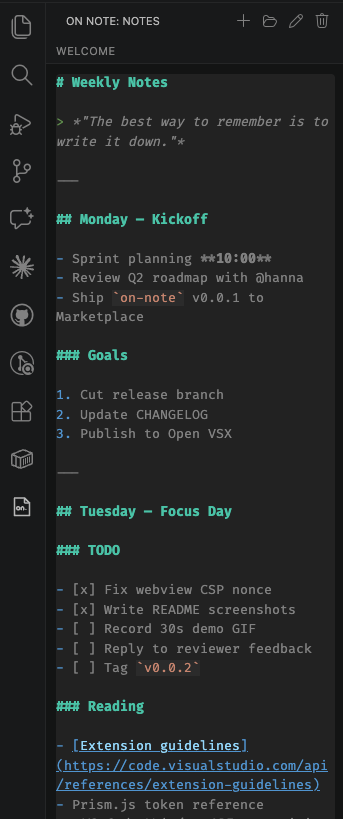
On Note adds a dedicated activity bar view where you can jot down Markdown notes without ever leaving your editor. Notes are stored per-user (not per-workspace), so the same notes follow you across every project.
Features
- Sidebar note editor — a Markdown textarea lives in the activity bar, always one click away.
- Markdown syntax highlighting — headings, code fences, links, lists, and more are colored in real time via Prism.
- Autosave — changes are persisted ~500ms after you stop typing. No save button, no lost edits.
- Multi-window sync — open the same note across multiple VS Code windows and edits propagate automatically. Cursor position is preserved and in-progress typing is protected.
- Note management — create, open, rename, and delete notes from the view title bar or the Command Palette.
- Global storage — notes live under the extension's
globalStorageUri, so they persist across workspaces and VS Code sessions.
Usage
- Click the On Note icon in the activity bar.
- Use the toolbar buttons (or run
On Note: New Notefrom the Command Palette) to create your first note. - Start writing. Changes save automatically.
Commands
| Command | ID |
|---|---|
On Note: New Note |
on-note.newNote |
On Note: Open Note |
on-note.openNote |
On Note: Rename Note |
on-note.renameNote |
On Note: Delete Note |
on-note.deleteNote |
Requirements
- VS Code
1.116.0or newer.
Known Issues
- Only Markdown highlighting is active; fenced code blocks are not individually re-highlighted per language.
- Notes are stored in VS Code's global storage directory and are not synced across machines unless you use Settings Sync with the global storage opt-in.
Release Notes
See CHANGELOG.md.