


Fast, offline development tools for Stationeers IC10 and Lua in VS Code. The extension bundles its language server and reference data, so you do not need Python, a Stationeers installation, or a separately installed language server.
This is an independent community project. It is not affiliated with, endorsed by, or sponsored by RocketWerkz.
What you get
- IC10 completion, hover help, signatures, diagnostics, navigation, formatting, and safe symbol renaming.
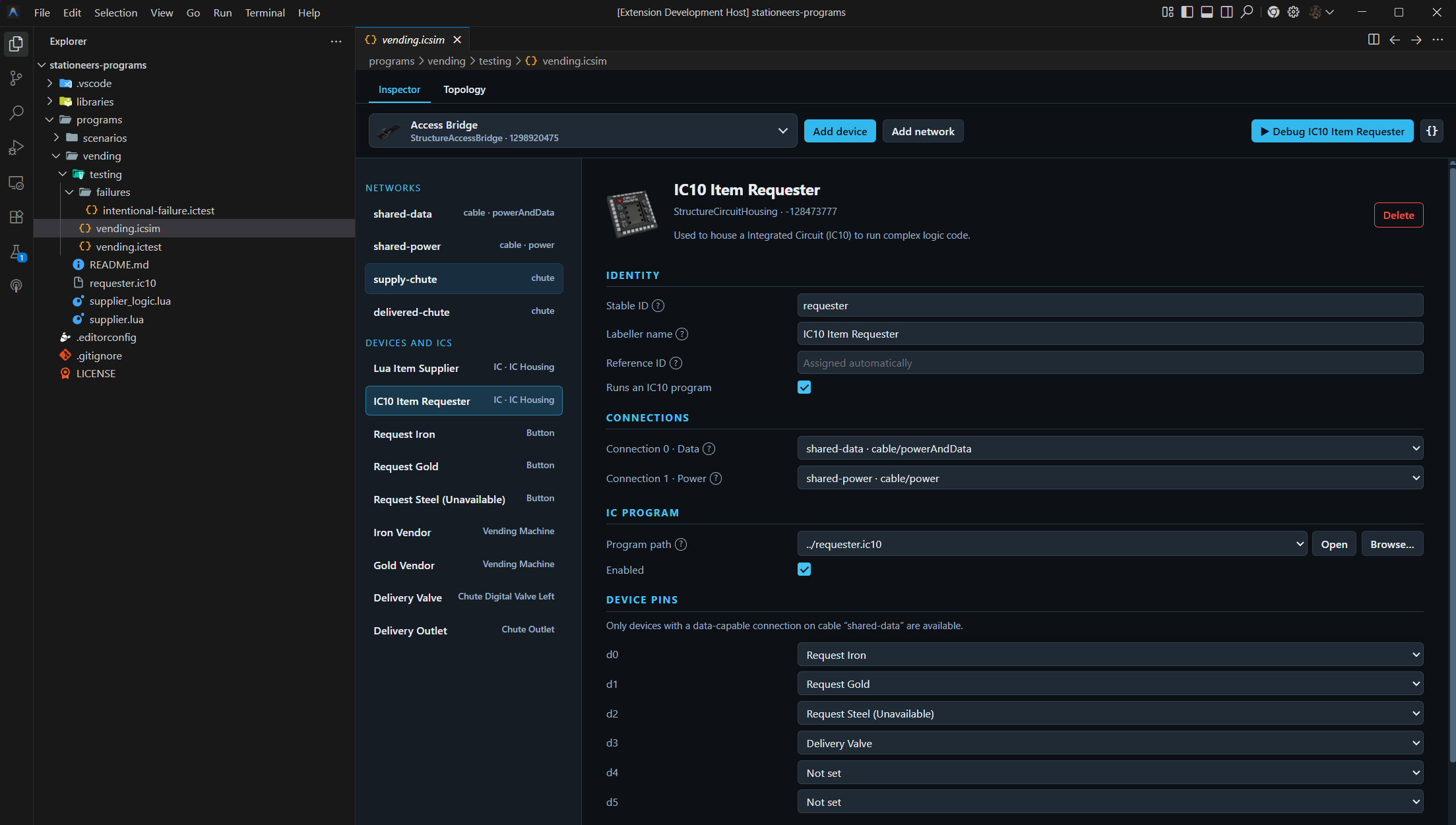
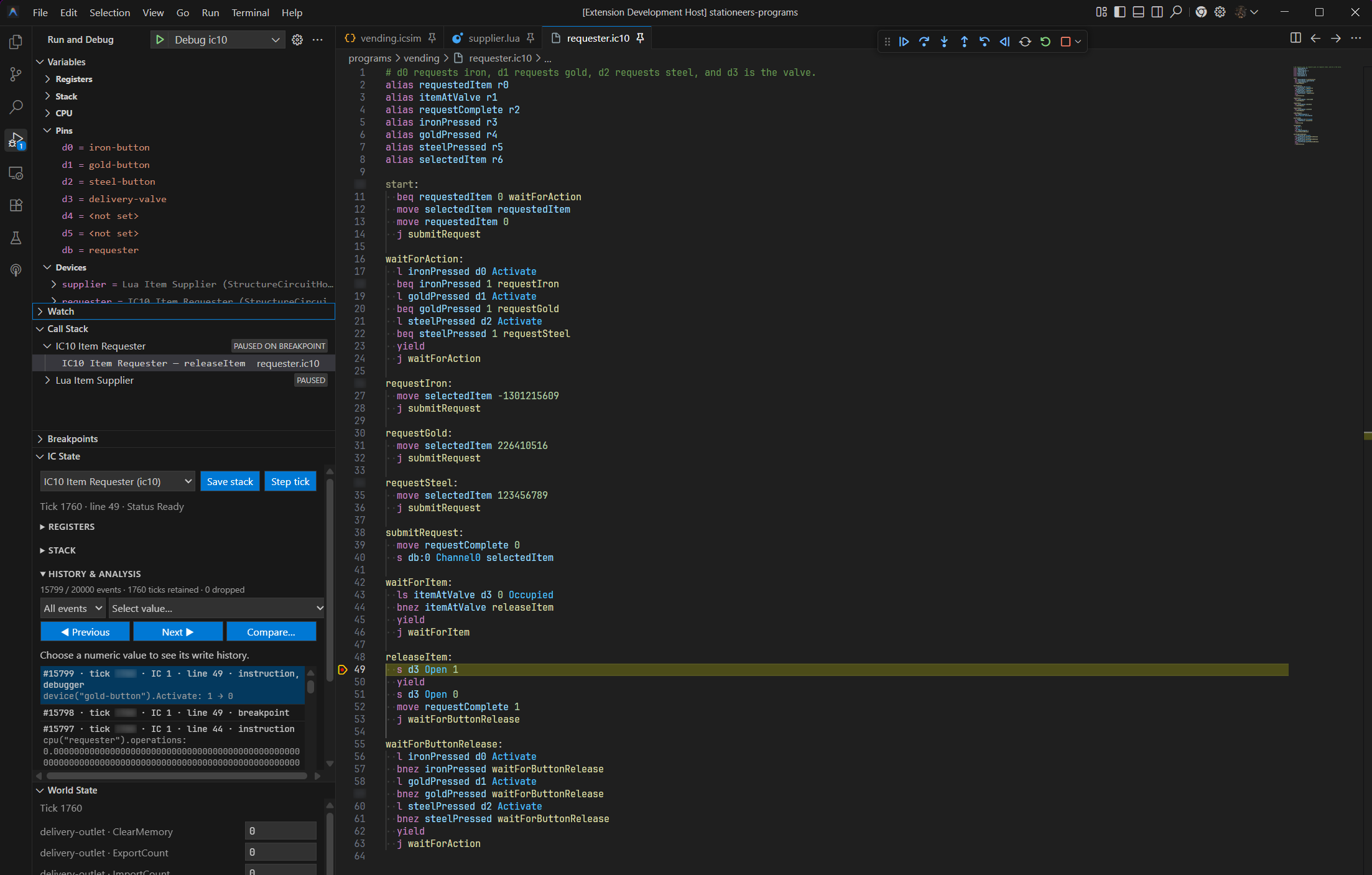
- Source-controlled simulation environments, deterministic scenario tests, and native debugging for single- and multi-IC systems.
- Visual networks and topology editing for simulated devices and connections.
- Deterministic deployment builds with readable or compact output, source maps, reproducibility metadata, and reports.
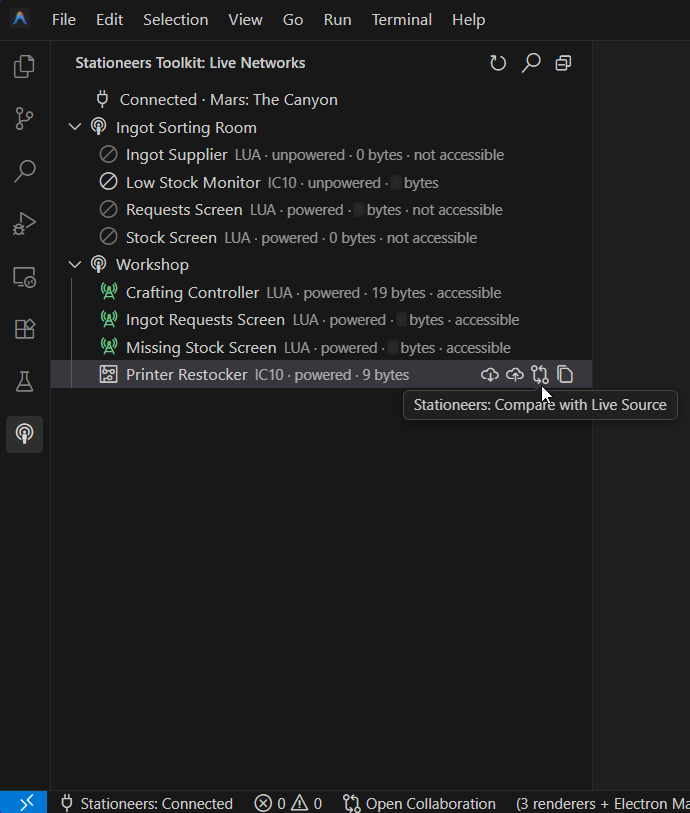
- Live Networks for discovering networks and IC housings in a running game and inspecting or synchronising live IC10 source.
- Optional Lua editing support, with StationeersLua integration available for current Lua metadata and live Lua source operations.
See it in action
Quick start
- Install Stationeers Toolkit from the VS Code Extensions view.
- Create or open a
.ic10file. - Start typing, or run IC10: Create Simulation Environment to build a source-controlled world and press F5 to debug it.
define Light HASH("StructureLight")
alias lamp d0

start:
  s lamp On 1
  yield
  j start
Language features activate automatically when the language mode is IC10.
Choose a guide
- Getting started
- IC10 editing
- Simulation and debugging
- Scenario testing
- Debugging
- Live Networks
- StationeersLua integration
- Deployment builds
- Commands and settings
Installation
Install Stationeers Toolkit from the Visual Studio Marketplace or Open VSX. For a manual install, download the matching VSIX from GitHub Releases and run Extensions: Install from VSIX....
The extension requires Visual Studio Code 1.107 or newer. Packages are available for Windows, Linux, and macOS architectures supported by the release.
The optional Stationeers Toolkit mod is required only for live game discovery and source operations. Offline IC10 editing, simulation, testing, debugging, and deployment builds work without the mod.
Lua and StationeersLua
Toolkit includes a lightweight Lua metadata fallback, so Lua editing does not require StationeersLua. Install both extensions when you want StationeersLua's latest Lua metadata or live Lua source support. Use only one extension's live network and source-synchronisation tools for a given game session; Toolkit is the recommended live owner for projects using its IC10 simulation, testing, topology, or debugging workflows.
See the StationeersLua integration guide for the details.
Key settings
| Setting | Default | Purpose |
|---|---|---|
ic10.debug.history.enabled |
false |
Record bounded history for reverse debugging. |
ic10.debug.history.events |
20000 |
Maximum retained reversible-debugging events. |
ic10.debug.history.checkpointInterval |
10000 |
Events between mutable-state checkpoints. |
ic10.debug.history.memoryMiB |
64 |
Approximate memory ceiling for retained history. |
See Commands and settings for the complete configuration reference.
Support
Privacy and license
The extension runs locally, includes no telemetry, and does not send source code or Stationeers data to an external service.
Project source code is available under the MIT License. Stationeers names, reference material, and images remain the property of RocketWerkz and its licensors; see the third-party notices.