



A theme collection for Visual Studio Code inspired by the Claude Code interface - featuring warm oranges, deep darks, and cream accents for a comfortable and focused coding experience. Includes both dark and light variants.
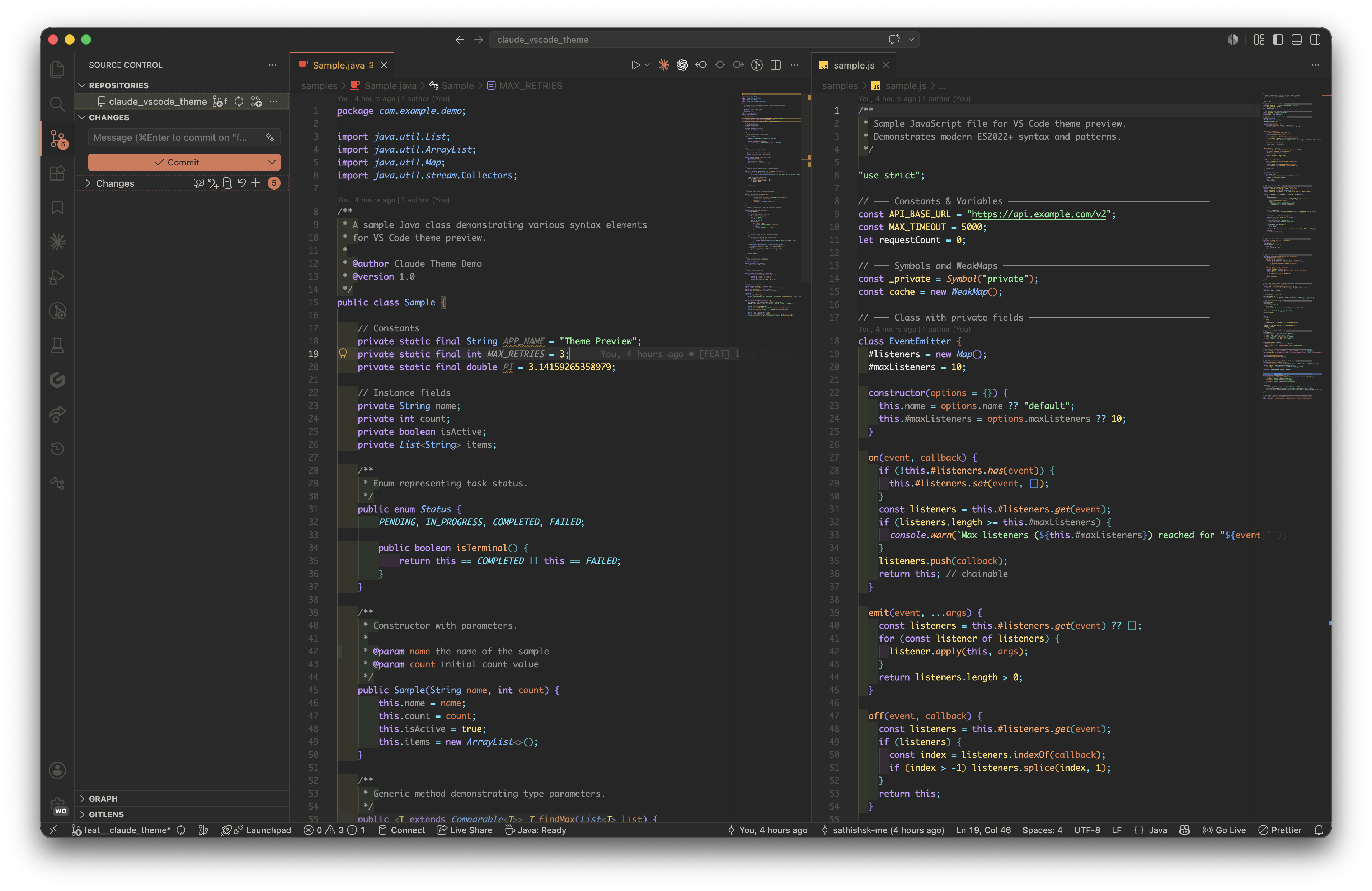
Theme Variants
This extension includes four carefully crafted theme variants - two dark and two light:
🌑 Dark Themes
Claude Code
The primary theme with a deep, dark background and balanced contrast. Ideal for long coding sessions with carefully selected colors that reduce eye strain.
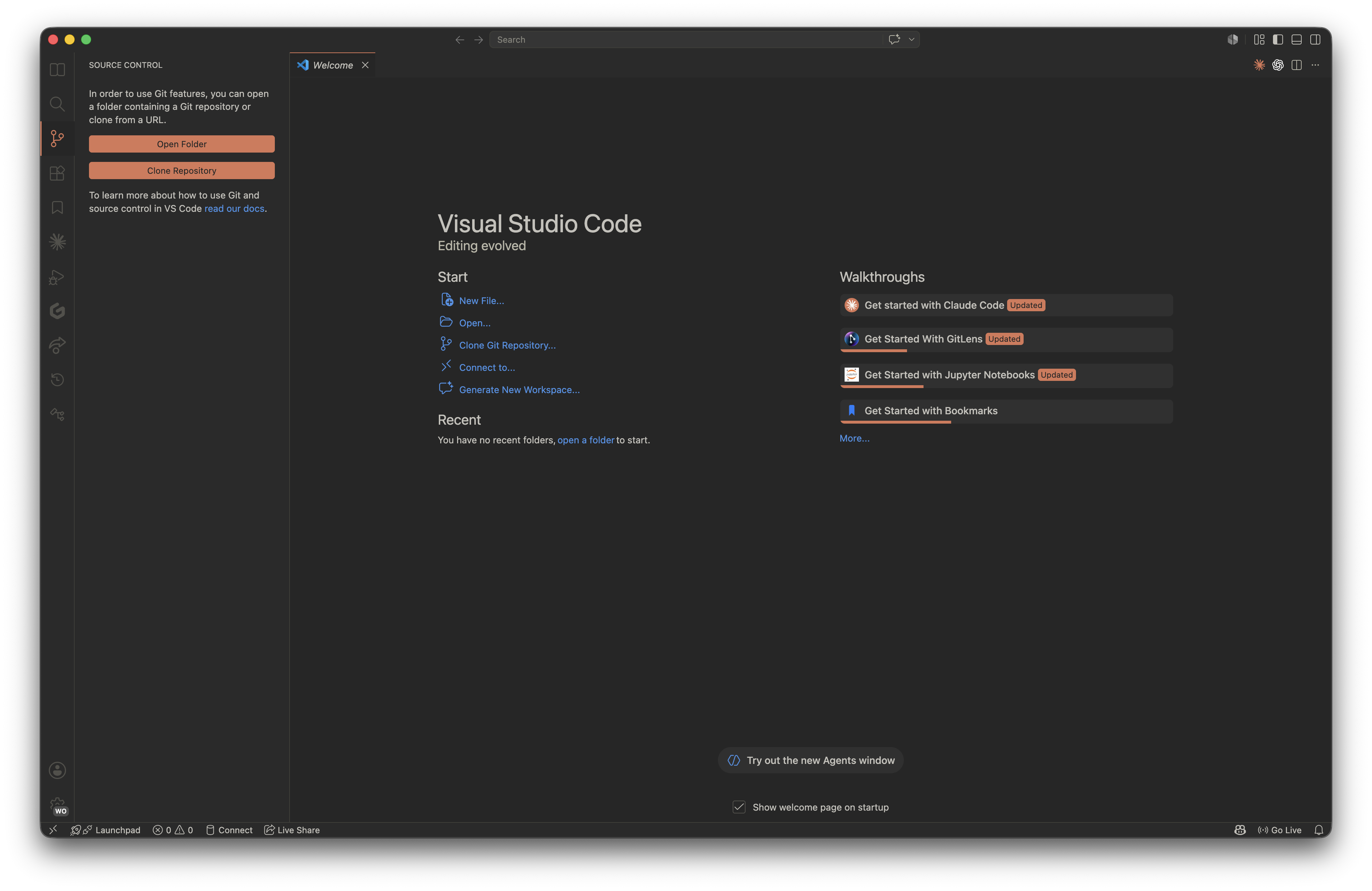
Claude Code Warm
A warmer variation with amber and orange tones that creates a cozy, inviting atmosphere. Perfect for evening coding or if you prefer warmer color temperatures.
☀️ Light Themes
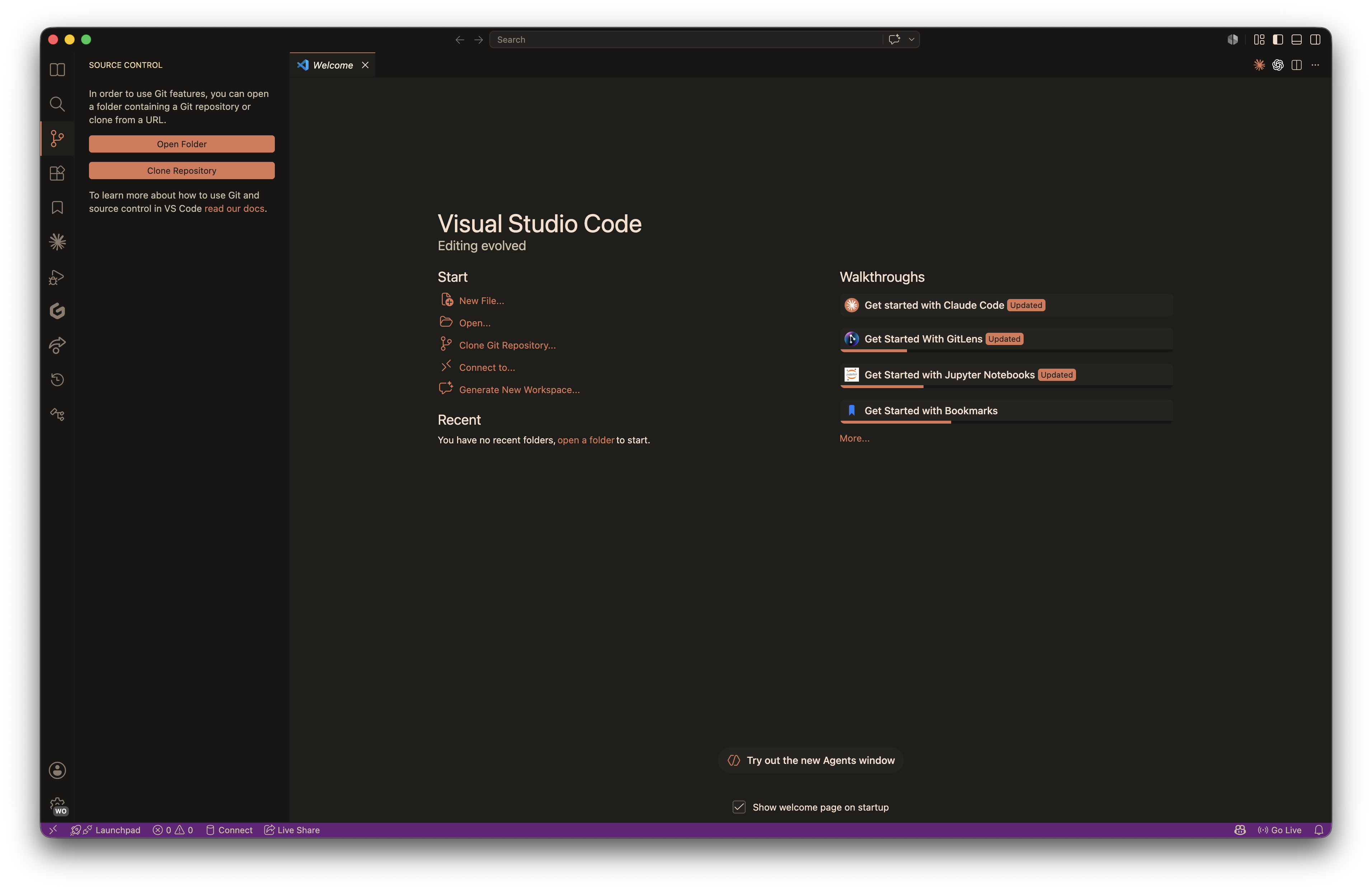
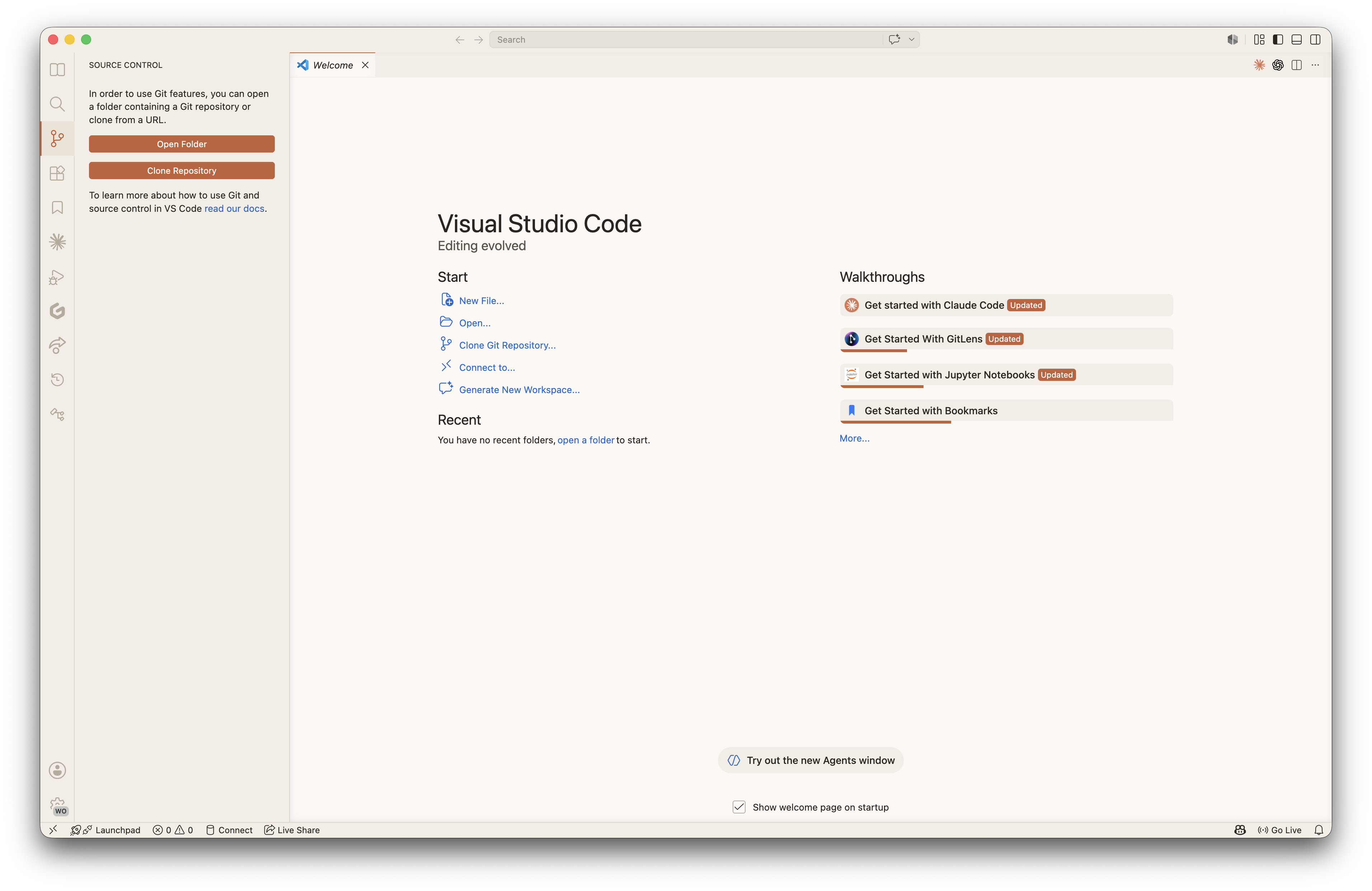
Claude Code Light
A clean, bright light theme with a warm parchment-toned background. Offers excellent readability with rich, high-contrast syntax colors - perfect for daytime coding or well-lit environments.
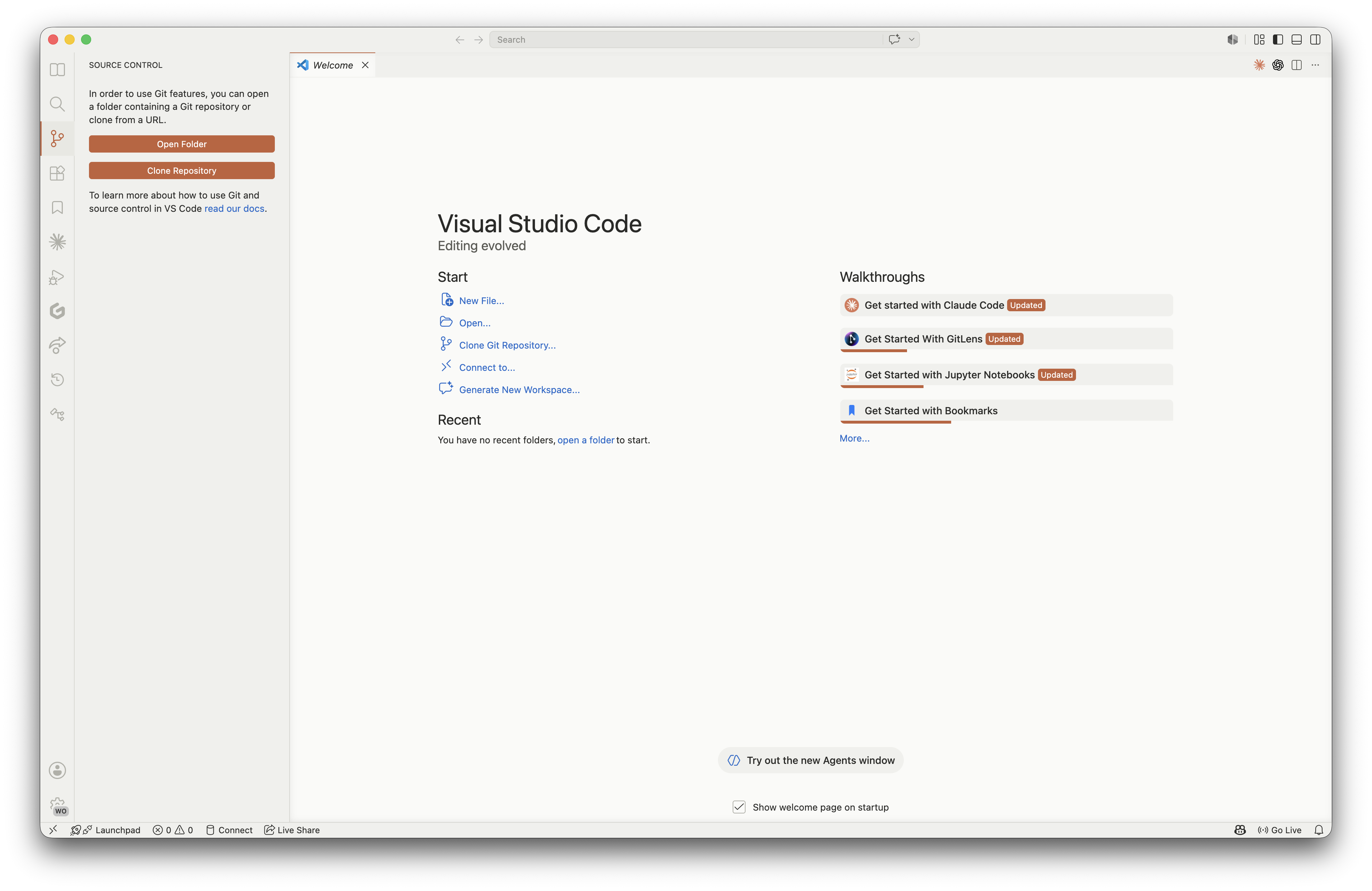
Claude Code Light Warm
A softer, warmer light theme with creamy peach undertones and earthy syntax colors. Creates a gentle, paper-like feel that's easy on the eyes while maintaining clarity.
Installation
From VS Code Marketplace
- Open VS Code
- Go to Extensions (
Ctrl+Shift+X/Cmd+Shift+X) - Search for "Claude Code Theme"
- Click Install
- Open the Color Theme picker (
Ctrl+K Ctrl+T/Cmd+K Cmd+T) - Select Claude Code, Claude Code Warm, Claude Code Light, or Claude Code Light Warm
From Command Line
code --install-extension sathishsk-me.claude-theme-for-vscode
Color Palettes
Claude Code (Dark)
| Element | Preview | Hex |
|---|---|---|
| Background | #1a1a1a |
|
| Foreground | #c3c1ba |
|
| Sidebar | #2a2a2a |
|
| Keywords | #d87757 |
|
| Strings | #51a556 |
|
| Functions | #4492e7 |
|
| Numbers | #9c87f6 |
|
| Types | #f7f5ee |
|
| Comments | #b7b5a6 |
Claude Code Light
| Element | Preview | Hex |
|---|---|---|
| Background | #F5F0E8 |
|
| Foreground | #3D3229 |
|
| Sidebar | #EDE6D9 |
|
| Keywords | #A8560A |
|
| Strings | #2E7D32 |
|
| Functions | #6B3FA0 |
|
| Numbers | #C75400 |
|
| Types | #1565C0 |
|
| Comments | #8B7D6B |
Claude Code Light Warm
| Element | Preview | Hex |
|---|---|---|
| Background | #FDF5EE |
|
| Foreground | #3D2E1F |
|
| Sidebar | #F5EBE0 |
|
| Keywords | #B35A00 |
|
| Strings | #7A4B1A |
|
| Functions | #8B4513 |
|
| Numbers | #C45100 |
|
| Types | #A0522D |
|
| Comments | #A89280 |
Supported Languages
The theme has been tested and optimized for syntax highlighting in:
- JavaScript / TypeScript / JSX / TSX
- Python
- Java
- HTML / CSS / SCSS
- JSON / XML / YAML
- Markdown
- Bash / Shell
- Go / Rust / C / C++
- SQL
- And many more through VS Code's TextMate grammar support
Customization
You can override specific colors in your settings.json:
{
  "workbench.colorCustomizations": {
    "[Claude Code]": {
      "editor.background": "#1e1e1e",
      "sideBar.background": "#1a1a1a"
    }
  },
  "editor.tokenColorCustomizations": {
    "[Claude Code]": {
      "comments": "#9a9a8a",
      "strings": "#61b566"
    }
  }
}
Contributing
Contributions, issues, and feature requests are welcome.
- Fork the repository
- Create a feature branch -
git checkout -b feature/my-improvement - Commit your changes -
git commit -m 'Add some improvement' - Push to the branch -
git push origin feature/my-improvement - Open a Pull Request
Local Development
git clone https://github.com/sathishsk-me/claude-vscode-theme.git
cd claude-vscode-theme
code .

# Press F5 to launch the Extension Development Host
Theme files are in the themes/ directory:
themes/claude-code-color-theme.jsonClaude Code (dark, default)themes/claude-code-warm-color-theme.json- Claude Code Warm (dark)themes/claude-code-light-color-theme.json- Claude Code Lightthemes/claude-code-light-warm-color-theme.json- Claude Code Light Warm
Sample files for testing syntax highlighting are in samples/.
Feedback
- Found a bug? Open an issue
- Have a suggestion? Start a discussion
- Enjoying the theme? Rate it on the Marketplace
License
This project is licensed under the MIT License.
Enjoy coding with Claude Code Theme.