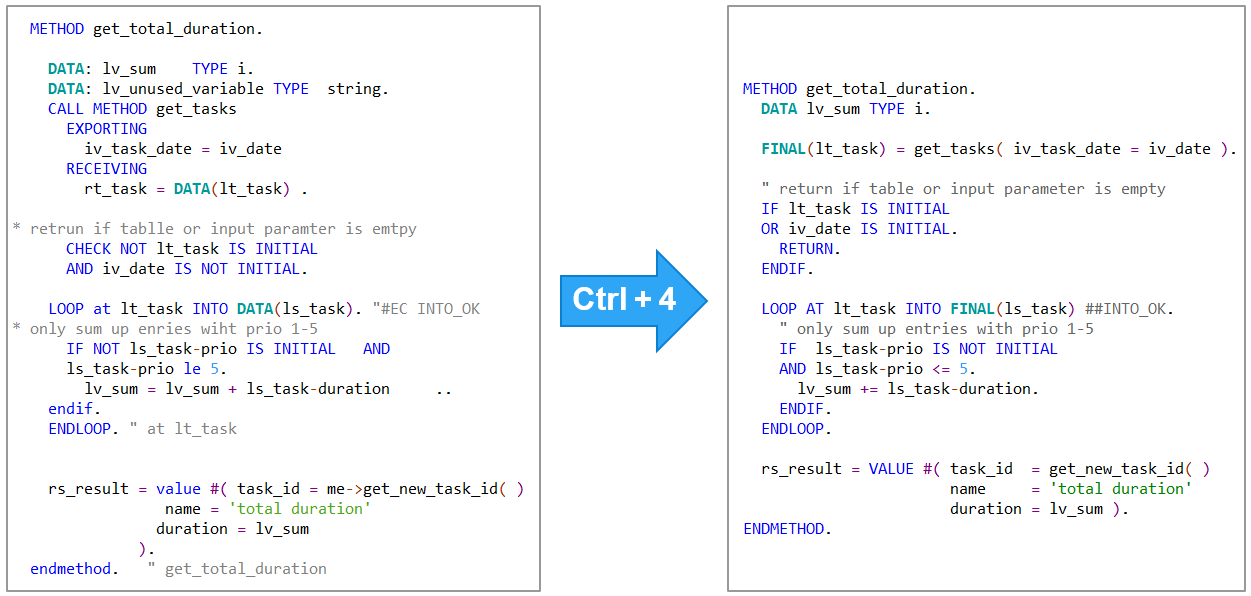
ABAP cleaner applies 100+ cleanup rules to ABAP code at a single keystroke.
Features
- Format selection of ABAP code or CDS view - anything from a single statement to an entire code document
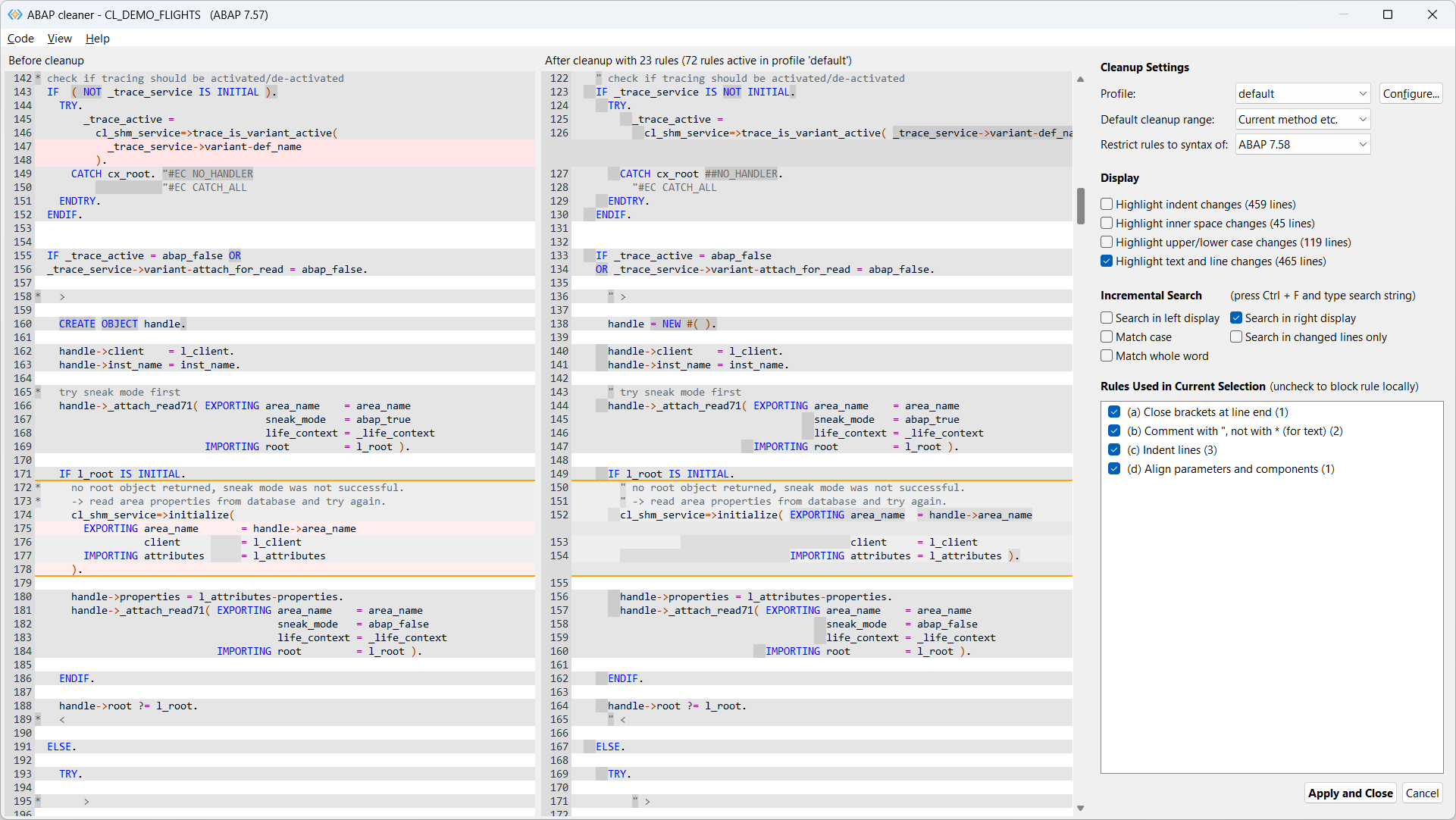
- Interactive cleanup on the ABAP cleaner UI (diff view) with local (de)activation of cleanup rules
- 100+ cleanup rules for alignment, declarations, spaces, replacing obsolete commands, syntax improvements, frequent typos etc.
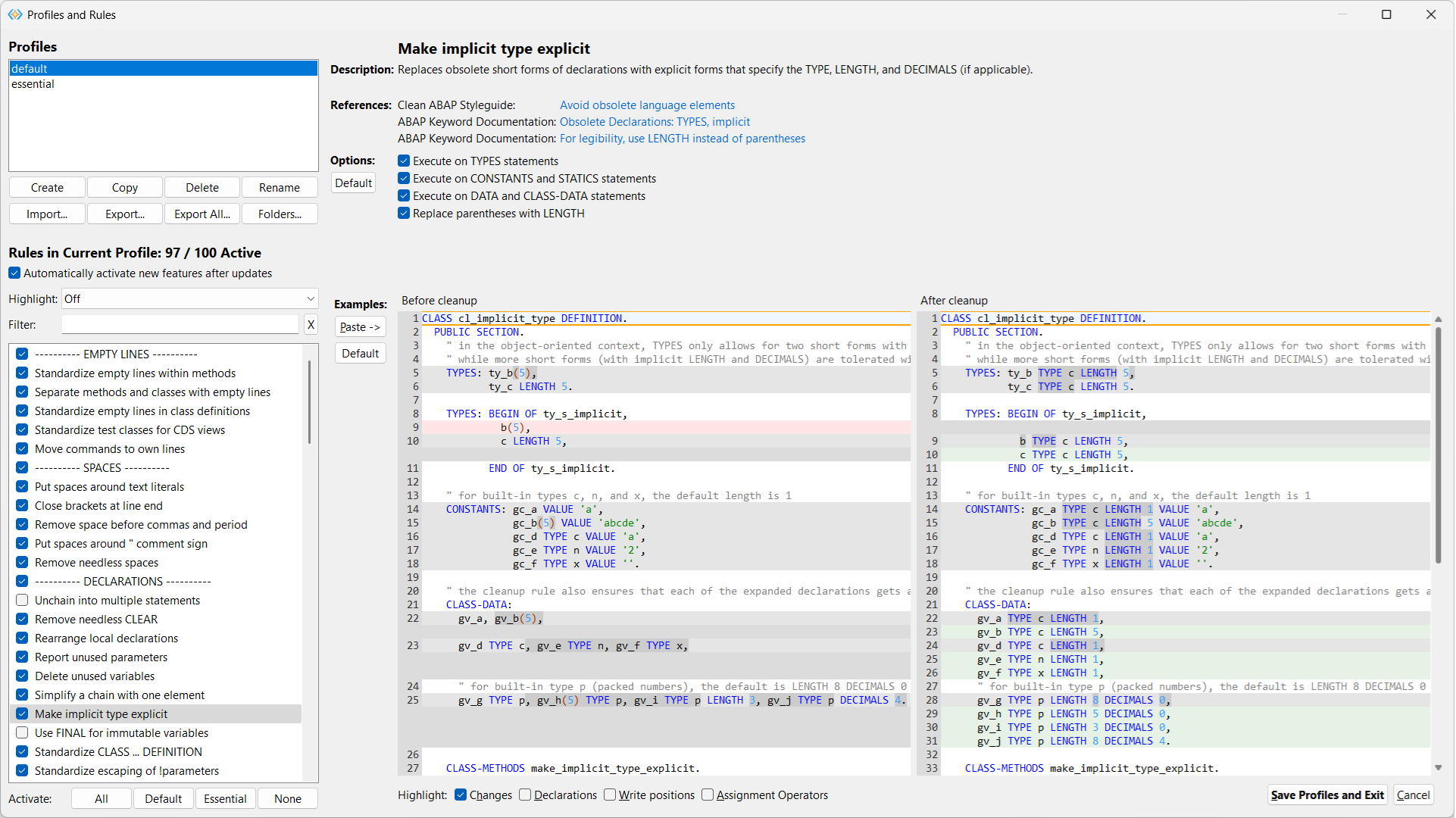
- Configuration settings to fine-tune the behavior of all cleanup rules
- Code examples immediately show the effect of all configuration settings
- Multiple cleanup profiles for specific cleanup tasks or contexts (workspaces)
- Team profiles can be synchronized via OneDrive etc. for common code style
- Restriction of ABAP syntax to a given ABAP release
Interactive cleanup UI
Configuration of profiles and rules
Installation
From the VS Code Marketplace (recommended)
On the ABAP cleaner page, click Install.
From GitHub releases
-
Download the
.vsixfile for your platform from the latest release assets, e.g. for Windows,abapcleaner-vscode-win32.win32.x86_64.vsix. -
In the VS Code Command Palette, enter 'Extensions: Install from VSIX...' and select the downloaded .vsix file to install the ABAP cleaner extension.
Usage
Open an editor with ABAP code (.abap file) or a CDS view (.acds file) and select one of the following 'ABAP Cleaner: ...' commands, or press the corresponding shortcut:
- Format Selection (Ctrl+4 / ⌘4) — formats only the selected lines, or the current method if no code was selected
- Format Document (Ctrl+5 / ⌘5) — formats the entire code document, also used for setting 'Editor: Format on Save'
- Format Interactively (Ctrl+Shift+4 / ⌘⇧4) — opens the ABAP cleaner UI for interactive cleanup
- Show Read-Only Preview (Ctrl+Shift+5 / ⌘⇧5) — shows the cleanup result without applying it
Documentation, Demos, Release Notes, Support
Please visit the ABAP cleaner repository for
- detailed documentation,
- demos,
- available cleanup rules,
- release notes,
- opening issues etc.