
Editor support for Rocky, the typed graph between your code and your warehouse.
The extension is a language client. It starts rocky lsp and asks it the language questions. So the diagnostics, the hover types, and the lineage all come from the same compiler that builds your tables.
  .rocky files          ┌───────────────┐                    ┌──────────────┐
  models/**/*.sql ─────►│  VS Code      │◄──stdio JSON-RPC──►│  rocky lsp   │
                        │  extension    │  diagnostics,      │  (compiler)  │
                        └───────┬───────┘  hover, rename     └──────────────┘
                                │
                                │ spawns `rocky <verb>` for commands
                                ▼
                        ┌───────────────┐
                        │  rocky CLI    │──► your warehouse
                        └───────────────┘
Rocky reads plain SQL as well as the .rocky DSL. The language server attaches to both.
In action
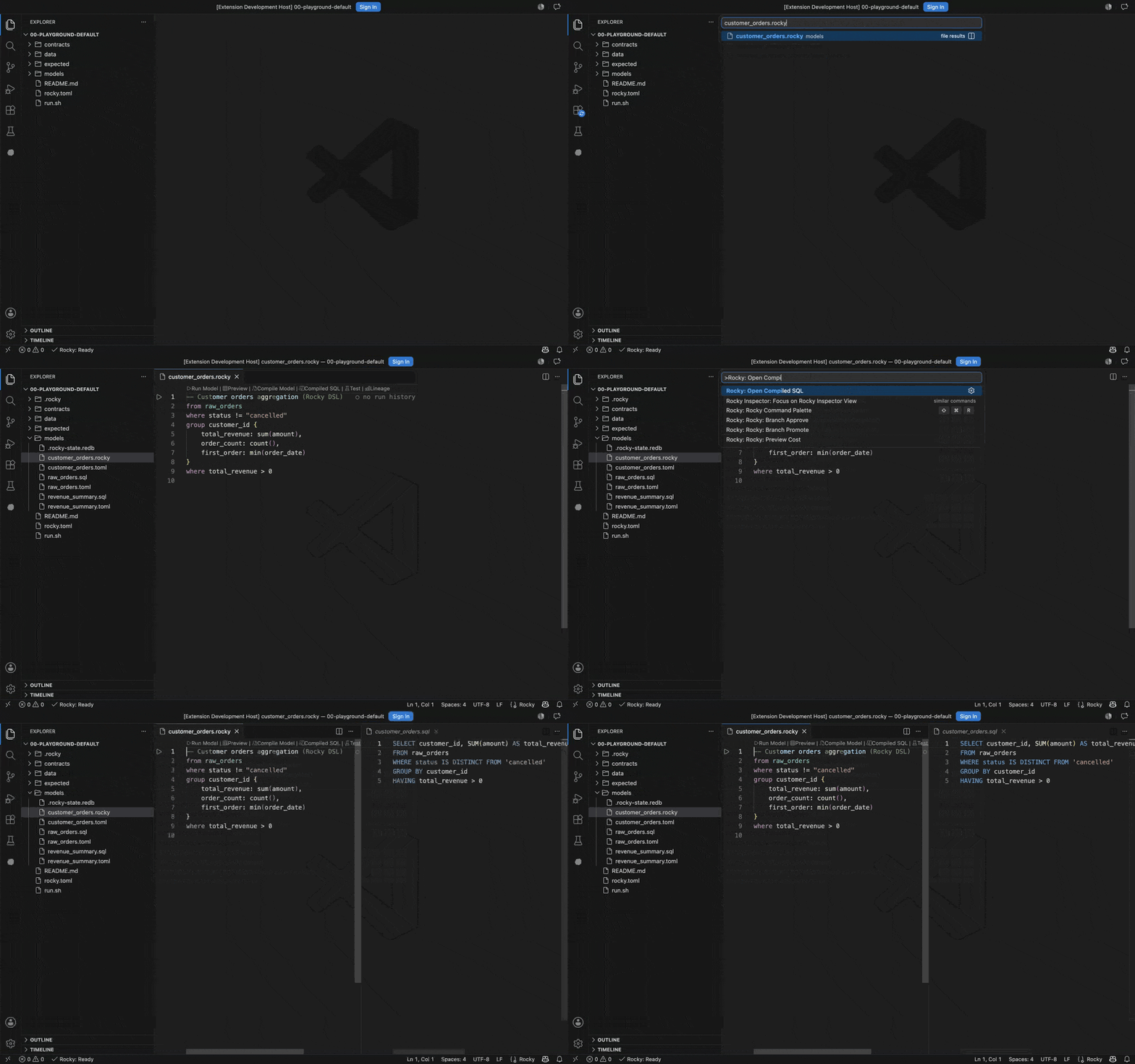
See the SQL behind the DSL. Open a model and run Rocky: Open Compiled SQL. The compiled SQL appears beside it and refreshes every time you save. Here != becomes a null-safe IS DISTINCT FROM, and the post-aggregate filter becomes HAVING.
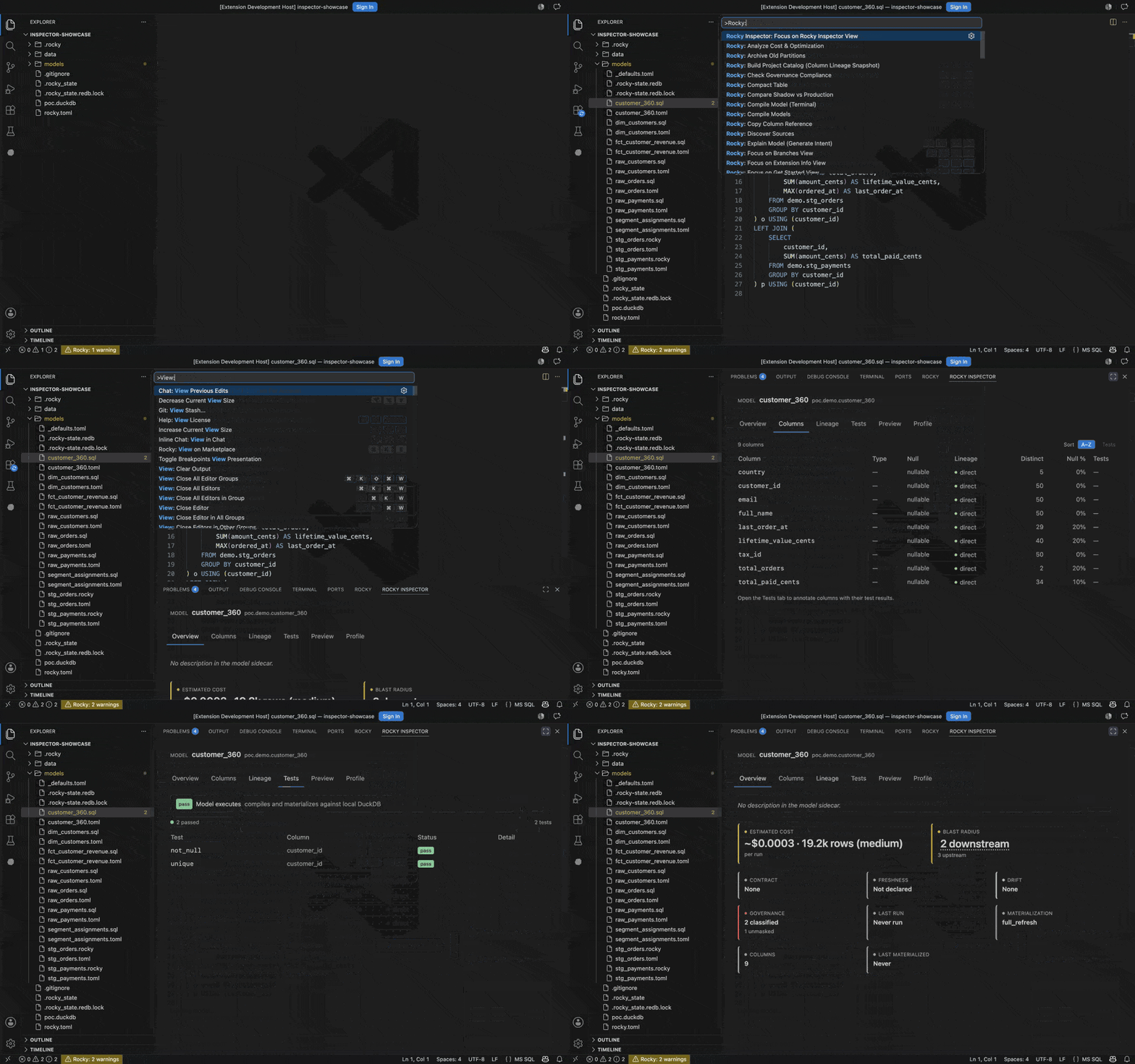
Inspect a model. The Inspector opens in the bottom panel with six tabs: Overview, Columns, Lineage, Tests, Preview, and Profile. Overview is a trust dashboard. It carries cards for cost, blast radius, contract, freshness, drift, and classified columns.
In the recording below, a PII-classified model flags a column left unmasked. Columns then traces each column to its upstream source. The Lineage canvas draws the model's neighbourhood with a cost overlay.
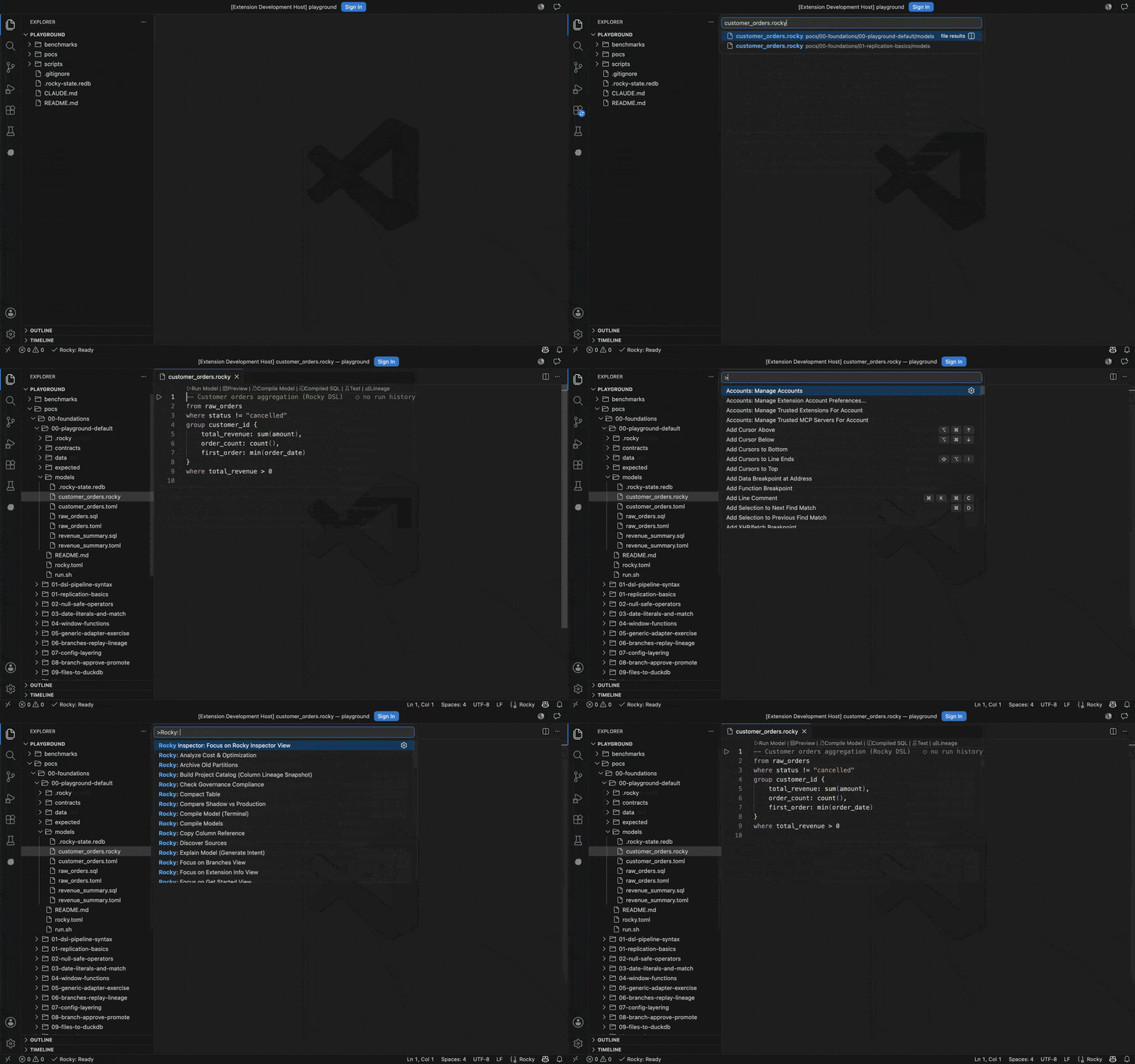
Drive it from the keyboard. Every command carries the Rocky: prefix in the VS Code command palette.
Features
Editor intelligence: diagnostics, hover, completion, go-to-definition, find references, rename, quick-fix code actions, signature help, document symbols, and inlay hints for inferred column types. Formatting applies to .rocky files only. Folding also works on the .sql files under models/.
Syntax: a TextMate grammar and semantic tokens for .rocky files. Snippets cover the DSL operators (from, where, derive, group, join, select, sort, take, match) and the sidecar blocks (model, source, target, strategy-incremental).
Activity bar sidebar: Get Started, Extension Info, Models, Runs, Sources, Schema, Previews, Branches, and Help. A workspace with no rocky.toml shows orientation instead of CLI errors, with buttons for Initialize Rocky Project, Try the Playground, and Open Documentation.
Lineage: Rocky: Show Model Lineage opens the Inspector on its Lineage tab, framed on the model you are editing.
AI generate: Rocky: Generate Model from Intent turns a description in plain English into a model. Rocky compiles each attempt and retries up to three times. It writes the model and its sidecar into models/ only when the model type-checks. The command opens the result in a new tab, including the path of each file it wrote.
Agent mode: the extension registers rocky mcp as a Model Context Protocol server for each workspace folder that has a rocky.toml at its root. Agent mode then drives Rocky through the engine's 31 tools. Most of them only read: compile, lineage, schema, row samples, and run history. Six of them write.
draft_model, draft_contract, and draft_check write files under models/, and draft_metadata patches a model's sidecar metadata. propose records a plan for a human to review, and applies nothing itself. pause_schedule pauses a pipeline's schedule, and refuses to act unless the agent passes confirm: true.
review_queue lists the plans waiting on you. It cannot sign one off from the extension: signing off writes the approval marker that unblocks rocky apply, and the engine serves that action only to a server started as rocky mcp --profile approver. The extension starts rocky mcp without that flag, so the call is refused and nothing is written. Approve a plan yourself with rocky review <plan-id> --approve.
A @rocky chat participant handles four single-shot requests: /generate, /explain, /sync, and /test.
Status bar: language server state and a live error count.
Requirements
- Rocky CLI on your
PATH(or setrocky.server.path) - VS Code 1.120.0+
Install
From the VS Code Marketplace:
- Open the Extensions view (
Ctrl+Shift+X/Cmd+Shift+X). - Search for Rocky.
- Install and reload.
The extension starts rocky lsp on activation. It attaches the server to every .rocky file, and to every .sql file under a models/ directory.
Settings
| Setting | Default | Description |
|---|---|---|
rocky.server.path |
"rocky" |
Path to the Rocky binary |
rocky.server.extraArgs |
[] |
Extra arguments passed to rocky lsp |
rocky.inlayHints.enabled |
true |
Show inferred types inline |
rocky.diagnostics.enabled |
true |
Show inline errors and warnings from rocky compile |
rocky.costAnnotations.enabled |
true |
Show inline cost annotations above model files |
rocky.statusBar.segments |
[] |
Extra status bar segments: warehouse, lastRunAge, driftCount, branchState |
rocky.preview.rowLimit |
100 |
Maximum rows returned by a row preview |
rocky.preview.allowWarehouse |
false |
Allow row previews to run against a non-DuckDB warehouse |
Commands
Press Cmd+Shift+R (Ctrl+Shift+R on Windows and Linux) for a grouped shortlist of the everyday commands, under Pipeline, Model, Infra, and AI.
For anything else, open the VS Code command palette and type Rocky:. The table below is the common handful.
| Command | Description |
|---|---|
Rocky: Compile Models |
Type-check the models and validate the contracts |
Rocky: Run Pipeline |
Execute the full pipeline against your warehouse |
Rocky: Plan Pipeline (Dry Run) |
Preview the SQL without writing to the warehouse |
Rocky: Open Compiled SQL |
Show the compiled SQL for the model you are editing |
Rocky: Show Model Lineage |
Open the Inspector's lineage canvas on the current model |
Rocky: Generate Model from Intent |
Write a model from a description in plain English |
Rocky: Run Health Check |
Check the CLI install and the project config; results open in a webview |
Rocky: Initialize Project |
Scaffold a Rocky project in the current workspace |
Rocky: Open Playground |
Create the self-contained DuckDB playground |
Rocky: Restart Language Server |
Restart rocky lsp |
Contributing
Local development setup, architecture notes, and testing commands live in DEVELOPMENT.md.