
Generate enterprise-ready REST API tests directly inside Visual Studio Code.
ReSTage Studio is a Visual Studio Code extension for generating, managing, and running JPostman test projects. Import your API specification, preview generated code, customize it before generation, and execute your tests all without leaving VS Code.
Built for modern API development, ReSTage works seamlessly with today's AI-powered workflows, enabling developers to build, test, and maintain REST APIs faster than ever.
🚀 Why ReSTage?
Modern software development has changed.
Developers now rely on GitHub Copilot, ChatGPT, Claude, Gemini, and other Large Language Models (LLMs) to accelerate development. ReSTage complements these tools by generating structured, maintainable JPostman projects that are easy for both developers and AI assistants to understand, extend, and maintain.
Instead of writing repetitive REST Assured boilerplate, ReSTage lets you focus on building reliable API tests while AI helps with implementation, documentation, refactoring, and troubleshooting.
🤖 AI-Ready Development
Designed for modern AI-assisted workflows.
ReSTage generates clean, organized JPostman projects that integrate naturally with:
- GitHub Copilot
- ChatGPT
- Claude
- Gemini
- VS Code AI Extensions
- Any LLM capable of editing Java projects
Use AI to:
- Explain generated tests
- Generate new requests
- Create assertions
- Improve test coverage
- Refactor existing code
- Troubleshoot failing tests
- Generate documentation
⚡ Generate Complete Maven Projects
Create production-ready API automation projects in seconds.
Generated projects include:
- Maven
- REST Assured
- JPostman
- TestNG or JUnit
- Complete project structure
- Dependency management
No manual setup required.
📖 Import Your API Specification
Generate tests from multiple API formats.
Supported specifications include:
- OpenAPI 3.x
- Swagger
- Postman Collections
- GraphQL
- JSON
- YAML
Automatically discover endpoints and generate test code.
🧩 Smart Code Generation
Generate JPostman components with just a few clicks.
Supported generators include:
- Requests
- Responses
- Runners
- Assertions
- Variables
- Authentication
- Context Injection
- Filters
- Dependencies
No repetitive boilerplate.
👀 Live Code Preview
Preview every generated file before writing it to disk.
Review:
- Java classes
- Project structure
- Generated annotations
- Imports
- Configuration
before creating your project.
✏ Edit Before Generation
Need to customize generated code?
Edit directly inside ReSTage before generating your project.
Perfect for:
- naming conventions
- custom annotations
- comments
- project organization
▶ Integrated Test Execution
Run Maven tests directly from Visual Studio Code.
View:
- Test progress
- Console output
- Success/failure results
- Generated reports
without leaving your IDE.
📂 Project Management
Manage multiple ReSTage projects.
Features include:
- Recent Projects
- Import Project
- Export Project
- Version-aware storage
- Automatic project recovery
🔄 Automatic Engine Version Management
ReSTage automatically downloads and manages compatible versions of the ReStage AI Engine.
Each project remembers the exact engine version it was generated with, ensuring reproducible builds even after upgrading the extension.
📸 Screenshots
🚀 Project Wizard
Create or open ReSTage projects from a simple guided wizard.
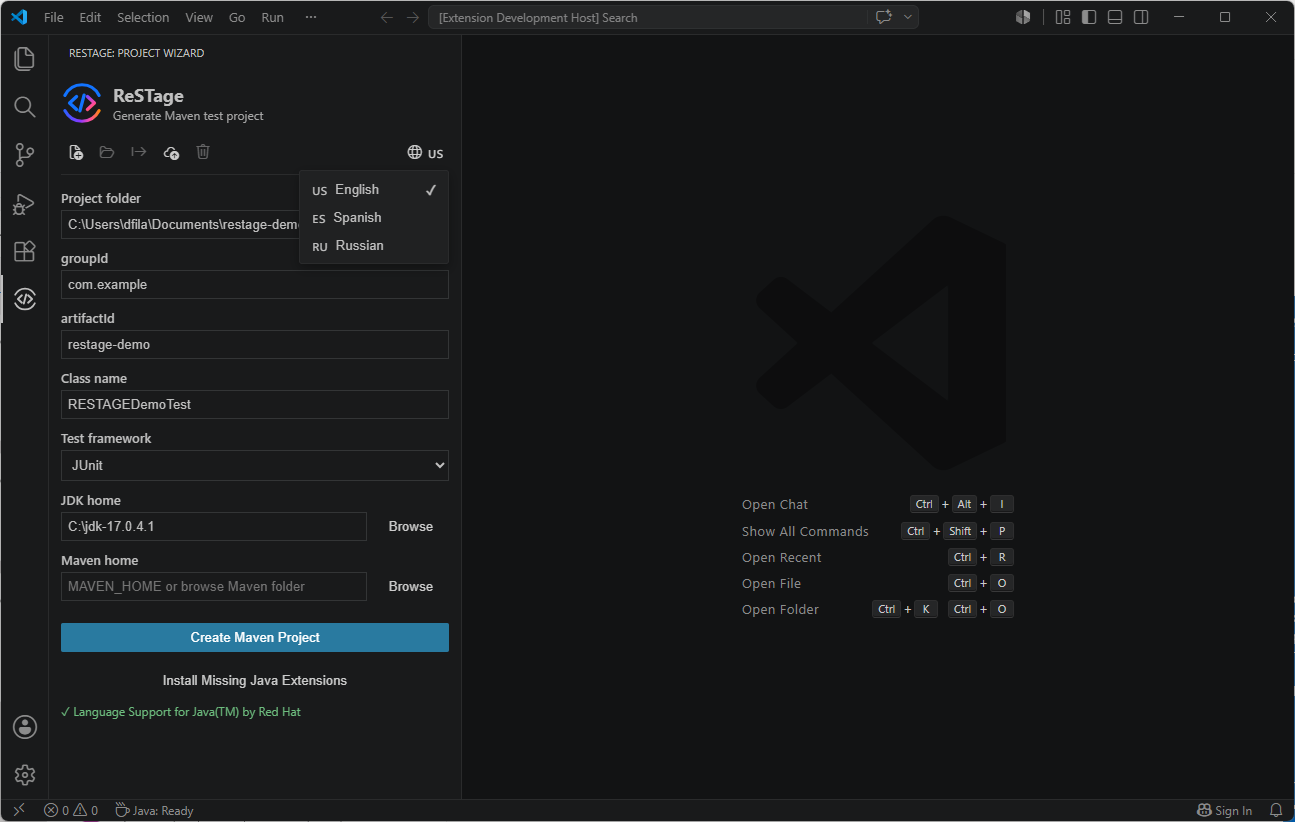
📦 New Project
Generate a complete Maven project configured for JPostman, REST Assured, and your preferred testing framework.
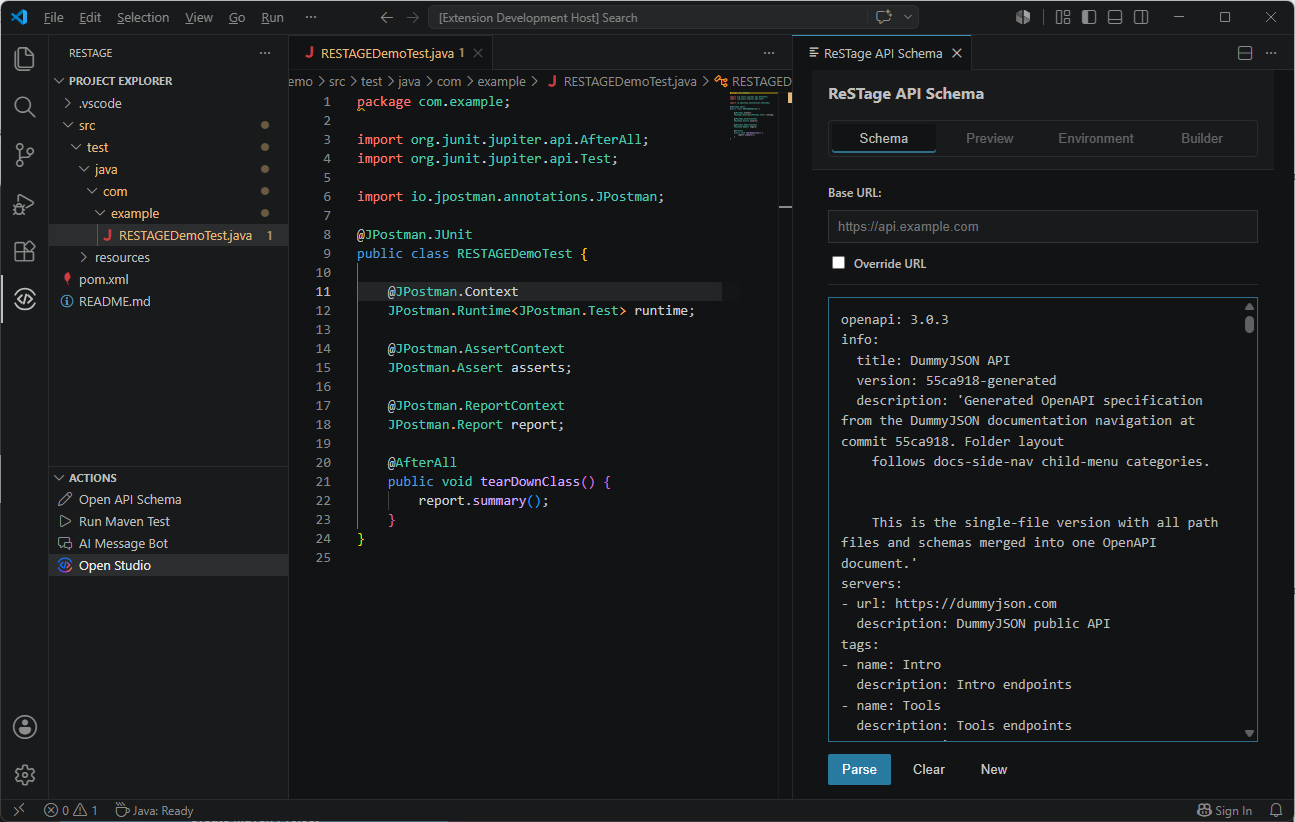
👀 Preview Generated Code
Review generated source code before it is written to disk.
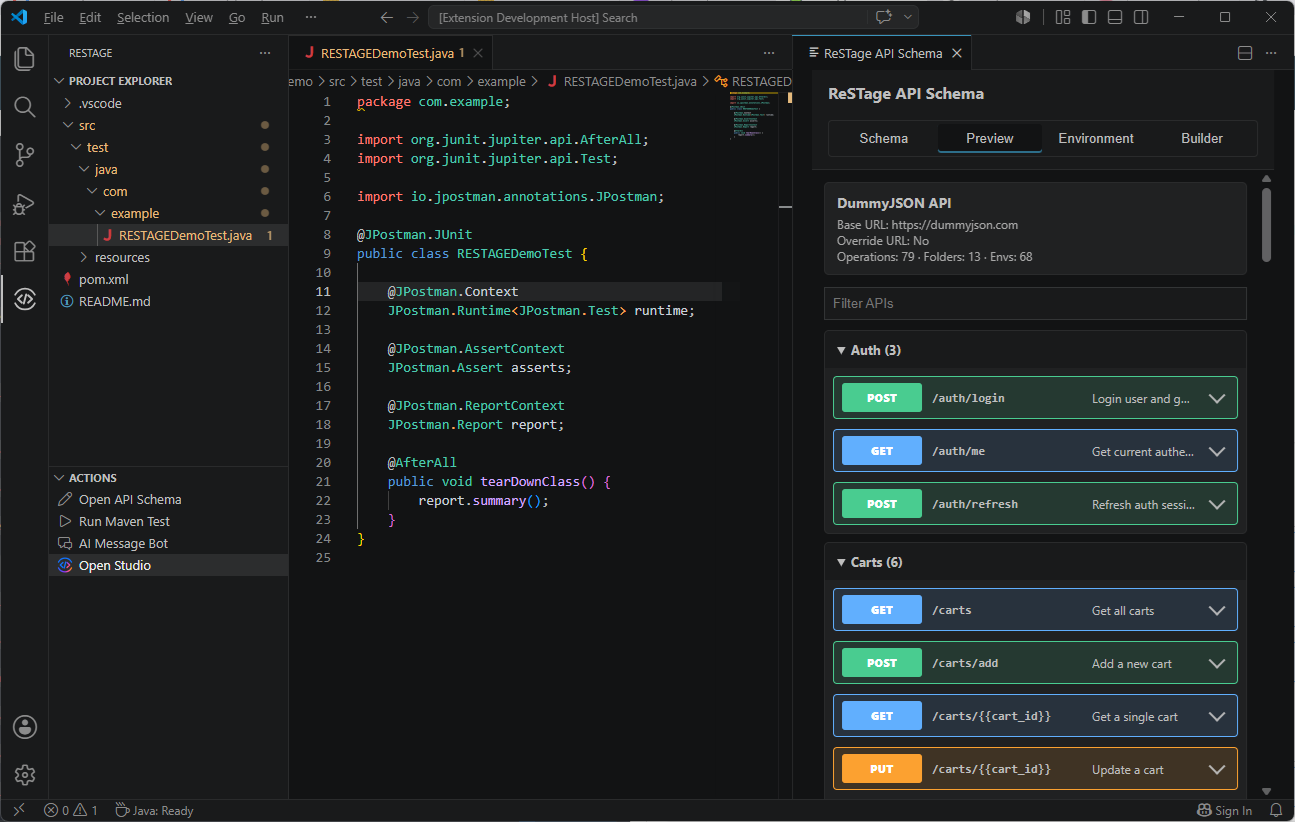
✏ Edit Generated Code
Customize generated files directly inside ReSTage before generation.
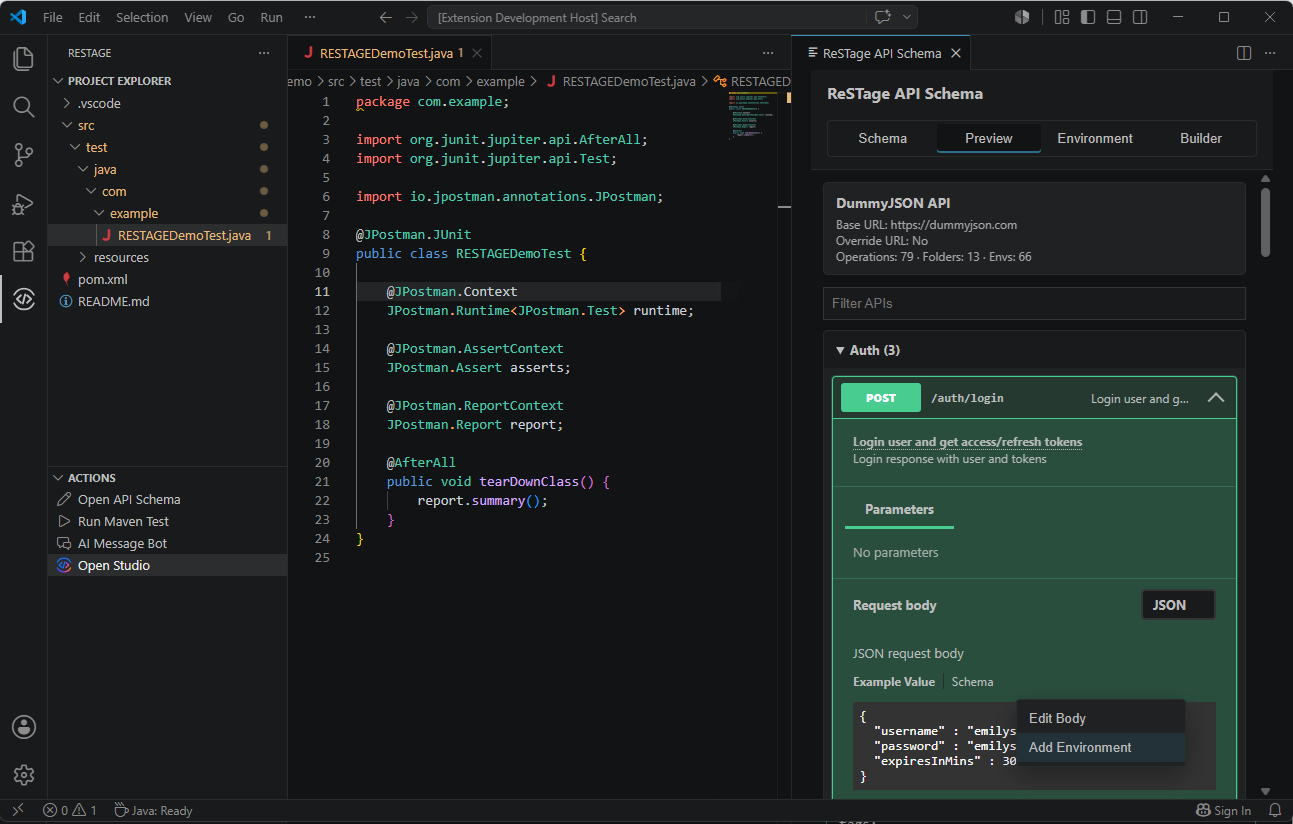
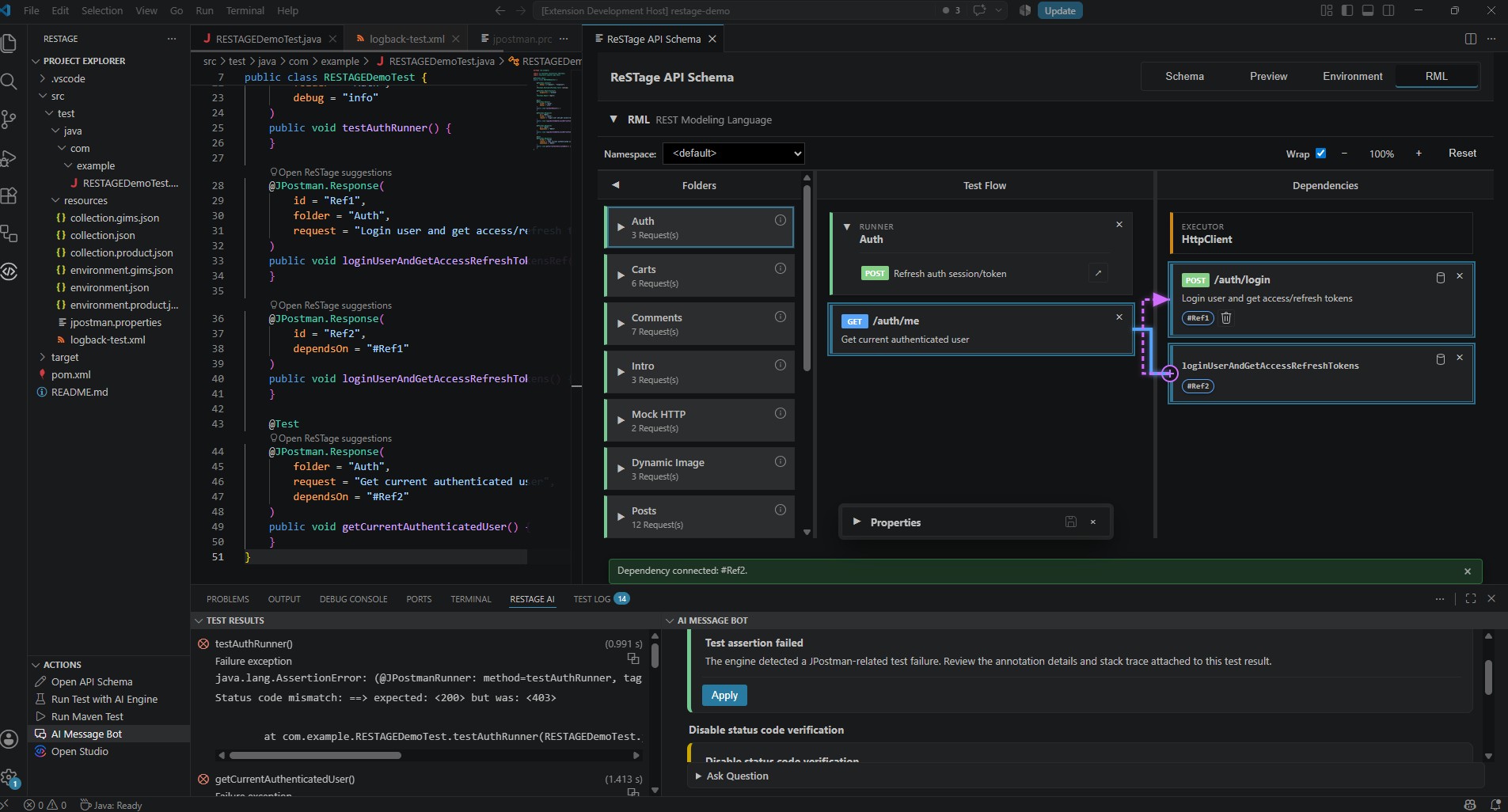
🏗 RML — REST Modeling Language
Visually model REST API test flows and generate code for requests, responses, runners, assertions, dependencies, and more.
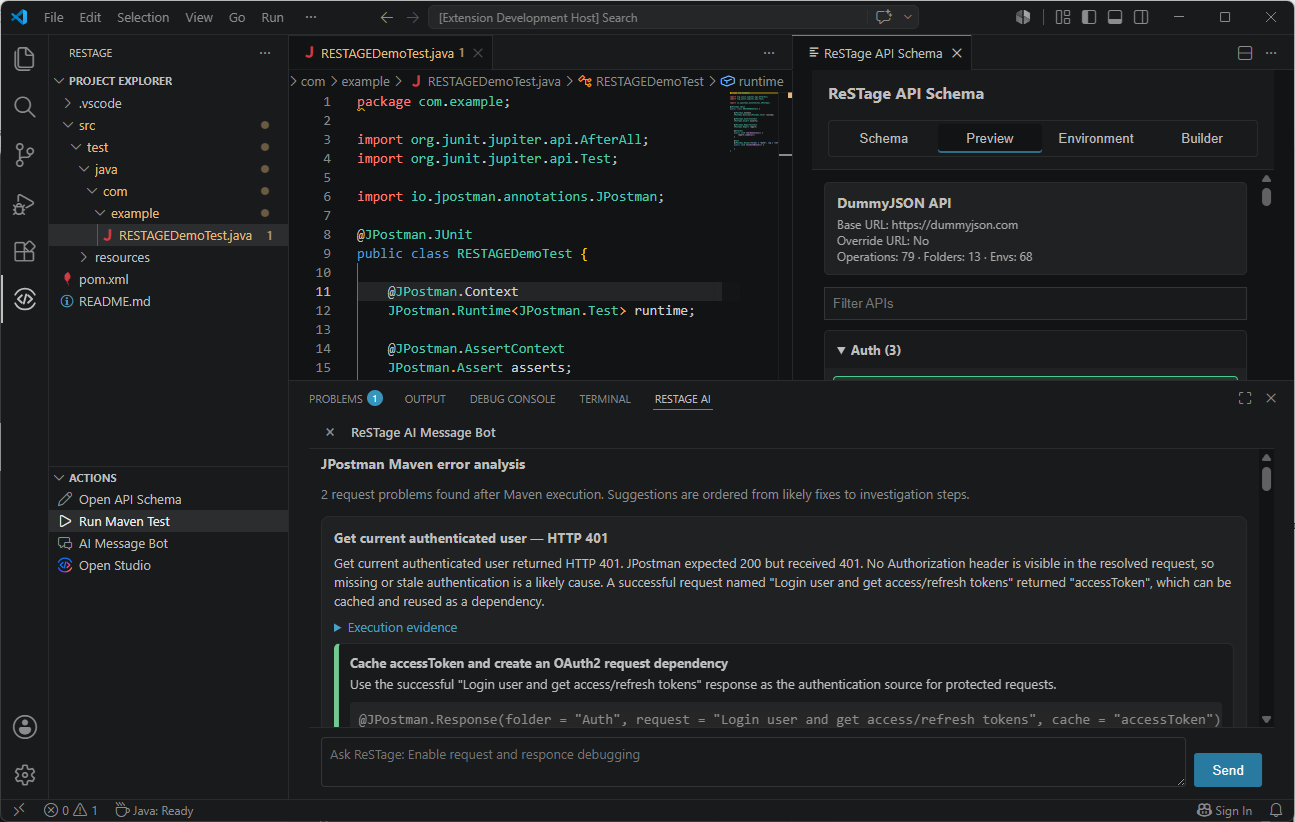
🤖 AI Assistant
Work naturally alongside today's leading AI assistants.
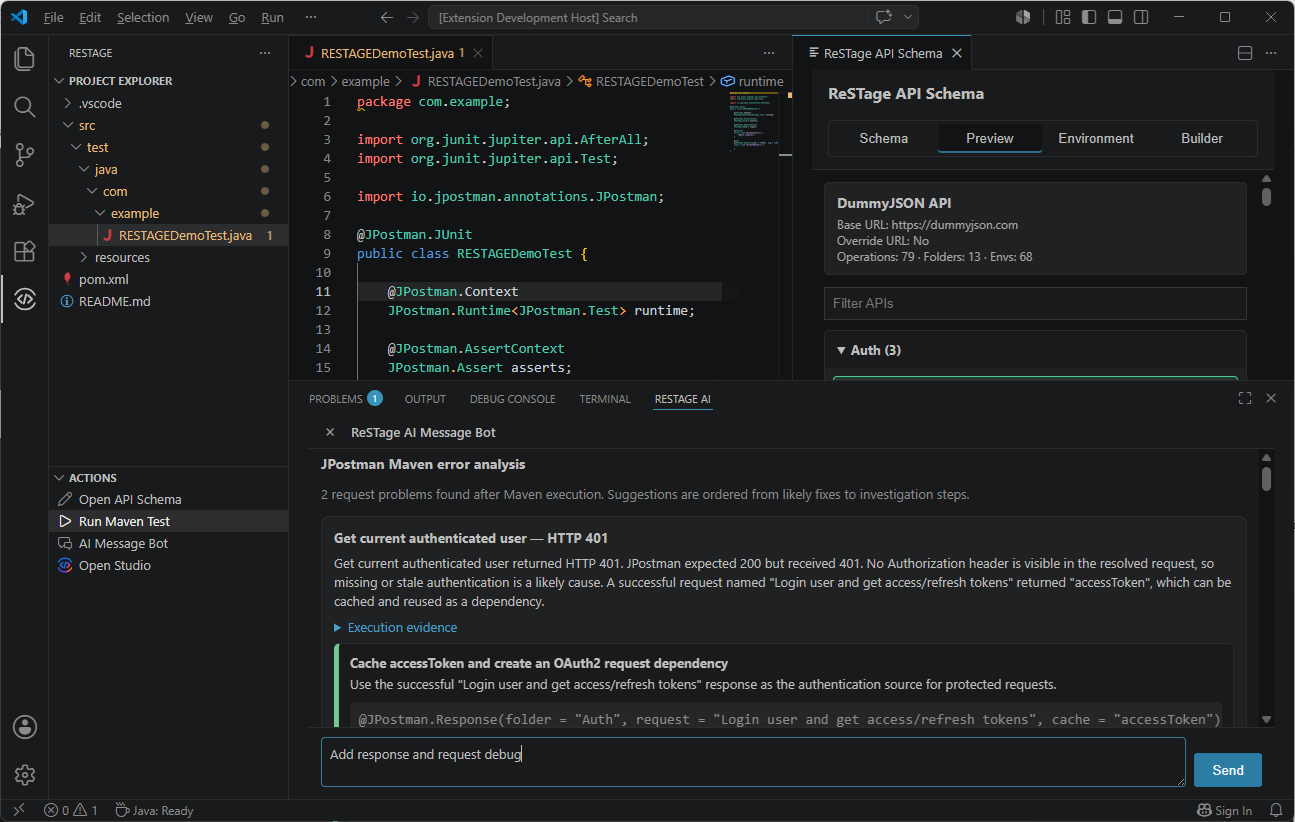
💬 Natural Language Prompting
Describe what you want using plain English.
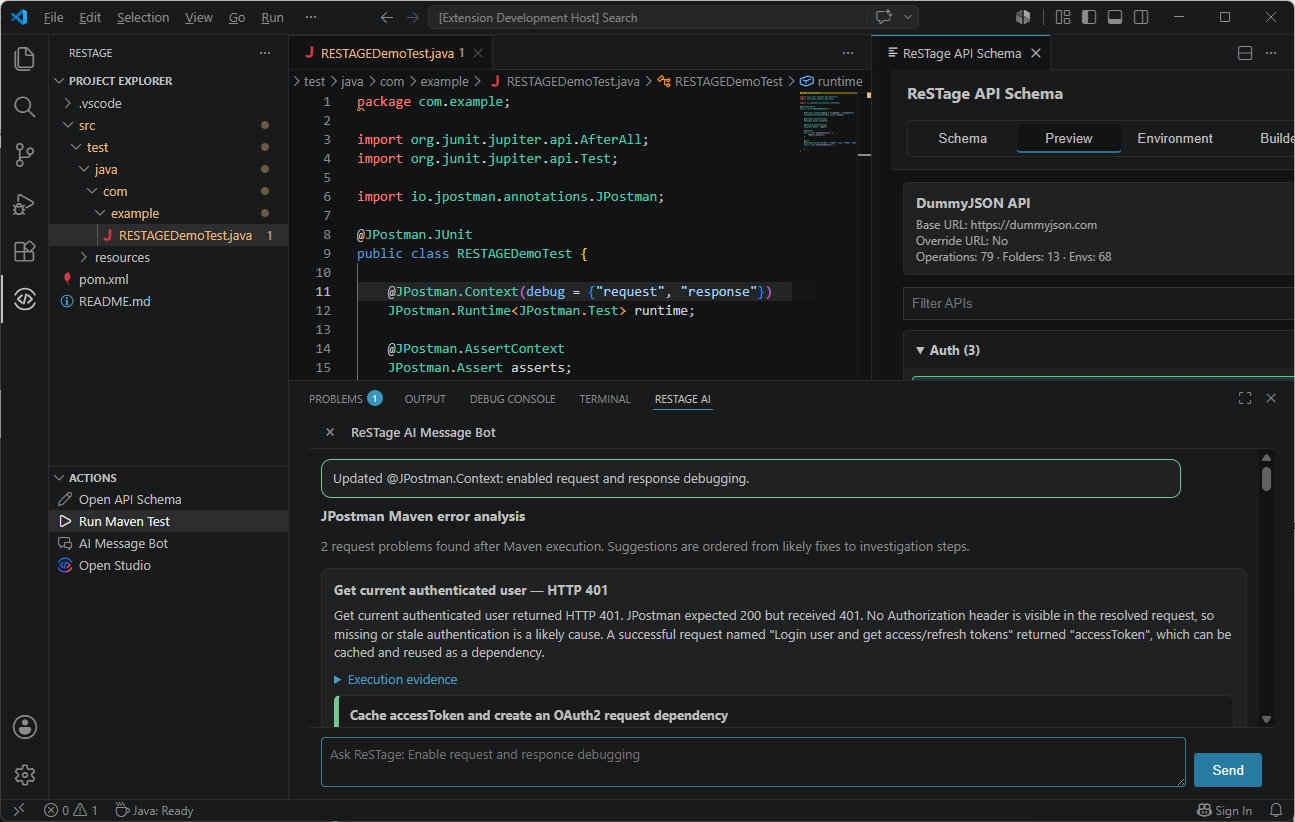
🧠 AI-Powered Responses
Review generated explanations and suggestions before applying changes to your project.
🛠 Supported Technologies
- Visual Studio Code
- Java
- Maven
- REST Assured
- JPostman
- TestNG
- JUnit
- OpenAPI
- Swagger
- Postman Collections
- GraphQL
- JSON
- YAML
📦 Getting Started
- Install ReSTage Studio from the Visual Studio Code Marketplace.
- Open the ReSTage view from the Activity Bar.
- Create or open a ReSTage project.
- Import an OpenAPI, Swagger, Postman Collection, or GraphQL specification.
- Generate a Maven project and JPostman tests.
- Run your tests directly from Visual Studio Code.
- Customize and extend the generated project with your favorite AI assistant.
💡 Perfect For
- API Developers
- Backend Developers
- QA Engineers
- Automation Engineers
- Software Engineers
- Enterprise Development Teams
🌟 Why JPostman?
ReSTage generates projects powered by JPostman, providing capabilities beyond traditional REST Assured tests.
Highlights include:
- Annotation-driven development
- Reusable requests
- Variables & secrets
- Request dependencies
- Context injection
- Built-in assertions
- Rich reporting
- Environment management
- Enterprise-scale test organization
📚 Learn More
Learn more about the JPostman ecosystem:
-
📖 JPostman API Documentation
https://jpostman.github.io/jpostman/ -
💻 GitHub Repository
https://github.com/JPostman/jpostman -
📚 GitHub Wiki
https://github.com/JPostman/jpostman/wiki
❤️ Built for Modern API Development
Stop writing repetitive REST Assured boilerplate.