Track your OpenRouter API usage and budget limits directly from the VS Code status bar. Requires an OpenRouter management key only.
Features
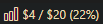
- Status bar — shows tracked budget consumption:
$X / $Y (ZZ%)with color warnings at 75% (orange) and 90% (red) - Rich hover tooltip — hover the status bar to see a Markdown table of all usage and budget limits
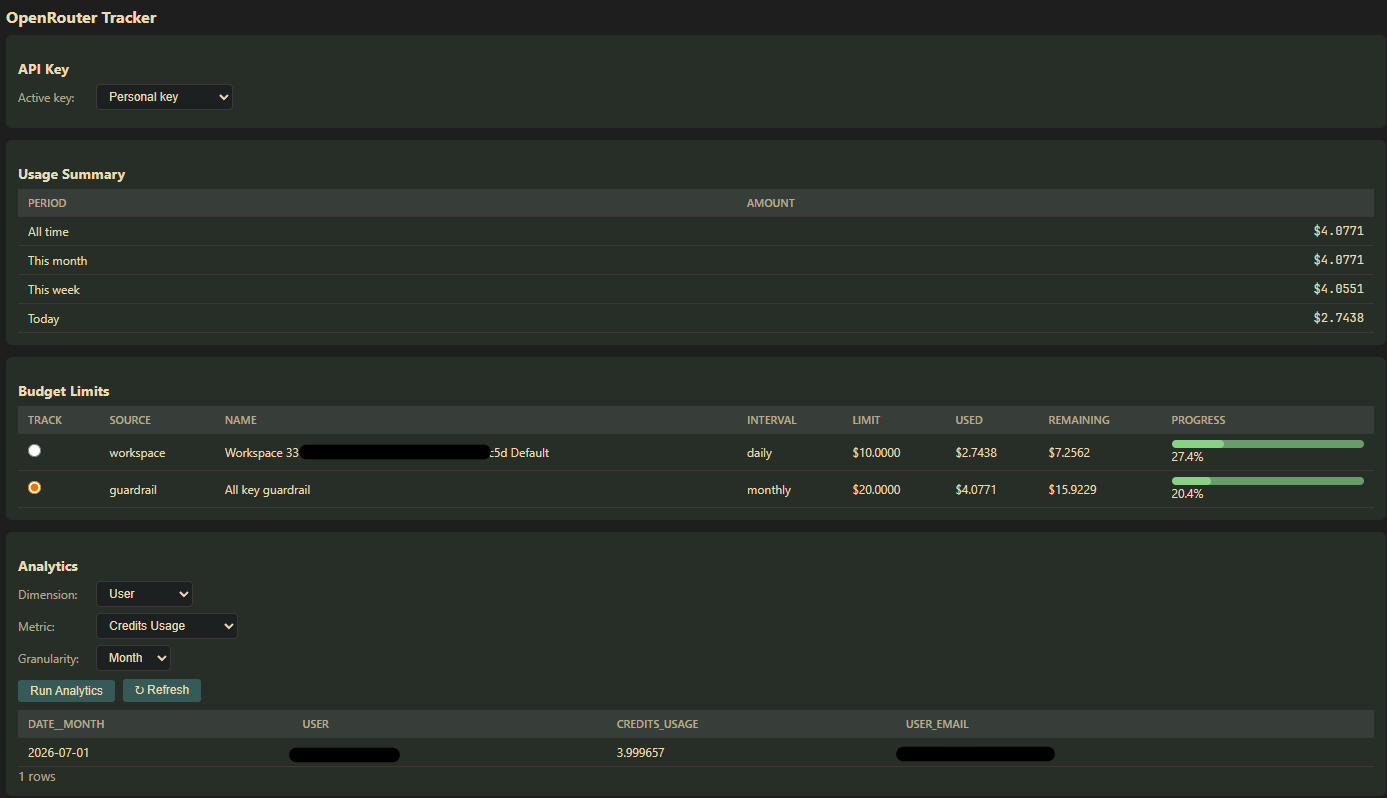
- Dashboard — click the status bar to open a full dashboard with:
- API key selector (fetched from your management key)
- Usage summary (all-time, monthly, weekly, daily)
- Budget limits table (key-level limits + guardrails + workspace budgets)
- Analytics explorer (dimension, metric, granularity filters)
- Auto-refresh — status bar updates every 60 seconds
Status bar
Dashboard
Setup
- Install the extension
- Open VS Code settings (
Ctrl+,) - Search for
openrouterTracker.managementKey - Paste your OpenRouter management key
- Click the status bar item to open the dashboard and configure tracking
Requirements
- An OpenRouter account with a management key
- VS Code 1.86+
Extension Settings
| Setting | Description |
|---|---|
openrouterTracker.managementKey |
OpenRouter Management Key (required) |