Generate clean, production-ready project structures in seconds.
🎥 Demo
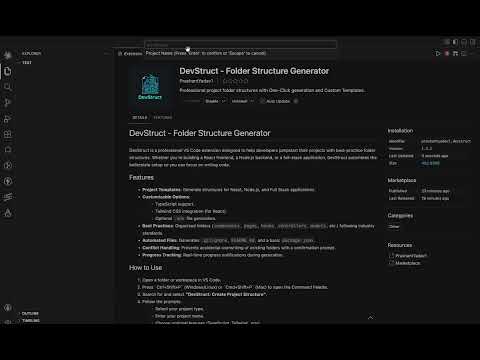
⚡ What it does
DevStruct helps you skip repetitive setup by instantly generating a well-structured project layout based on modern development practices.
No more manually creating folders or thinking about structure — just run a command and start building.
🧩 Supported Templates
- React (Frontend)
- Node.js (Backend)
- Full Stack (Client + Server)
Each template follows a clean and scalable architecture.
🔥 Key Features
- One-click project structure generation
- Optional TypeScript & Tailwind support
- Clean, industry-standard folder organization
- Auto-generated essential files (
.gitignore,README,package.json) - Smart prompts for customization
- Safe creation (prevents overwriting existing folders)
🏗️ Example Structure
React
src/ ├── components/ ├── pages/ ├── hooks/ ├── services/ ├── assets/
Node.js
src/ ├── controllers/ ├── routes/ ├── models/ ├── middlewares/ ├── config/
🚀 How to Use
- Open your project folder in VS Code
- Press
Ctrl + Shift + P(orCmd + Shift + Pon Mac) - Run: DevStruct: Create Project Structure
- Select template and options
- Done — your structure is ready
🎯 Command
DevStruct: Create Project Structure
💡 Why DevStruct?
- Saves setup time
- Keeps projects organized from day one
- Helps maintain consistency across projects
- Ideal for beginners and professionals alike
⭐ Support
If this extension helps you, consider:
- Leaving a ⭐ on GitHub
- Sharing it with other developers
Start building faster with DevStruct 🚀