View glTF/GLB, OBJ, FBX, STL, and Collada models directly inside VS Code - single-click open, zip/folder import, real-time lighting, no separate app.
Features
- Single/double-click open —
.gltf,.glb,.obj,.fbx,.stl, and.daefiles open directly in a Renderit tab, no import dialog, no extra step. - Right-click "Open with Renderit" on a
.zipfile or a folder in the Explorer, with automatic texture resolution whether files are flat or organized into subfolders. - Orbit, zoom, and reset — click-drag to orbit with damping, scroll/pinch to zoom, idle auto-rotate before you interact, one-click reset to the framed view.
- Day/Night lighting and Studio/HDRI background — real image-based lighting, not flat directional lights.
- Scale and rotation controls for correcting formats (OBJ, STL) with no reliable up-axis metadata.
- Color picker to override the model's material color, with a one-click reset back to its original — particularly useful for STL, which carries no material/color data and always loads as plain white.
- Metadata panel — file size, format, triangle/vertex counts, mesh/material/texture counts, bounding-box dimensions.
- State persists across tab switches — camera position, scale, rotation, color, lighting, and background survive switching to another tab and back.
In action
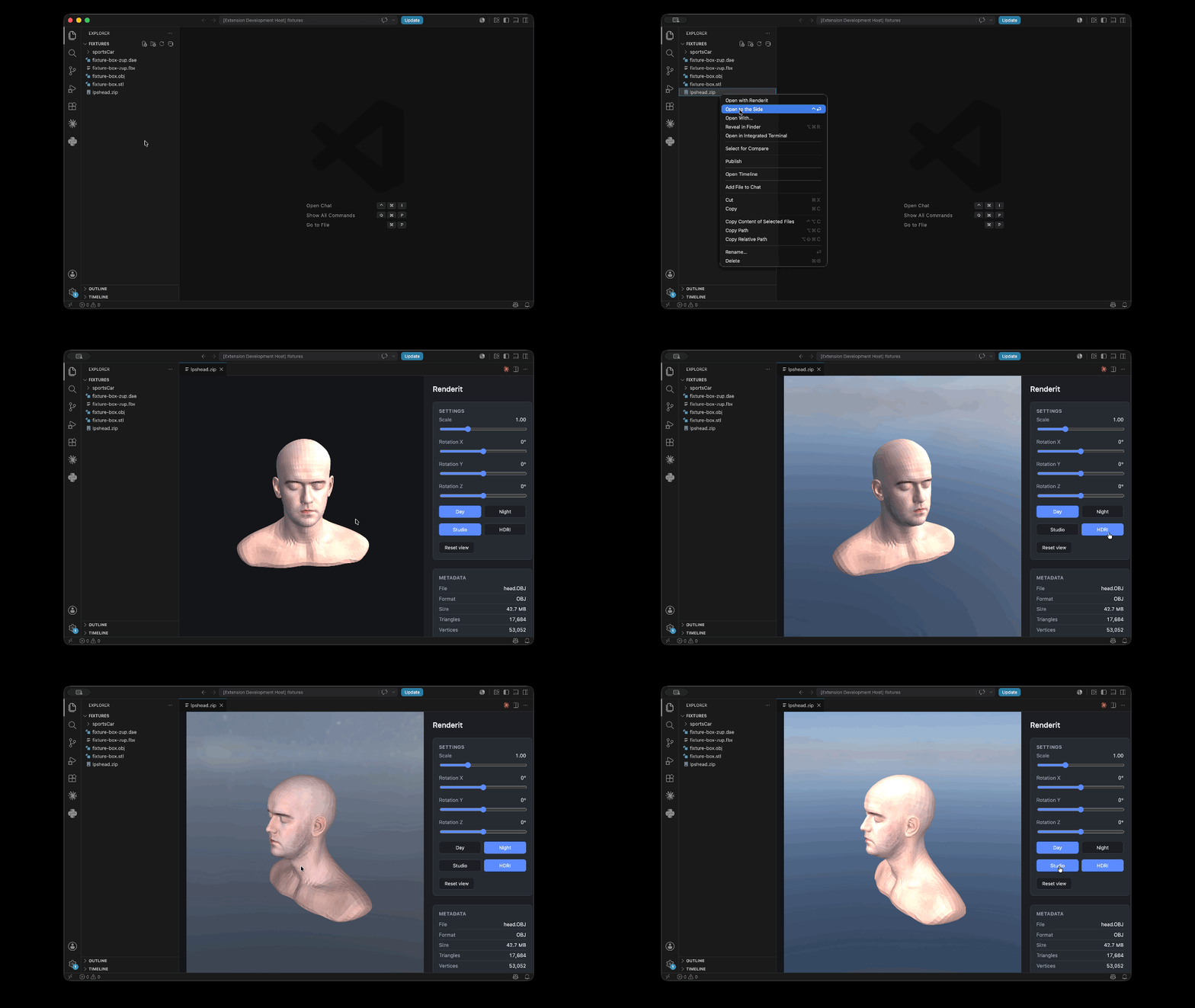
Open a zip archive — right-click a zip containing a model and its textures, choose Open with Renderit; textures resolve automatically whether they're flat or nested in subfolders.
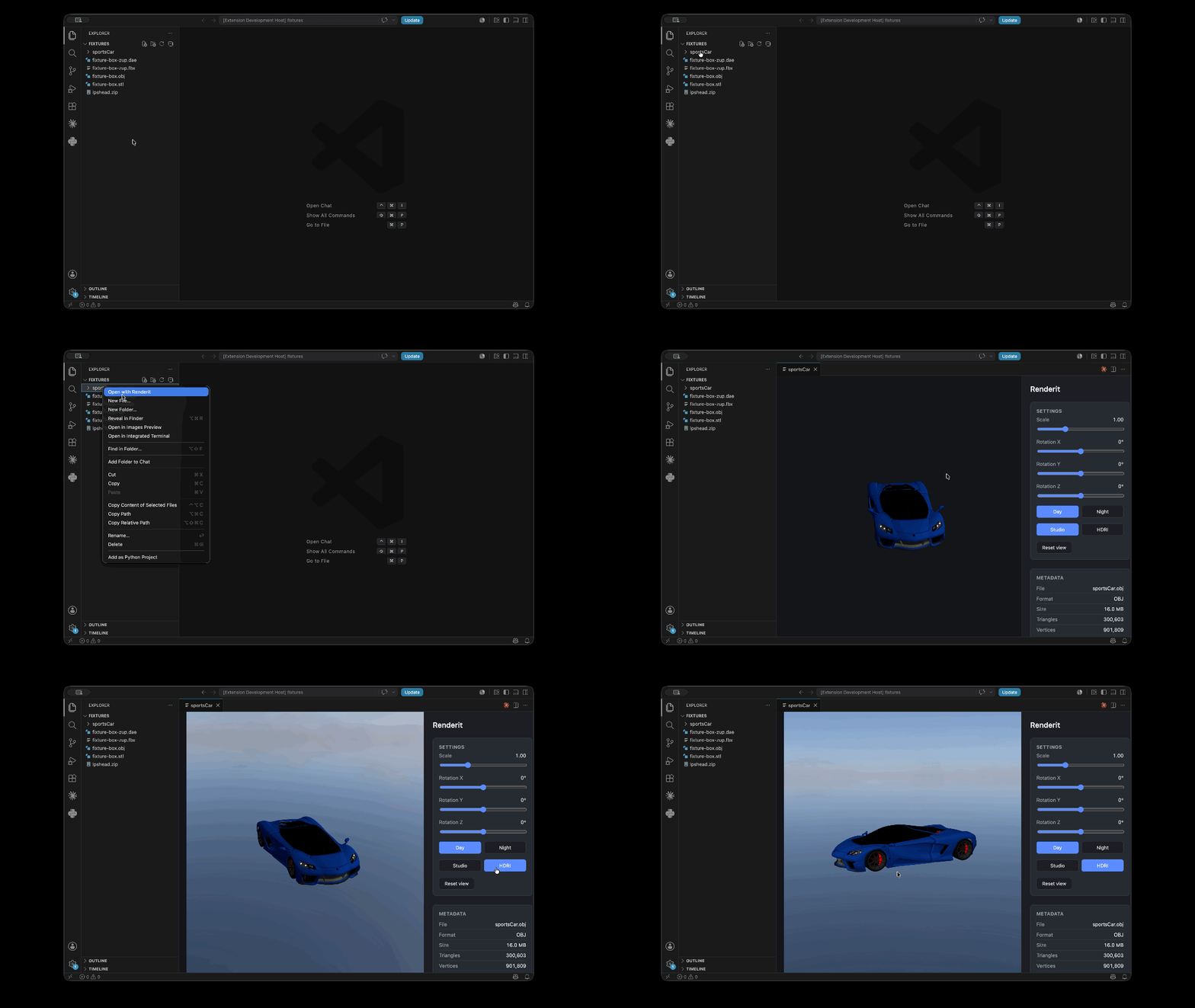
Open a folder — right-click a folder containing a model and its textures, choose Open with Renderit; textures resolve automatically whether they're flat or nested in subfolders.
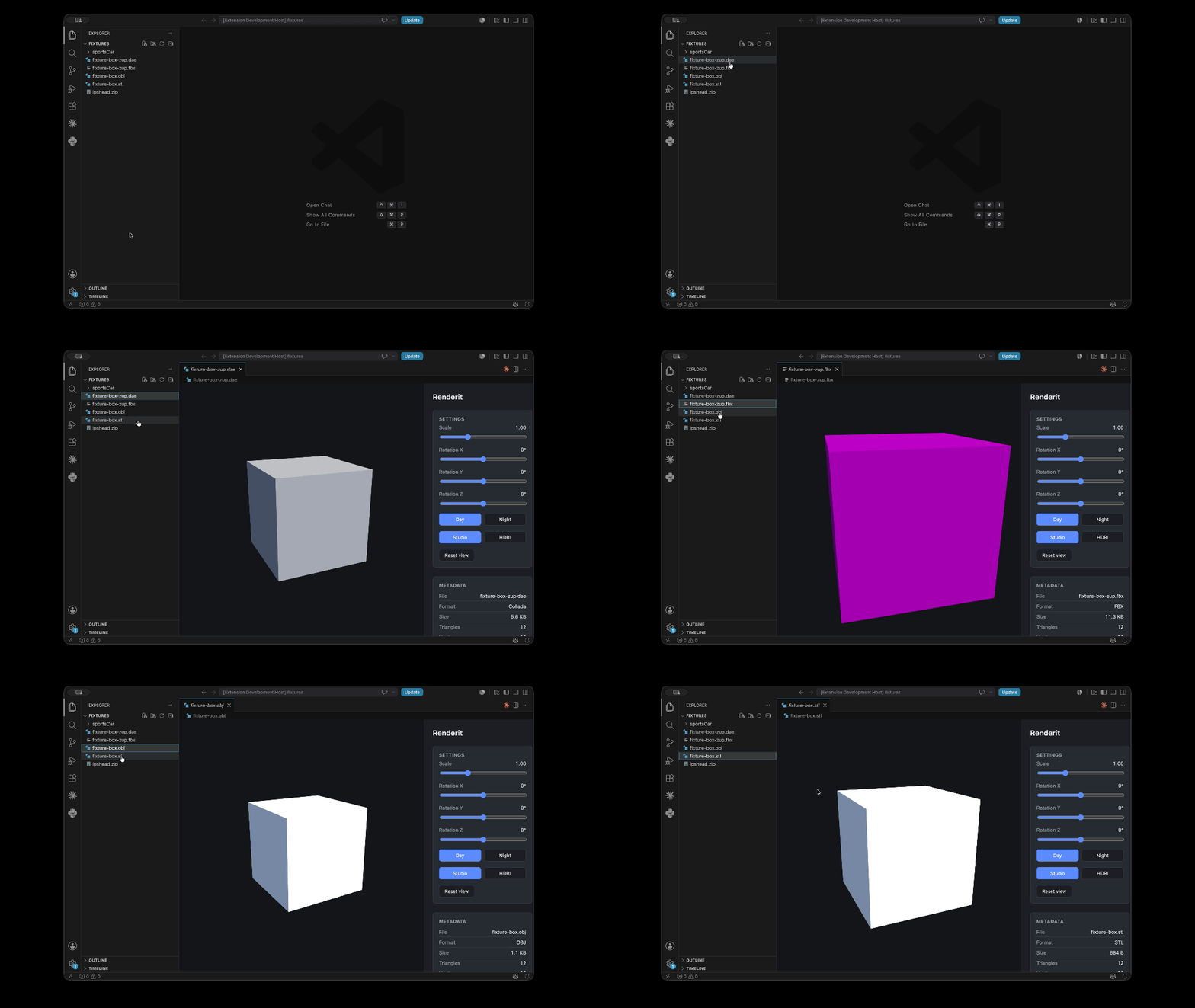
Open a single file — double-click (or single-click) any supported file in the Explorer; it opens straight into a Renderit tab, no dialog.
Supported formats
| Format | Extension | Notes |
|---|---|---|
| glTF / GLB | .gltf, .glb |
Full support, including embedded and external buffers/textures |
| Wavefront OBJ | .obj |
Companion .mtl resolved automatically when present |
| Autodesk FBX | .fbx |
|
| STL | .stl |
Geometry only — STL has no material/color data; use the color picker to set one |
| Collada | .dae |
|
| Zip archive | .zip |
Any of the above, plus textures, flat or in subfolders |
| Folder | — | Same resolution as zip, for an already-unpacked export |
Commands
Renderit has no command-palette commands — it works entirely through the Explorer:
- Single/double-click a supported file — opens directly in the Renderit viewer (registered as the default editor for
.gltf/.glb/.obj/.fbx/.stl/.dae). - Right-click a
.zipfile or a folder → Open with Renderit — for a model packaged together with its textures.
Once a model is open, the sidebar has Scale and Rotation X/Y/Z sliders, a Color picker with reset, a Day/Night lighting toggle, a Studio/HDRI background toggle, Reset view, and a Metadata panel.
Requirements
VS Code 1.57.0 or later. No other setup — the extension bundles everything it needs.
Known limitations
- No progress indicator while a large model is being decompressed/parsed — for a big zip or folder, the viewport can appear idle for a few seconds before the model appears.
- Materials with no embedded texture can pick up unexpected reflections from the active lighting preset's HDRI environment — this is a real rendering behavior (untextured materials reflect the current environment map), not a bug in file parsing, but it can look surprising on models that rely on flat/placeholder materials.
- The color picker tints every material on the model with one flat color; on a textured model it multiplies with the texture rather than replacing it, so it's most useful on untextured formats like STL.
- Doesn't yet survive a full VS Code window restart — state persistence (above) covers switching tabs within the same session, not reopening VS Code from scratch.
Release notes
See CHANGELOG.md.