
VS Code extension for PARA SDK development — create Dev Container environments and build Adaptive AUTOSAR applications.
Getting Started
Host Mode
Host Mode runs on your local machine to manage PARA Dev Container environments.
-
Install the extension and open the PARA sidebar panel.
-
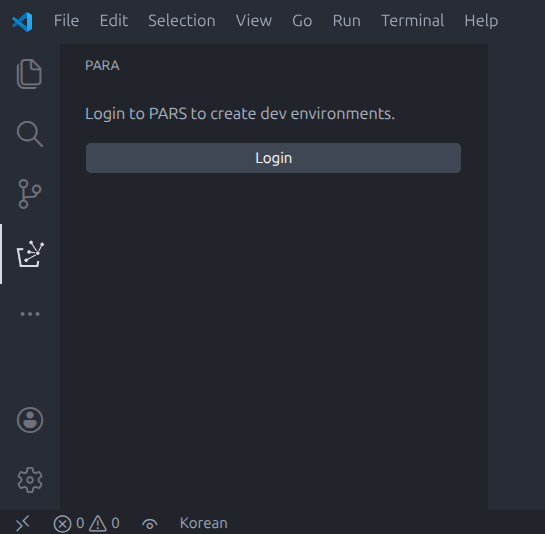
Click Login to authenticate with PARS (PopcornSAR Artifact Repository Service).
-
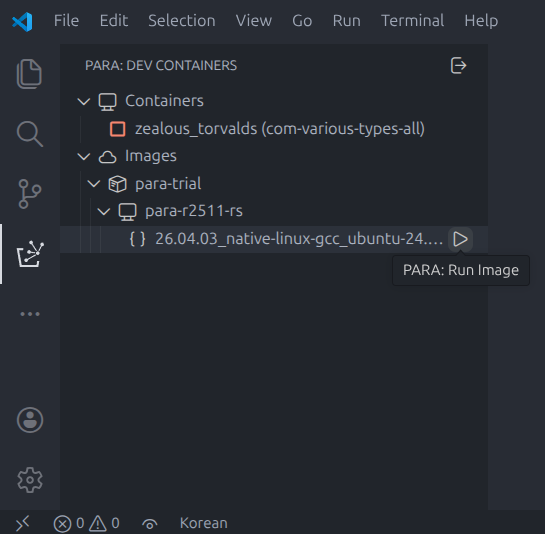
Browse available SDK images under Dev Containers and click the Run Image button to generate and launch a Dev Container.
Container Mode
Container Mode runs inside a Dev Container for SDK development.
-
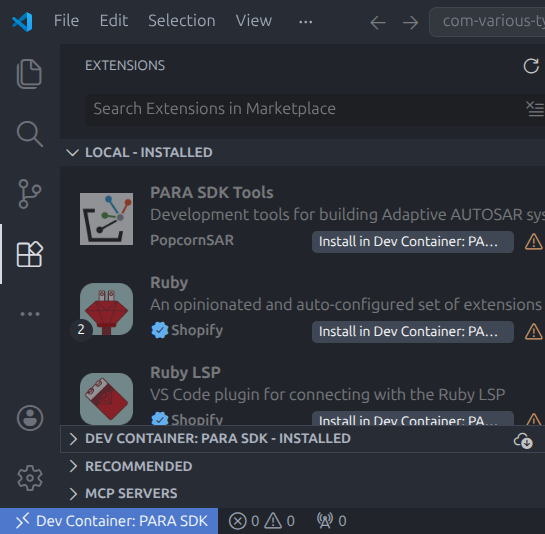
After opening a Dev Container, install PARA SDK Tools extension inside the container (in case).
-
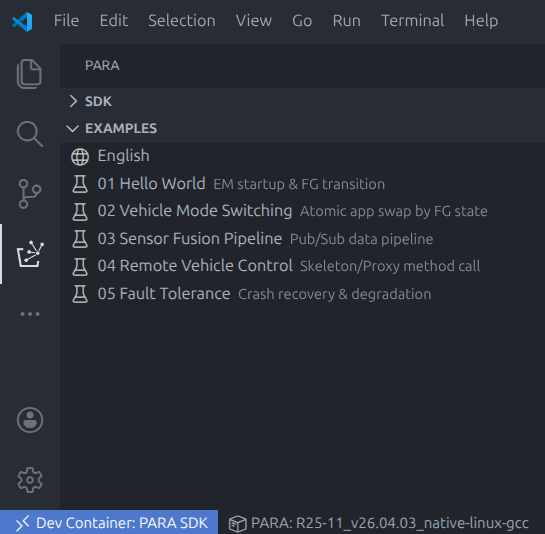
Use the SDK and Examples views in the sidebar to explore the SDK structure and run examples.
Requirements
- VS Code 1.80.0 or higher
- Docker or Podman (Host Mode)
- Dev Containers extension (Host Mode)
License
Copyright (c) 2026 POPCORNSAR Co.,Ltd. All Rights Reserved. See LICENSE for details.