
Dream it, Pixel it.
Magical dark themes and contrast-heavy editor looks for Visual Studio Code, designed by Pink Pixel. Pink Pixel Enchanted Themes bundles 12 polished themes that range from neon fairy brights to deep arcane and night-sky editor moods.
Dark backgrounds, neon accents, and outlined chrome. The Side Bar, tabs, panels, and status bar stay visibly separated instead of blending into one dark rectangle. Each theme carries its name through the whole interface, not just the syntax colors.
Included Themes
- Pink Pixel Charm
- Pink Pixel Crystal
- Pink Pixel Dreamglow
- Pink Pixel Fae
- Pink Pixel Glimmer
- Pink Pixel Mermaid
- Pink Pixel Moonberry
- Pink Pixel Nightshade
- Pink Pixel Pixie
- Pink Pixel Spellbound
- Pink Pixel Starlight
- Pink Pixel Wish
Screenshots
Pink Pixel Charm
Neon pink, cyan, green, and violet on neutral near-black.
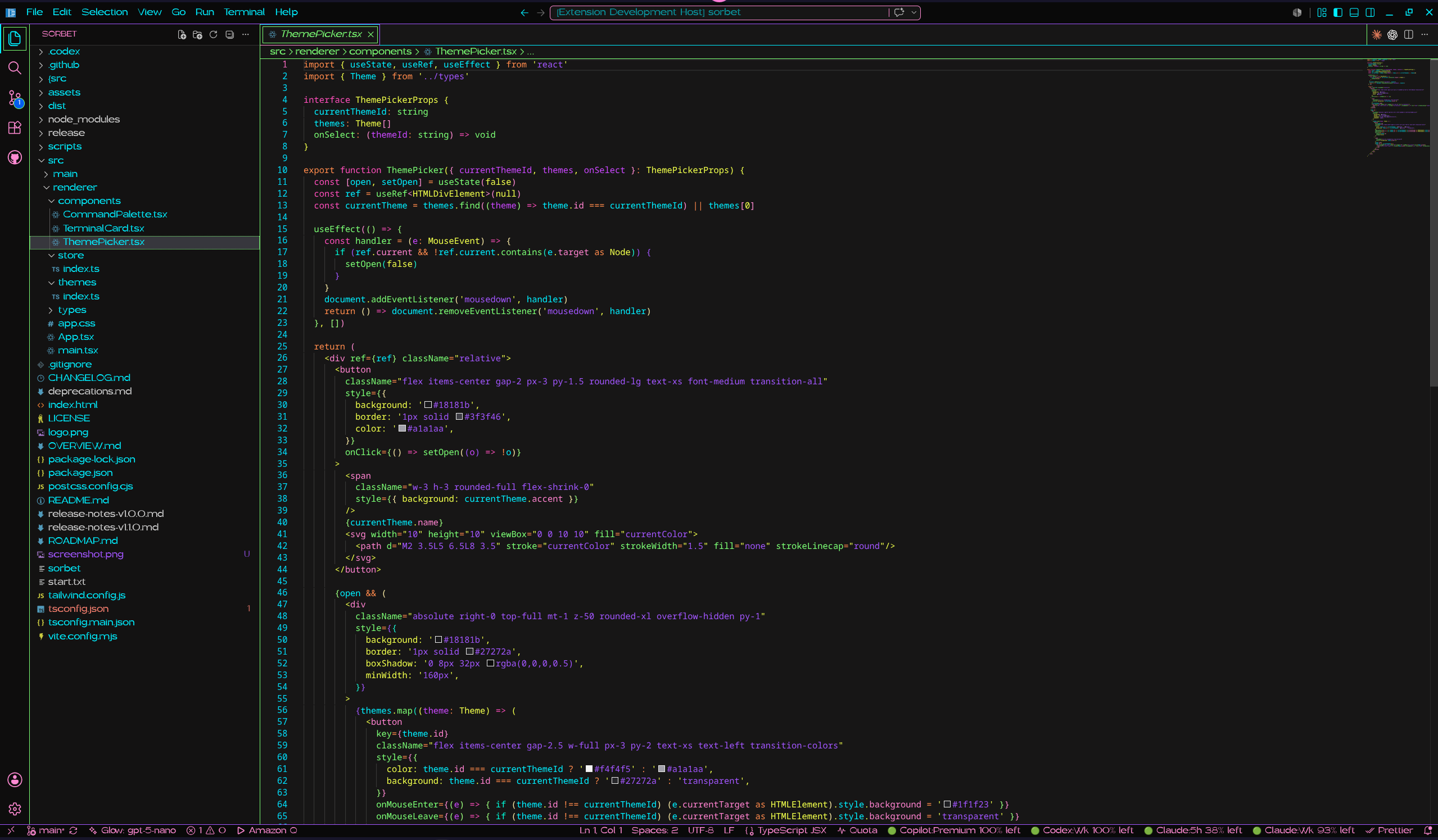
Pink Pixel Crystal
Cyan and ice mint with prism magenta on teal-black.
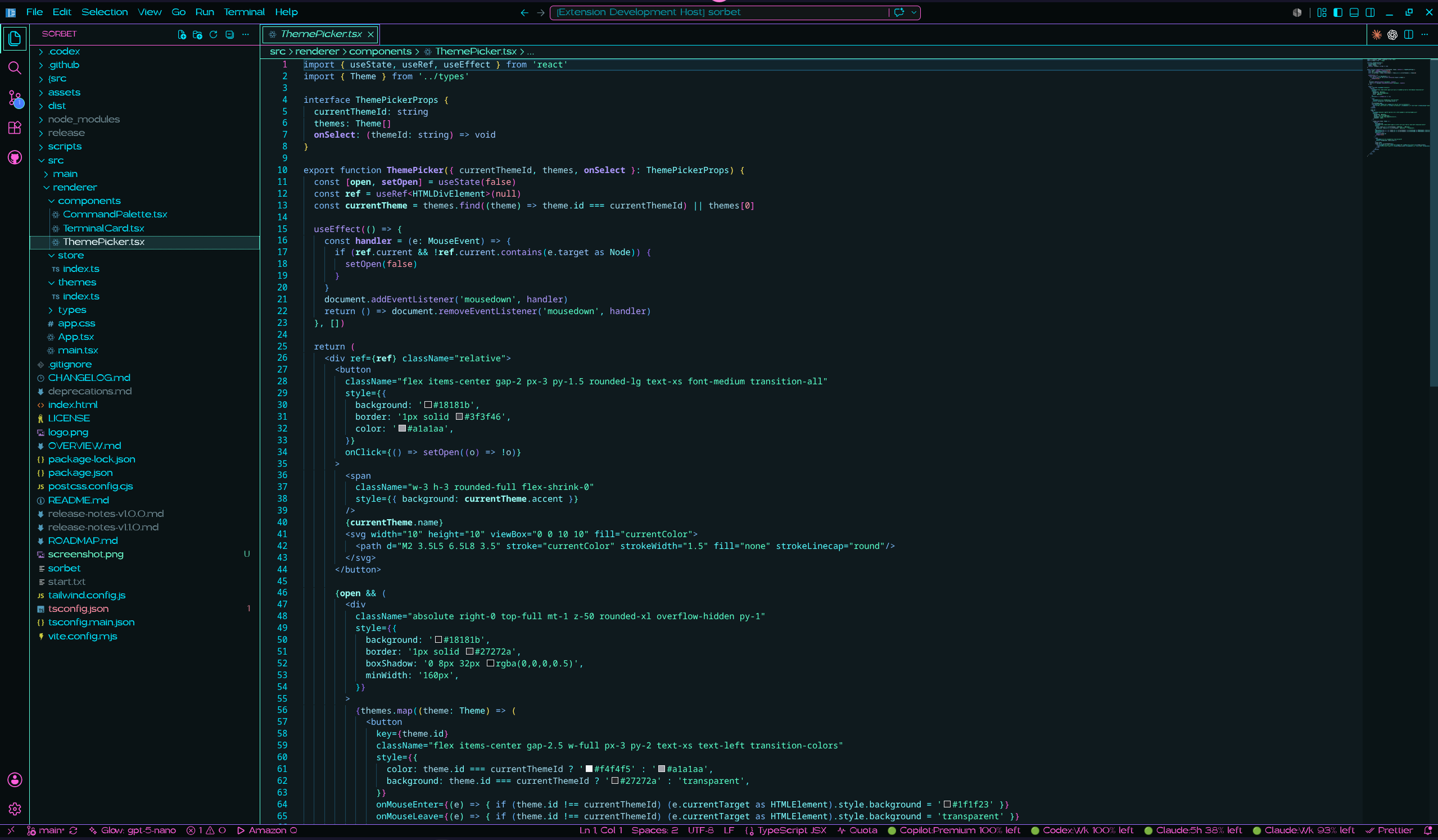
Pink Pixel Dreamglow
Electric blue and violet with neon green, cyan, and hot pink on blue-violet black.
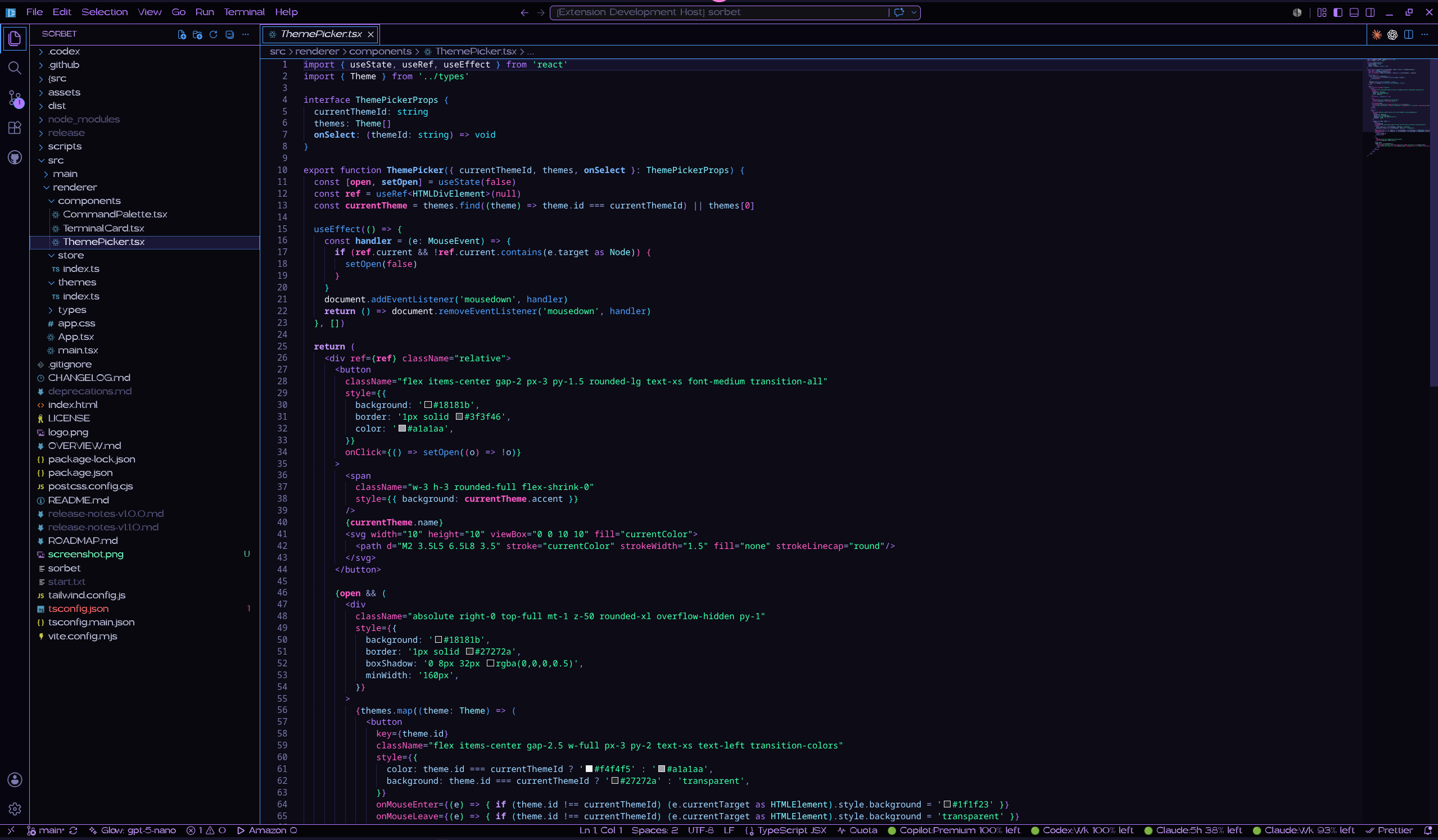
Pink Pixel Fae
Peach, soft blue, pink, and lilac on soft gray.
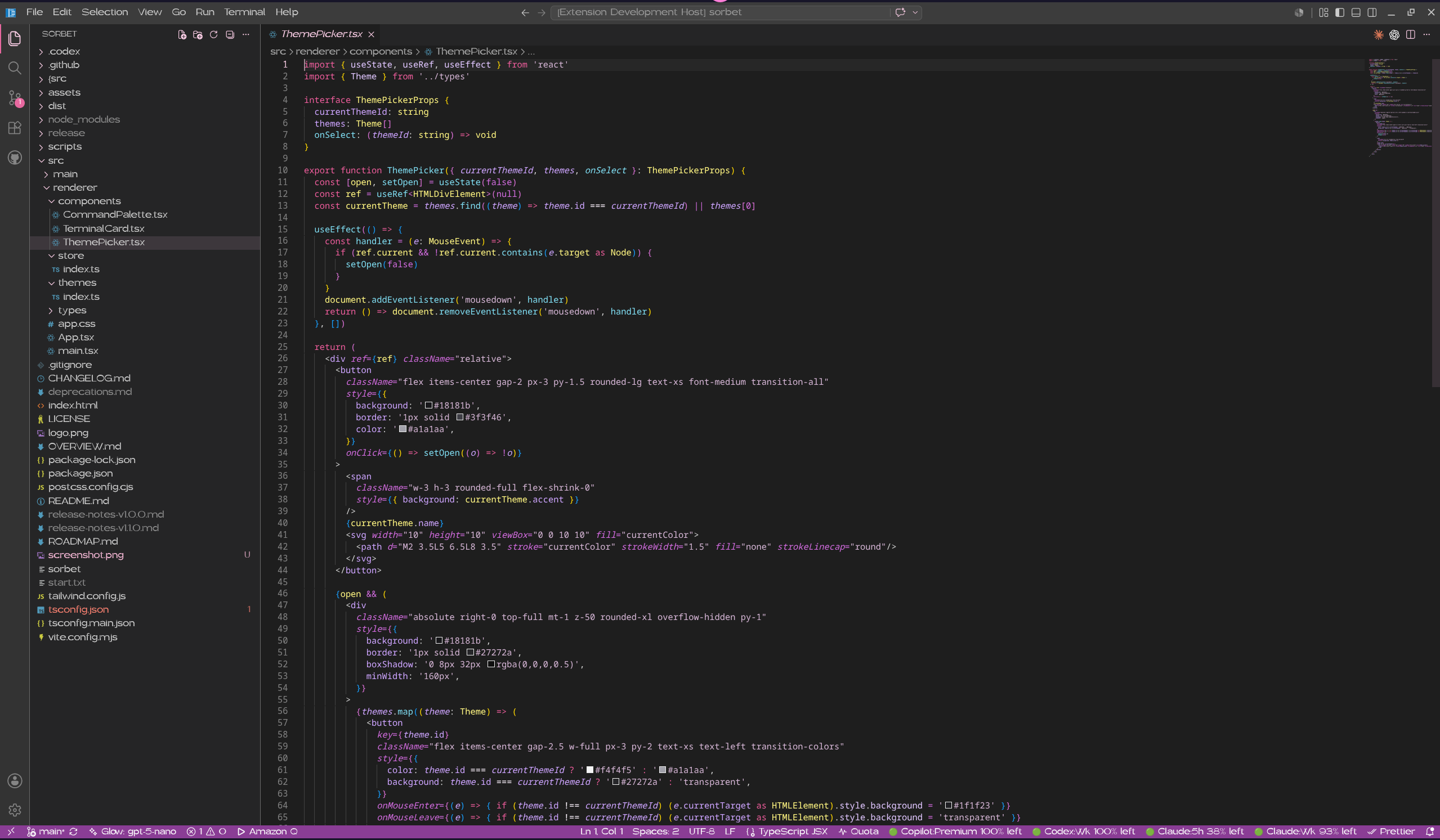
Pink Pixel Glimmer
Ice blue, lilac, and soft pink with mint syntax on cool charcoal.
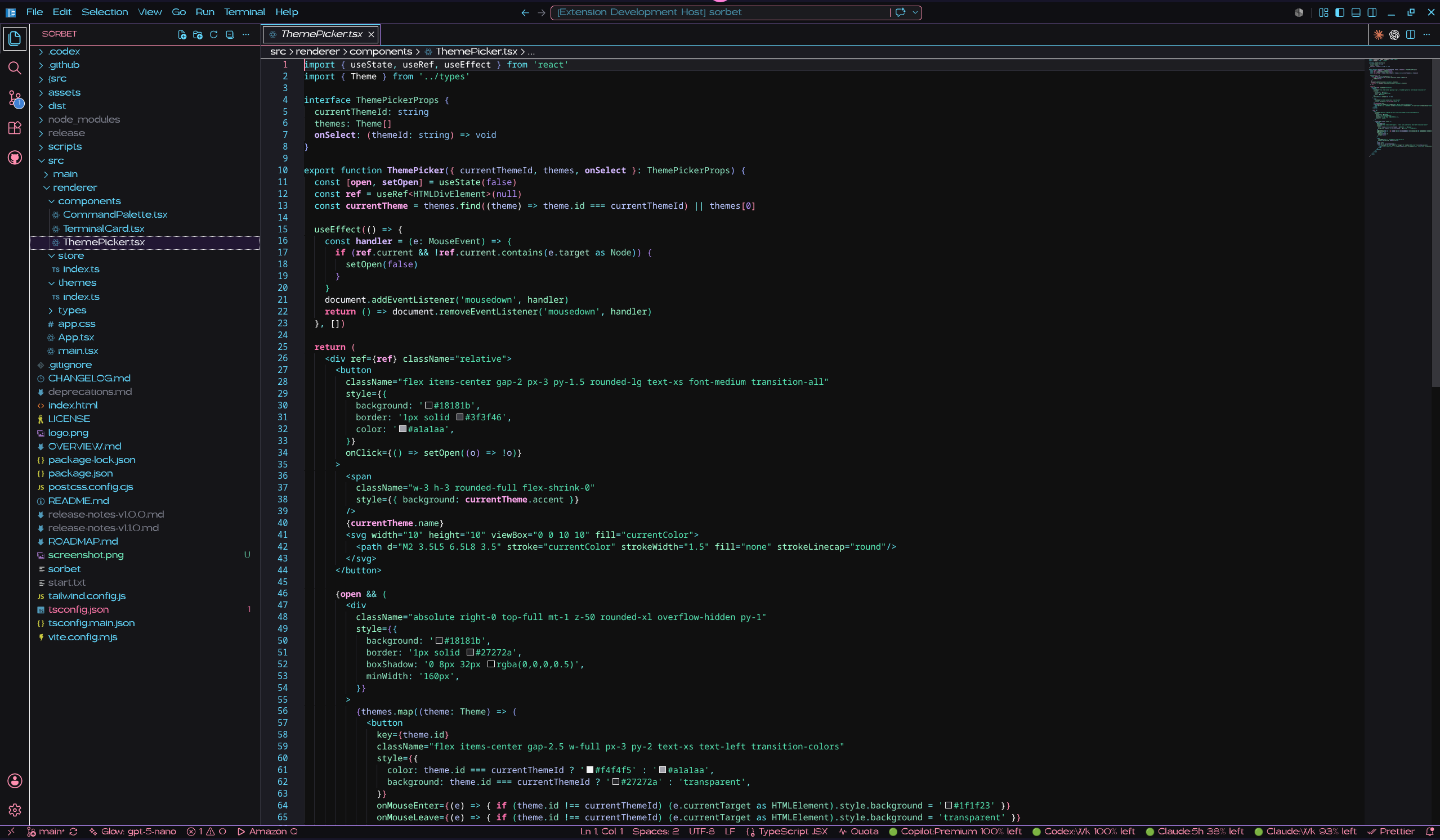
Pink Pixel Mermaid
Turquoise water with hot pink, violet, coral, and gold on deep teal.
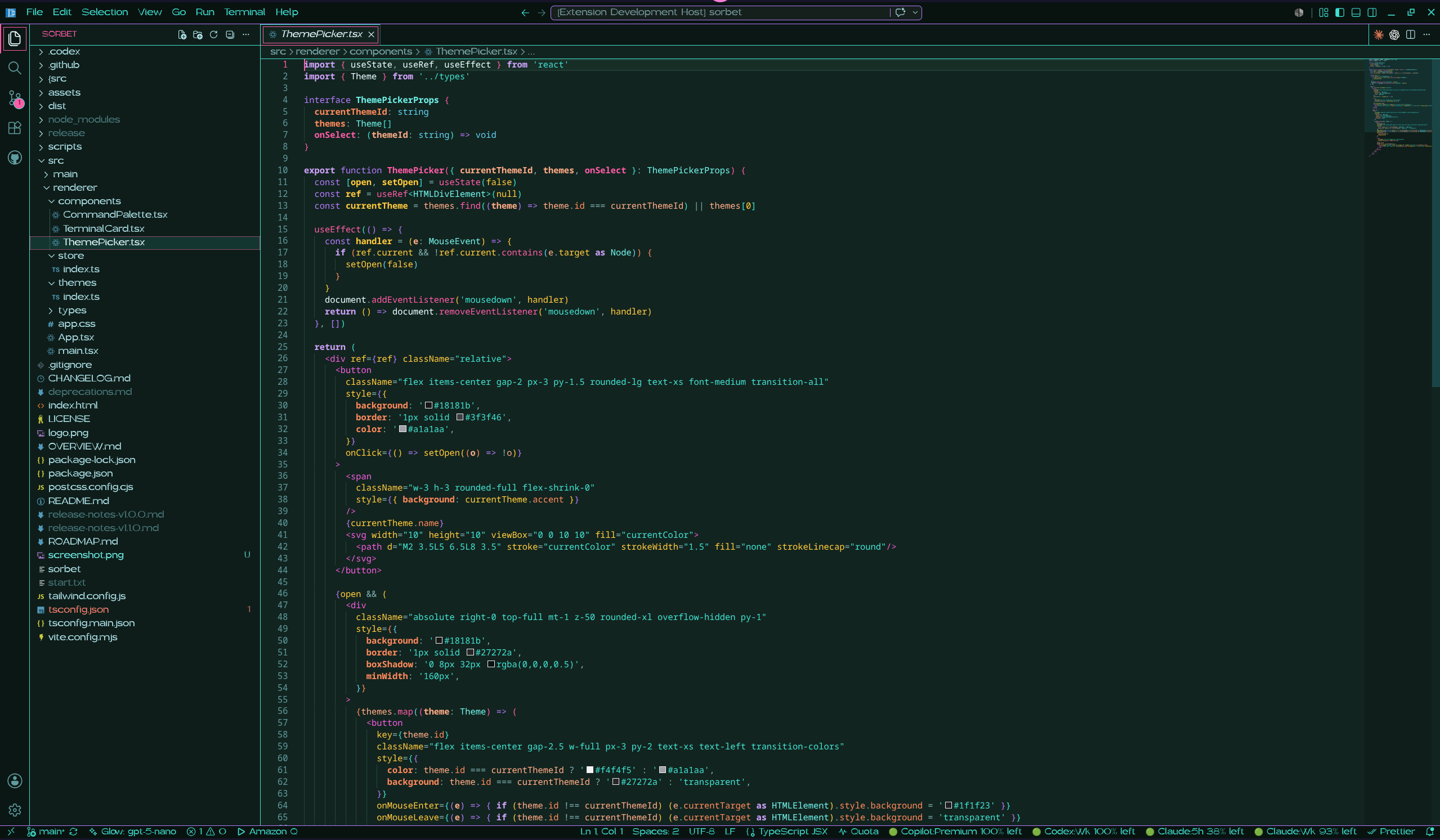
Pink Pixel Moonberry
Berry magenta and moonlight blue with orchid on violet-black.
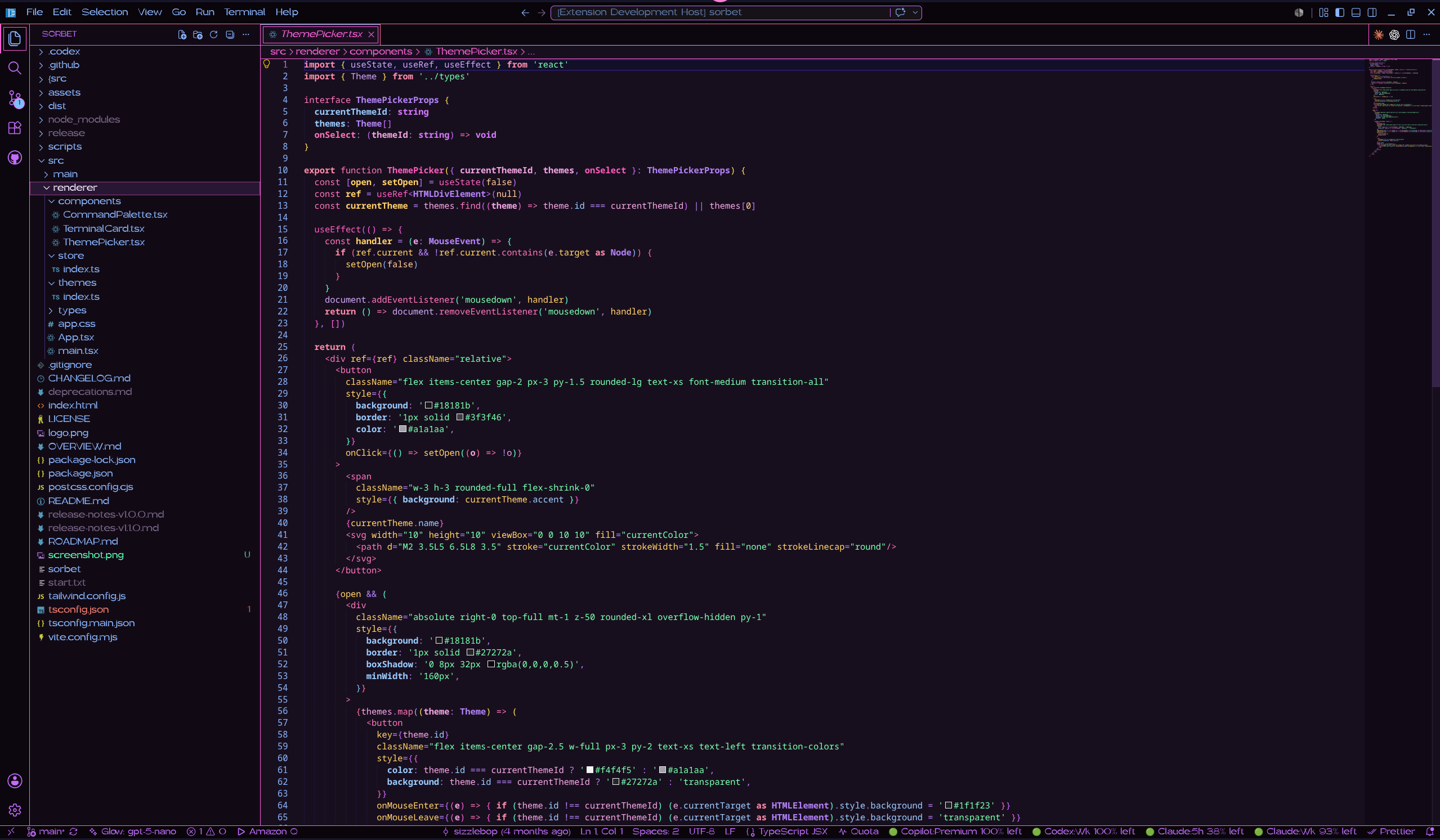
Pink Pixel Nightshade
Bioluminescent blue glow over luminous green on forest black.
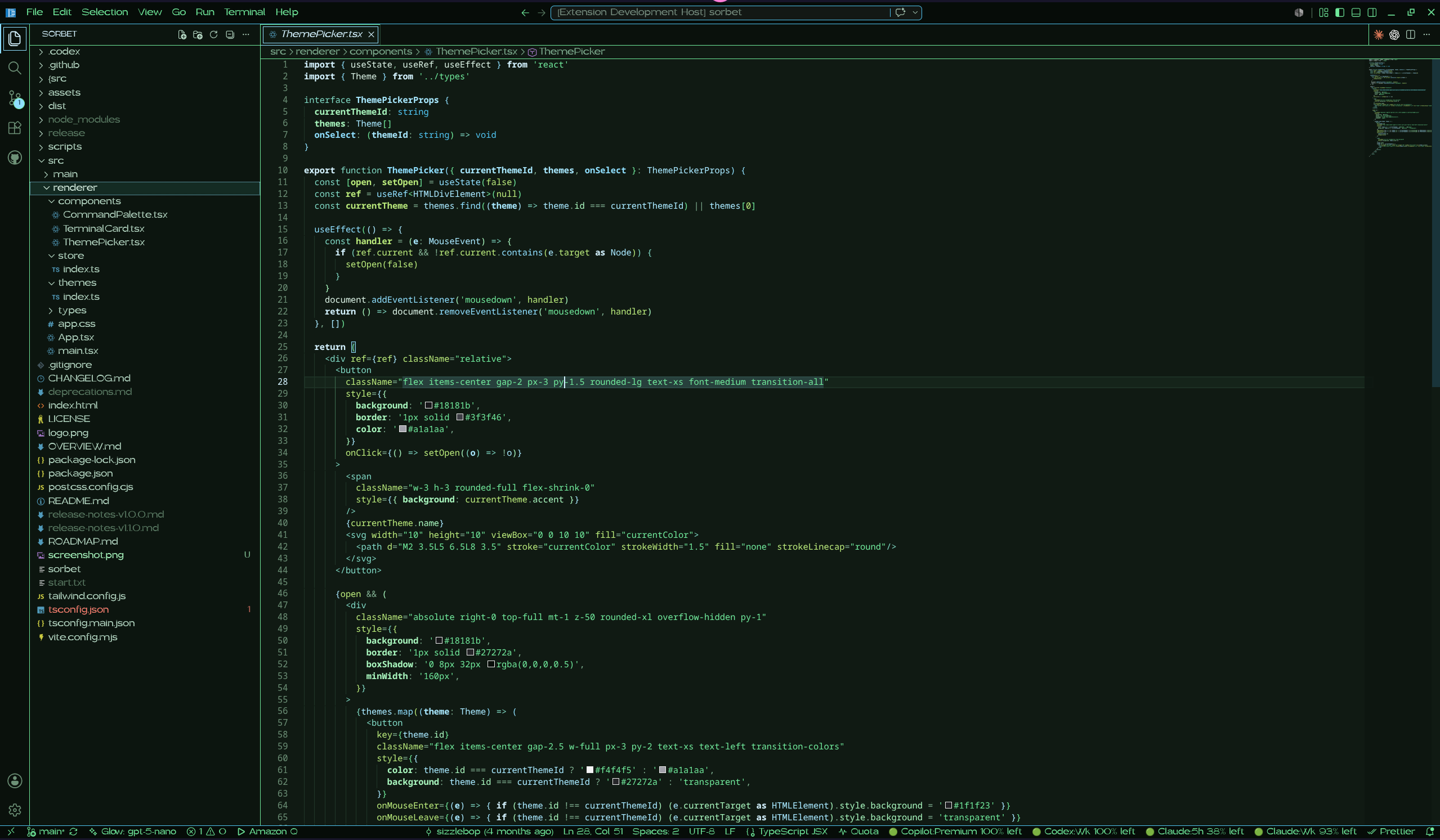
Pink Pixel Pixie
Soft pink and light green with white and lilac on soft blue-gray.
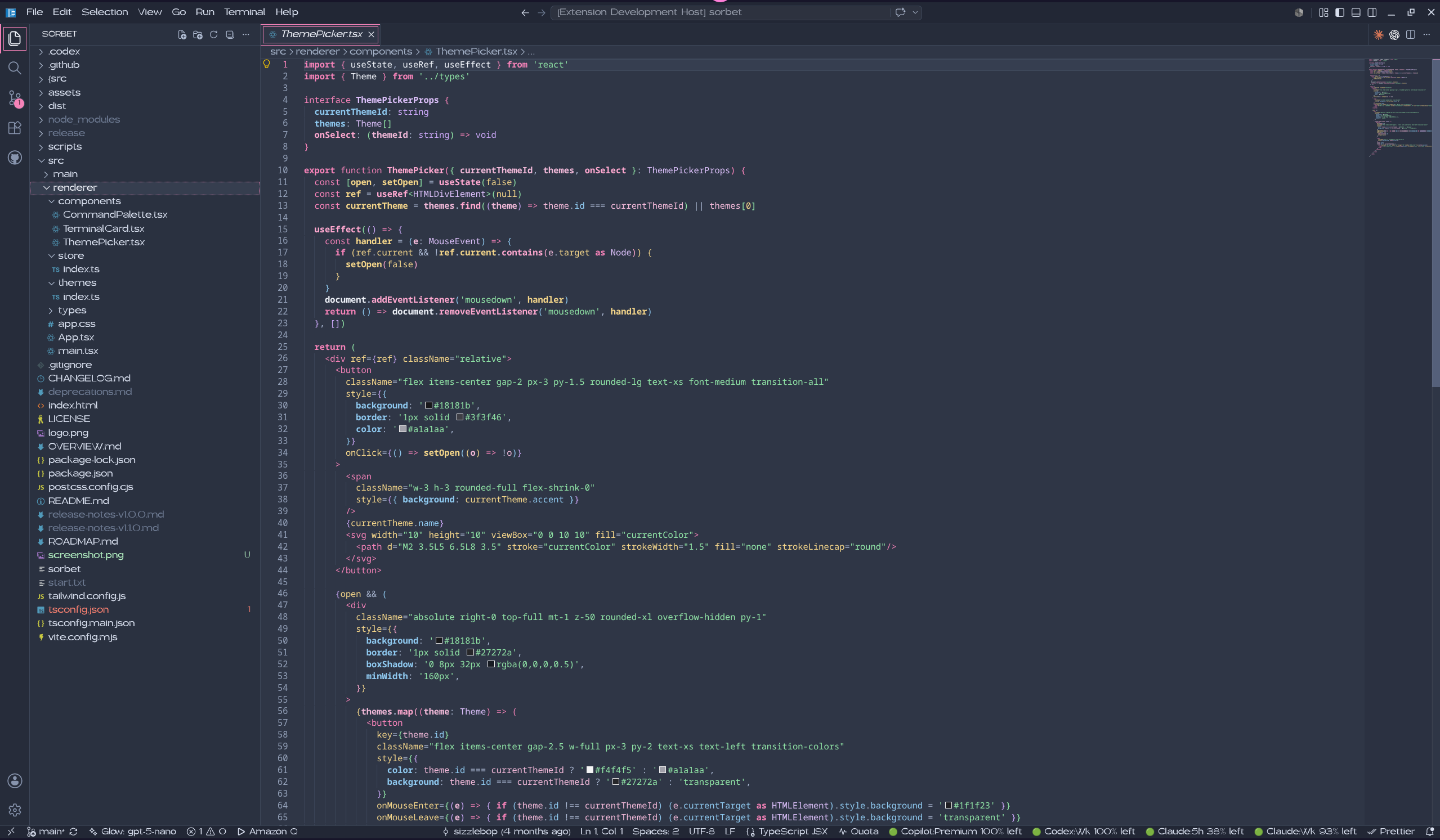
Pink Pixel Spellbound
Arcane violet and rune gold with ember orange on violet-black.
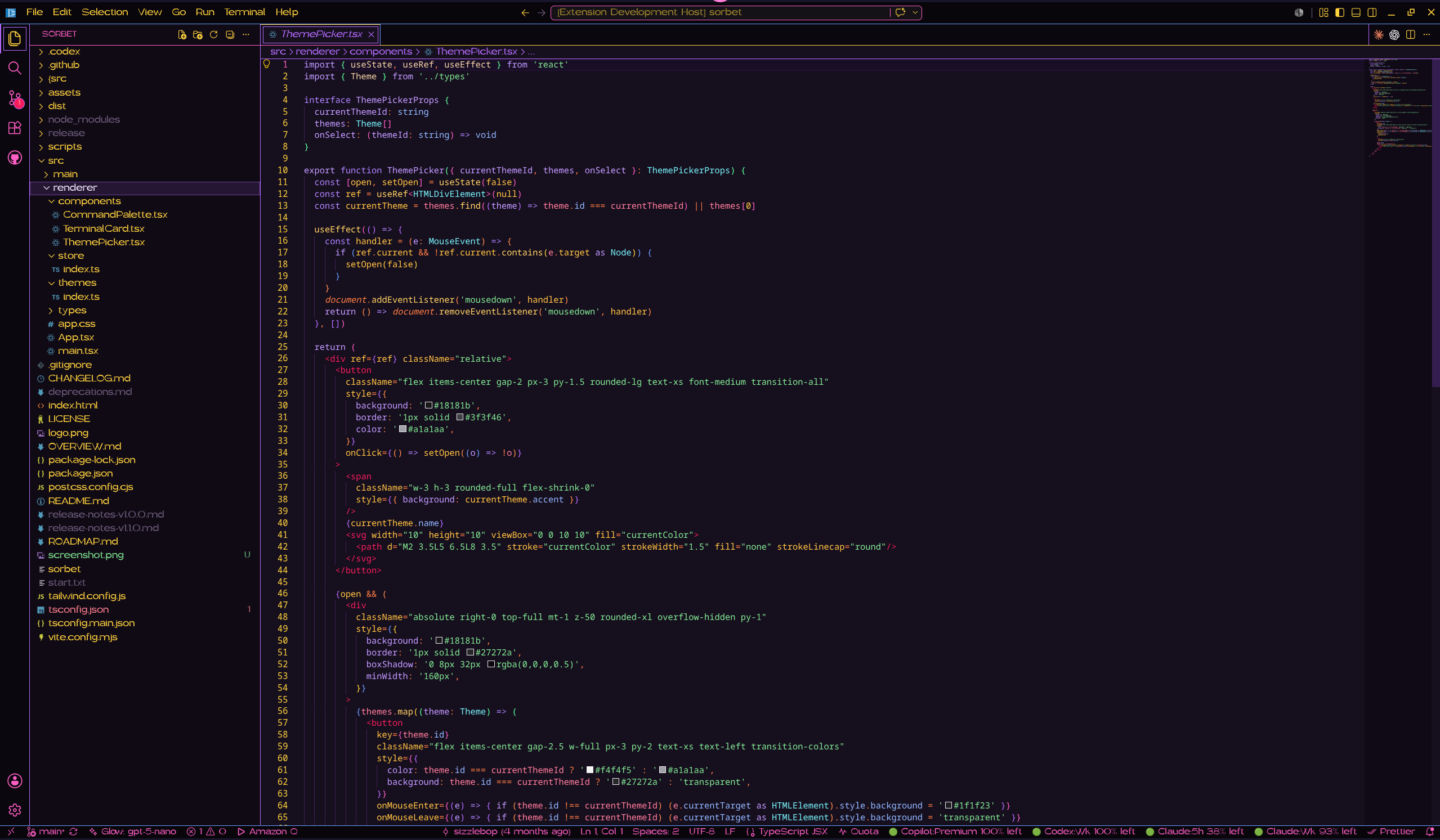
Pink Pixel Starlight
Star gold and warm white with light purple and sky blue on night-sky black.
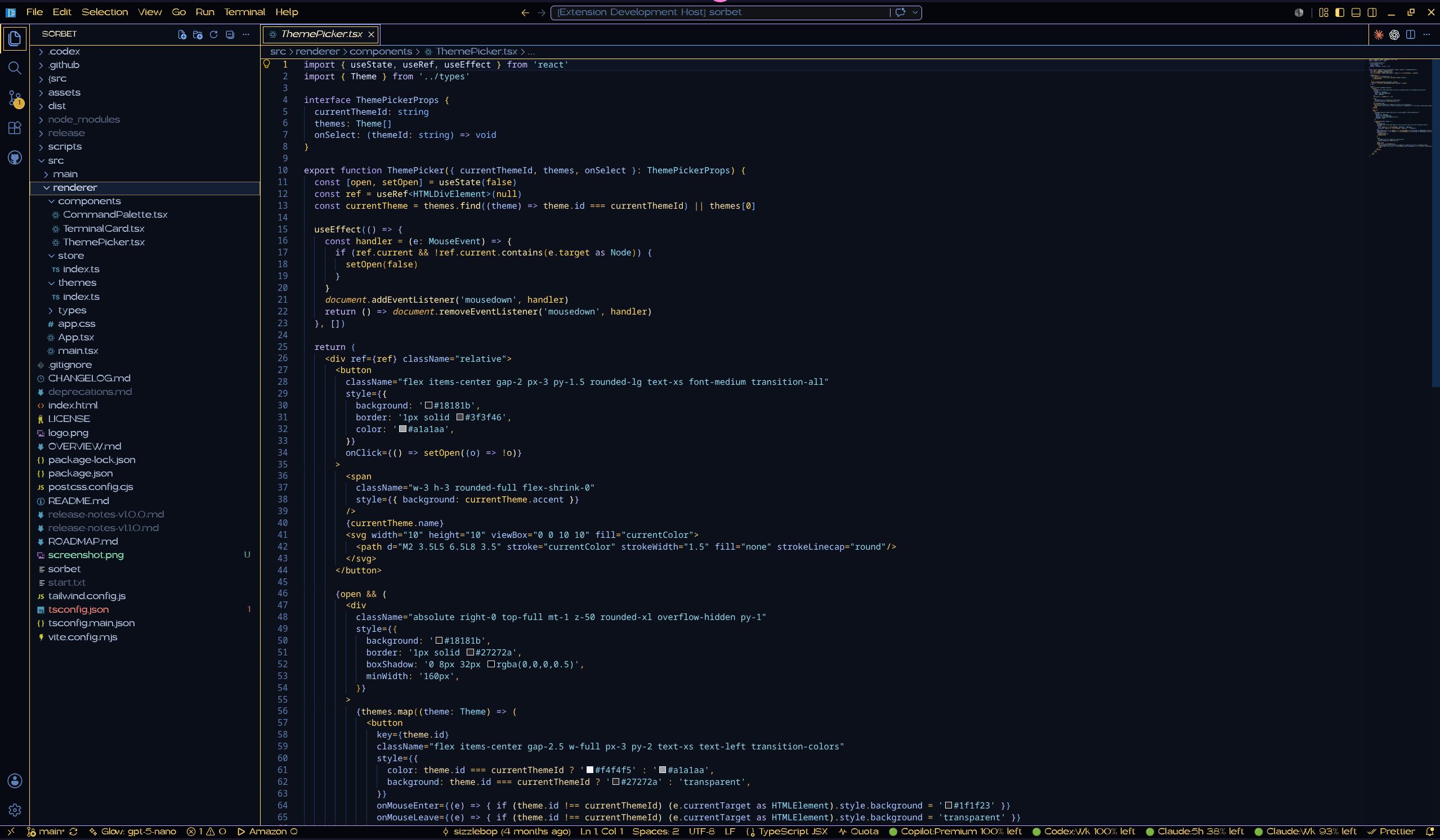
Pink Pixel Wish
Soft white and blue with periwinkle, sage, and green-gold on blue-slate.
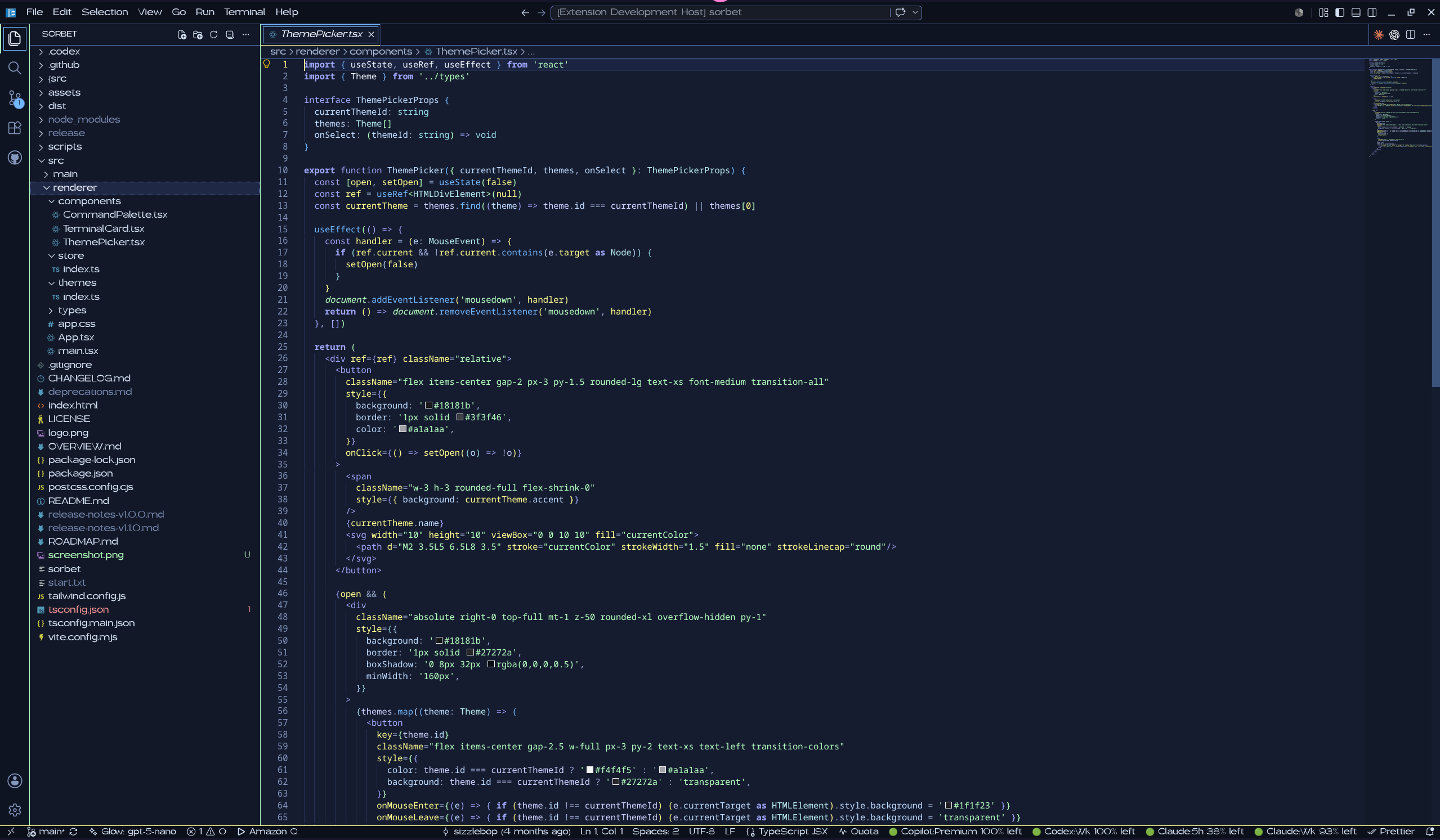
Use The Themes
Open the Command Palette, run Preferences: Color Theme, and choose any Pink Pixel enchanted theme from the list.
What Is Themed
Every theme covers the whole workbench, not just syntax:
- Editor surfaces, selections, cursor, line numbers, guides, rulers, brackets, minimap, scrollbars, and overview ruler
- Activity Bar, Side Bar, tabs, title bar, Command Center, status bar, panels, menus, lists, quick input, notifications, and widgets
- Source control, diffs, diagnostics, testing, debug controls, and notebooks
- Integrated terminal surfaces and complete ANSI color palettes
- TextMate syntax scopes for common programming, markup, data, diff, and Markdown constructs
- Semantic tokens for functions, methods, types, classes, variables, parameters, properties, decorators, and modifiers
Development
- Run
npm run validateto confirm every contributed theme file matches the manifest. - Run
npm run packageto build a.vsixpackage with@vscode/vsce. - Press
F5in VS Code to launch an Extension Development Host for local previewing.
License
Licensed under the Apache License 2.0.
About Pink Pixel
- Website: https://pinkpixel.dev
- GitHub: https://github.com/pinkpixel-dev
- Contact: [email protected]
- Support: [email protected]
- Discord: @sizzlebopz
- Funding: https://www.buymeacoffee.com/pinkpixel
- Funding: https://ko-fi.com/sizzlebop
Made with 💖 by Pink Pixel.
Looking for more Pink Pixel themes? Check out the companion collections:
Pink Pixel Candy Themes- VS Code Marketplace: https://marketplace.visualstudio.com/items?itemName=pinkpixel.pinkpixel-vscode-candy-themes
- GitHub: https://github.com/pinkpixel-dev/vscode-candy-themes
Pink Pixel Sweet Themes- VS Code Marketplace: https://marketplace.visualstudio.com/items?itemName=pinkpixel.pinkpixel-sweet-themes
- GitHub: https://github.com/pinkpixel-dev/vscode-sweet-themes
Pink Pixel Fruity Themes- VS Code Marketplace: https://marketplace.visualstudio.com/items?itemName=pinkpixel.pinkpixel-fruity-themes
- GitHub: https://github.com/pinkpixel-dev/vscode-fruity-themes