Turn one goal into an ordered plan of coding-agent tasks — each with its own runner, model and mode — then execute and verify it.
What it does
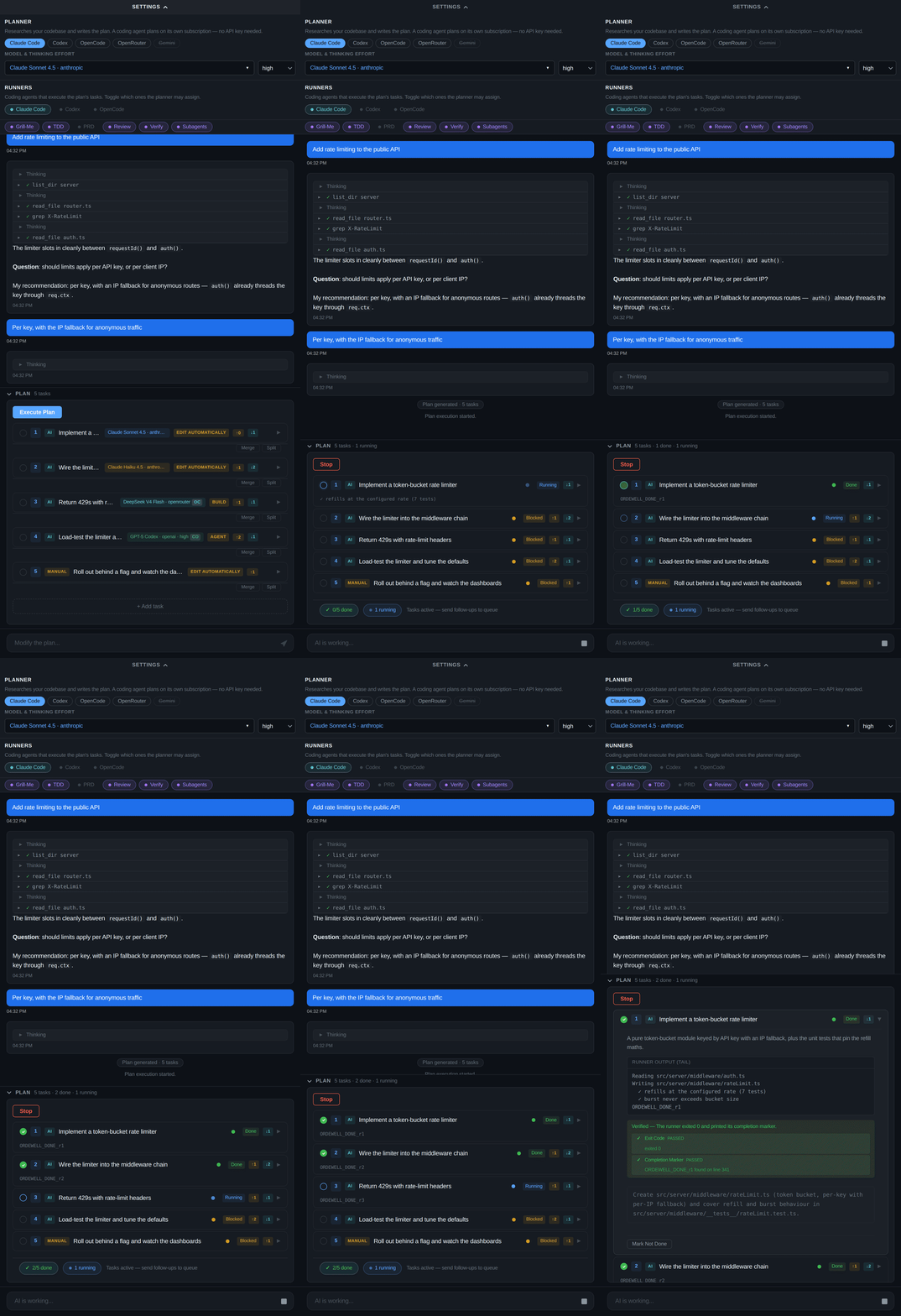
- A plan you can rewrite before a token is spent. Every task carries a runner, model, thinking effort and mode. Change any of them, add or remove tasks, rewire dependencies — without losing completed work or round-tripping the AI.
- A planner that talks back. Planning is one continuous chat. It researches your workspace read-only, asks when your goal is vague, and its final message is the plan. Reads run in parallel; anything reaching outside the workspace asks once; commands that would write are refused outright.
- The right model per task. One portfolio decision across the whole plan — a security refactor and a README update don't deserve the same model — shown to you before anything runs.
- Verdicts from evidence. A task completes only when its unique completion marker appears in the runner's output. The model is never the tie-breaker.
- No extra API key required. Claude Code, Codex or OpenCode can be the planner, strictly read-only, on the subscription you already hold.
Getting started
- Install the extension.
- Open the Ordewell panel from the activity bar.
- Pick a planner in the planner bar — Claude Code, Codex or OpenCode plans on a
subscription you already have. To plan with an API key instead, set
ordewell.openAiApiKey(OpenRouter) orordewell.apiKey(Gemini) in settings, or exportOPENROUTER_API_KEY/GEMINI_API_KEY. - Type a goal.
Every runner you want to execute tasks — Claude Code, Codex, OpenCode — needs to be installed and on your PATH. If one is greyed out right after you installed it, reload the window: a GUI-launched extension host holds the PATH it started with.
Also available
The same project ships a CLI and a full-screen terminal UI:
npm install -g ordewell
ordewell
Links
Licensed under the Apache License 2.0. The Ordewell name and logos are not covered by that licence.