At File is a VS Code extension that completes workspace files and directories when you type @.
Usage
Open a supported file and type @. VS Code will show matching files and directories from the current workspace. Selecting an item inserts a relative path:
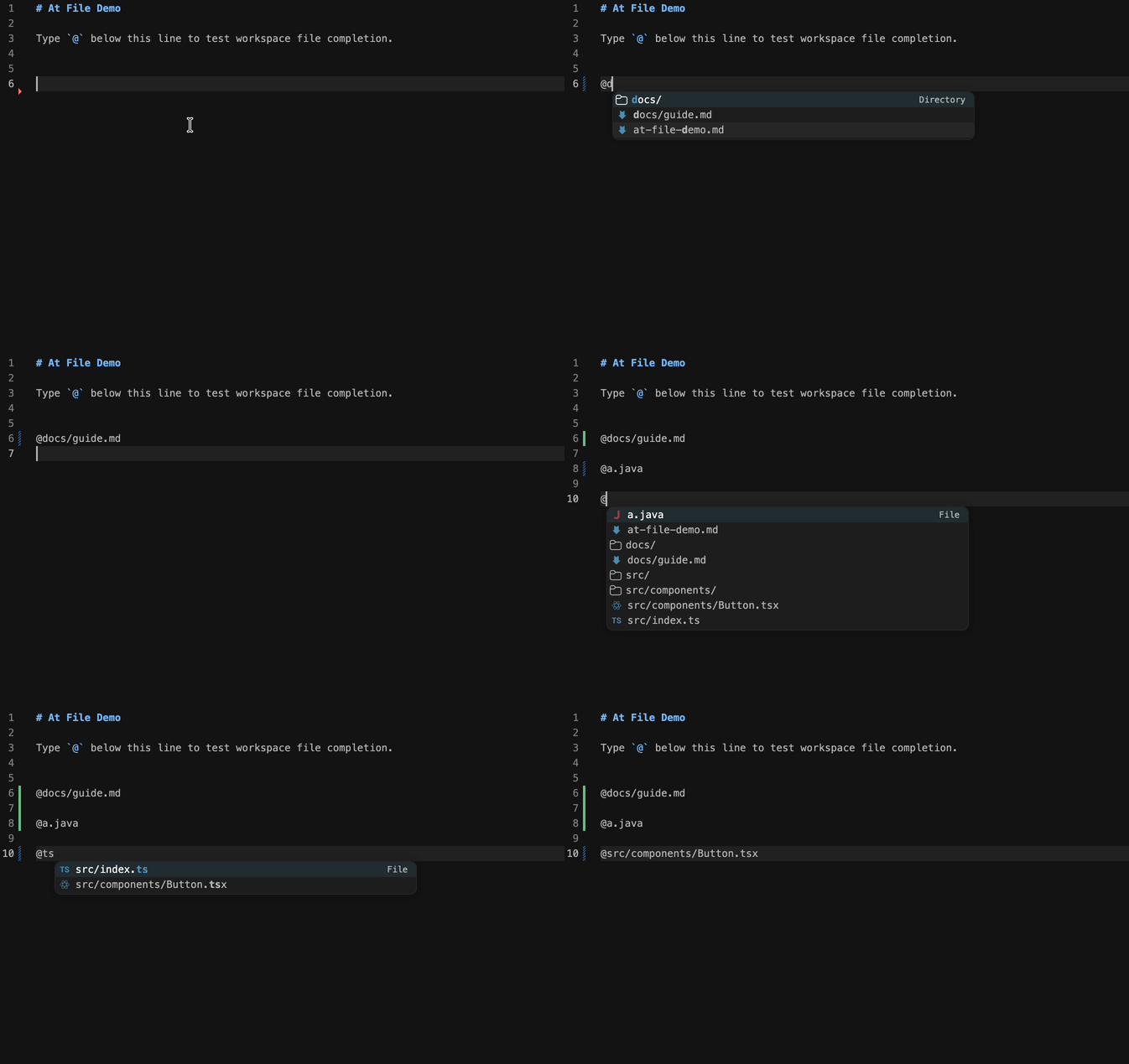
@src/components/Button.tsx
@src/components/
Configuration
{
  "atFile.enabledExtensions": ["md", "txt"],
  "atFile.exclude": ["node_modules", "target", ".git", "dist", "build"],
  "atFile.maxResults": 20
}
atFile.enabledExtensions values should not include the leading dot.
atFile.exclude accepts directory names such as node_modules and glob patterns such as **/generated/**.
Commands
At File: Refresh Index: clears the cached workspace index.
Development
npm install
npm test
Press F5 in VS Code to launch an Extension Development Host.
The extension entry is out/src/extension.js, generated from src/extension.ts.
The debug host opens sample-workspace/at-file-demo.md, so typing @ in that file should immediately show file completions.