Cursor-style red/green review for every file Claude Code touches, in vanilla VSCode. Claude never waits on you; nothing slips by unreviewed. Free.
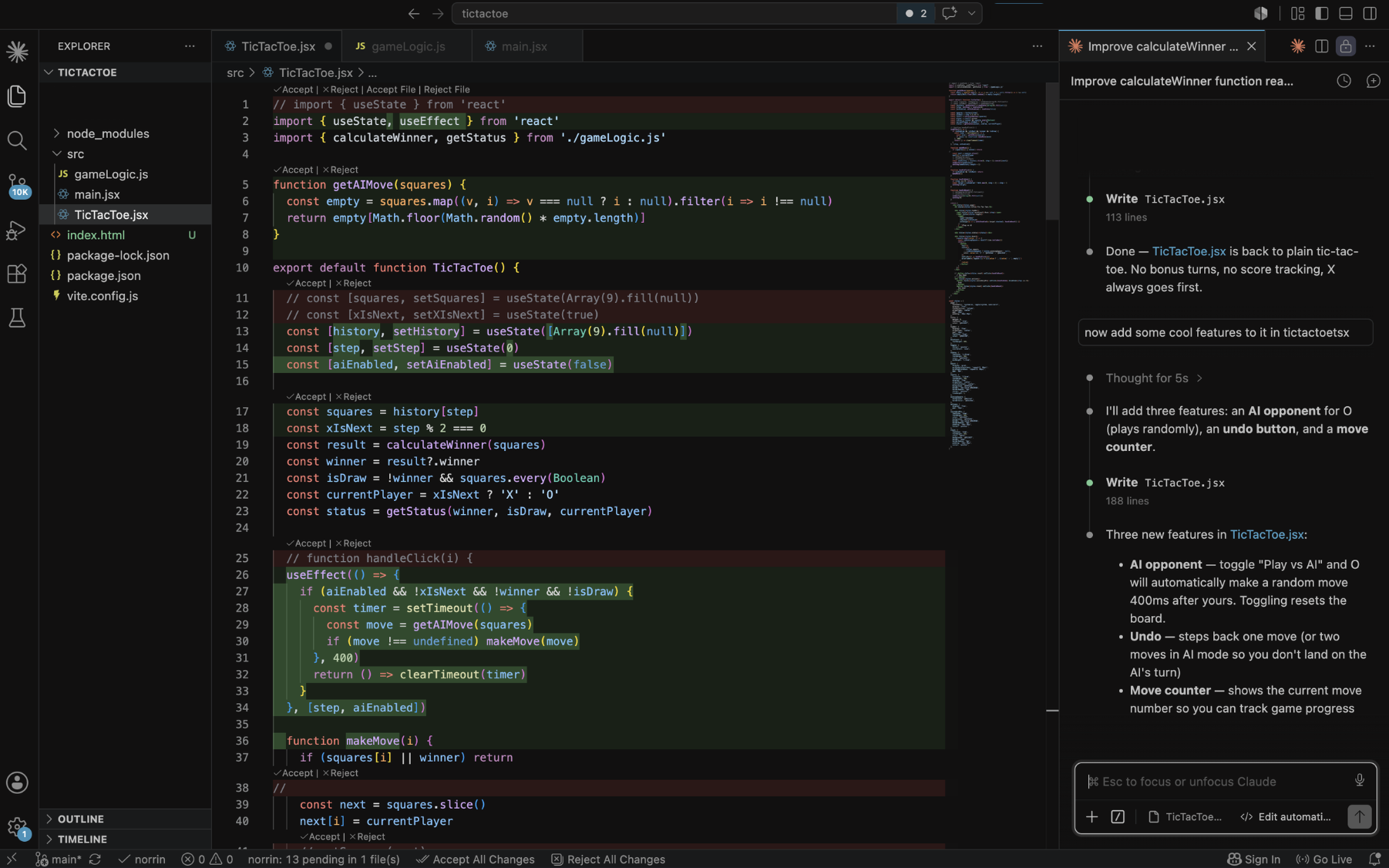
What you get
- Inline diffs in your real files — deleted lines in red above the new green lines, with the exact changed characters emphasized, theme-aware.
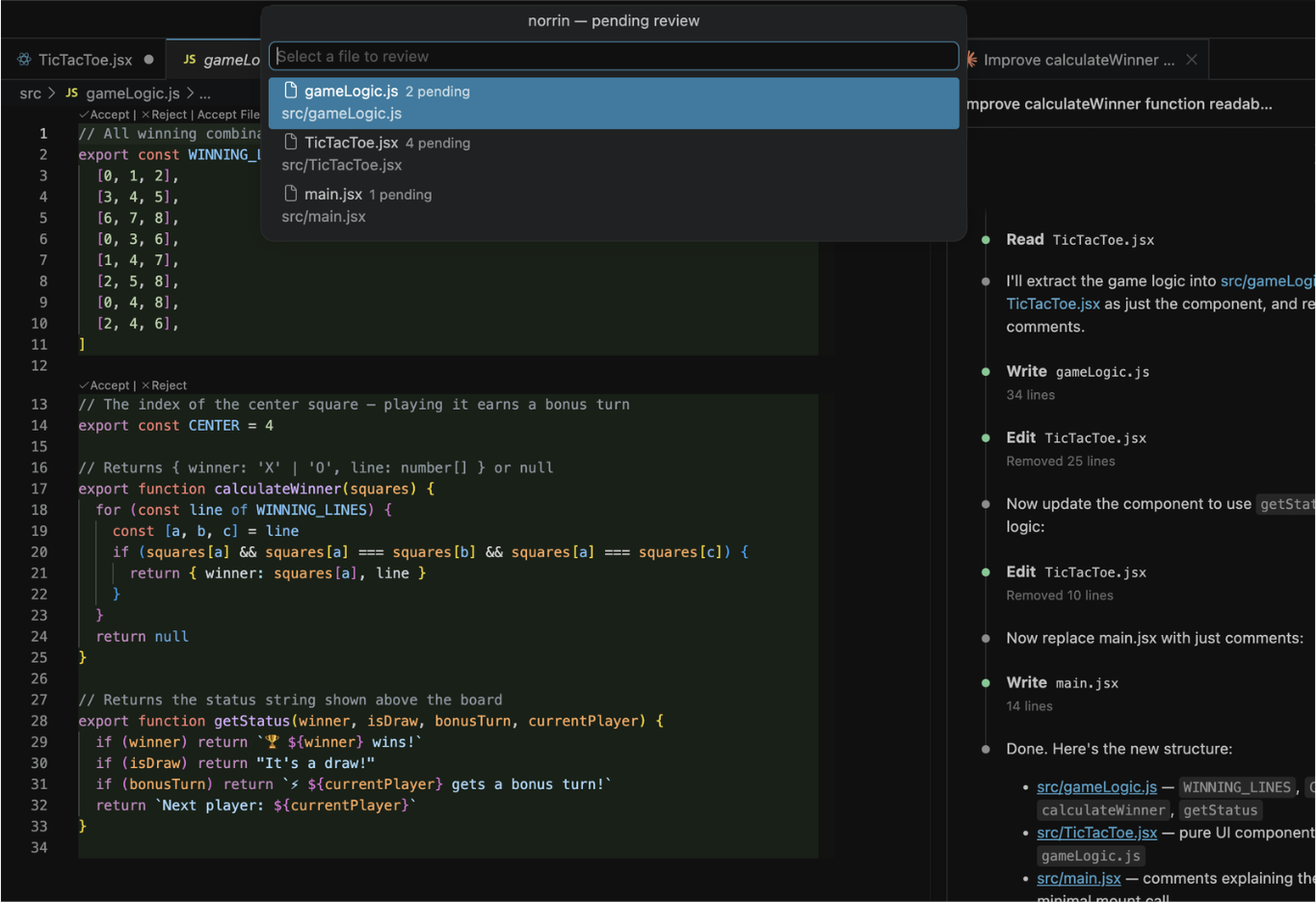
- Accept | Reject per change via CodeLens right above each block, plus
Accept File | Reject File, and globalAccept All Changes | Reject All Changesin the status bar. - Claude keeps working while changes accumulate for review — decide when you're ready, even after the whole session is done. Reject restores the original code on disk.
- Safe by construction: your files never contain review artifacts on disk; saving mid-review is always safe; everything fails open so norrin can never be the reason an edit doesn't happen.
Getting started
- Install this extension.
- Create a free account at norrin.dev and click
Connect VSCode on your account page (or run
norrin: Enter Code). - Approve the one-line Claude Code hook when prompted. Done — ask Claude to edit something.
norrin is free — no subscription, unlimited devices.
Good to know
- Reviews cover Claude Code's
Edit,MultiEdit, andWritetools. Changes Claude makes through shell commands bypass the hook and aren't intercepted. - Review marks live in memory: reloading the window keeps whatever is in the
files (your
git diffalways has the full picture). - Requires Claude Code ≥ 2.1.159.
© norrin. All rights reserved. See LICENSE.txt.