Type-safe diagrams and source code from one schema — live inside VS Code. Syntax highlighting and a live SVG preview for the typeDiagram DSL.
Features
- Syntax highlighting for
.tdand.typediagramfiles - Light and dark themes tuned for TypeDiagram
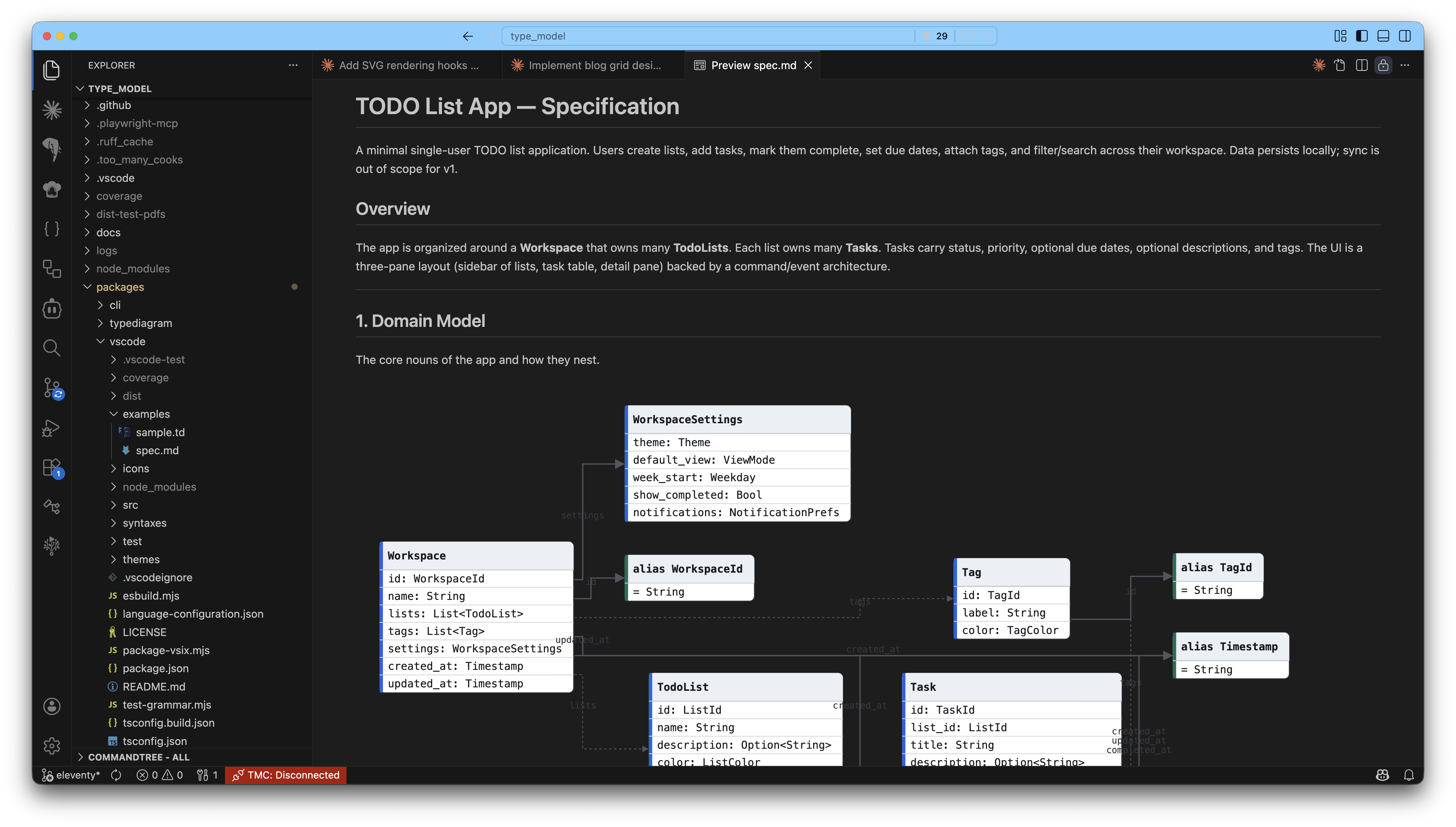
- Live SVG preview — edit the DSL, see the diagram update instantly
- Markdown preview rendering —
```typediagramfences inside.mdfiles render as SVG in the built-in markdown preview - Export markdown to PDF with diagrams embedded as vector paths (not rasterised screenshots)
- Language configuration (comments, brackets, auto-close pairs)
Usage
Live preview for .td files
- Open a
.tdor.typediagramfile - Click the Open Preview icon in the editor title bar, or run TypeDiagram: Open Preview from the command palette
- The preview updates live as you type
Export markdown to PDF
Author docs in markdown with inline ```typediagram fenced code blocks, then export to a printable PDF:
- Right-click a
.mdfile in the Explorer (or the editor tab) → Export to PDF with typeDiagrams - The PDF is written next to the source file. No save dialog, no prompts.
- Every typeDiagram fence is rendered as an inline SVG in the PDF — zooming the PDF keeps paths crisp.
Command ID: typediagram.exportMarkdownPdf. Also available from the Command Palette when a markdown file is active.
Settings
typediagram.autoOpenPreview(defaulttrue) — auto-open the SVG preview when a.tdfile is opened.typediagram.pdfExport.theme("light"|"dark", default"light") — theme used for diagrams inside the generated PDF. The page background is always white for print.
The DSL
typeDiagram

type User {
  id:    UUID
  name:  String
  email: Option<Email>
}

union Option<T> {
  Some { value: T }
  None
}

alias Email = String
Three constructs: type (records), union (tagged sum types), alias (newtypes). Generics with <T>. Comments with #.
Related
- typediagram.dev — live web playground
typediagram-core— npm librarytypediagram— CLI binary
Links
- Docs: typediagram.dev/docs
- Source: github.com/Nimblesite/typeDiagram
MIT © Nimblesite