A dark green, nature-inspired color theme for Visual Studio Code — ported from the popular Gradianto theme for JetBrains IDEs.
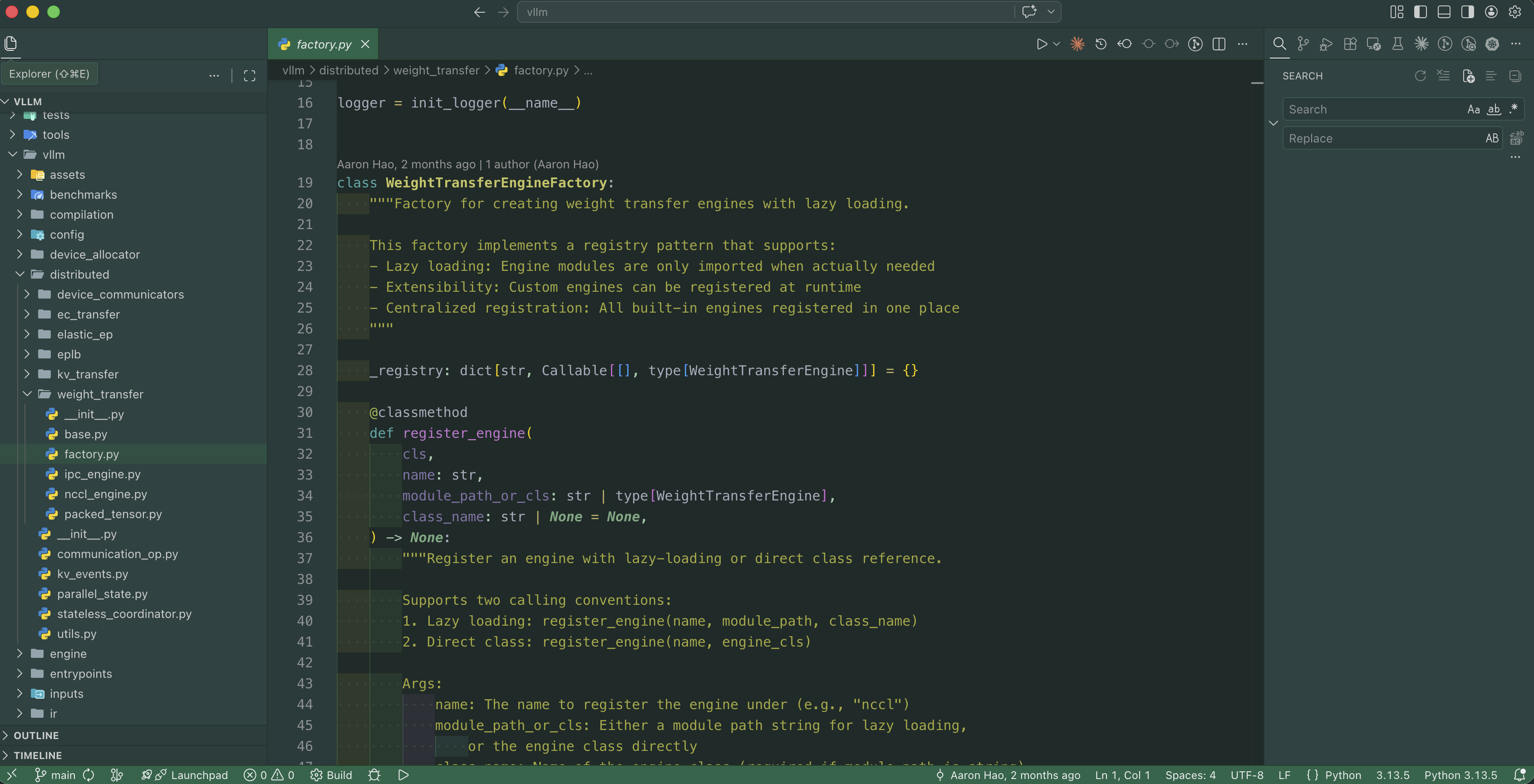
Variants
| Variant | Description |
|---|---|
| Gradianto Nature Green | The classic dark green theme |
| Gradianto Nature Green Darker — Python Refined | Darker variant with refined syntax colors for Python |
Install
- Open the Extensions sidebar (
Ctrl+Shift+X/Cmd+Shift+X) - Search for Gradianto Nature Green
- Click Install
- Open the Command Palette (
Ctrl+Shift+P/Cmd+Shift+P) → Preferences: Color Theme → select Gradianto Nature Green
Color Palette
| Role | Color |
|---|---|
| Background | #132623 |
| Editor gutter | #1d3738 |
| Selection | #00695c |
| Accent / strings | #45bc88 |
| Foreground | #a8afbe |
| Keywords | warm amber |
| Errors | #e91e63 |
Feedback & Issues
Found a color that looks off? Open an issue on GitHub.