This is not zen mode. It is scope-aware visual prioritization for VS Code.
Focus is a scope-decay theme that keeps your entire file visible but dims everything outside your current function to near-monochrome. Your active scope stays vivid. Parent scopes fade. Everything else recedes. The code is still there — it just stops competing for your attention.
Nobody else does this.
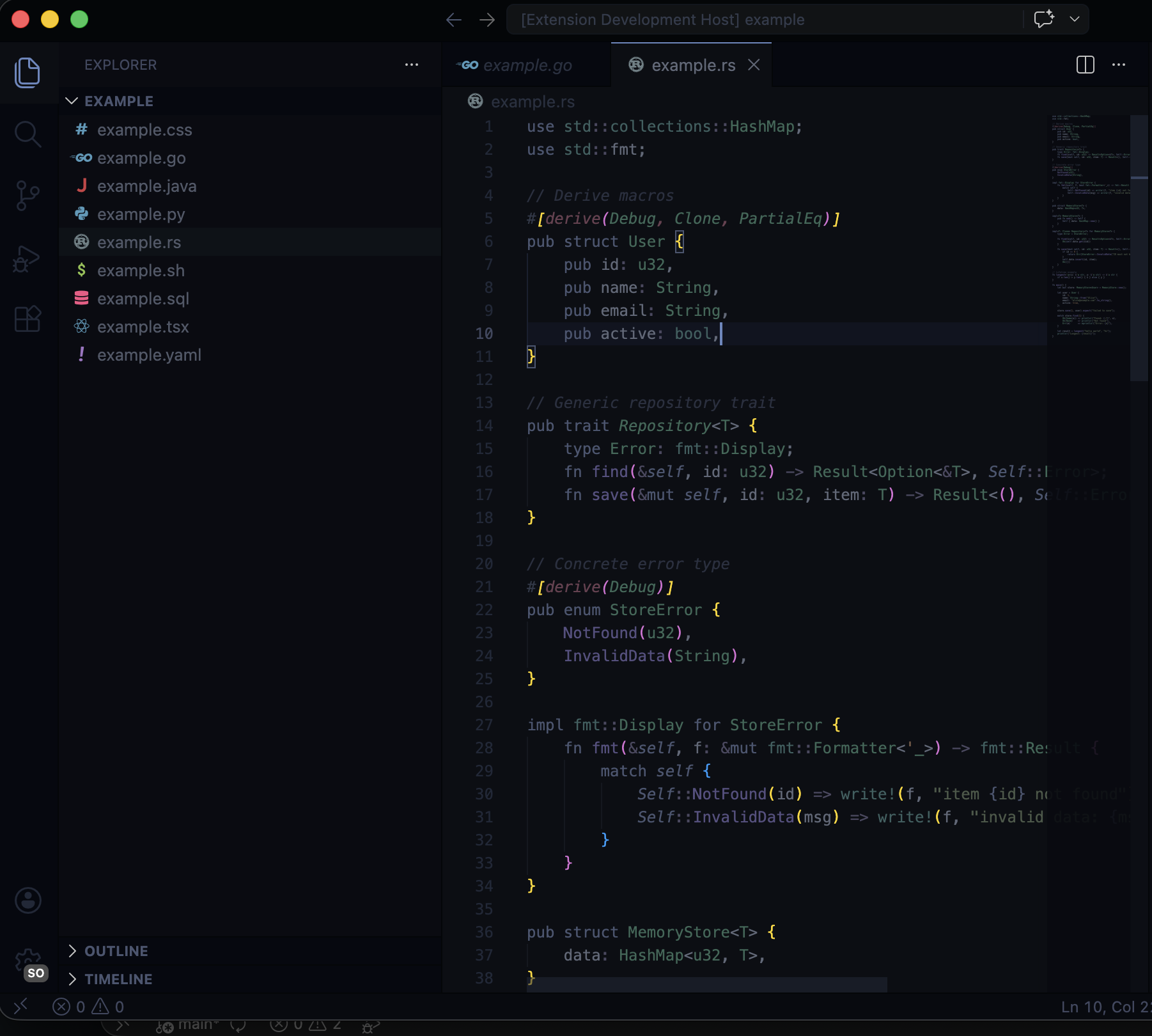
How It Works
Focus operates on a two-tier color system plus an optional real-time overlay.
Tier 1: Base Theme (Always Active)
Every token color in Focus is desaturated to 30-40% of normal brightness. The background is near-black (#0c0e14), the default foreground is a muted gray (#606878), and the accent color is a subdued blue (#6888c0). This is the baseline — your entire file looks intentionally quiet.
Tier 2: Semantic Tokens (Always Active)
When your language server is running, semantic token colors kick in at a noticeably higher brightness than the base tier. This means language-server-identified symbols (functions, types, variables with resolved types) are slightly more prominent than raw textmate grammar tokens. You get a subtle visual hierarchy without doing anything.
Tier 3: Scope-Decay Overlay (Companion Extension)
The companion extension watches your cursor position and uses DocumentSymbolProvider to detect which function or scope you are currently inside. It then applies editor decorations in real time:
- Active scope — full color (the semantic token tier, unmodified)
- Parent scope — faded, visually receding
- Everything else — dimmed to approximately 32% opacity, near-monochrome
The result: your eyes stay on the code that matters. When you move to a different function, the highlighting follows.
Commands
| Command | Description |
|---|---|
Focus: Enable Scope-Decay Dimming |
Activate real-time scope-aware dimming |
Focus: Disable Scope-Decay Dimming |
Turn off dimming and return to the base two-tier theme |
Open the command palette (Ctrl+Shift+P / Cmd+Shift+P) and search for "Focus" to access these commands.
Language Support
Focus provides muted syntax highlighting for all languages supported by VS Code out of the box.
The scope-decay overlay works best with languages that have strong language server support, since it relies on DocumentSymbolProvider for accurate scope detection. Languages with excellent support include:
- TypeScript / JavaScript
- Python
- Rust
- Go
- Java
- C / C++
- C#
Languages with limited or no language server support will still get the base two-tier theme — they just will not benefit from the real-time scope dimming.
Installation
From the VS Code Marketplace
- Open VS Code
- Go to Extensions (
Ctrl+Shift+X/Cmd+Shift+X) - Search for Focus
- Click Install
- Open the command palette and select
Preferences: Color Theme, then choose Focus
From Source
git clone https://github.com/my-name-is-nheo/vs-themes.git
cd vs-themes/focus
code --install-extension .
Part of vs-themes
Focus is part of the vs-themes collection by nheo.
License
MIT