A deep, atmospheric dark theme with soft purple accents, blue functions, and warm amber strings — designed for an elegant and comfortable coding experience.
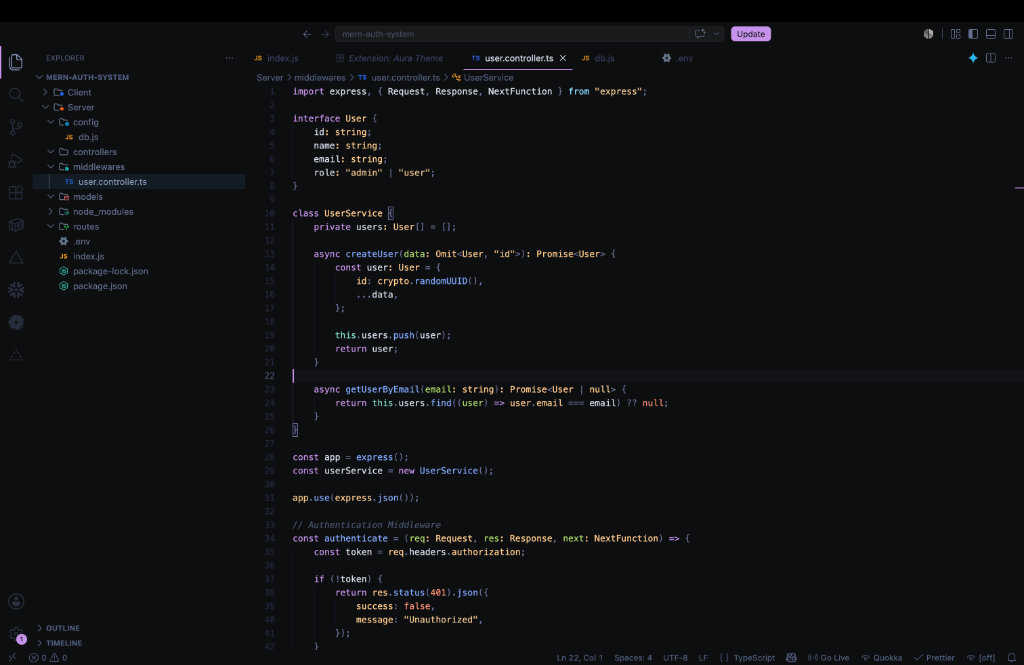 (Screenshot featuring Node/Express API code snippet)
Features
- Deep Background: Uses a deep atmospheric dark background to reduce eye strain.
- Vibrant Syntax: Beautifully balances glowing purple accents with warm ambers and cool blues.
- High Contrast: Keeps the chrome and UI minimal so your code stands out.
Installation
- Open the Extensions sidebar in VS Code.
- Search for
Night Veil Darkby Mohammed Hasanfatta. - Click Install.
- Navigate to
File > Preferences > Color Themeand select Night Veil Dark.
Recommended Settings
For the best experience, we recommend adding the following settings to your settings.json:
{
  "editor.fontFamily": "'JetBrains Mono', 'Fira Code', monospace",
  "editor.fontLigatures": true
}