An AI agent that triages alerts, detects bugs and resolves them.
Current capabilities:
-
RCA bugs after examining all available context.
-
Reproduce the bug.
-
Generate PR to fix the bug.
-
Validate that the PR indeed fixes the bug.
-
Implement Feature Requests.
-
Multi-agent code review.
Free Trial available for the first 5 bugs
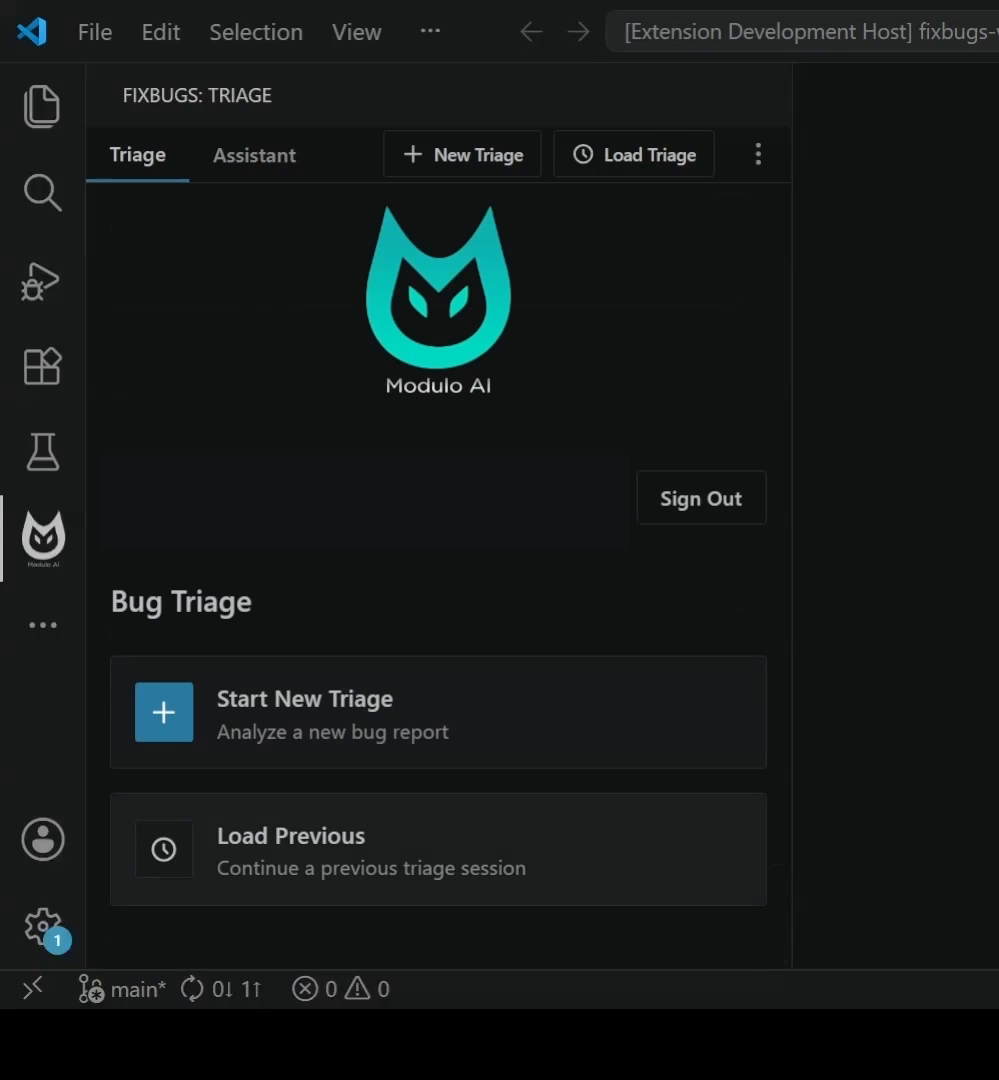 Start a fresh triage or load an existing debugging session.
How FixBugs is different
FixBugs is built for debugging existing systems, not for writing isolated code from a prompt.
- Pulls context from issues, logs, traces, metrics, comments, history, screenshots, videos, and the repository.
- Breaks large debugging context into smaller agent tasks and combines the findings.
- Another engineer on the team can load an existing triage.
- Versions generated artifacts such as hypotheses, plans, fixes, reviews, and address-review updates.
- Reproduces the bug and verifies the fix before you apply it to your repository.
- Fixes can be applies and removed on-demand.
From report to verified fix
1. Start from a bug report or a freehand description
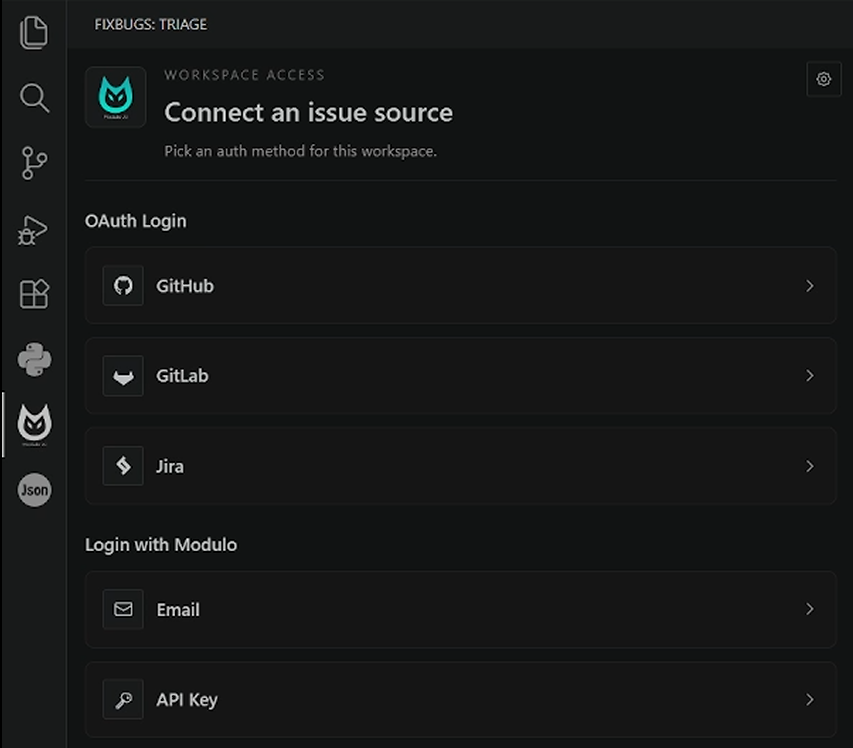
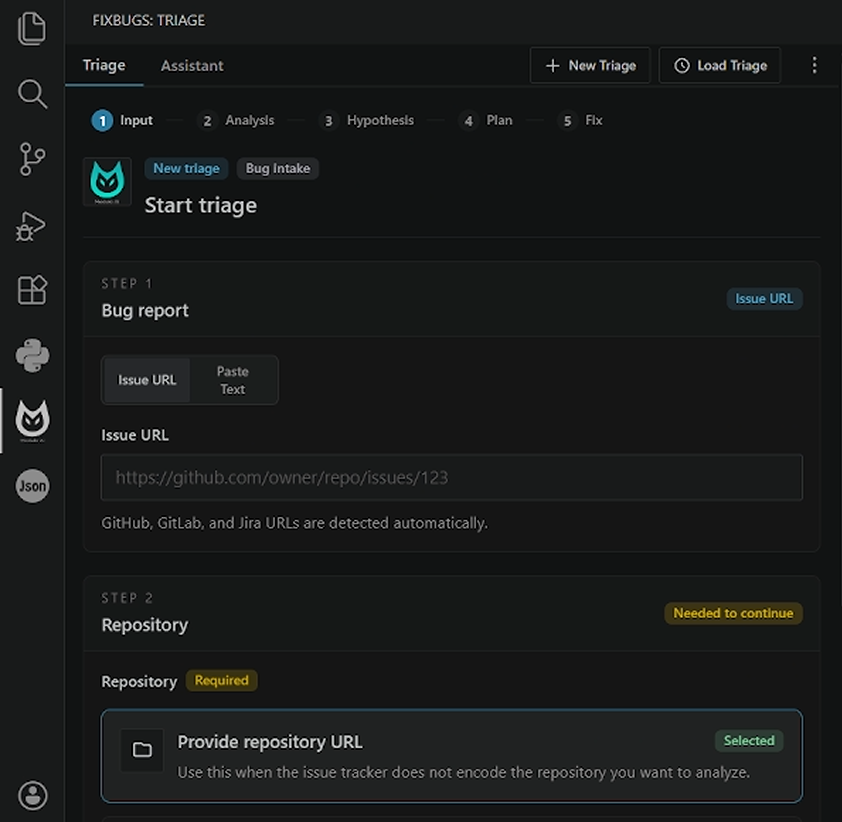 Paste an issue URL or raw report, then choose the repository to analyze.
Use the remote or a local folder as your repository.
2. Build the analysis context
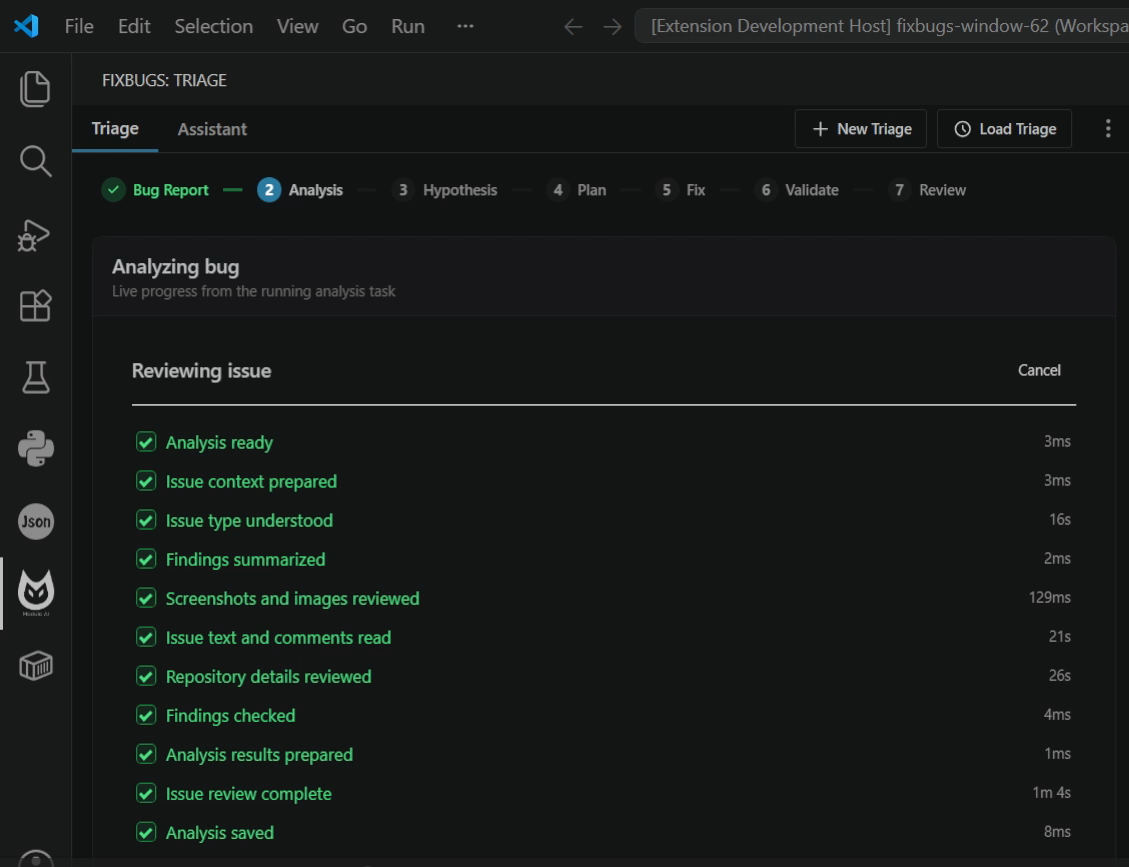 FixBugs gathers issue details, repository context, logs, metrics. deployment configuration and traces.
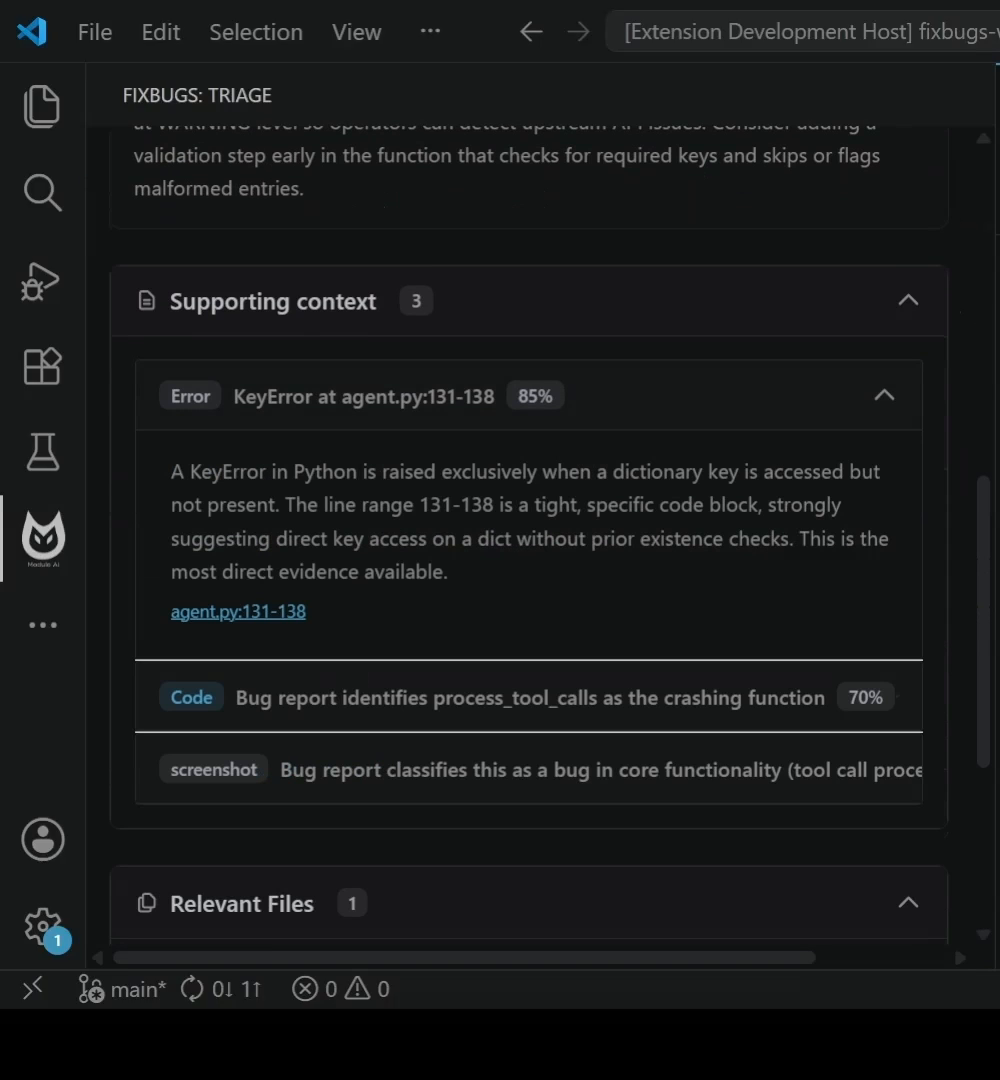 The analysis shows the supporting context including logs and code
3. Review root-cause hypotheses
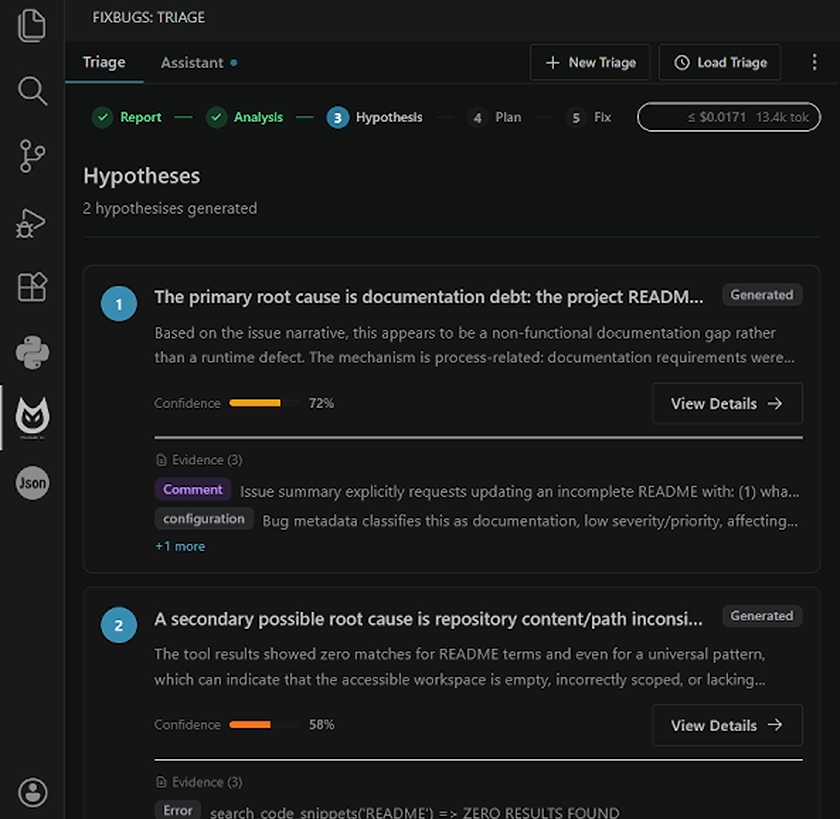 Review the evidence behind each possible root cause.
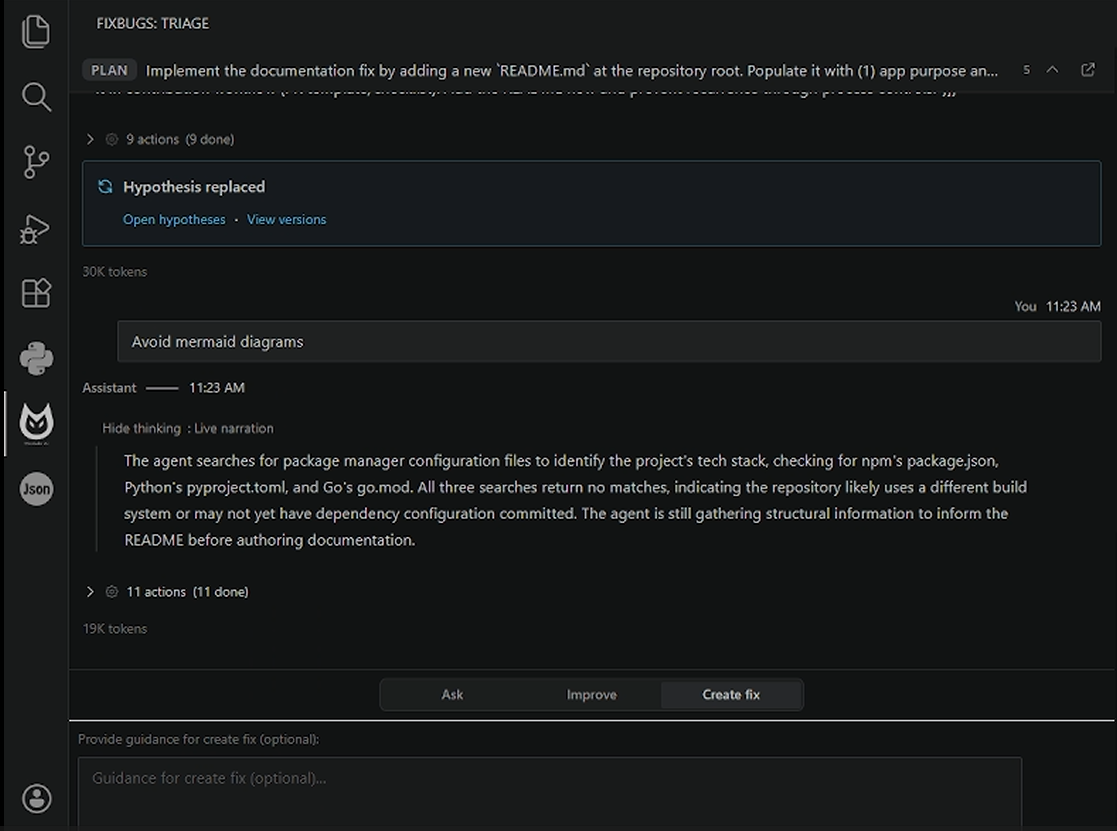 Refine the hypothesis, or create a fix from the selected root cause.
4. Generate a plan
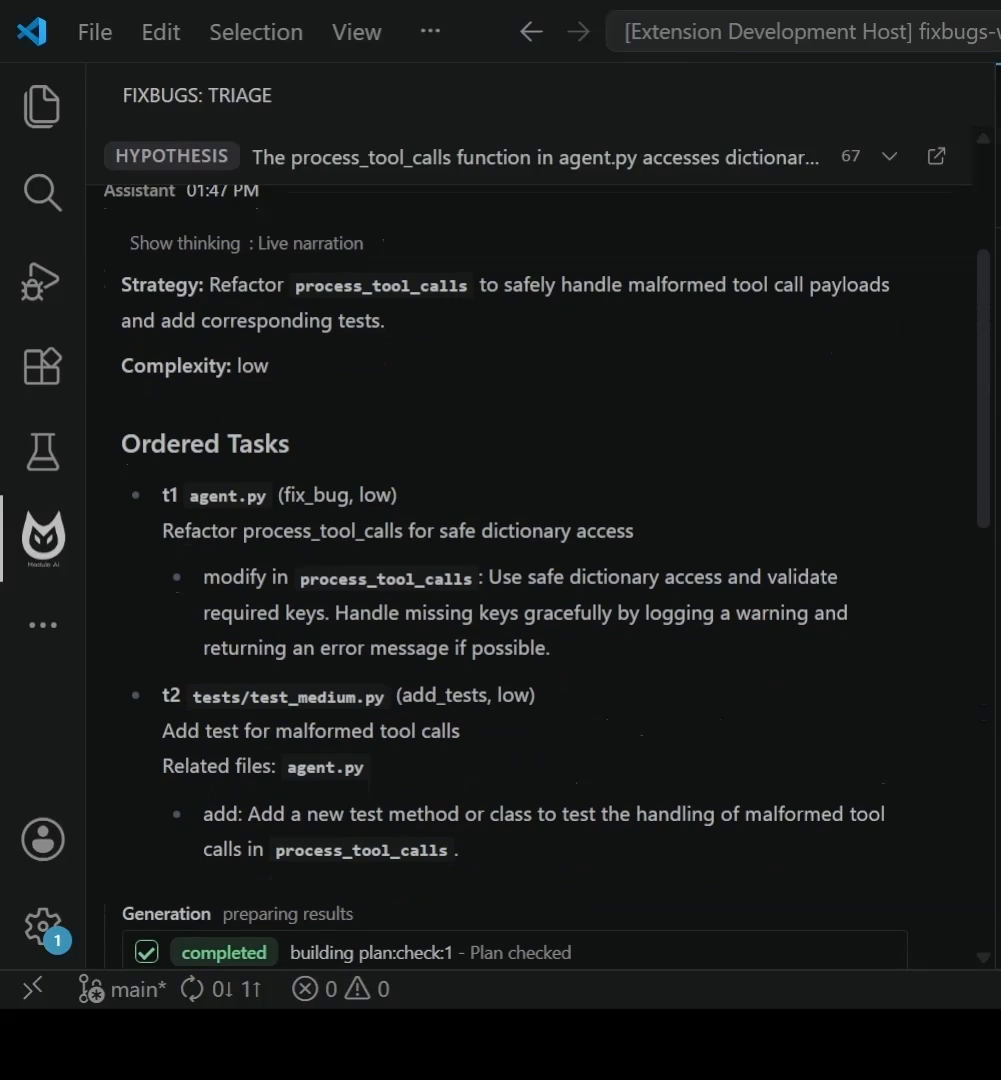 The plan has all the tasks needed to address the bug.
5. Review the diff
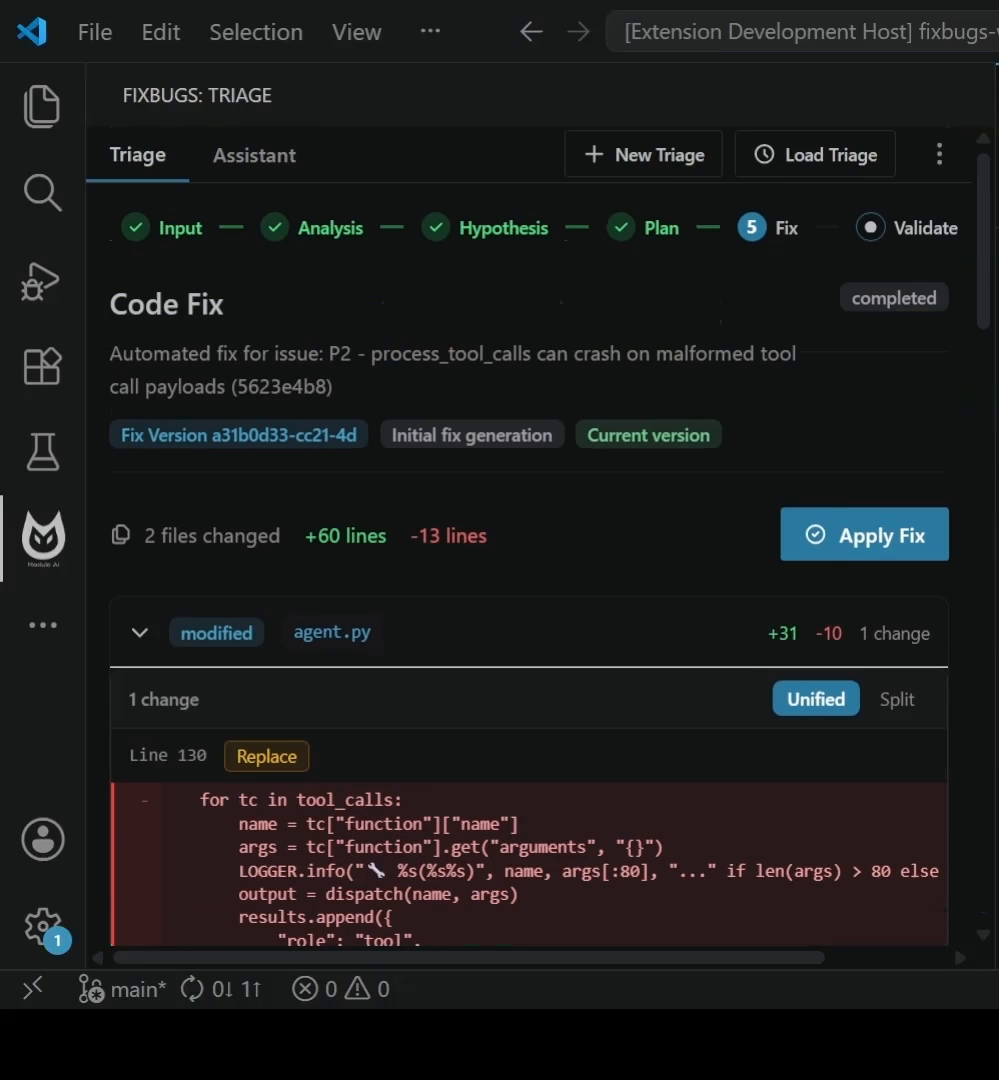 Apply/Remove and refine the fix.
6. Validate the fix
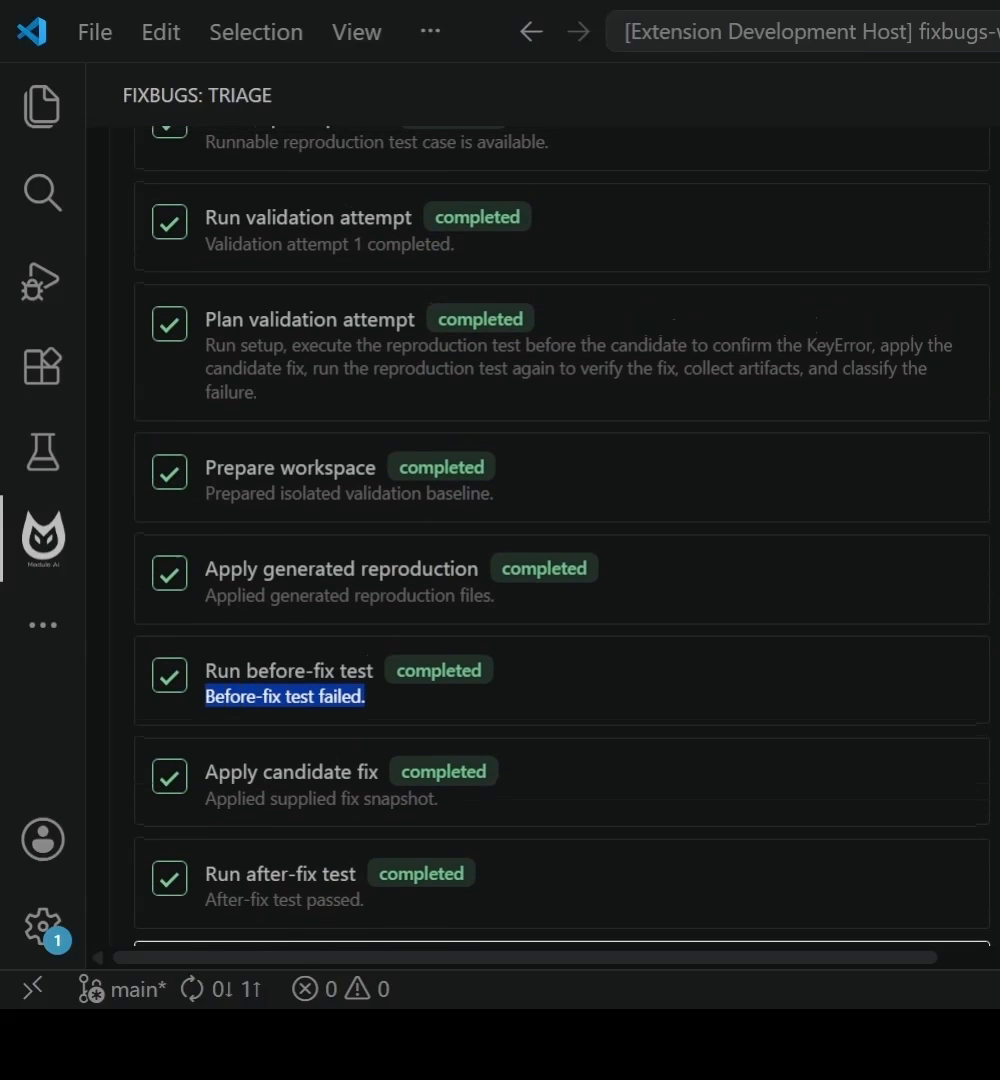 FixBugs verifies the fix by reproducing the bug.
7. Review and address feedback
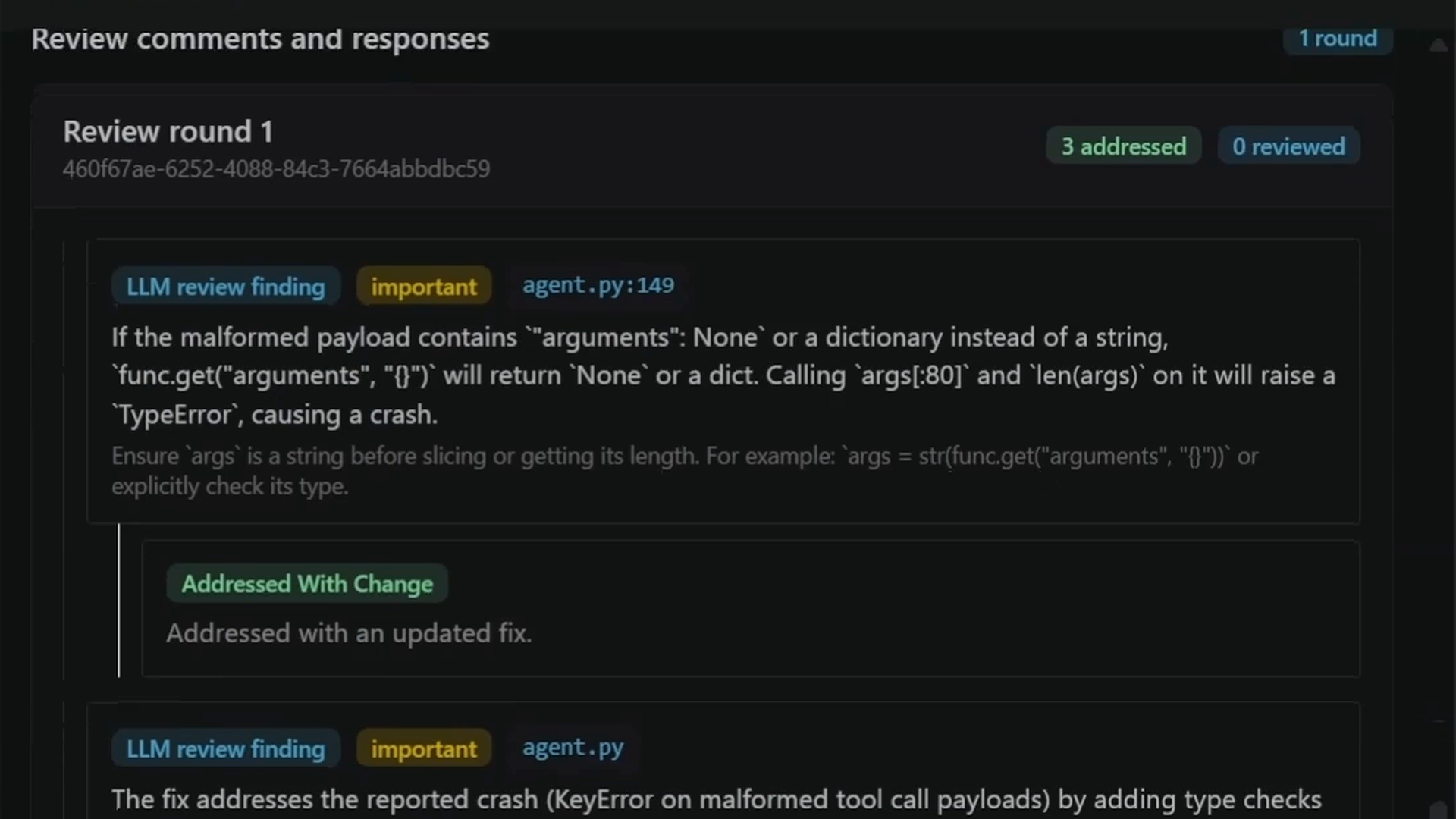 Multi-model code review before opening a PR.
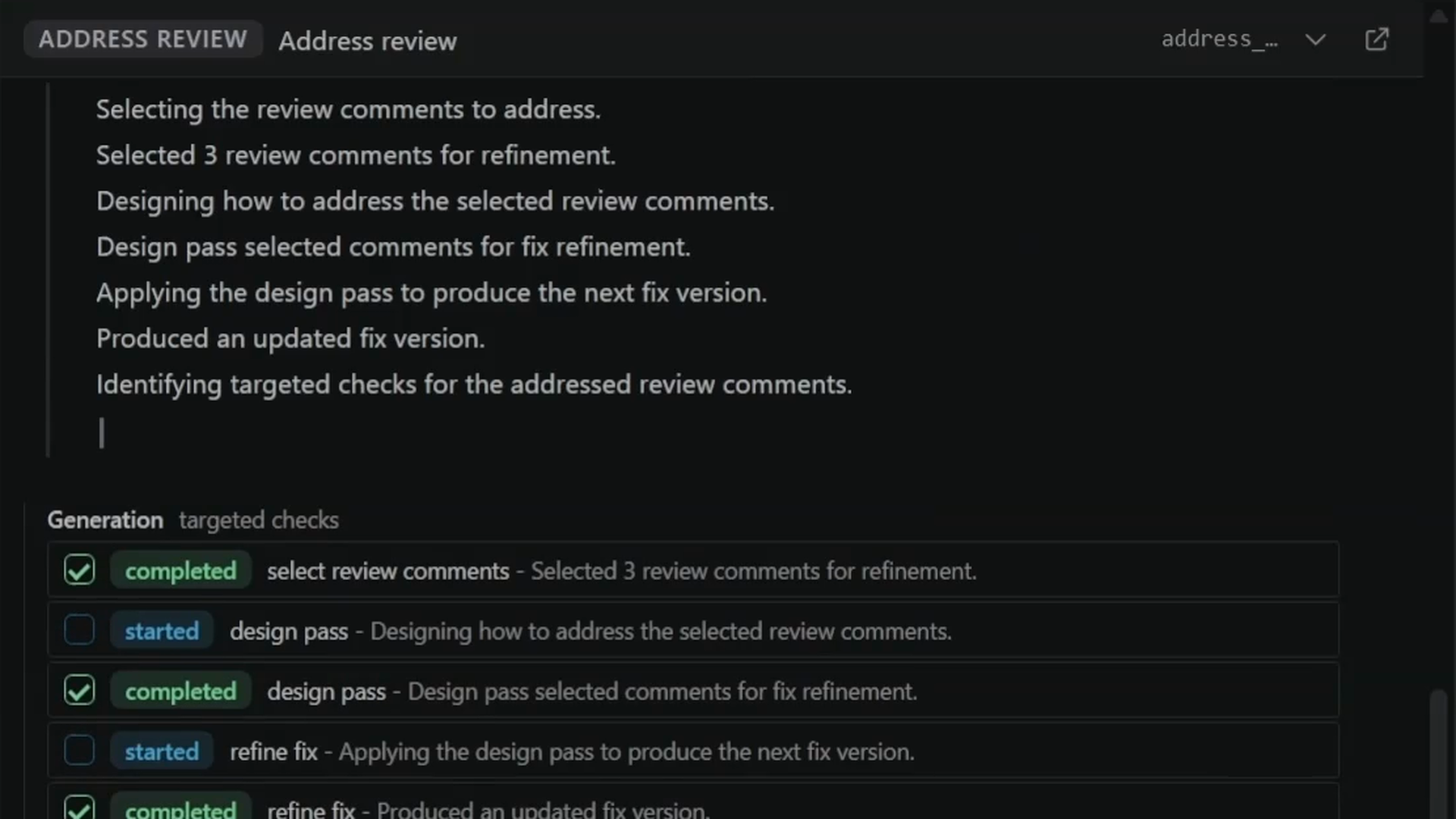 Address only the review comments you select.
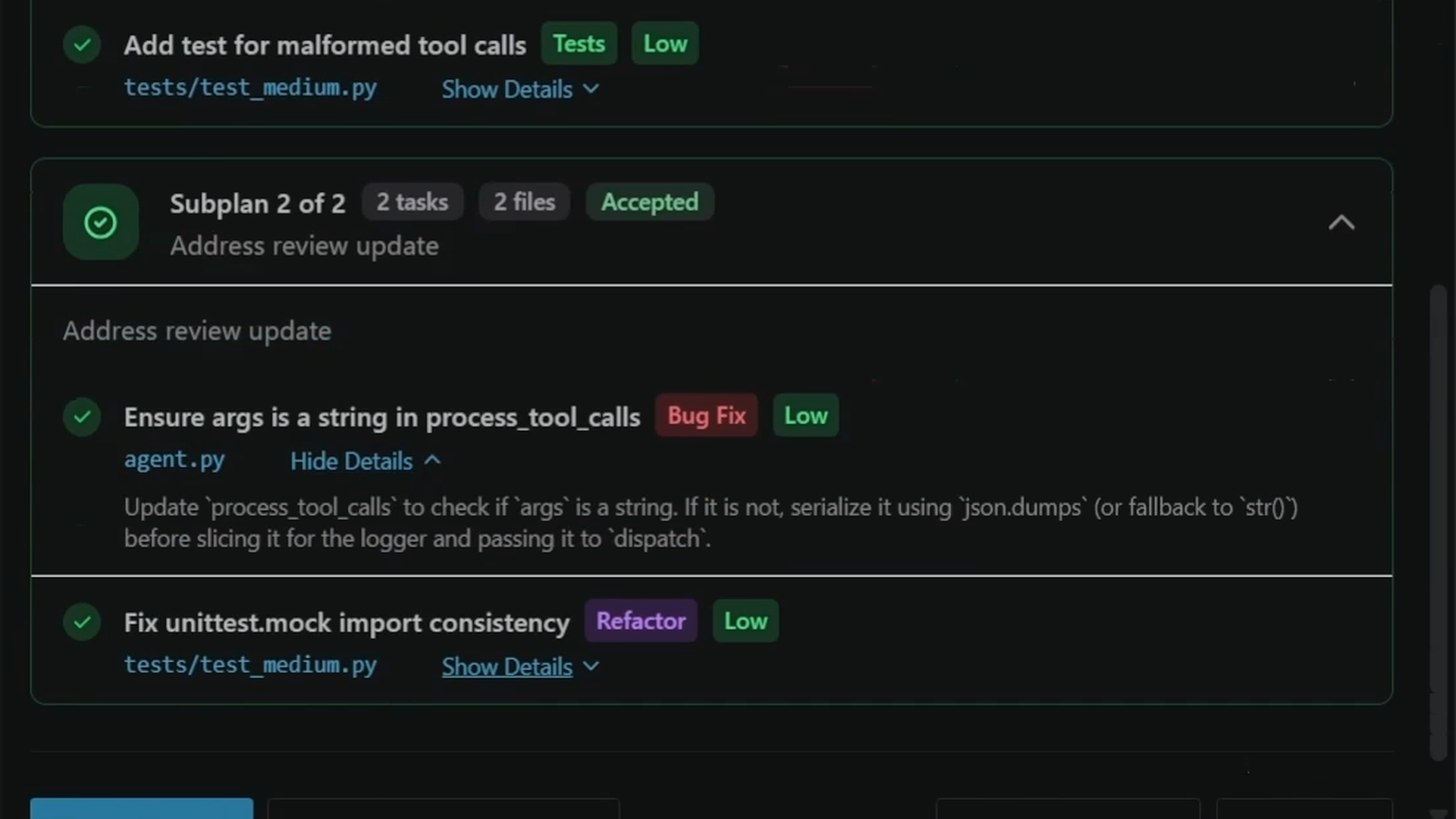 We explain all the changes made and why.
Start in VS Code
- Install FixBugs from the VS Code Marketplace.
- Open the FixBugs panel from the activity bar.
- Sign in.
- Paste an issue URL or a raw bug report.
- Select a remote code repository or a local folder.
- Review & refine the hypotheses.
- Plan generated based on AGENTS.md and user guidance.
- Fixes verified against reproduction test cases.
- Apply the patch or open a PR.
Privacy and trust
FixBugs collects only aggregated, anonymized operational metrics such as runtime health, and crash status. Telemetry does not include logs, prompts, source code, repository contents, file paths, usernames, secrets, or other user information (PII).
Users can turn off telemetry from settings.
For the privacy policy and data handling details, see fixbugs.ai/privacy.
Windows Smart App Control
The Windows package includes a bundled local FixBugs runtime. Some Windows 11 or enterprise application-control policies can block newly published bundled runtimes until the publisher gains https://learn.microsoft.com/en-us/answers/questions/5791210/application-signed-and-blocked-by-smart-app-contro.
If Windows blocks the bundled runtime, follow your device or organization security policy. Do not weaken device security settings to run the extension.
Bundled Runtime Packaging
Release VSIX packages include the compiled FixBugs runtime produced by the release pipeline for each target platform. The packaging stage builds from the private Azure source checkout for the run, stages only the downloaded binary artifact into bin/fixbugs, and validates both the staged binary and packaged VSIX with build/validate_vsix_binary.py.
That validator enforces the source-retention policy for compiled runtime modules. This raises the bar for casual source inspection in the shipped VSIX, but it is not cryptographic secrecy.
Support
- Website: fixbugs.ai
- Docs: fixbugs.ai/docs
- Architecture: https://fixbugs.ai/resources/architecture
- Email: [email protected]
- Privacy: [email protected]
- Status: fixbugs.ai/status