A fast, modern, feature-rich SQLite Database Viewer extension for Visual Studio Code built with Node.js, WebAssembly (sql.js), and modern VS Code Native Webview UI.
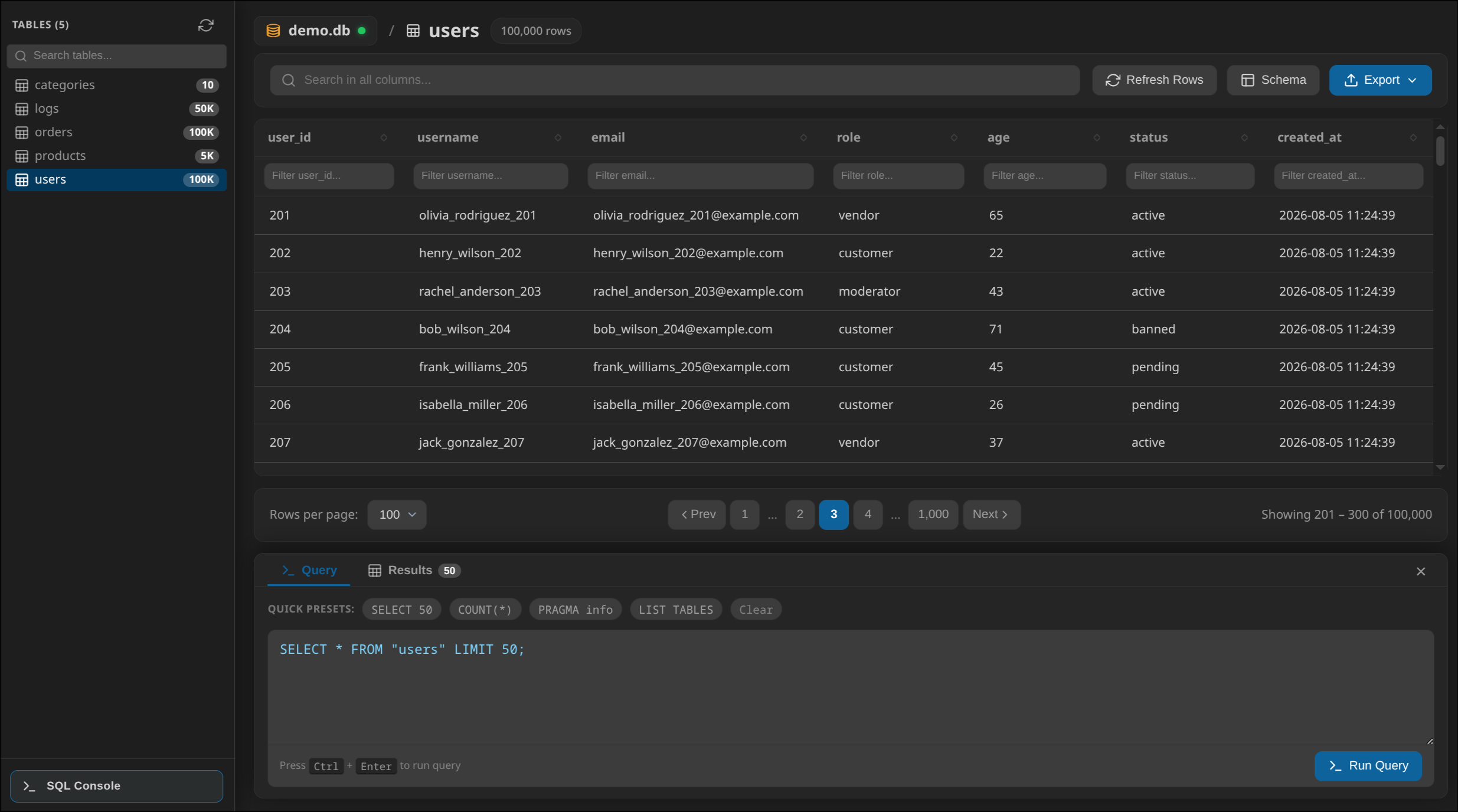
✨ Key Features
- ⚡ Fast SQLite Engine: High-performance in-memory SQLite querying using
sql.js(asm.js/Wasm). - 📂 Automatic File Associations: Opens
.db,.sqlite,.sqlite3, and.db3files directly on click or double-click in VS Code Explorer. - 🔍 Multi-Column Live Search: Search across all columns instantly with in-input spinner feedback.
- ⚡ Independent Column-Level Filtering: Filter individual table columns with real-time text matching.
- 📊 Multi-Column Sorting: Click headers to sort by single column or hold
Shift+ click for multi-column priority sorting. - ↔️ Resizable Layouts:
- Resizable Left Sidebar with mouse drag support.
- Resizable Table Columns: Drag column header borders to adjust individual column widths.
- Resizable Bottom SQL Console Drawer: Drag top border to resize terminal height.
- 📋 Table Schema & DDL Viewer: Tabbed modal displaying PRAGMA column info (PK, Nullable, Default, Type) and full
CREATE TABLEDDL SQL statements with a 1-click Copy SQL button. - 🖥️ VS Code Terminal Style SQL Console:
- Openable bottom drawer panel positioned underneath the table so you can inspect data and execute SQL queries simultaneously.
- Supports
Ctrl + Enter(orCmd + Enter) execution. - Includes Quick Preset Chips (
SELECT 50,COUNT(*),PRAGMA info,LIST TABLES). - Detailed metrics (
Execution Time,Rows Returned,Affected Rows) and error alerts.
- 📄 Row Details & Safe HTML Escaping:
- Custom right-click context menu (View Row Details, Refresh Rows, Copy Row JSON).
- Row Details modal with un-truncated code block viewing.
- XSS protection via automatic HTML escaping so
<script>or HTML tags render as plain text.
- 📤 Multi-Format Export:
- Export active table data as CSV (.csv), JSON (.json), or SQL Dump (.sql).
- Automatically defaults save location to active VS Code workspace folder.
- 🎨 Native VS Code Theme & Font Size Integration: Automatically inherits current VS Code theme colors, font sizes, and UI variables.
🚀 Usage
- Open any
.db,.sqlite,.sqlite3, or.db3file in VS Code. - Or press
Ctrl+Shift+P/Cmd+Shift+Pand typeSQLite Viewer: Open Viewer. - Select a table from the sidebar to inspect records, filter columns, or execute SQL queries.
📋 Future Roadmap & TODOs
We are actively developing new capabilities to make SQLite Viewer the ultimate database extension for VS Code:
- Inline Cell Editing: Double-click any cell to edit its value directly and auto-save via
UPDATEquery. - Row Management UI (Add & Delete Row): Dedicated UI buttons in toolbar and context menu to insert new rows or delete selected rows without writing SQL.
- Foreign Key Navigation: Detect Foreign Keys (
PRAGMA foreign_key_list) and convert FK cells into clickable links that jump to referenced rows in target tables. - Large Database (>500MB) Streaming Fallback: Add native SQLite CLI / IPC streaming interface for ultra-large multi-gigabyte database files.
- SQL Query Auto-Completion: Monaco / SQL syntax auto-completion inside the SQL Console editor.