

Wardley Maps chart the components of a business by user value and
evolution, so you can see your landscape and reason about strategy. This extension lets you create and
edit them directly inside VS Code: it opens .wmap / .owm files (a simple plain-text format, the
Online-Wardley-Maps DSL) in a graphical editor, while the
text file stays the source of truth, so save, Git, and diff keep working.
New to Wardley Mapping? Start with Learn Wardley Mapping.
Getting started
Install Wardley Mapping Modeler (publisher miragon-gmbh) from the VS Code Marketplace, then
start from a filled-in Tea Shop example or a blank map. The built-in Get Started with Wardley Maps
walkthrough is the recommended first stop: click its Create map from example button and you have a
ready-made map to explore. From there you can open any .wmap or .owm file.
Prefer commands? Run these from the Command Palette (Cmd/Ctrl+Shift+P, type "Wardley"):
- Wardley: New Map from Example — pick a location, pre-filled with the Tea Shop example.
- Wardley: New Empty Map — same, but a blank map (also under File > New File…).
Reading a map
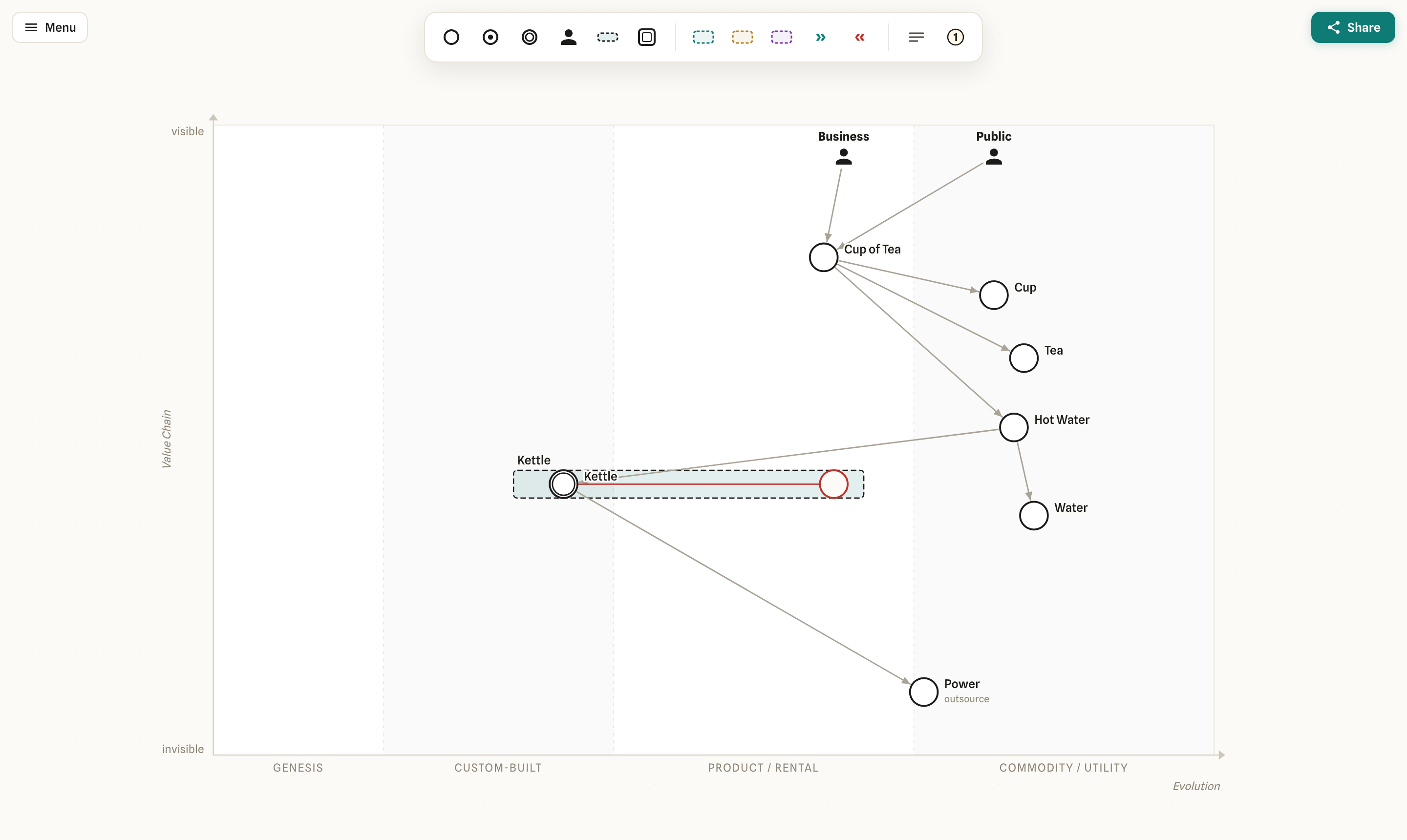
Every component sits on two axes:
- Up and down is the value chain: the higher a component sits, the more visible it is to your user.
- Left and right is evolution: components mature from genesis (brand-new, experimental) on the left, through custom-built and product, to commodity (standardised, ubiquitous) on the right.
Together they show what you depend on and how mature each piece is.
Editing a map
- Custom editor for
.wmap/.owm. Open a map file and you get the full graphical editor, backed by the plain-text file. Editing the text in a split view re-renders the canvas live (two-way sync), and VS Code tracks dirty state as you go. To reopen a map as raw text, use View: Reopen Editor With…, then pick Text Editor. - Full modeler: the tool palette on the side and the context pad on a selected component (add,
connect, append, delete), move, resize, inline label editing, set component colors, and evolve
(drag a component left or right along the maturity axis). Undo/redo via
Ctrl/Cmd+ZandCtrl/Cmd+Shift+Z. - Collapsed menu (top-right, Excalidraw-style): fit-to-view · map size · X-axis labels · export SVG/PNG (as a picture).
- Self-hosted font — no CDN, offline-capable.
Development
Building from source and the dev loop are documented in CONTRIBUTING.md.
License
MIT