A pair of themes for Visual Studio Code, derived from Dracula,
with layered backgrounds and a warm orange accent (#F76B15).
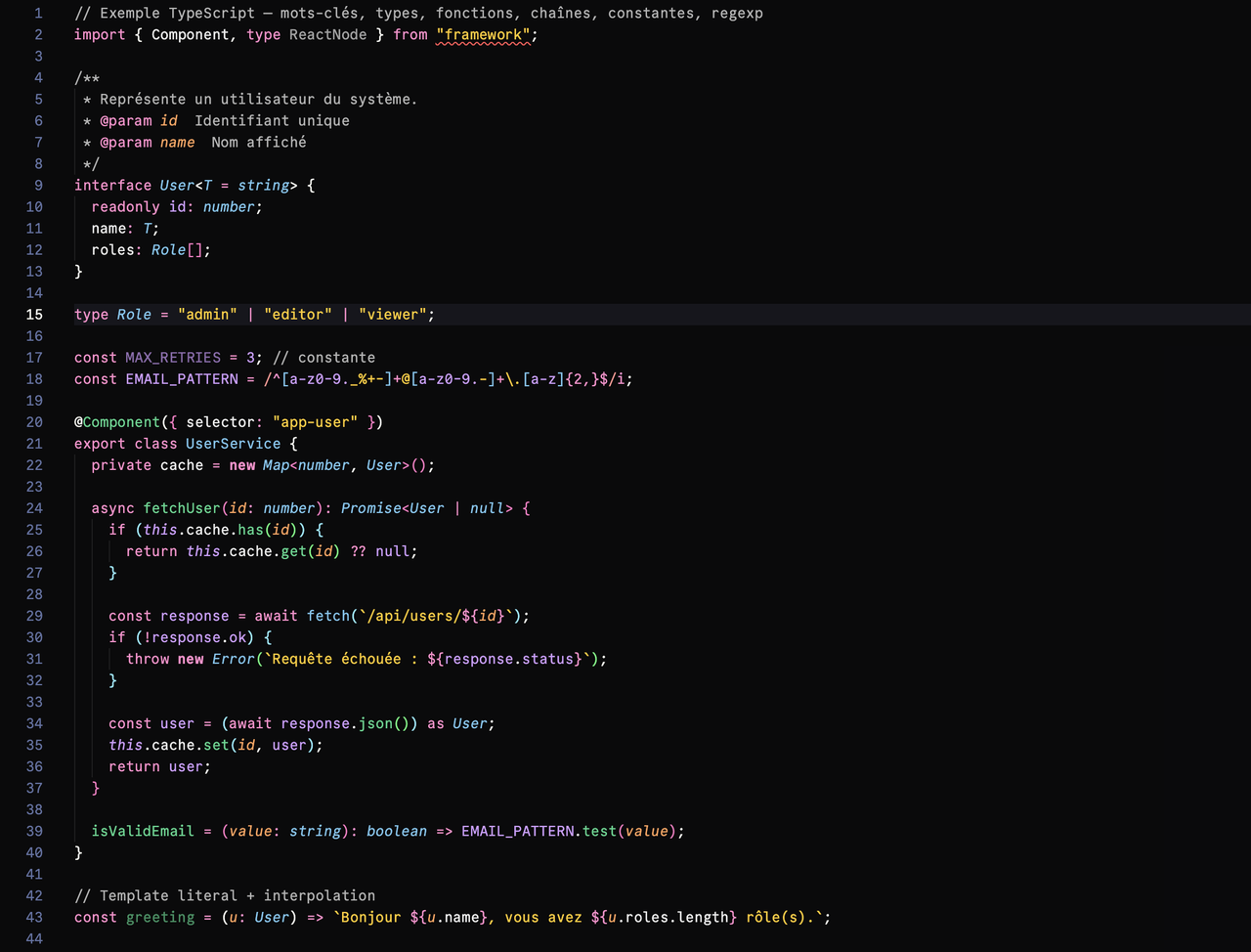
- Dark Moon — deep, layered black backgrounds (the editor is the darkest, the chrome steps up a notch) for an interface that fades away in favor of the code.
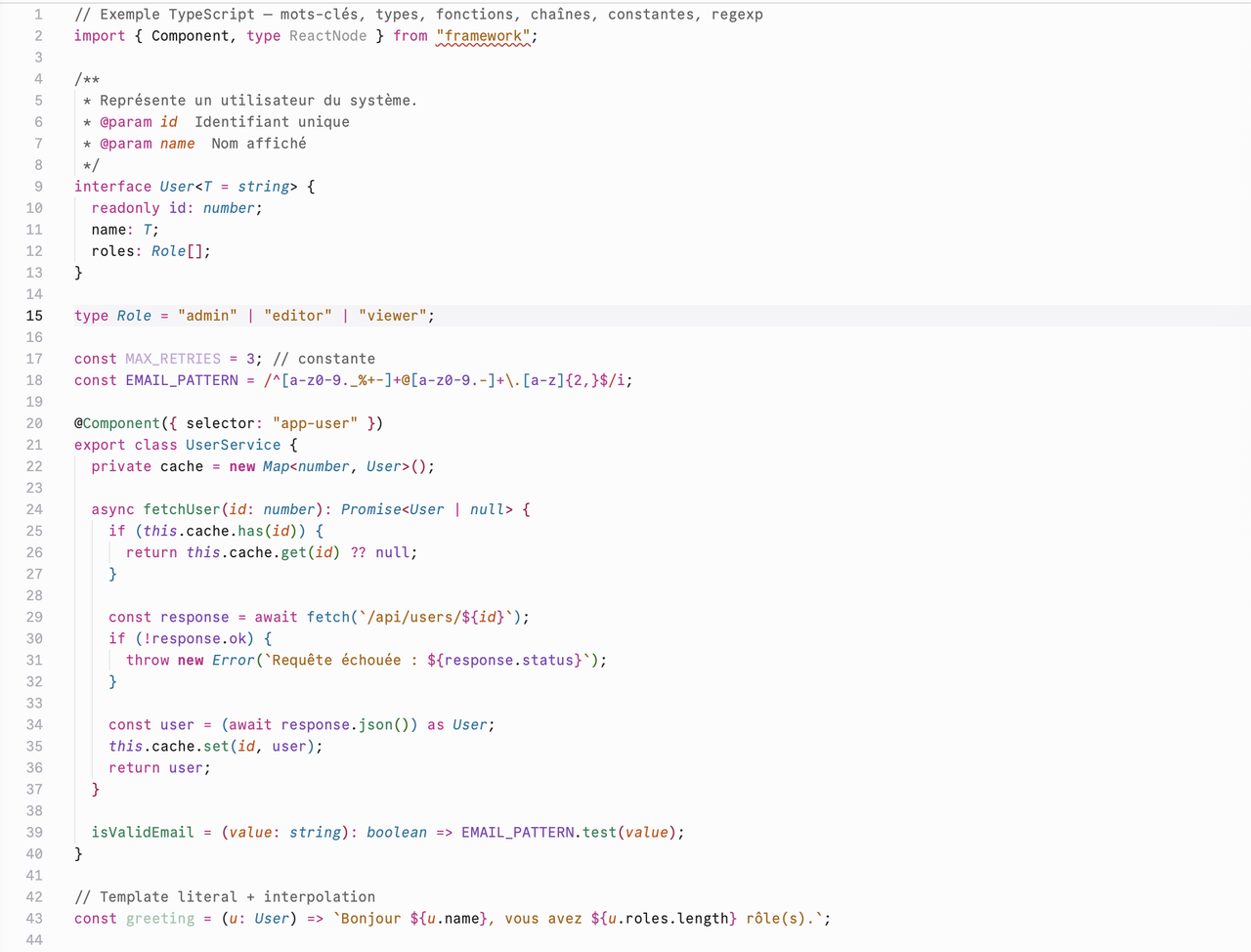
- Light Moon — the same structure inverted for light mode, with a syntax palette adapted to stay readable on a white background.
Preview
Dark Moon
Light Moon
Installation
From source (development)
-
Clone this repository.
-
Create a symbolic link to the VS Code extensions folder:
ln -s "$(pwd)" ~/.vscode/extensions/melvin-design.half-moon-1.0.0 -
Reload VS Code (
Cmd/Ctrl+Shift+P→ Developer: Reload Window). -
Select the theme:
Cmd/Ctrl+K Cmd/Ctrl+T→ Dark Moon or Light Moon.
Package a .vsix
npm install -g @vscode/vsce
vsce package
Then in VS Code: Extensions → ... → Install from VSIX...
Usage
Select a theme manually
-
Command palette:
Cmd/Ctrl+K Cmd/Ctrl+T(orCmd/Ctrl+Shift+P→ Preferences: Color Theme), then pick Dark Moon or Light Moon. -
Settings: add the theme name to your
settings.json:{ "workbench.colorTheme": "Dark Moon" }
Switch automatically with the OS (light/dark)
To let VS Code follow your system appearance — Dark Moon at night, Light Moon in the
day — enable auto-detection and set the preferred theme for each mode in your settings.json:
{
  "window.autoDetectColorScheme": true,
  "workbench.preferredDarkColorTheme": "Dark Moon",
  "workbench.preferredLightColorTheme": "Light Moon"
}
When window.autoDetectColorScheme is on, workbench.colorTheme is ignored — VS Code uses the
two preferred* themes above depending on whether your OS is in light or dark mode.
Palette
Both themes share the same structure: the same color codes are reused at the same interface levels (editor, chrome, widgets, hovers), and a single orange accent is used for indicators, active borders, focus states, and badges.
Backgrounds — Dark Moon
| Level | Color |
|---|---|
| Editor (deepest) | #0A0A0C |
| Chrome (sidebar, status bar) | #0C0C0F |
| Widgets / menus | #17171C |
| Hovers / active line | #1D1D22 |
| Borders | #191A21 |
Backgrounds — Light Moon
| Level | Color |
|---|---|
| Editor (focal) | #FCFCFC |
| Chrome (sidebar, status bar) | #F9F9F9 |
| Widgets / menus | #F9F9F9 |
| Hovers / active line | #ECECEF |
| Borders | #D9D9D9 |
Syntax
Both themes share a parallel syntax palette: each role has its dark hue and an equivalent light hue, for consistent contrast from one mode to the other.
| Role | Dark Moon | Light Moon |
|---|---|---|
| Text, variables, punctuation | #EEEEEE |
#202020 |
| Comments | #B4B4B4 |
#646464 |
| Keywords, tags, storage | #FF8DCC |
#C2298A |
| Types, classes, links | #75C7F0 |
#00749E |
| Functions, attributes | #3DD68C |
#218358 |
| Strings | #FFCA16 |
#AB6400 |
Constants, this |
#D19DFF |
#8145B5 |
| Parameters, modified values | #FFA057 |
#CC4E00 |
| Errors, deletions | #FF9592 |
#CE2C31 |
The examples/ folder contains files in several languages to see these colors
in context; see examples/legend.md.
Credits
These themes are derived from Dracula by Zeno Rocha and its contributors, under the MIT license. Huge thanks to them: Half-Moon wouldn't exist without their work. Half-Moon reuses Dracula's scope structure, but applies its own syntax palette as well as its own backgrounds and accent.
The syntax palette and accent are built on Radix Colors by WorkOS (Radix UI), under the MIT license — color scales designed for accessibility and contrast, available in both light and dark modes.
Half-Moon is also inspired by GitHub Dark 2026, whose approach to deep layered backgrounds influenced the interface structure of both themes.
License
MIT © 2026 Melvin.Design.
Half-Moon includes portions of Dracula (© 2016 Dracula Theme, MIT) and color values from Radix Colors (© WorkOS, MIT). GitHub Dark 2026 is cited as inspiration only — no code or assets are reused from it. See LICENSE for the full text of third-party licenses.