


Manage your Flutter internationalization (.arb) files with a powerful, intuitive visual editor. Stop hunting through JSON-like files and manage all your translations in a single, unified table.
✨ Features
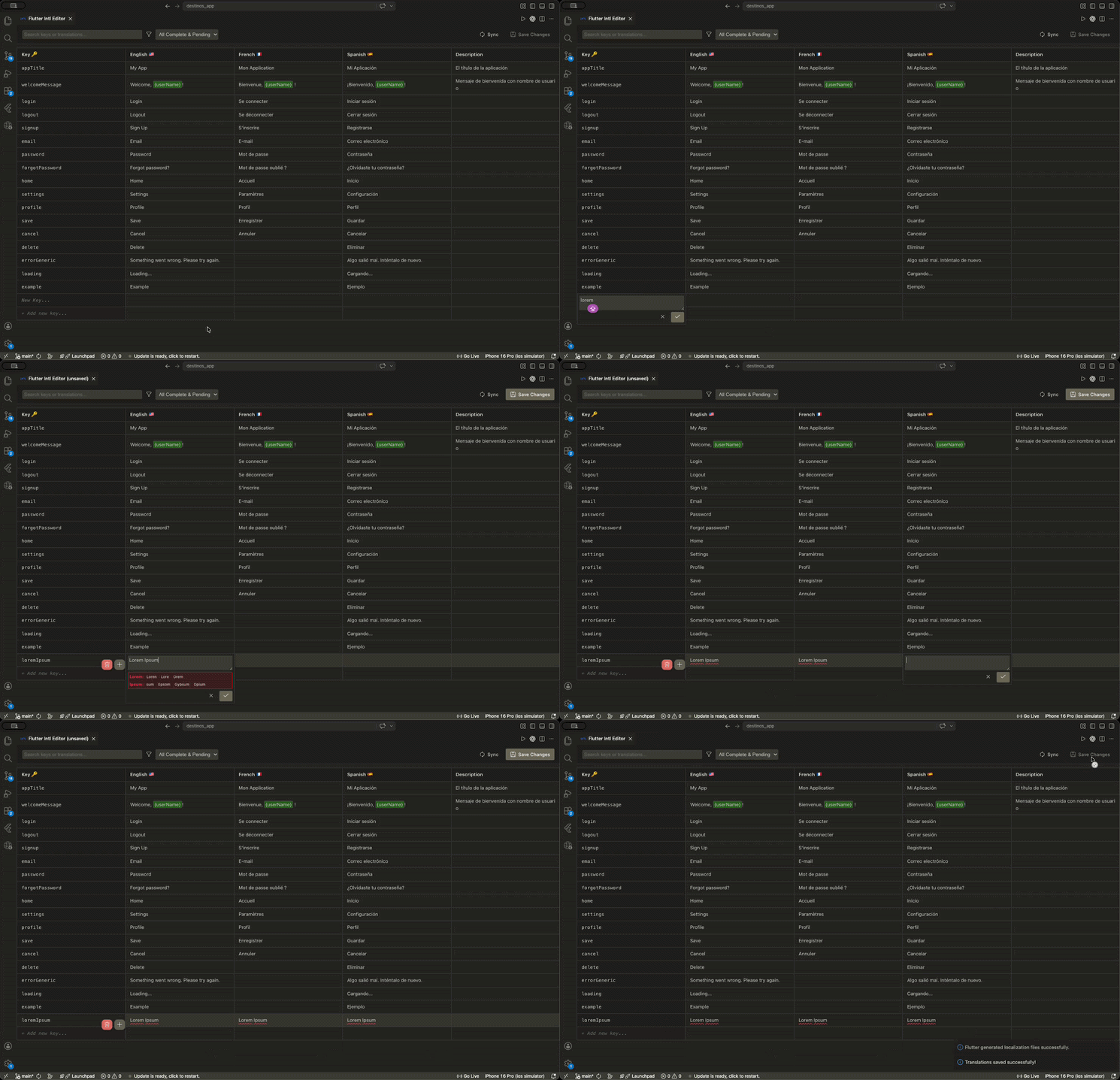
📊 Unified Table Interface
View and edit all your .arb files (English, Spanish, French, etc.) side-by-side.
🔍 Search & Smart Filters
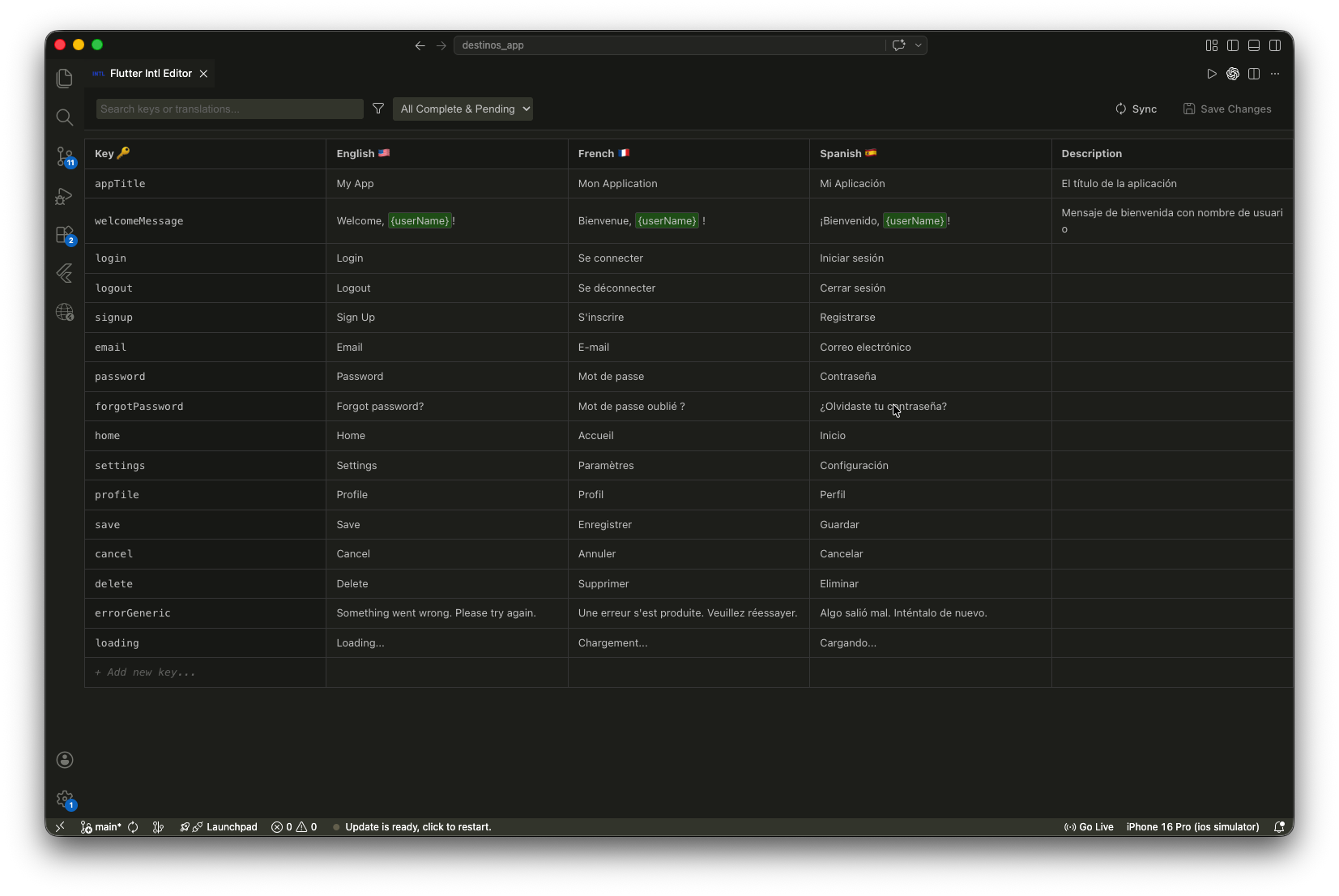
- Instant Search: Find keys or specific translation values across all languages.
- Missing Translations: Toggle a filter to show only keys that are missing translations in one or more languages.
🛠️ Built-in Grammar Check
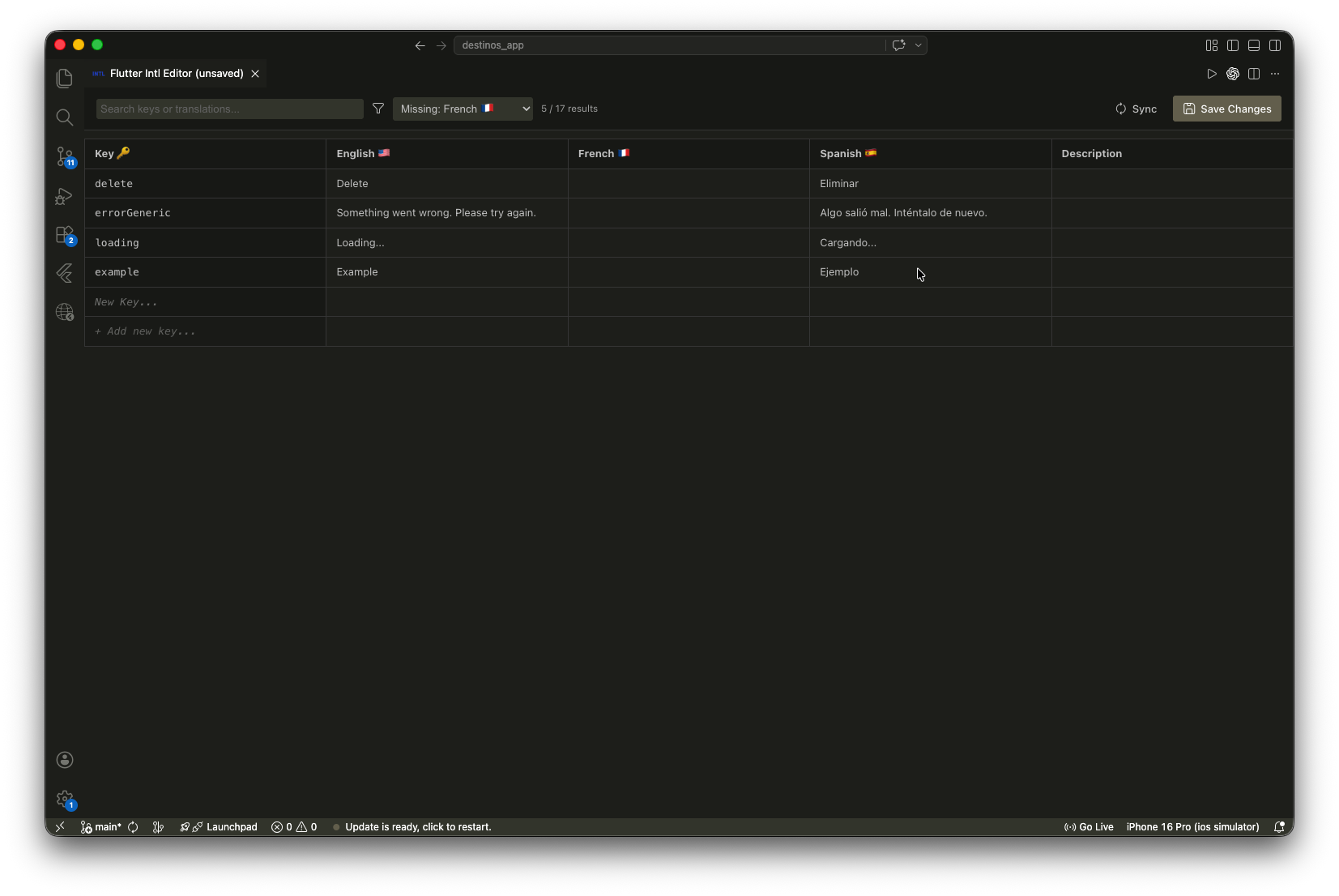
Catch typos and grammar issues as you type with the integrated real-time checking.
⌨️ Keyboard Navigation
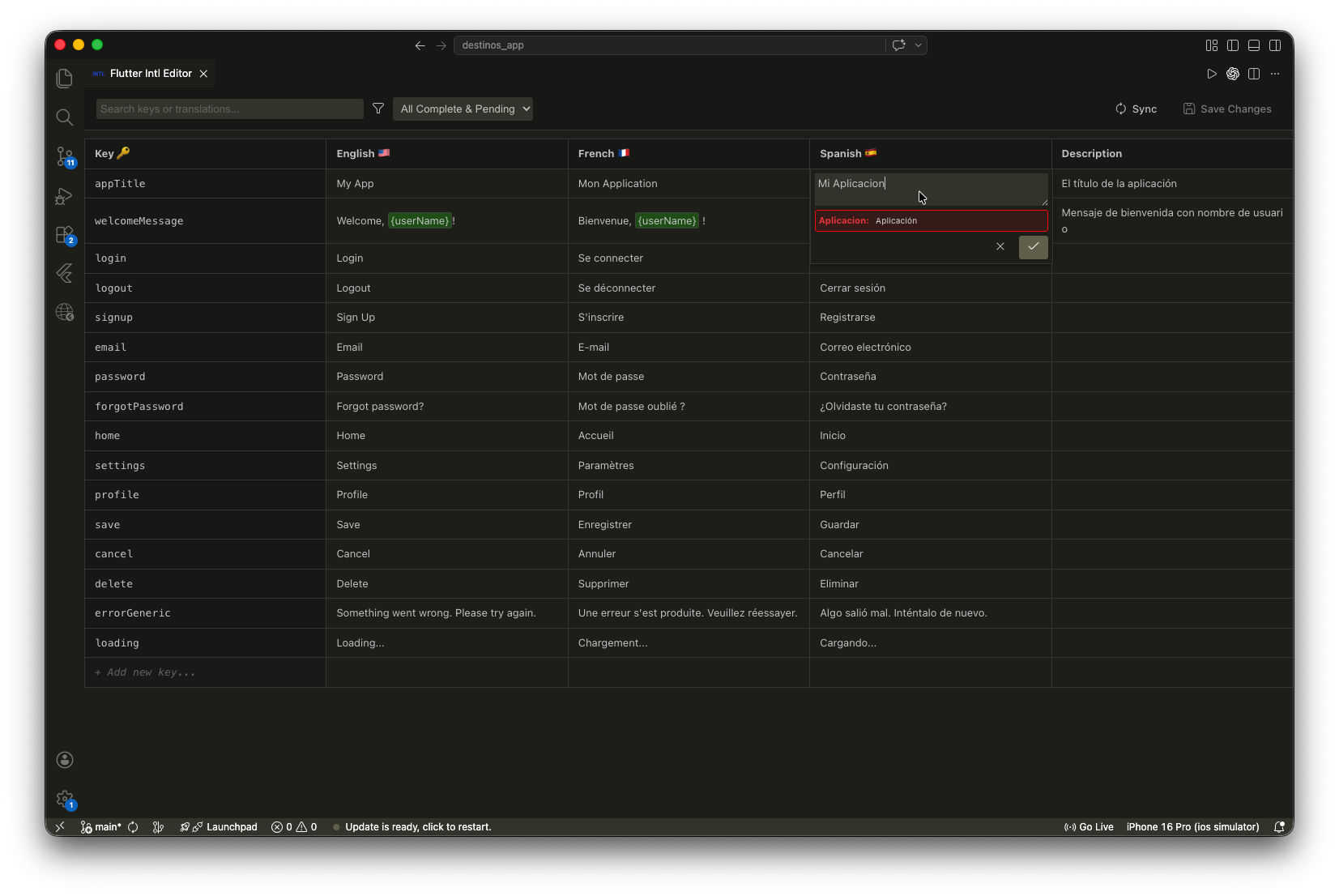
Navigate your translations like a pro. Supports Tab, Shift+Tab, and Arrow Keys with automatic row wrapping and focus management for a seamless editing experience.
📝 Comments Support
Keep your context! Edit and view ARB comments (@key) directly in the table to provide better instructions for translators.
↩️ Undo & Redo
Made a mistake? You have full session history. Quickly undo or redo any change before saving to disk.
🚀 Getting Started
- Install the extension from the VS Code Marketplace.
- Open a Flutter project containing
.arbfiles. - Launch the Editor:
- Click the Flutter Intl icon in the Activity Bar (sidebar).
- Or use the Command Palette (
Cmd+Shift+P/Ctrl+Shift+P) and search forOpen Flutter Intl Editor. The extension automatically detects ARB files following the standard naming convention (e.g.,app_en.arb,intl_es.arb).
📖 Notes & Requirements
-
File Naming: Ensure your files follow the
prefix_locale.arbpattern. -
Safe Saving: Changes are buffered in the editor and only written to your files when you hit Save Changes.
📄 License
This project is licensed under the MIT License.