The missing developer experience for Appian in Visual Studio Code
Features
Syntax highlighting
Full TextMate grammar for Appian SAIL. Covers variables (local!, ri!, pv!, rv!, fv!, rule!, cons!, fn!, …), a! functions, standard expression functions, operators, comments, strings, and constants.
Themes: Scopes follow standard TextMate names (support.function, variable.other, …). Themes such as Dark Modern map them to rich colors; very minimal themes may show fewer distinctions.
Autocomplete 600+ functions
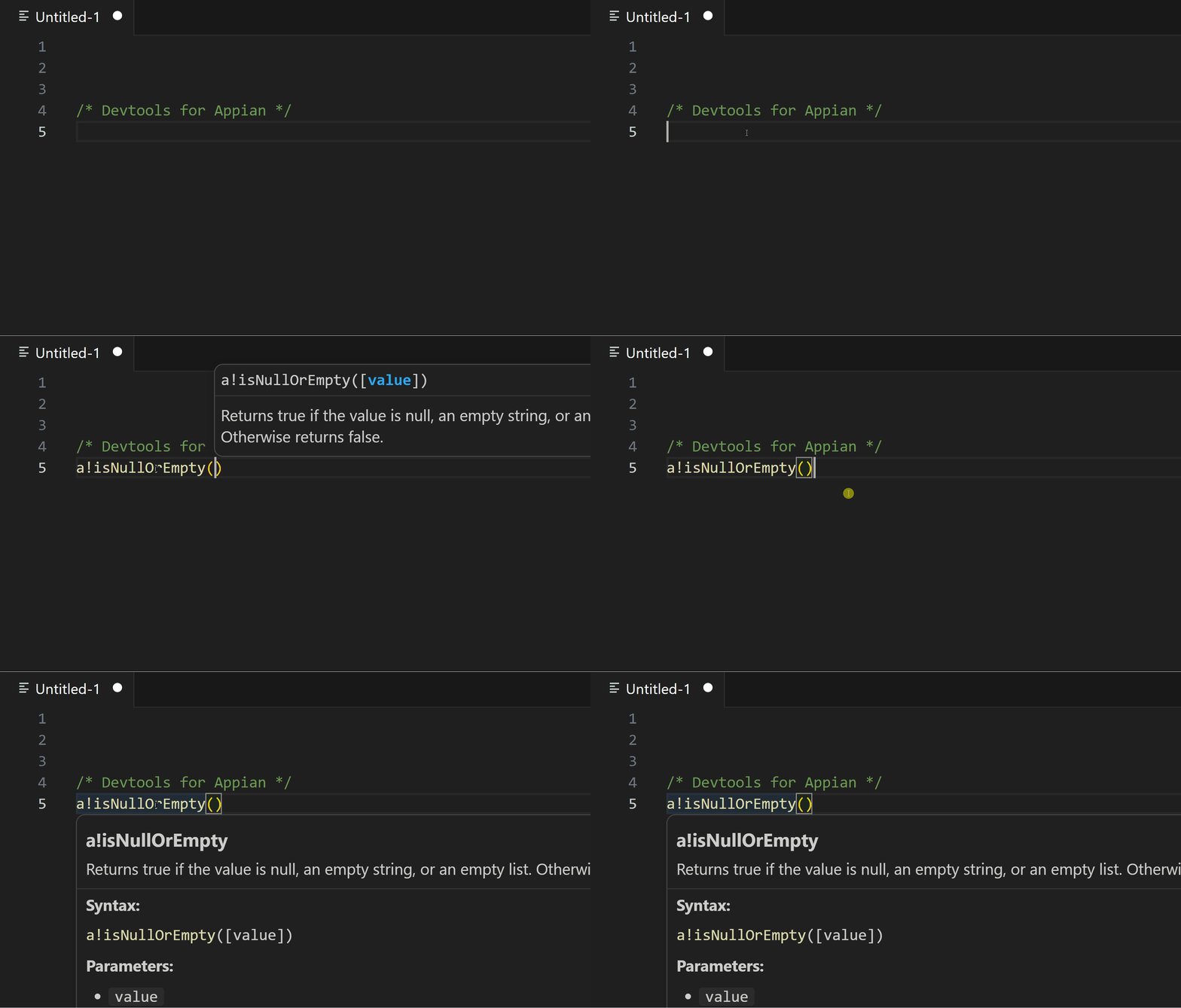
Context-aware suggestions as you type, backed by a bundled catalog of 630+ Appian functions: description, syntax signature, parameters, and examples where available.
Hover documentation
Hover over a function name to see its description, syntax, parameters, and examples without leaving the editor.
Diagnostics
Live diagnostics for unknown a! names (vs. the bundled catalog), invalid ! prefixes, unbalanced brackets, and unclosed double-quoted strings.
Code formatting
Format the document with Shift+Alt+F (or the Format Document command). Indentation is heuristic, based on bracket structure.
Installation
From the Marketplace
- Open VS Code
- Extensions (
Ctrl+Shift+X) - Search for Devtools for Appian
- Click Install
Supported file types
| Extension | Description |
|---|---|
.sail |
SAIL / expression-style files |
.appian |
Appian expression files |
.txt |
Plain text (optional; choose Appian (Devtools) in the language picker if needed) |
Requirements
- VS Code
^1.75.0
Contributing
Issues and pull requests are welcome. For larger changes, please open an issue first.
Changelog
See CHANGELOG.md for release notes.
Disclaimer
This extension is an independent open-source project and is not affiliated with, endorsed by, or sponsored by Appian Corporation.
License
Distributed under the MIT license.
Developed by Max Pastor · Marketplace · GitHub