A Claude Code-style chat sidebar for VS Code, powered by Aider and your own LLM provider. Bring your own key — Aider Studio is the experience layer; you choose the model.
Heads-up: This extension orchestrates Aider, which runs either in Docker (default, recommended) or natively. You need one of those installed — see Requirements. It also sends file summaries to whichever LLM provider you configure.
Screenshots
| Pick a provider, bring your own key | Chat & streamed answers |
|---|---|
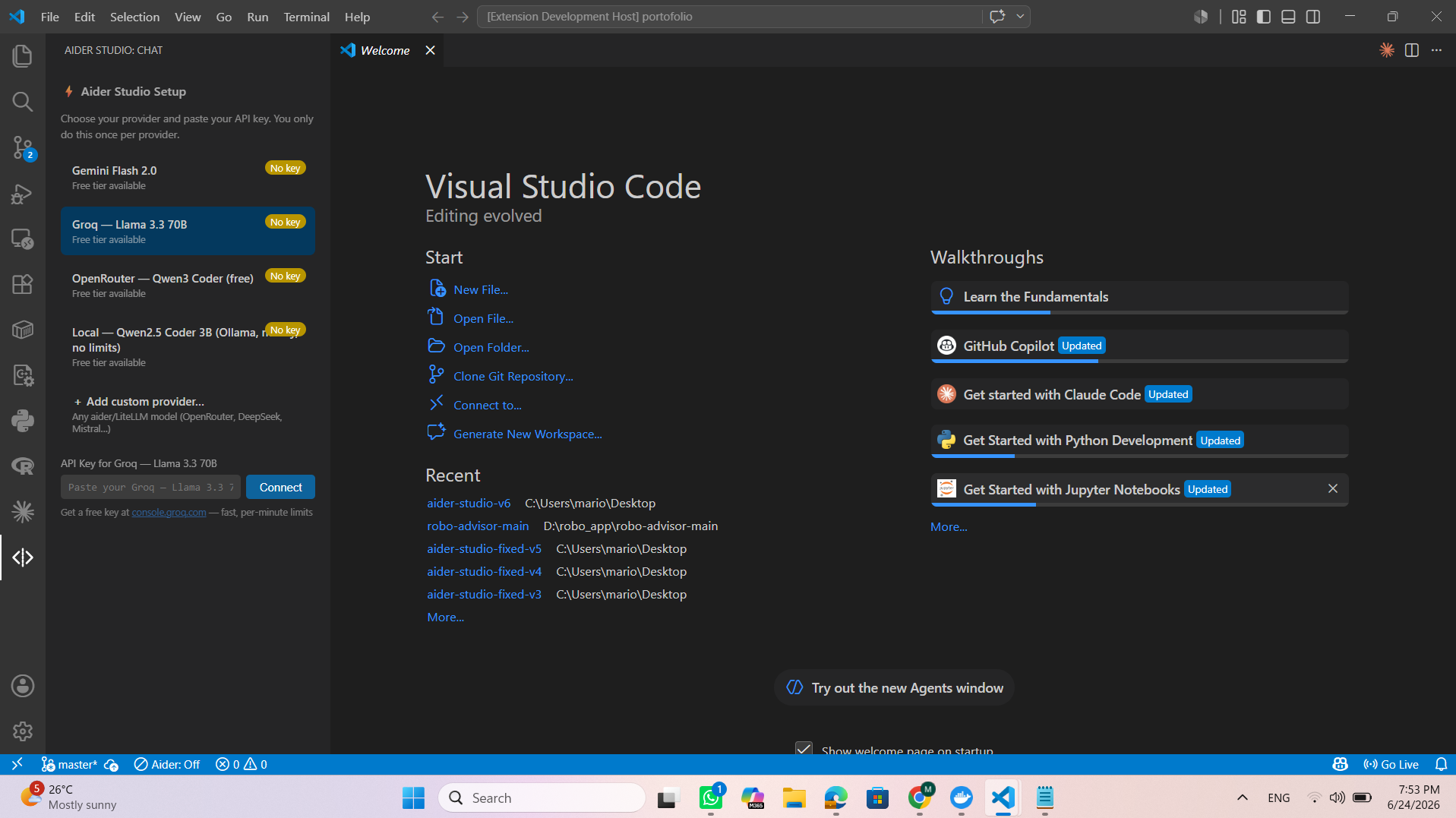 |
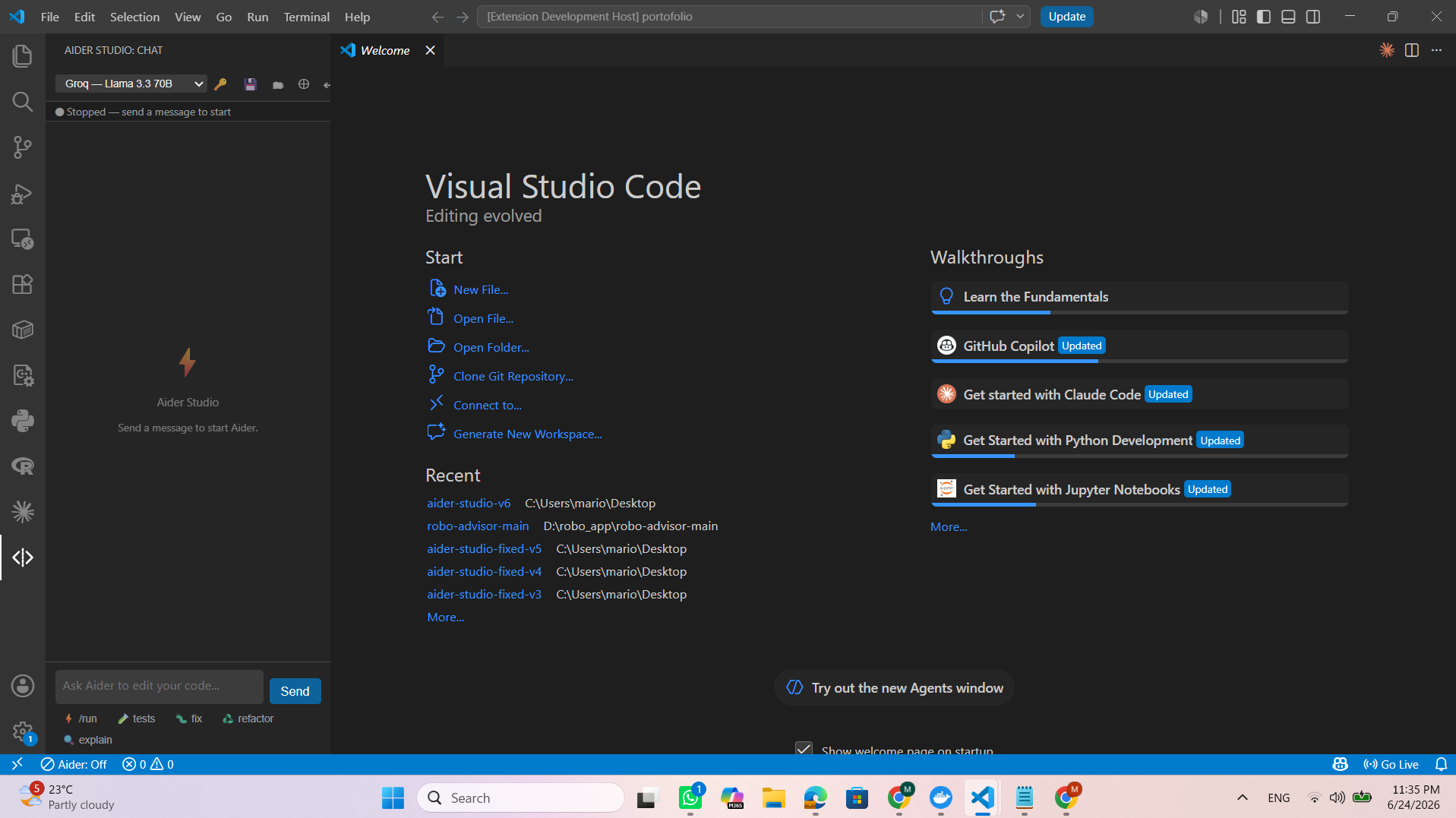 |
Requirements
You need either:
- Docker Desktop (recommended) — Aider runs in a container, nothing else to install. On first use, build the image once:
docker compose build(or run the "Aider Studio: Build Docker Image" command), or it falls back to pulling/using the default image. Enabled by default (aiderStudio.useDocker). - or a local Aider:
pip install aider-chat, withaideron your PATH. SetaiderStudio.useDockertofalse.
And an API key for at least one provider (see below).
Getting a key (bring your own model)
Aider Studio works with any Aider/LiteLLM model. The quality of answers is the model's job — pick a capable one. Good free, globally-available options:
- OpenRouter — openrouter.ai/keys. Works everywhere; strong free models (e.g. Qwen3 Coder). Preconfigured as a provider. Free models come and go — see the current list at openrouter.ai/models?max_price=0.
- Gemini — aistudio.google.com. Generous token limits where the free tier is available (regional restrictions apply).
- Groq — console.groq.com. Very fast, but small daily/per-minute limits and weaker models.
The default models are free tiers with real limits. For a Claude Code-like experience, use a capable model (DeepSeek V3, GPT-4-class, Claude via your own key).
Usage
- Open the Aider Studio view in the Activity Bar.
- Pick a provider, paste your key (stored in VS Code secret storage — never in plaintext).
- Ask away. Reference a file by name and it's auto-added to context; when Aider edits a file you get an inline accept / undo diff.
| Action | Shortcut |
|---|---|
| Open chat | Ctrl+Shift+A |
| Add current file to context | Ctrl+Shift+F |
| Switch / add provider | dropdown in the chat header |
Features
- Flat, streamed transcript with live markdown (code blocks + copy)
- Repo map (
REPO_MAP.md) so the model is aware of every file, cheaply @fileautocomplete, context-files strip, inline diff accept/undo- Run in Docker with automatic fallback; rate-limit aware
- Add any provider/model from the UI — no code changes
Adding a custom provider
Use the "+ Add custom provider" entry in the dropdown, or add to settings.json:
"aiderStudio.providers": {
  "openrouter-claude": {
    "label": "OpenRouter — Claude Haiku",
    "aiderModel": "openrouter/anthropic/claude-3.5-haiku",
    "apiKeyEnv": "OPENROUTER_API_KEY",
    "apiKeySettingKey": "aiderStudio.openrouterApiKey",
    "freetier": false
  }
}
Privacy & what it does in your repo
- Your prompts and file contents/summaries are sent to the LLM provider you configure.
- Aider is git-native: Aider Studio ensures a git repo exists (
git initif needed) and Aider auto-commits its edits (toggle withaiderStudio.autoCommit). Use↩ Undo//undoto revert. - It writes
REPO_MAP.mdand a.aider/folder to your workspace and auto-adds them to.gitignore. - Keys are stored in VS Code secret storage.
Configuration
aiderStudio.useDocker, aiderStudio.dockerImage, aiderStudio.aiderPath, aiderStudio.autoCommit, aiderStudio.showDiffOnChange, aiderStudio.repoMap.enabled, aiderStudio.repoMap.summaries, aiderStudio.repoMap.summaryBudget.
Credits & license
Built on Aider by Paul Gauthier (Apache-2.0), installed separately. Aider Studio itself is MIT licensed.