
One flat-rate key. Claude, GPT & Gemini. An agent that does the work — and asks before it touches anything.
Website · Install · Models · Docs · Support
What is Luno Code?
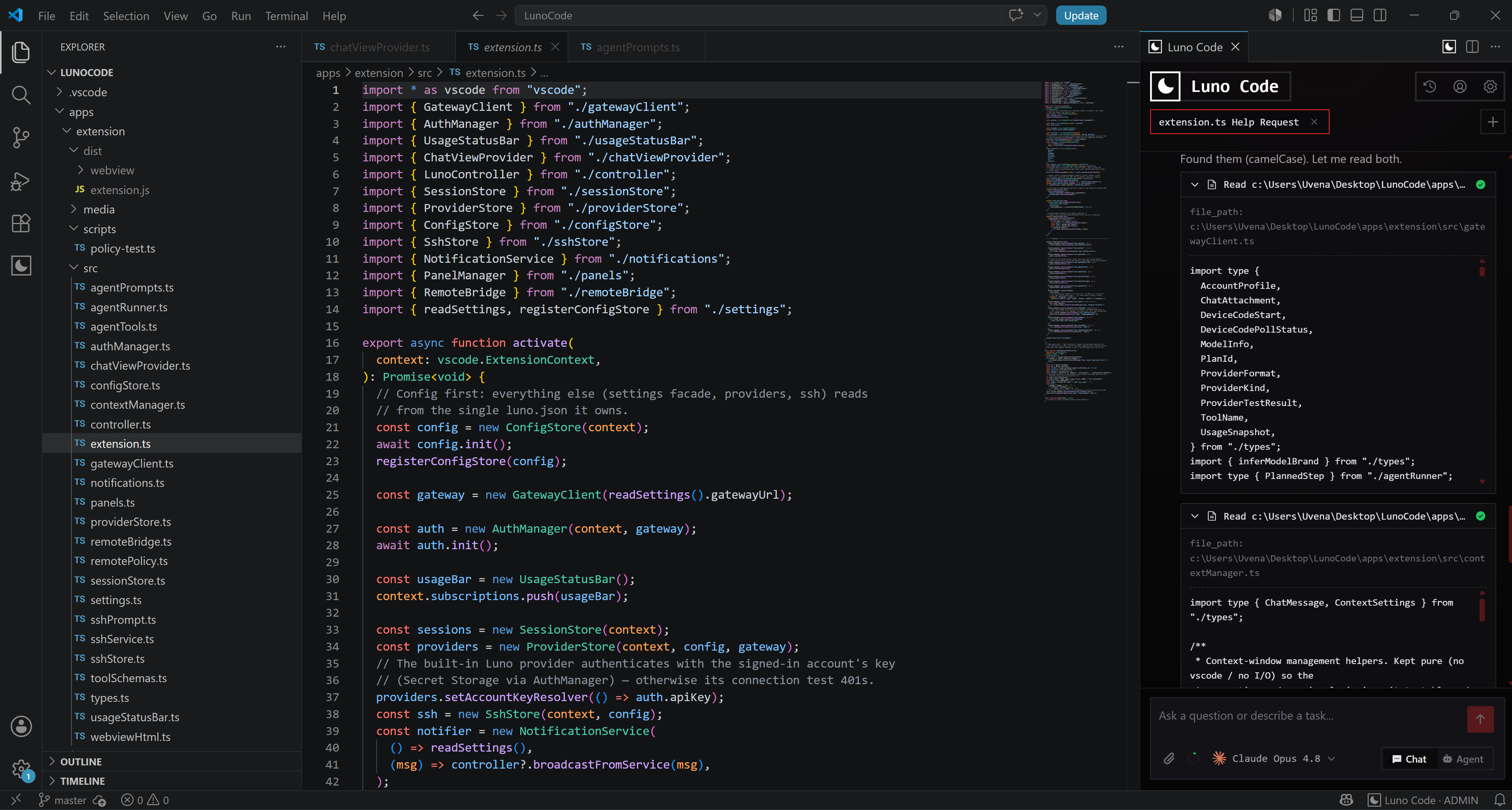
Luno Code is an open-source AI coding agent that lives in your VS Code sidebar. Describe what you want in plain language — it reads your codebase, writes and edits files, runs terminal commands, and shows every step in a chronological feed as it happens. Mutating actions pass through an approval gate you control, from "ask me every time" to a trusted-command allow-list.
One Luno key covers Claude (Anthropic), GPT (OpenAI) and Gemini (Google) at a flat rate, with a live usage meter in the status bar and a prompts-not-logged guarantee.
Key Features
- Agent mode — plans, edits multi-file projects, runs commands and tests, and loops until the task is done. Every tool call is a visible, expandable step: diffs before writes, streamed output for commands.
- Chat mode — streamed answers with markdown, code blocks, and a model switcher. Attach images, PDFs, and source files; they reach the model natively, in order.
- Approval gate — write/edit/shell tools wait for your click, or ride an allow-list of trusted command patterns (
git *,npm run *, …) with an auto-approval budget. - SSH remote execution — the agent runs commands on your own servers. Credentials stay in OS secret storage, the model never sees them, and every target is confirmed by you.
- Web tools — WebFetch and WebSearch for docs lookups and research mid-task.
- English & Russian UI — the whole surface localizes instantly.
Luno Remote — drive the agent from your phone
Pair your phone once and control the same agent from a Telegram mini-app. It's not a cut-down chat: you get the full chronological feed streaming live, tap to approve or reject tool calls, send follow-up prompts, and watch commands and diffs land on your workstation in real time. Start a refactor at your desk, approve the risky step from the kitchen — the session is the same on both ends, reconnecting cleanly if either side drops.
Get Started
- Install the extension and open the Luno Code icon in the activity bar.
- Sign in — Telegram device-code (no email, no form) or paste an API key from your luno.codes dashboard.
- Pick a model, choose Chat or Agent, and describe your task. That's it.
Everything else — approval mode, auto-approve lists, context management, display scale, language, SSH servers, and Telegram remote — lives in the in-app Settings tab, with JSON export/import for team setups.
Privacy
Your prompts are not logged by the Luno gateway. Attachments ride the request and are never written to disk server-side. SSH credentials and your API key live in the OS keychain via VS Code Secret Storage.
Contributing
Luno Code is open source and contributions are welcome — issues, ideas, and pull requests. Fork the repository, open a PR, and join us.
Thanks to everyone helping make Luno Code better:
Resources
- Website & pricing — luno.codes
- Models — luno.codes/models
- Repository — github.com/UvenaliyS/LunoCode
- Issues — GitHub Issues
- Support — luno.codes/support
License
MIT © 2026 Luno Code. Free to use, modify, and distribute — keep the copyright notice.