The Enterprise-Grade Agentic AI Command Center. One Click Away.
Empowering Autonomous Orchestration & Hyper-Productivity. Zero terminal flags to remember. Zero-Config installs. Just click and code.




⚡️ Core Capabilities
| 🧩 Unified Ecosystem | 🚀 Instant-On | 🛡️ Privacy-First |
|---|---|---|
| One sidebar to rule all your AI agents, from Gemini to Local LLMs. | Provision missing tools in seconds with zero configuration. | Run heavy-duty models locally via Ollama for total data sovereignty. |
🚀 Getting Started
📦 Installation
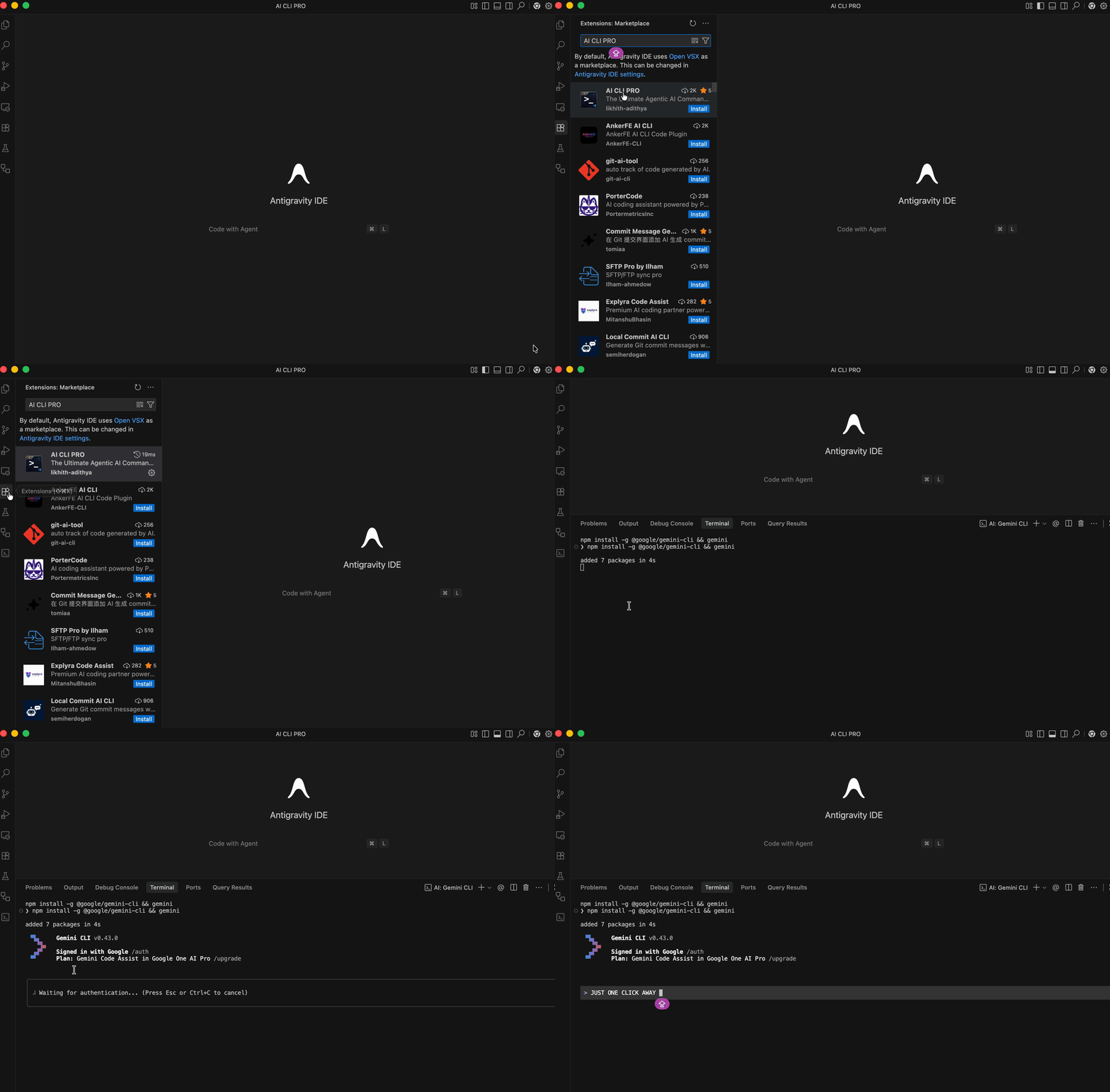
Getting AI CLI PRO running in your editor takes less than a minute.
Method 1: VS Code Marketplace (Recommended)
- Open VS Code.
- Go to the Extensions view (
Cmd+Shift+XorCtrl+Shift+X). - Search for AI CLI PRO.
- Click Install.
Method 2: Quick Command
- Press
Cmd+P(macOS) orCtrl+P(Windows/Linux) to open the Quick Open panel. - Paste the following command and hit Enter:
ext install likhith-adithya.ai-cli-pro
🎮 How to Use (The "Zero-Friction" Workflow)
1️⃣ Discovery
Open the AI CLI PRO Sidebar (terminal icon 📟). Your entire AI arsenal is mapped and ready.
2️⃣ Provisioning
Missing a tool? Click the Cloud Icon ☁️. We handle the cross-platform dependencies (Brew, Pip, NPM) so you don't have to.
3️⃣ Execution
Hit the Play Button ▶️. Your chosen Frontier Agent launches instantly in a native VS Code terminal, pre-configured and ready to solve.
🤖 Frontier Agent Registry
AI CLI PRO bridges the gap between the world's most powerful AI models and your local development environment.
☁️ Cloud Powerhouses
- Antigravity CLI
Elite• The terminal-first powerhouse for Google Antigravity. - Gemini CLI
Frontier• Harness Google's most advanced reasoning models. - Claude Code
Advanced• Anthropic's precision coding assistant. - GitHub Copilot CLI
Native• Seamless pair programming in the shell.
🦙 Local Intelligence (Ollama)
- DeepSeek-V3 • The new standard for open-source coding.
- Llama 3.3 • Meta's most capable generalist model.
- Mistral & Phi-4 • High-performance, lightweight local execution.
✨ Enterprise-Grade Features
- 🚀 Next-Gen Sidebar: Loads instantly with VS Code, keeping your workflow fluid.
- 🛠️ Automated Lifecycle: From detection to installation and clean uninstalls.
- 🛰️ Unified Control Plane: Manage AWS, Docker, and Kubernetes side-by-side with your AI agents.
- 🧹 Smart Cleanup: We remove binaries, caches, and hidden folders during uninstallation.
⌨️ Power User Shortcuts
| Action | macOS | Windows/Linux |
|---|---|---|
| Quick Launch Agent | Cmd + Opt + A |
Ctrl + Alt + A |
| Focus Dashboard | Cmd + Shift + P → Focus |
Ctrl + Shift + P → Focus |
🤝 Community & Support
Join the mission to build the future of Autonomous Agentic AI.



⚖️ Legal
AI CLI PRO is an independent development tool and is not affiliated with Google, Anthropic, or GitHub.
Privacy Policy • Terms • License
Built for developers who live in the Agentic future but work in the IDE ❤️. 💻