glsld is a language server and Visual Studio Code extension for GLSL. It provides preprocessing-aware completion, semantic analysis, navigation, diagnostics, formatting, background indexing, and SPIR-V compilation support for shader projects.
[!WARNING] glsld is still in early development. Features, configuration, and protocol details may change between releases.
[!NOTE] This extension is an independent project and is not affiliated with the other Visual Studio Code extension named
glsldat https://github.com/daiyousei-qz/glsld. The name collision was discovered while preparing this extension for publication.
Getting started
Install the extension, open a folder containing GLSL source files, and configure the directories that should be indexed:
{
    "glsld.backgroundIndex.roots": ["${workspaceFolder}"]
}
Use ${workspaceFolder}/Shaders to index a subdirectory instead. If the list is empty or absent, background indexing is disabled. The index cache is stored at ${workspaceFolder}/.glsld/BlobIndex.idx.
The Windows extension package includes the language server at bin/Win64/glsld.exe. Leave glsld.server.path empty to use the bundled executable, or provide a custom executable path.
Completion
glsld completes GLSL keywords, types, variables, functions, structure members, and other symbols available at the cursor.
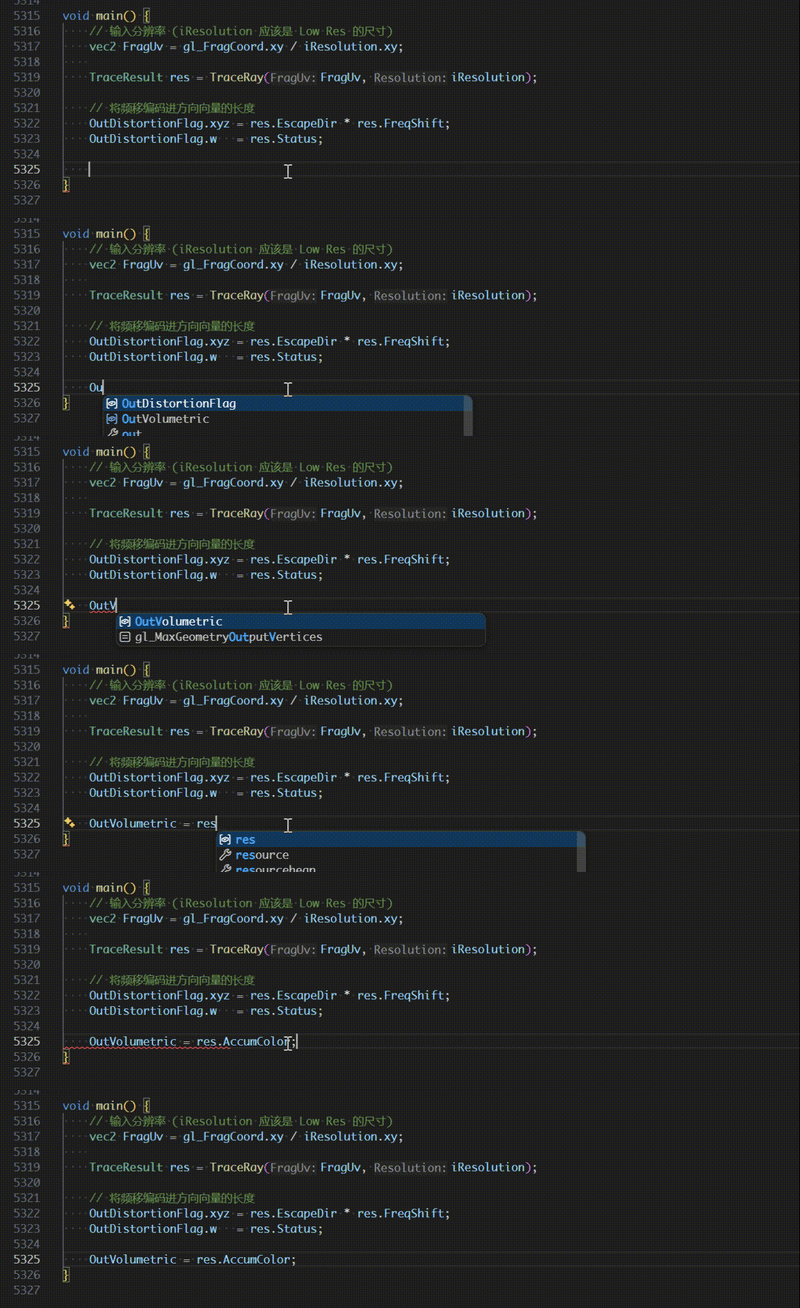
Extension completion
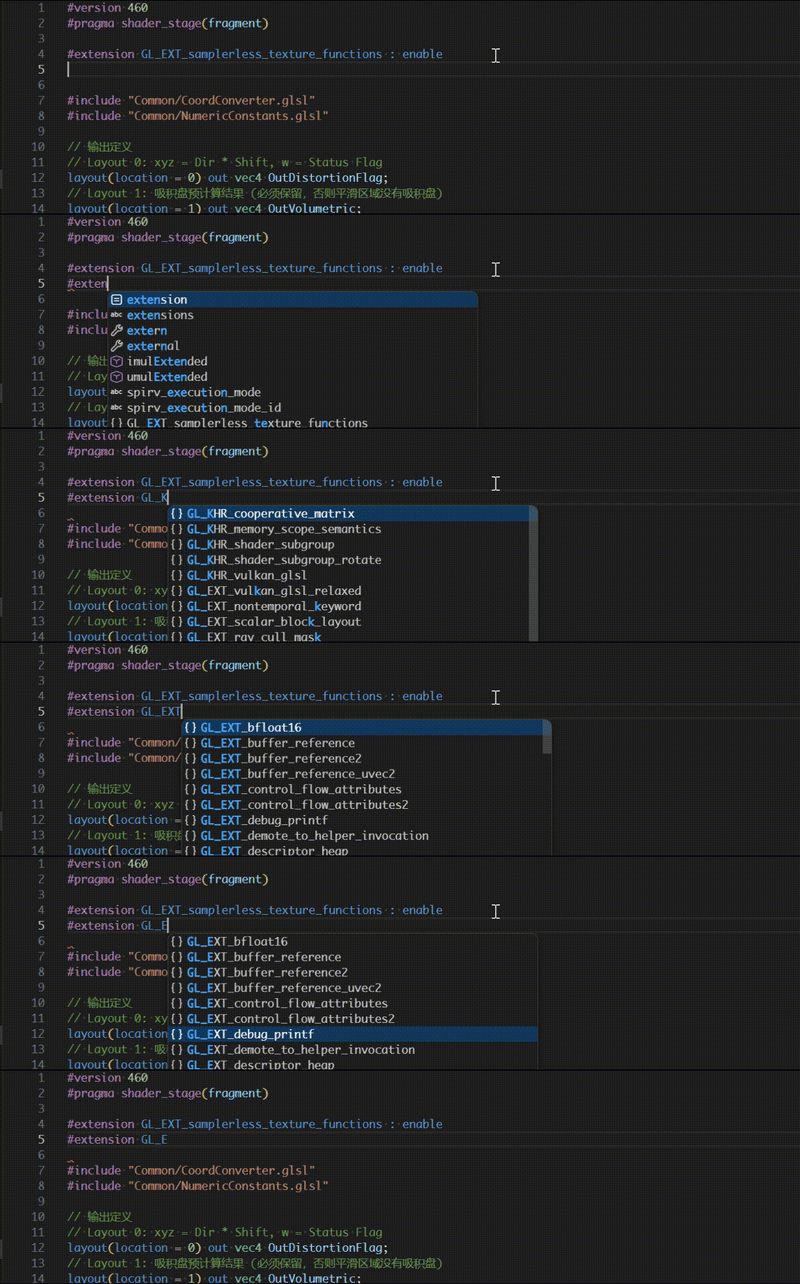
Extension names and behaviors are completed inside #extension directives.
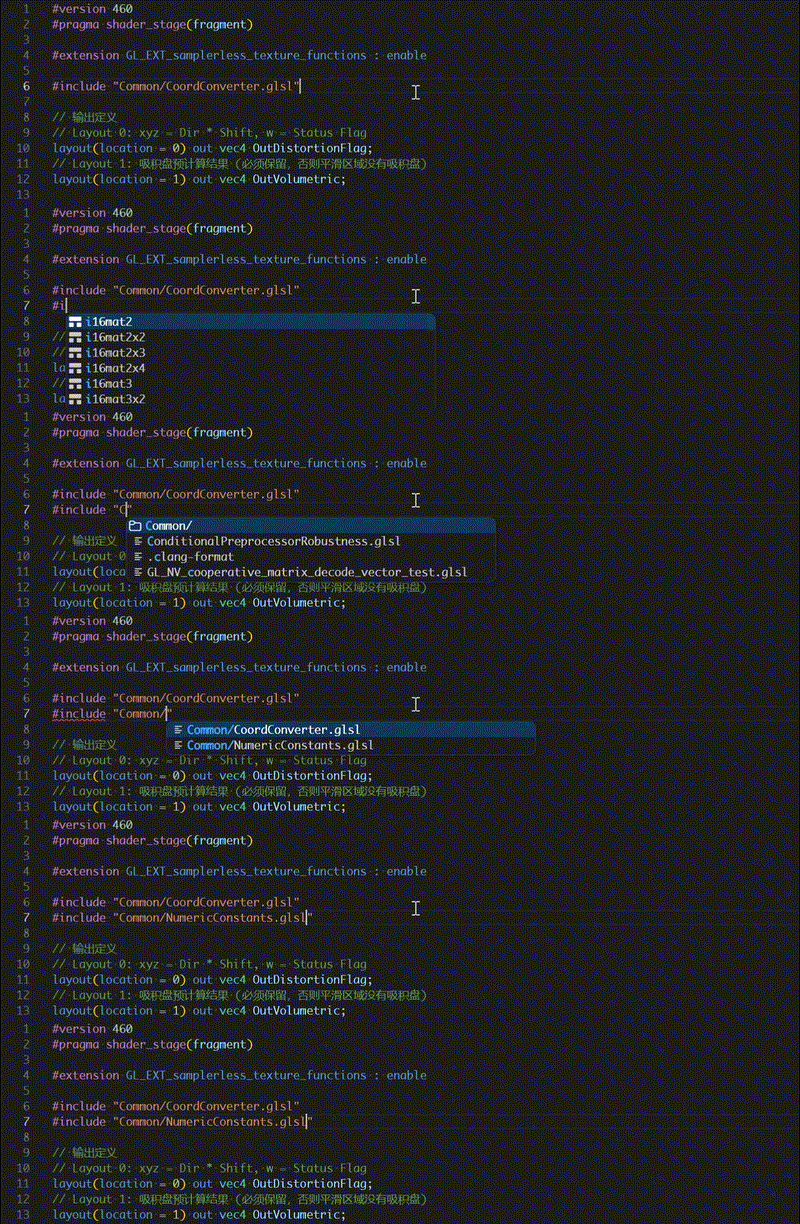
Include completion
Include paths are completed relative to the current file, workspace, and configured system include directories.
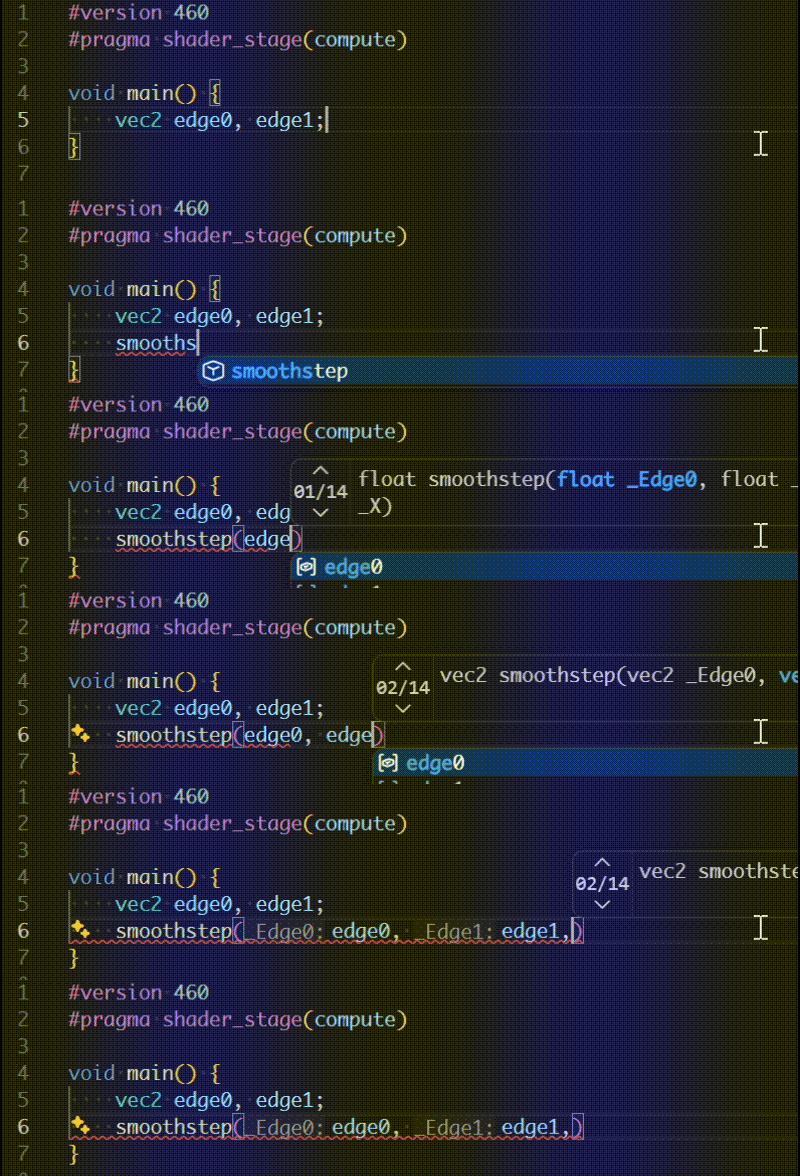
Function overloads
When a function has multiple signatures, glsld presents the available overloads with their parameter and return types.
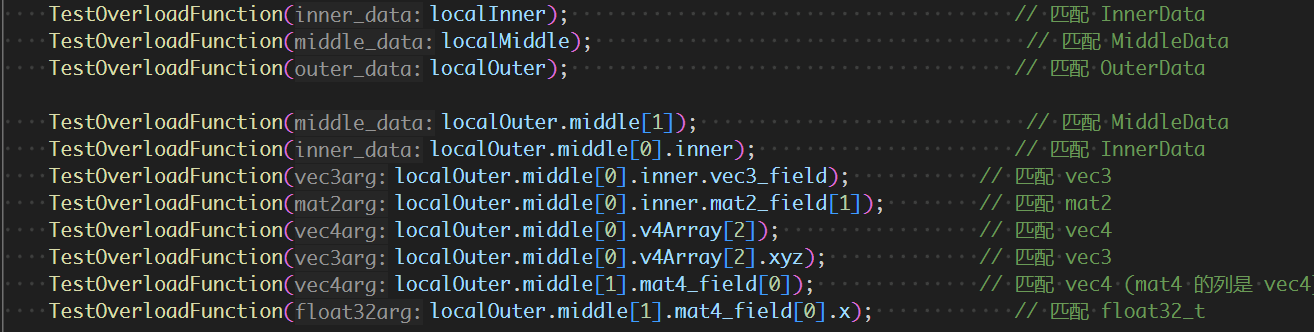
Signature help
Signature help follows the active call, selects the matching overload, and highlights the parameter currently being entered.
Formatting
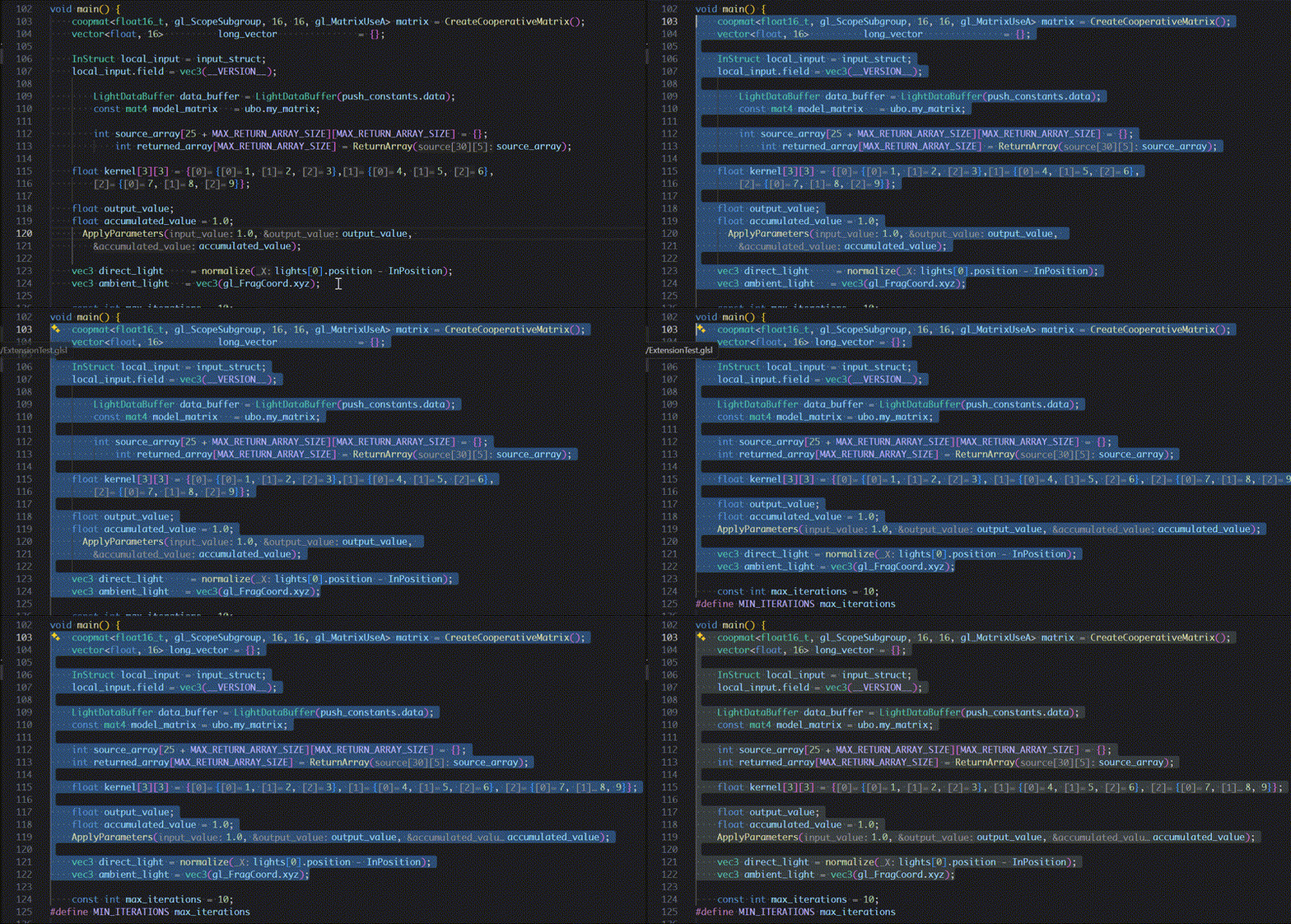
glsld invokes clang-format to format GLSL source files. Formatting can be triggered manually or automatically on save. Need to configure the path to clang-format in glsld.formatting.clangFormatPath or install it separately.
Diagnostics
Syntax and semantic errors are reported while editing. Diagnostics can be enabled or disabled with glsld.diagnostics.enabled.

Navigation
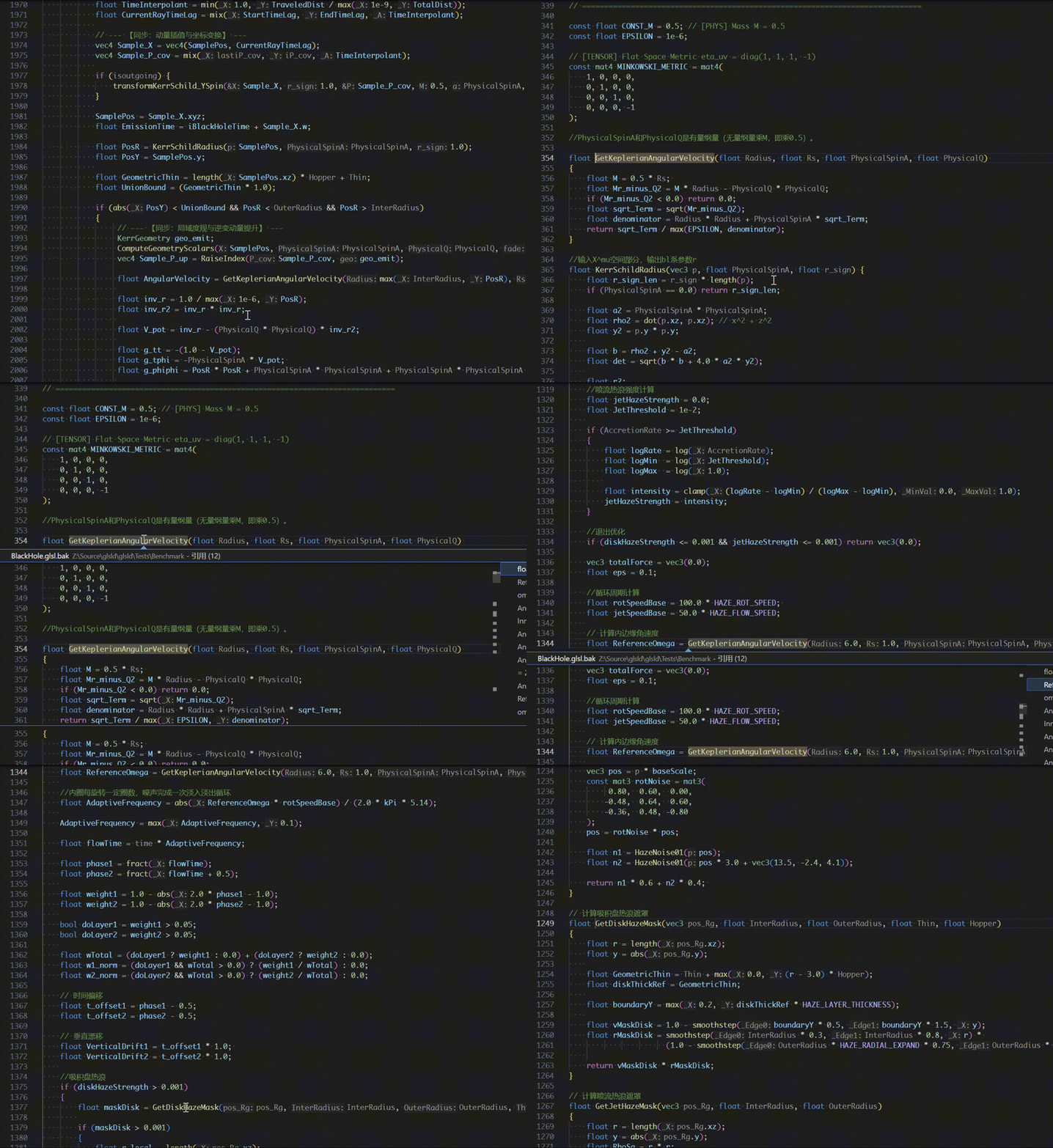
Go to definition
Jump from a symbol use to its declaration or definition, including symbols declared in included files.
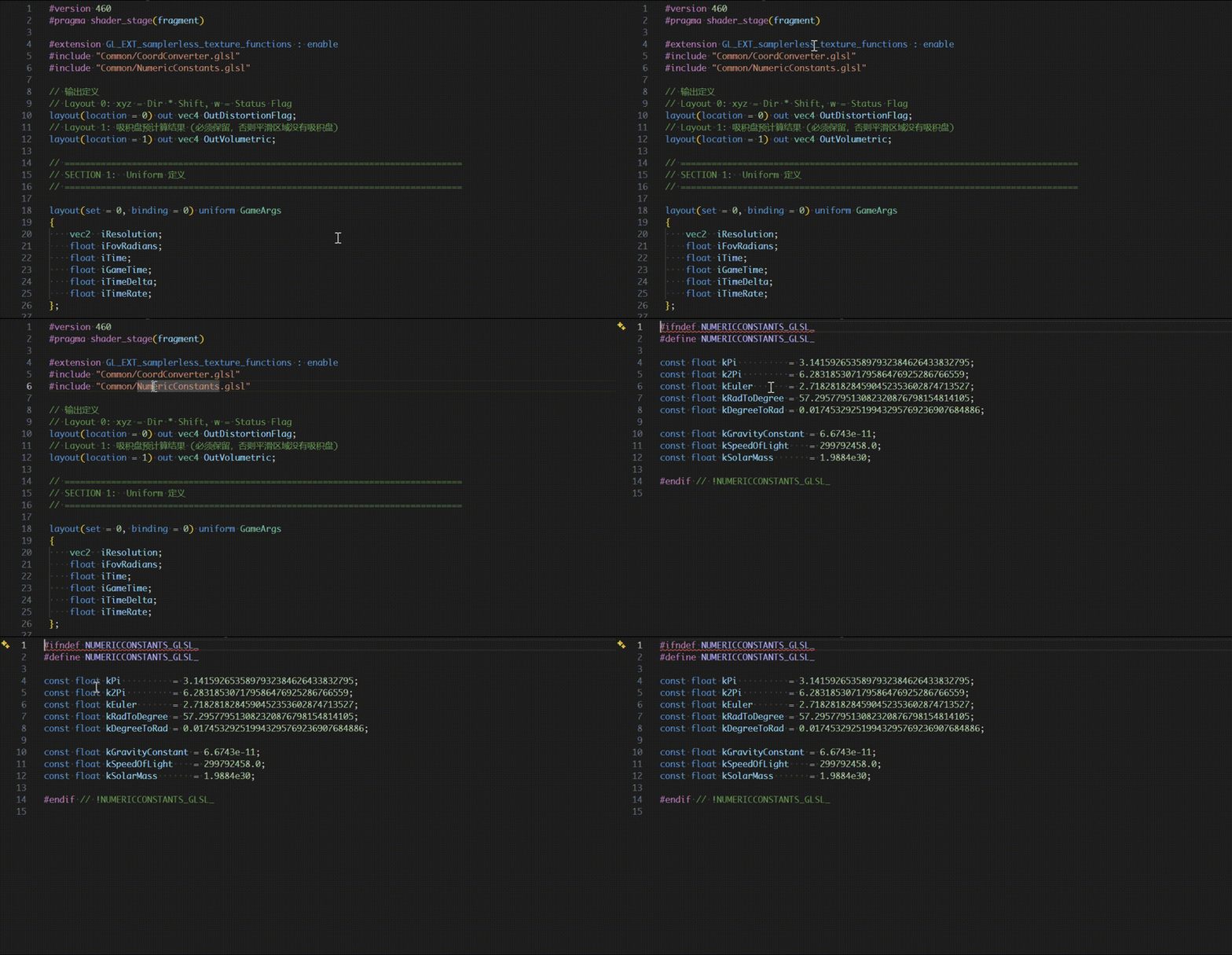
Go to include
Open an included shader directly from its #include directive.
Find references
Find symbol references across the workspace. Background indexing includes references from files that have not been opened in the editor.
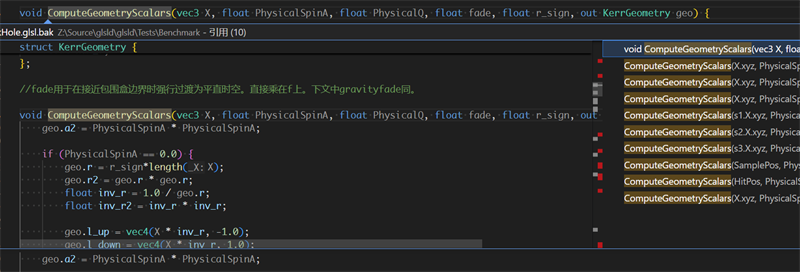
References are also tracked across include boundaries.

Hover information
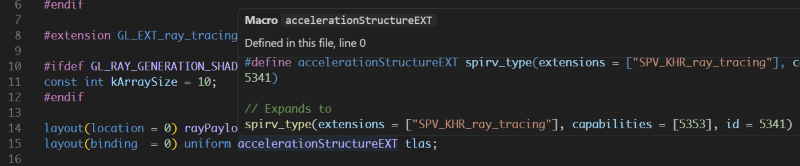
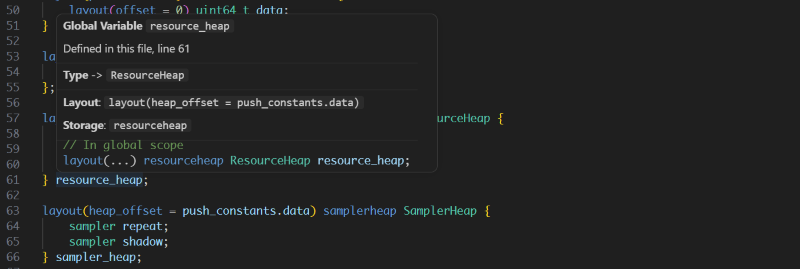
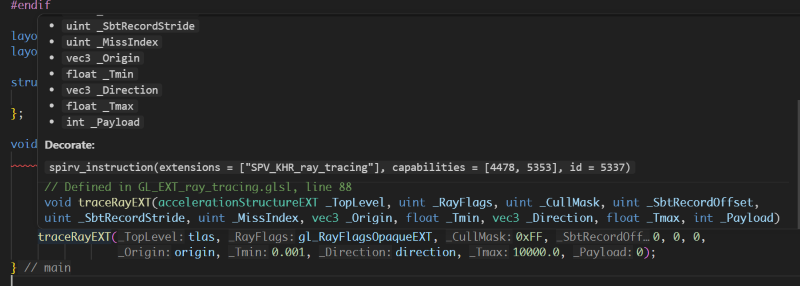
Hovering over a symbol displays its declaration and relevant type information.
Variables and types
Functions
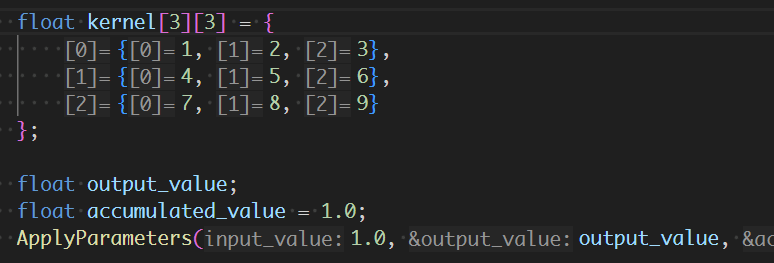
Inlay hints
Inlay hints expose parameter names and other information that makes shader code easier to read. They can be toggled with glsld.capabilities.inlayHints.
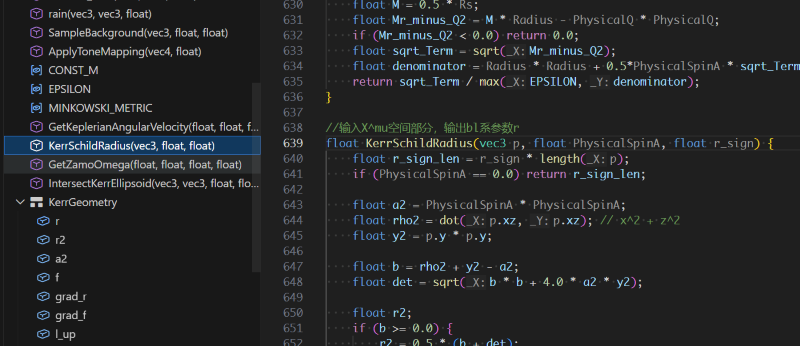
Document symbols
The document outline lists declarations in the current shader and supports quick navigation through large files.
Preprocessor macros
Global and per-file macros are managed from the glsld sidebar. Each macro has an independent checkbox, and enabled per-file macros are applied on top of enabled global macros. Changes are sent to the language server immediately so affected documents can be reprocessed.
SPIR-V compilation
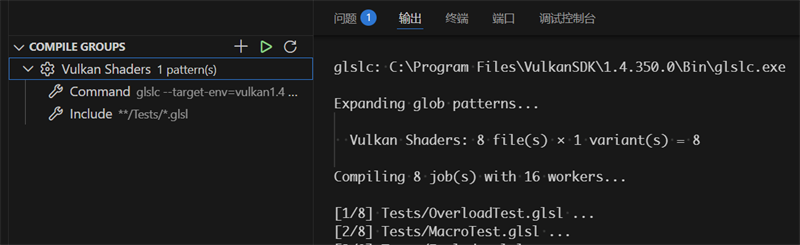
Compile groups collect shaders using source patterns, command templates, output paths, macro variants, and concurrency settings. Groups can be compiled directly from the glsld sidebar, and their configuration is stored in .glsld/config.json.
Configuration
User-controlled settings belong in .vscode/settings.json:
{
    "glsld.backgroundIndex.roots": ["${workspaceFolder}/Shaders", "${workspaceFolder}/Include"],
    "glsld.capabilities.inlayHints": true,
    "glsld.diagnostics.enabled": true
}
Index paths may use ${workspaceFolder} explicitly. System include directories, the language server executable, glslc, clang-format, mimalloc options, diagnostics, and language capabilities can also be configured through the Visual Studio Code Settings editor.
The extension-generated .glsld/config.json stores shader overrides, macro state, and compile groups. It is separate from ordinary Visual Studio Code settings and should normally be managed through the glsld sidebar.
Building the extension
cd VSCodeExtension
npm ci
npm run compile
npx @vscode/vsce package --target win32-x64
Current limitations
- Only Windows packages are currently available.
- Linux builds are still in development.
- The project is under active development, so incomplete behavior and breaking changes should be expected.
License
glsld is licensed under the GNU General Public License v3.0 only (GPL-3.0-only). The Visual Studio Code extension is licensed under the MIT License.