Know exactly how long you code. Zero setup. Zero cloud. Zero accounts.



Why Dev Code Tracker?
Most time trackers require an account, send your data to the cloud, or charge a monthly fee. Dev Code Tracker keeps everything local — your data never leaves your machine unless you choose to sync it.
| Feature | Dev Code Tracker | Cloud-Based Trackers |
|---|---|---|
| Account required | No | Yes |
| Data stays on your machine | Always | No |
| Works fully offline | Yes | Partial |
| Cost | Free | Paid plans |
| Self-hosted sync option | Yes | No |
How It Works
Open project  →  timer starts  →  ⏱ Dev Code Tracker - 0s
Working...    →  ⏱ Dev Code Tracker - 1h 23m 45s  (counts every second)
Idle 5 min    →  session saved  →  ⏱ Dev Code Tracker - 1h 23m  (static total)
Come back     →  new session starts  →  ⏱ Dev Code Tracker - 0s
Close VS Code →  session saved automatically
- Session starts when you open a project folder — no clicks needed
- Session ends after 5 minutes of idle (configurable)
- Multi-Root Workspaces supported — tracks the folder of the currently active file
- Works with VS Code, Cursor, Windsurf, Claude Code, and VSCodium
- Click the status bar timer to open your dashboard instantly
Status Bar
| State | Display |
|---|---|
| Active (coding) | ⏱ Dev Code Tracker - 1h 23m 45s — live counter |
| Idle / between sessions | ⏱ Dev Code Tracker - 2h 15m — static today total |
| Online sync active | ☁ API connected |
| Local only | ⊟ Local only |
Dashboard
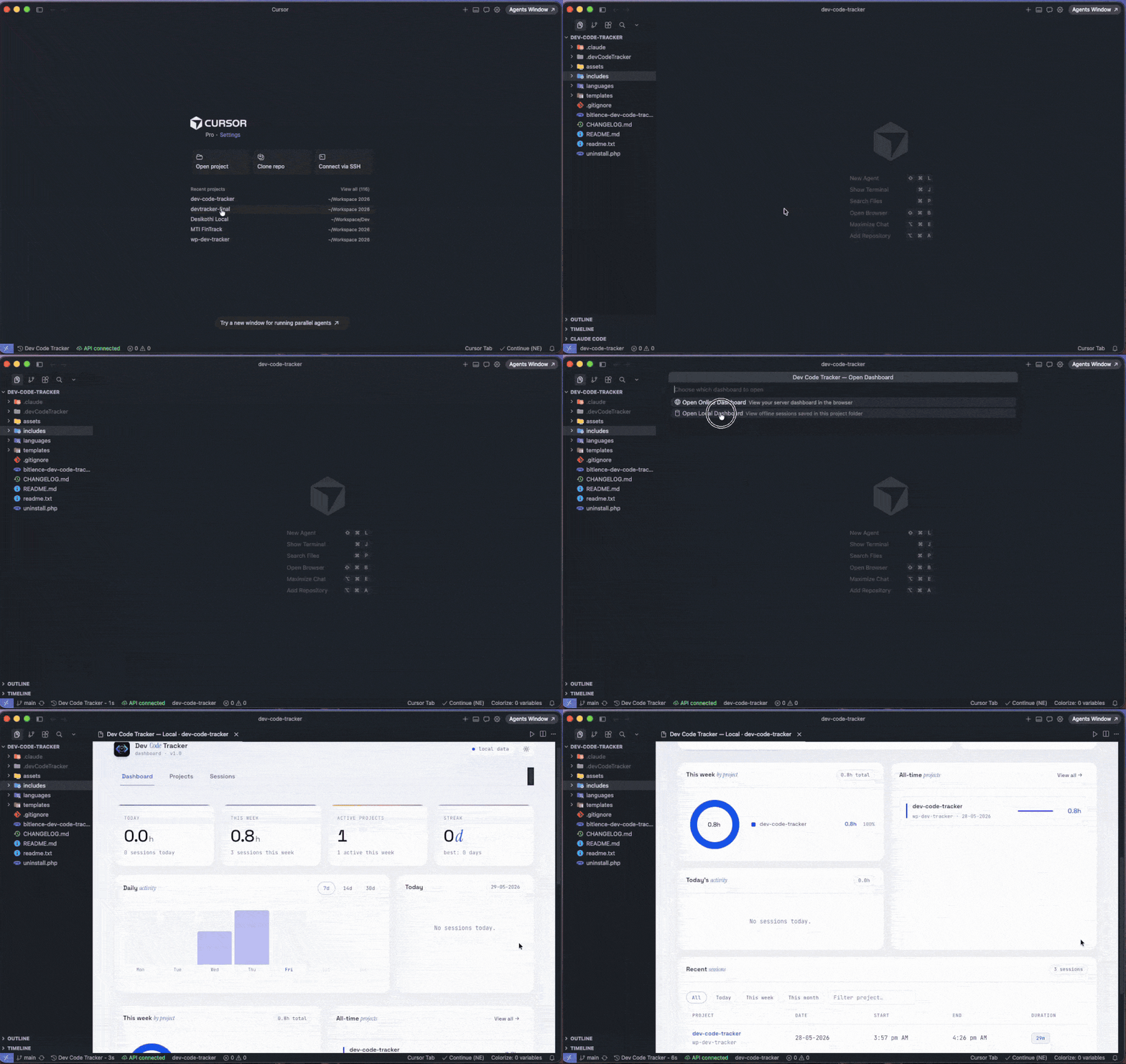
Open the offline local dashboard directly inside VS Code — no browser needed.
- Bar charts by day and project
- Per-session breakdown with start/end times
- Today's total at a glance
- Fully interactive, works with no internet
Commands
Open the Command Palette (Ctrl+Shift+P / Cmd+Shift+P) and type Dev Code Tracker:
| Command | Shortcut |
|---|---|
| Open Dashboard (Online / Local) | Cmd+Alt+D / Ctrl+Alt+D |
| Open Local Dashboard (Offline View) | Cmd+Alt+L / Ctrl+Alt+L |
| Show Today's Summary | — |
| Set Display Name for Project | — |
| Configure Online API | — |
| Sync to Server Now | — |
| Clear Project Data | — |
Local Data
Sessions are saved locally — no account, no cloud:
your-project/
  .devCodeTracker/
    sessions.json
Add .devCodeTracker/ to your .gitignore to keep session data private.
Each session stores: project, start_time, end_time, duration_seconds, date
Online Sync (Optional)
If you want to view history across machines or share with a team, you can self-host a PHP + MySQL backend:
- Upload
server/directory contents (api.php,dashboard.html) to your server - Run
server/setup.sqlto create the tables - Edit
api.php— set DB credentials, API key, andtimezone_offset(e.g.330for IST,-300for EST) - In VS Code:
Ctrl+Shift+P→ Dev Code Tracker: Configure Online API - Enter your
api.phpURL and secret key
Sessions sync automatically every 5 minutes.
Settings
| Setting | Default | Description |
|---|---|---|
devCodeTracker.idleTimeoutMinutes |
5 |
Pause timer after N minutes of inactivity |
devCodeTracker.syncIntervalMinutes |
5 |
Auto-sync interval (online mode) |
devCodeTracker.apiUrl |
— | Your PHP API endpoint |
devCodeTracker.apiKey |
— | Your API secret key |
Enjoying Dev Code Tracker?
A rating on the Marketplace takes 30 seconds and helps other developers find this extension.
Leave a review on the VS Code Marketplace
Found a bug or have an idea? Open an issue on GitHub — all feedback is welcome.
Official Website: devcodetracker.workshow.me | Built by Kuldipsinh Parmar