Batchitt is a real-time chat extension that lets you communicate, share code, and collaborate with colleagues directly inside your code editor. Chat one-on-one without switching windows.
✨ Features Overview
| Feature | Description |
|---|---|
| 💬 Real-time Chat | Chat instantly with teammates |
| 👨💻 Code Sharing | Send syntax-highlighted code snippets |
| 🟢 Presence Status | See who's online |
| 📩 Read Receipts | Know when messages are delivered/read |
| 🔔 Notifications | Get notified about new messages |
| 🔐 Secure Auth | Private-key based authentication |
| ⚡ Editor Native | Works directly inside VS Code/Cursor |
🛠️ Installation
From VS Code / Cursor/ Antigravity Marketplace
- Open your editor
- Go to Extensions (
Ctrl+Shift+X) - Search for Batchitt
- Click Install
🔐 Authentication
Batchitt uses a Private Key obtained from batchitt.com:
- Visit 👉 https://batchitt.com
- Log in with your Google account
- Copy your Private Key from the dashboard
- Open the Batchitt sidebar in your editor (activity bar icon)
- Paste the Private Key into the input field and click Sign In
Your session persists across restarts. To log out, use the Logout button in Settings.
✨ Features
💬 Chat
- 👤 1:1 messaging — Click any contact to open a conversation
- ⌨️ Typing indicators — See when someone is typing a reply
- ✅ Read receipts — Single checkmark (sent), double (delivered), blue double (read)
- 🟢 Online presence — Green dot next to online contacts
- 🔔 Notification sound — Plays on incoming messages when the chat tab isn't focused
👨💻 Code Sharing
Click inside a conversation, then type / in the message box to enter code mode:
-
🌐 Select a language from the dropdown
(C++, Python, JavaScript, TypeScript, Go, Rust, and more) -
✍️ Paste or type your code
-
⌨️ Press
Ctrl+Enter(orCmd+Enteron macOS) to send
Code Block Actions
- 📋 Copy — Copies the code to your clipboard
- ➕ Insert — Inserts the code at the cursor position in your active editor tab
👥 Contact Management
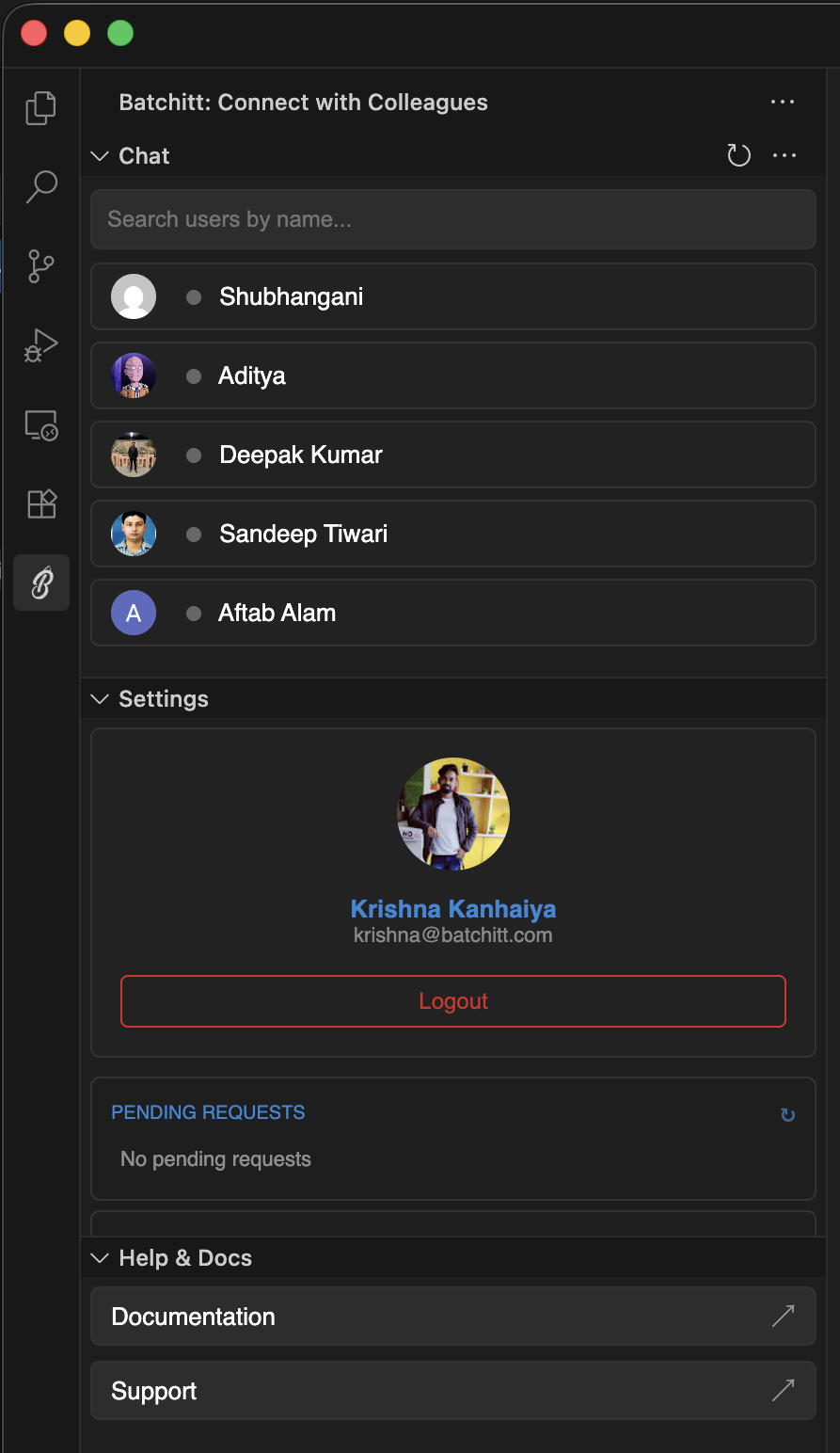
The sidebar's Chat tab includes a search bar to find users by name:
- ➕ Add a contact — Send a friend request
- ✅ Accept / Block — Manage pending requests
- 📤 Sent requests — Review outgoing requests
- 🚫 Blocked users — View blocked contacts
⚙️ Settings
The Settings tab lets you:
- 👤 View your name, email, and avatar
- 🤝 Accept or block incoming requests
- 📨 Review pending and sent requests
- 🚪 Log out securely
🆘 Help & Docs
The Help tab links to the GitHub Issues page for support and bug reports.
🌐 Supported Languages for Code Blocks
| 💠 C++ | 💜 C# | 🎨 CSS | 🎯 Dart |
| 🐹 Go | 🌐 HTML | 📡 HTTP | ☕ Java |
| ✨ JavaScript | 🗂 JSON | 🟣 Kotlin | 🐘 PHP |
| 🐍 Python | 📊 R | 💎 Ruby | 🦀 Rust |
| 🛢 SQL | 🍎 Swift | 🔷 TypeScript | 📘 YAML |
🔒 Security
- 🔐 Your Private Key is stored in VS Code's extension-level storage (not in a config file)
- 🚫 No telemetry, analytics, or data collection
- 🛡 Authentication is handled exclusively through batchitt.com
- 🔑 All communication with the backend uses bearer token authentication
🔗 Links
- 🌐 Website: https://batchitt.com
- 💻 Repository: https://github.com/krishnaarga/batchitt
- 🐞 Issues: https://github.com/krishnaarga/batchitt/issues
- 🔒 Privacy: PRIVACY.md
- 📄 License: LICENSE.txt
Chat UI