


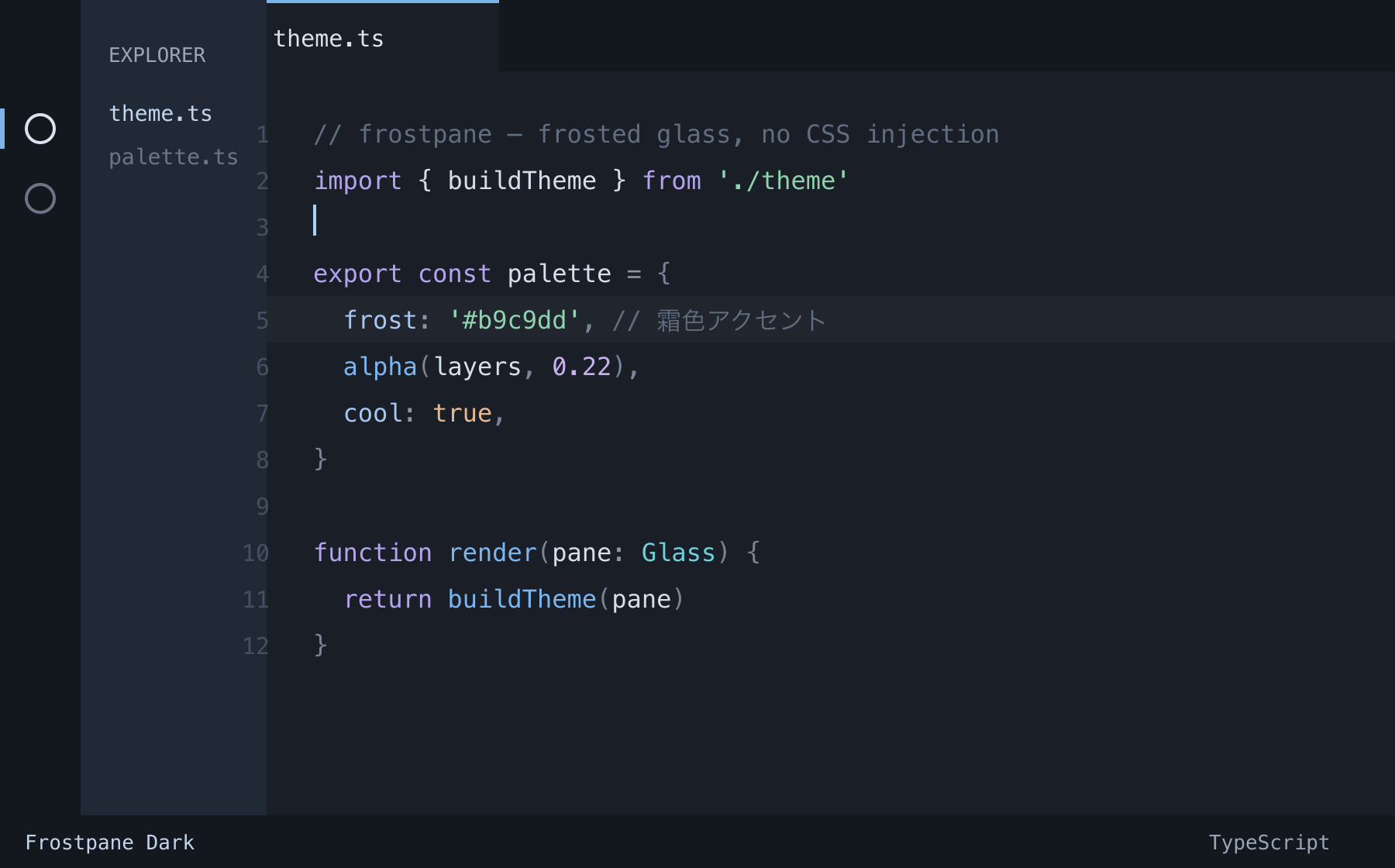
A cool, milky, low-contrast frosted glass dark theme for Visual Studio Code. Frostpane recreates the look of frosted (matte) glass with color alone — no CSS injection, no patched VS Code binary, no "installation is corrupt" warnings. Just install it and pick the theme.
Why Frostpane?
Most "glassmorphism" and "frosted glass" VS Code themes rely on Custom CSS injection to fake transparency — which patches VS Code's core files, triggers a corruption warning on every launch, and breaks on each update. Frostpane takes the opposite route:
- Frosted glass, the easy way — a pure color theme. Install → select → done. Nothing to patch.
- Cool & calm — desaturated slate backgrounds, milky (never pure-white) foreground, and layered translucency for a real sense of depth.
- Aurora-through-glass syntax — a frosted multi-hue palette (mint, lilac, aqua, rose, amber) over a cool blue base. Colorful, but never harsh.
- Icy blue accents — cursor, selection, links and badges in soft, frosty blue.
- Semantic highlighting — accurate coloring for TypeScript, Python and more via the language server, tuned to match the TextMate palette.
- Tasteful italics — comments and keywords in italic for a bit of extra texture.
Tuned for TypeScript / JavaScript, JSON, CSS / SCSS, HTML, Markdown, Python and more.
Install
From the Marketplace — search for “Frostpane” in the Extensions view, or:
code --install-extension kpab.frostpane
Or open the Quick Open (Cmd/Ctrl + P) and run:
ext install kpab.frostpane
Activate
Press Cmd/Ctrl + K then Cmd/Ctrl + T (or run Preferences: Color Theme) and choose
Frostpane Dark.
Recommended settings (optional)
Frostpane already ships with italic comments and semantic highlighting. To get the most out of it:
{
  // Let the theme drive per-token semantic colors (TS/Python, etc.)
  "editor.semanticHighlighting.enabled": true,
  // Bracket pair colors are themed too
  "editor.bracketPairColorization.enabled": true
}
Optional: real window transparency
Frostpane is a pure color theme, so it does not blur or make the window truly translucent. If you want genuine glass, you can inject CSS into VS Code with Custom CSS and JS Loader. Note this is unofficial: it patches VS Code, shows a corruption warning on startup, and must be re-applied after each update. Frostpane itself does not depend on it.
Customize / build from source
Colors live in a single source of truth, src/palette.ts. The theme JSON is generated —
don't edit it by hand. Change the palette and regenerate:
npm install
npm run build:theme   # palette -> themes/frostpane-dark.json
npm run build:assets  # regenerate the preview image
npm run package       # build a .vsix (vsce package)
Keywords
frosted glass · glassmorphism · dark theme · blue · cool · low contrast · minimal · matte glass · frost · icy · aurora · semantic highlighting · TypeScript · italic
License
MIT © kpab
日本語の README は README.ja.md にあります。